Hi everyone,
For those who use the objects in the model when dimensioning. How do you choose on which hole the dimensions should appear.
Seen from my window, it seems to be a bit random and never well placed
Hi everyone,
For those who use the objects in the model when dimensioning. How do you choose on which hole the dimensions should appear.
Seen from my window, it seems to be a bit random and never well placed
Hello
For the object of the model it depends, normally you apply yourself a dimension on which you indicate what is for the layout. Since your dimensions are not automatically dedicated to drawing (black color by default in SW).
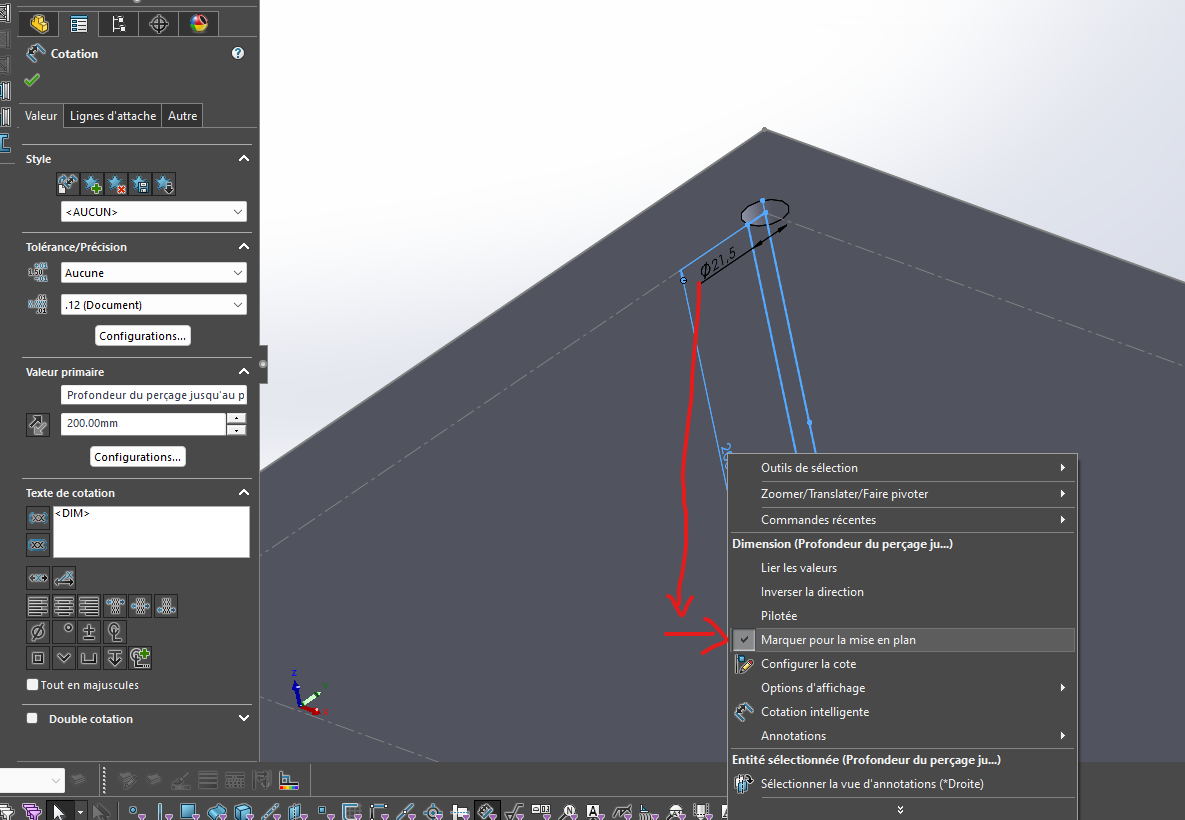
After any annotation works under this method. But you can still insert them into your drawing even if they are not set up for that.
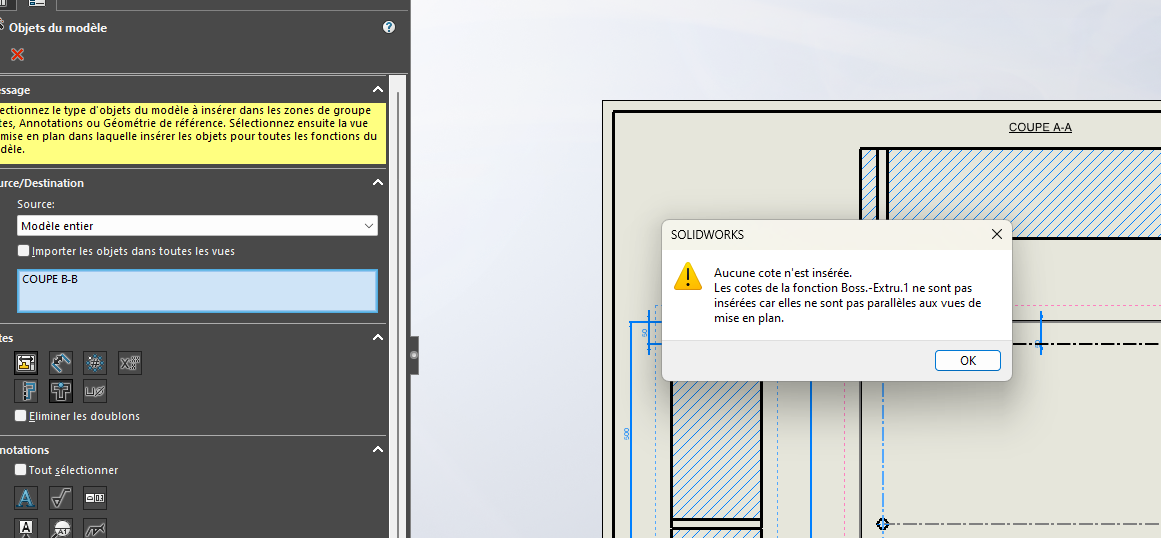
Your vision must be well oriented according to what you want to insert. Let me explain, if your dimension is in a perpendicular plane, it may be that the insertion does not work (You may need to set your view to projected dimension!
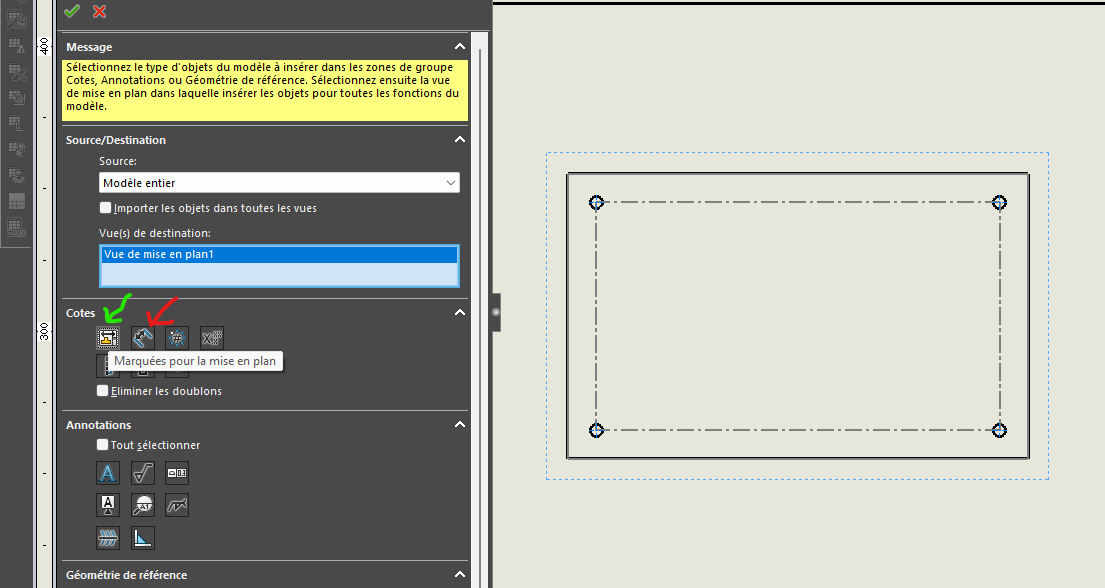
In green the dimensions for the drawing, you can select the view or the function in the tree
In red all the dimensions will be inserted, so let's say that it's the m... when it happens 
What's good I think is that you can modify the 3D via the drawing and aim towards that of course.
Hello;
Our imported dimensions are carried out in two stages:
The first is for the general dimensions to be applied to one or all views (Dimensions, Linear dimensions and material removal diameters for the vast majority). But especially not the piercing dimensions.
The second stage, I'll give you it in miles... Import the dimensions associated with the drilling wizard (diameters and positions) and there it is possible to choose which hole will receive the annotation, it is the one on which you click to add the annotations.
If we ever import all the annotations at once, it seems that it is the first hole created (first sketch point) that takes the Dimensional annotations.