Yes I was also thinking that someone corrected the mistake in the documentary, but that it remained in the table...
2 Likes
As stated on the message, the problem is in the column header (column name) not in the added values. (cf @froussel
If you can't identify the error in the header name, you copy and paste your table into another excel file for backup.
You delete the part family and you recreate it automatically.
And you compare and modify the values if you have any problems.
Hello Sirs,
@Sylk
The value in red was 8 I changed it to 7 as requested and corresponds to the length of the half-sphere

The value in green is that of the drilling, I have changed it from 9.2 to 8.8 but it does not change
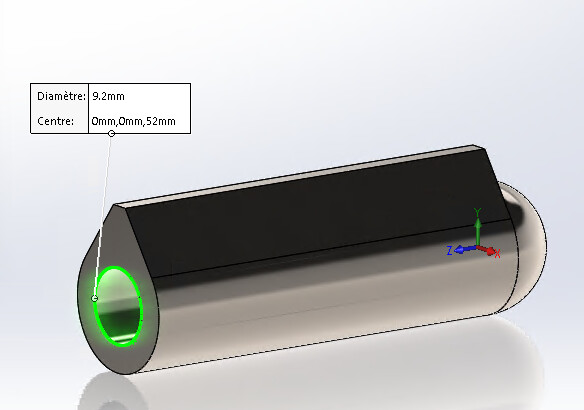
I don't know about the nominations, I didn't make them myself.
@Rems51
The format of the cell is standard
@froussel
Or could I rename the sides?
Thank you all
You can start by deploying the " annotations " in the FeatureManager and see the names of the dimensions.
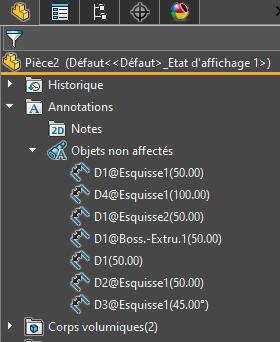
Hello;
In general, the easiest way to fix this kind of error is to delete the offending column in the Excel table... quit Excel... and to restart the room family table from the right click ...
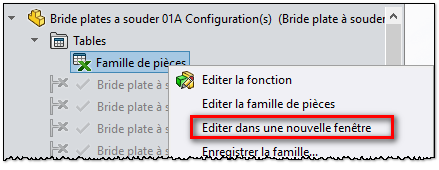
Then re-select the value to be added in the Excel table.
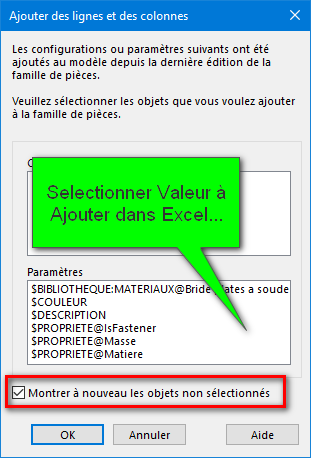
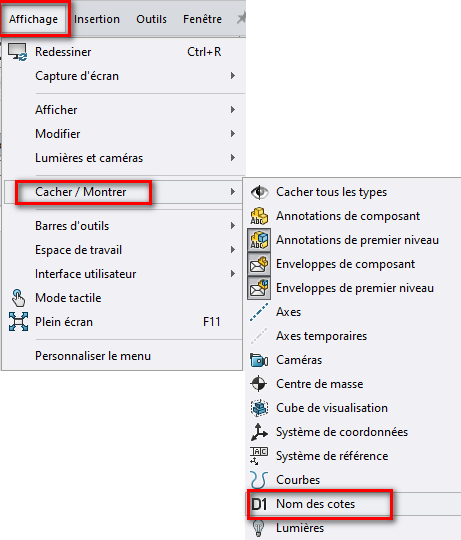
A little tip (or reminder...) To view the Dimension Name more easily, In the Hide/Show menu click D1 Dimension Name:
4 Likes
Completely agree with @Maclane on this point.
And as explained, make a backup of your table before for the values (just in case)
1 Like
Afterwards, I also wonder about the point of the 8mm length

Will it not end up at 0 in length when the length becomes 7? This could explain a reconstruction problem and a decanting of the software
To be sure that it is indeed a naming error, I will already try to redo the sketch with the desired dimensions in " hard " in the Solidworks file
2 Likes
@coin37coin I will say " Yes "... and " No ".
The values entered in the Excel table are only raw data. If they cause a reconstruction error, it will only be visible under Solidworks with the function in error but nothing will appear in the part family...
@Maclane, it's just a question to make sure you don't miss an " obvious " point 
That said, another question with the names of columns. If they were changed, the problem would appear every time the Solidworks file was opened, wouldn't it? It wouldn't know where to point its value (although with Solidworks, I wouldn't be shocked that it keeps values cached and waits for a rebuild!)
=> You got it all figured out... The problem can only be seen if you edit the part family... Worse, it is only when saving/closing that Solidworks displays this alert (at the risk of losing any changes made in the meantime).
To also answer @sbadenis ... there is no need (although security obliges) to create a copy of the Excel file.
Solidworks only takes into account sheet 1 (sheet1) of Excel, so it is quite reasonable to create a new tab on the same workbook to duplicate the data... To be safe, however, I advise to leave two rows and two columns blank on this " backup " sheet. (Solidworks only takes into account rows and columns contiguous to cell " A1 "...)
3 Likes
Hello again sir
@Sylk
I don't see any odds

@Maclane
I can't display the dimensions (I can't click) and it shows me no dimensions when I open the table in a new window


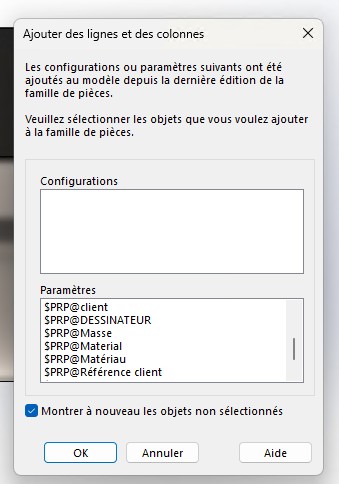
@coin37coin
This is an area of construction:
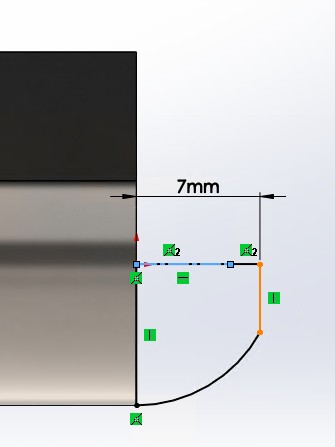
I can force the values
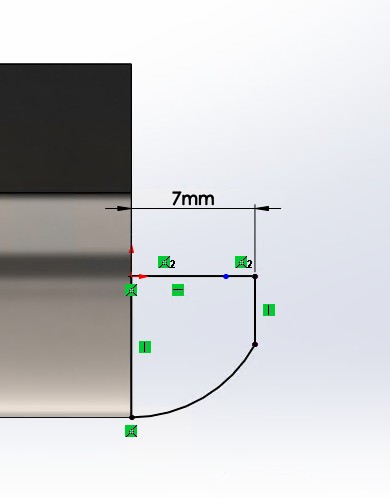
I think there is a problem with the painting I piercing which has no link with the half sphere does not change too
Thank you all
… It happens! (This is why the " Show unselected objects again" checkbox should always be checked each time the room family tables are opened.
However, nothing is lost... with the Excel table open, double-click on the dimension to be added and it will be entered again in the table (in the last position)... (the formatting of the cell will be that of a hyper-link but this is a normal operation).
On the other hand, I wonder if your rating (here 7mm) is associated with each configuration (normally it will have to change color to go to " Pink ") here it looks like a " universal " rating for all configurations...
Erratum: if the " show/hide " option the name of the call numbers is not available, it means that you have not assigned specific names to them...
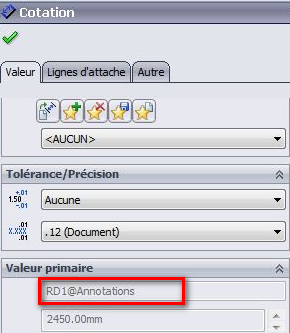
(the example is not very well chosen but I don't have access to my Solidworks right now).
Erratum n°2 (disregard erratum n°1): Click (disable) " Hide all types " to access the options for viewing the dimensions... (among others)

… Because if you hide everything, you can't see anything... 
Note: Personally I strongly suggest that you name your dimensions clearly if you are working on a component intended to have several configurations...
See to copy the name of the supplier's table if it is a commercial component...
@Sylk Finally I will need the " Strike through text" option 
1 Like
I found a way, while waiting for the implementation;
<del> texte à barrer </del>
Donne: Text to be crossed out

2 Likes
Il semblerait que:

fonctionne aussi et donne: strikethrough
Source forum discourse dont est issue ce forum:
Ou encore:
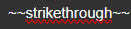
donne (valable uniquement pour une ligne pas de paragraphe):
strikethrough
1 Like
It is not so much the means as the button that is lacking 
I think that the 7 rating is not associated, the other odds are in pink

for drilling it's in pink and extrudation
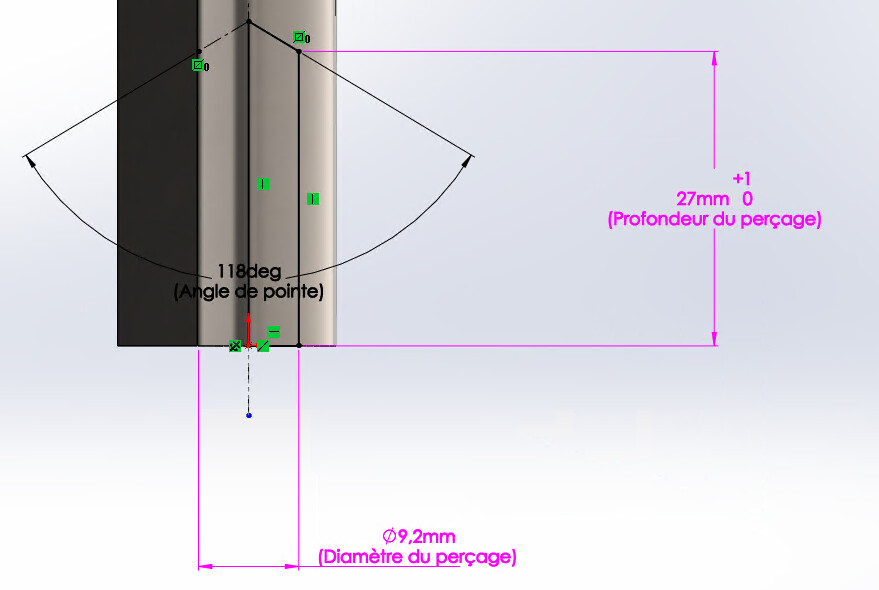

Indeed, it is coherent.
Careful;
For holes made with the drilling wizard, it is imperative to use the " specific to this configuration " function in the wizard command and not directly on the dimension (otherwise it very often crashes when generating the Excel table)...
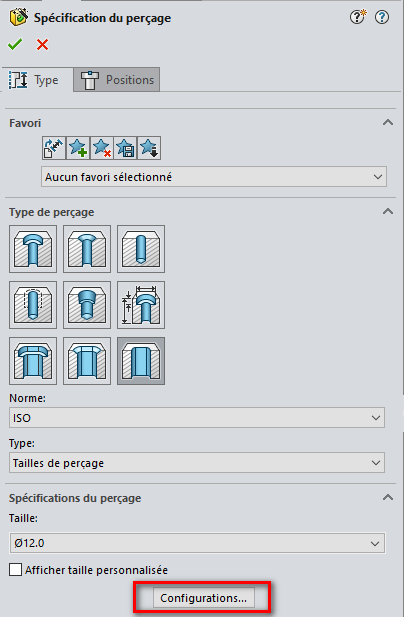
=> If it's a smooth hole, it's the only case where I recommend a simple material removal (much more " stable " to configure) rather than going through the drilling wizard...
1 Like
Good morning, sir
I have renamed the rating 7 as shown in the table and it is resolved !!
it takes into account the diameters and length of the balls etc...
On the other hand I still don't know how to link an extrusion / removal or any function with an array like the part I was asked to modify. ^^' I created a separate room to test but it failed
Thank you all
Look at the tutorials on YT or other, there are plenty of family parts and it will guide you
1 Like