I have a problem, I just created a boss in (. SLDLFP), to be able to insert it with its holes in a part. But the problem is that I would like to enter properties from the list of welded parts (Code, Description, ref). But once I insert this file (. SLDLFP) in the part. I no longer have the properties. Is there a solution to my problem, I tried with a macro but nothing works...
Hello Lucas_CREPET, Welcome to the forum, please specify the version of your Solidworks with a screenshot of your file to understand your problem a little more. @+. AR.
Hello, I use solidworks 2022. To put it simply, I entered the properties in my function (. SLDLFP). And I want these properties to stand out in the room where the c*function is used. Without having to type by hand.
What you want to do is unfortunately not possible. A library function is a set of functions that are copied back into the destination file; It does not include the properties of the file or the volume size.
I have encountered this problem with weld nuts and Tubtara®. I got out of it by specifying the reference in the text of the thread representation. Thus, by placing a dimension on the thread representation, the supplier reference of the Tubtara® or the weld nut appears on the plan (we do not have a nomenclature in the plan).
Alternatively, you can use the Insert Part feature by selecting the Custom Properties > Prop. Welded Parts option. This solution implies that your G1/8" Sleeve is registered with the .sldprt extension and no longer .sldlfp (library function).
I rather recommend assemblies for this type of part, or else it is possible to do it also with the " Smart Components " (but it remains a job in an assembly all the same, you will just have to work in the other direction: the boss will generate its drilling and not the other way around.
(beware of gendered references in case of project duplication, they sometimes lose their footing).
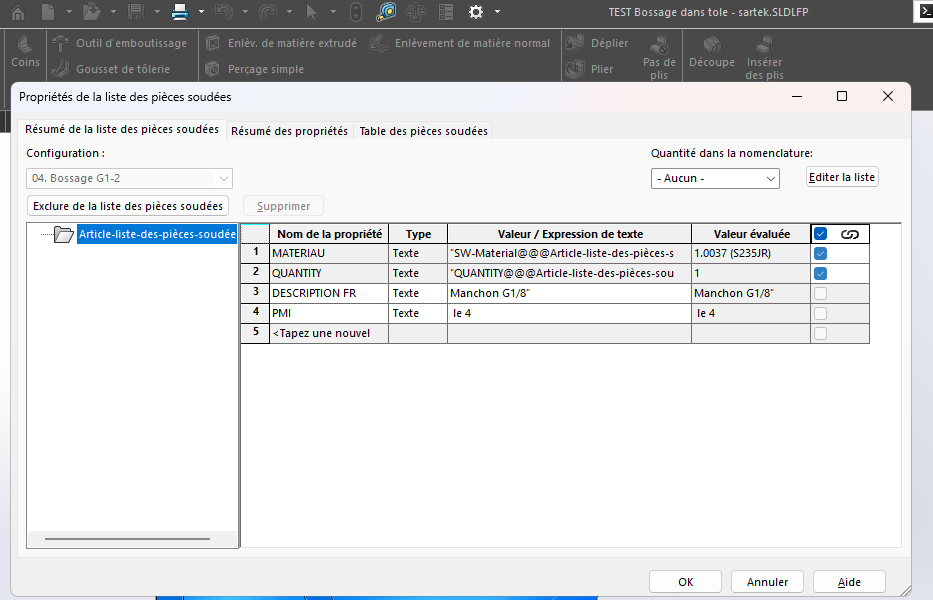
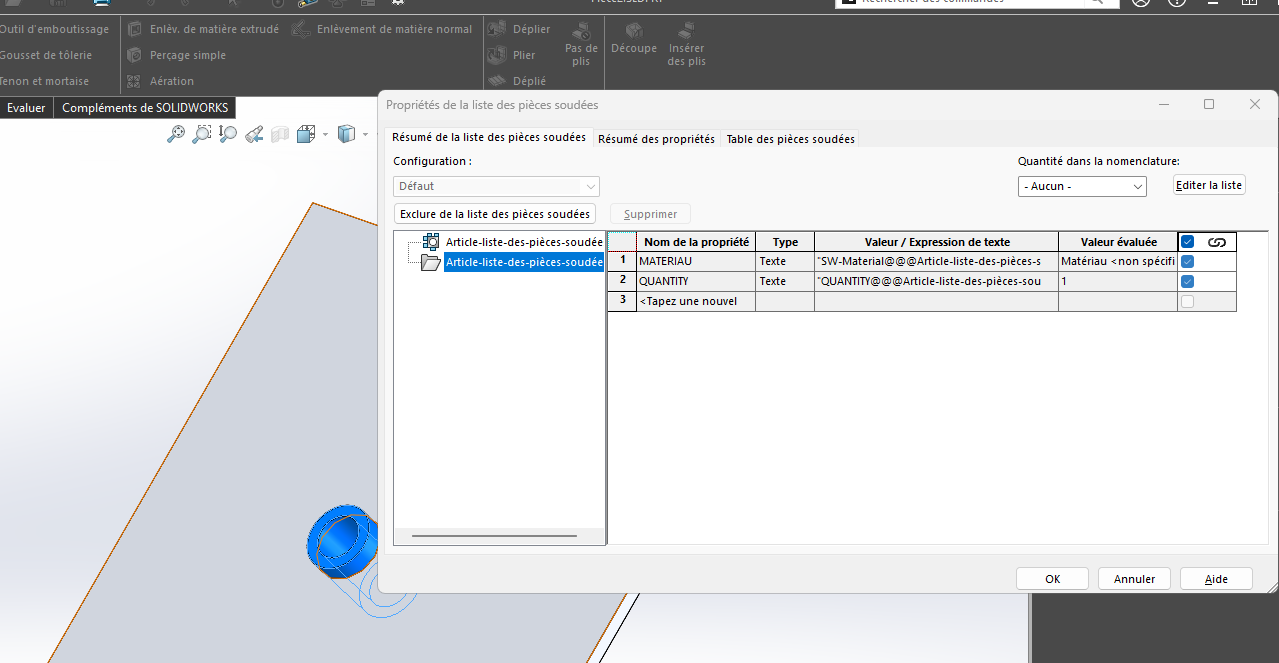
 feature by selecting the Custom Properties > Prop. Welded Parts option. This solution implies that your G1/8" Sleeve is registered with the .sldprt extension and no longer .sldlfp (library function).