Hello
I just discovered as a modification the designation of a tapping annotation via AI and following a request for a project.
- Find the folder using the link on your PC below
C:\Users\Public\Documents\Autodesk\Inventor 2022\Design Data\XLS\en-US

-
Create a Zip of the thread.xls file (backup) to allow you to go back
-
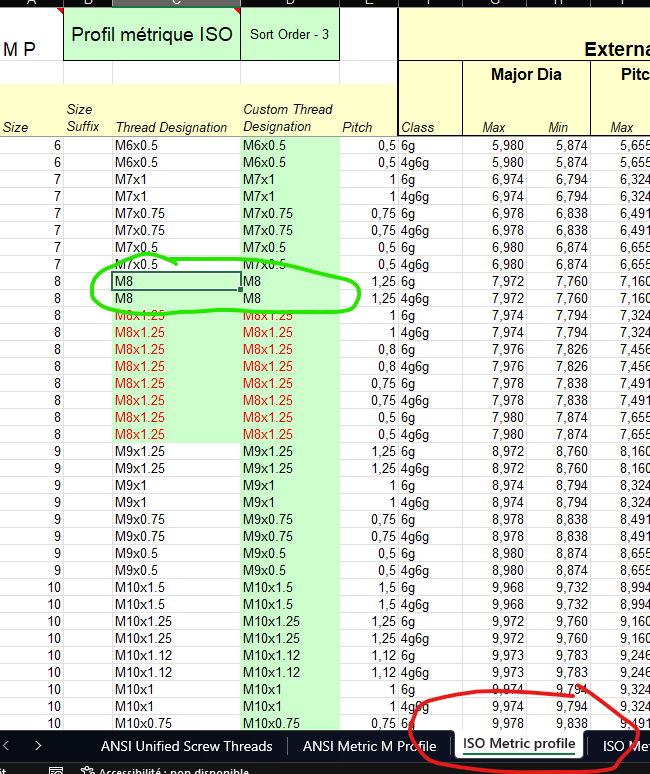
Open the file and edit the Excel file as follows:
Modify the value according to your needs (I advise you to add a line)
- Return to 3D, or MEP open the 3D model
Open the drilling function
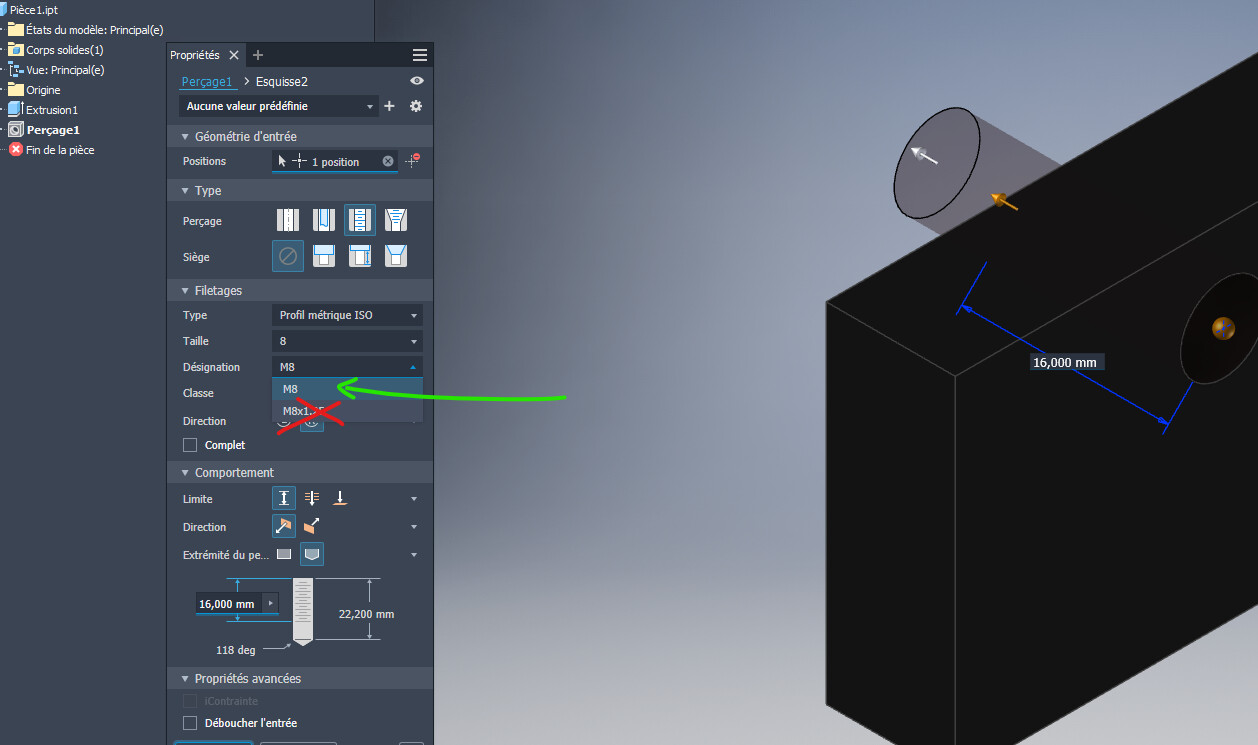
Change the designation to the one you set in the Excel file
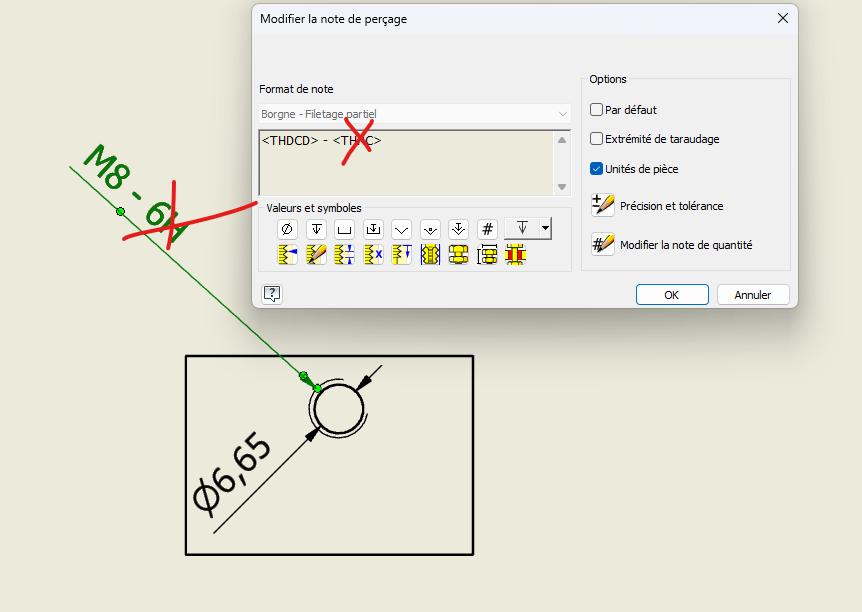
- Return to the MEP
Remove the unnecessary value, in our case we have dissociated the pitch from the size and removed the note the pitch and the quality of the tapping.
If you see any additions to this procedure or elements to be added, I'm interested