I am looking to integrate the PLM revision number into the name of my DXF files generated via My CAD Tools (sheet metal export).
Background:
I have a " PLM Review" custom property on my SOLIDWORKS parts.
This property is set at the configuration level (the " Configuration Properties" tab in SOLIDWORKS), not at the document level.
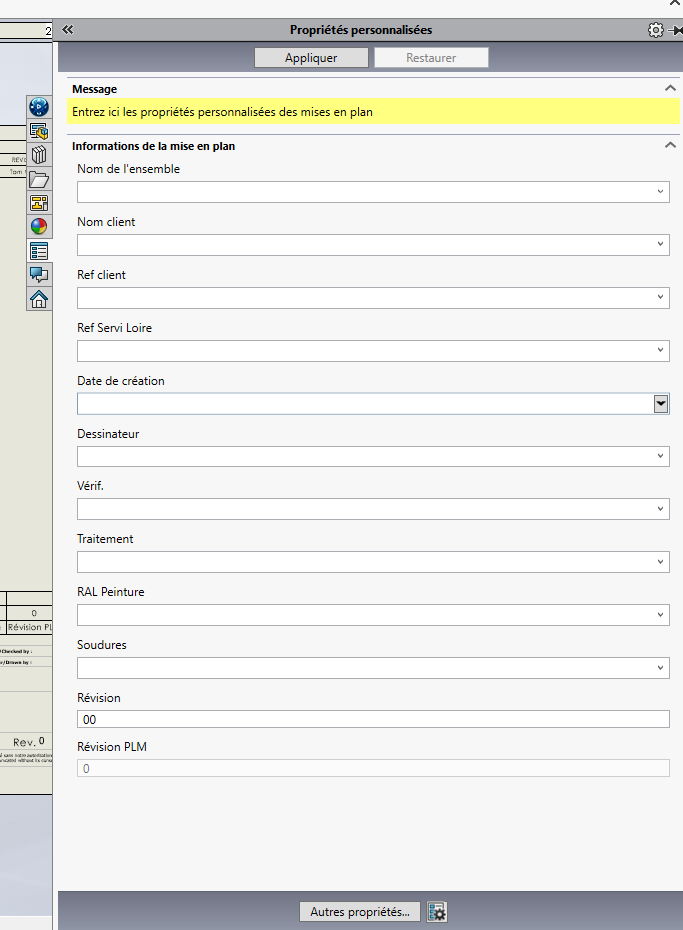
Other properties (Review, Client Ref, Processing, etc.) are well defined at the document level ("Customize " tab ) and appear normally in My CAD Tools.
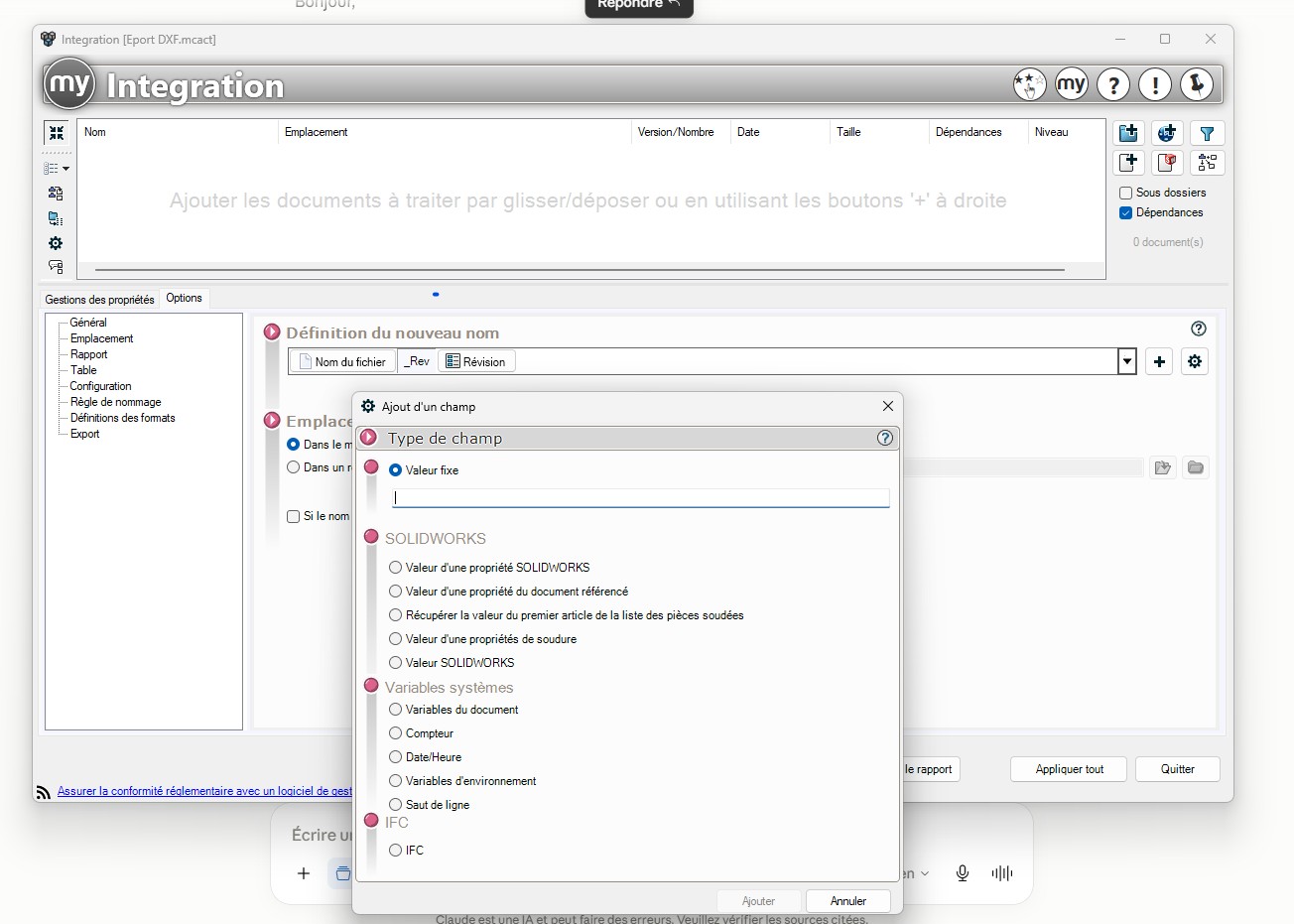
Problem: In the " Add Field " dialog box (file naming rule), I tested the two available options:
" Value of a SOLIDWORKS Property"
" Value of a property of the referenced document"
In both cases, the drop-down list shows all my document properties, but " PLM Revision" never appears, because it is set at the configuration level.
My question: Is there a way (hidden option, specific syntax, other field) for My CAD Tools to fetch a configuration-level property in a file naming rule? I know that the SOLIDWORKS API allows this natively (GetCustomInfoValue("NomConfig", "Propriété")), so I'm wondering if this is a real limitation of the tool or if there is a solution that I haven't found.
I don't have the rights to duplicate this property at the document level (mask managed centrally), so I'm looking for a solution on the My CAD Tools side if possible.
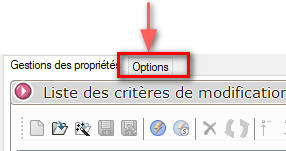
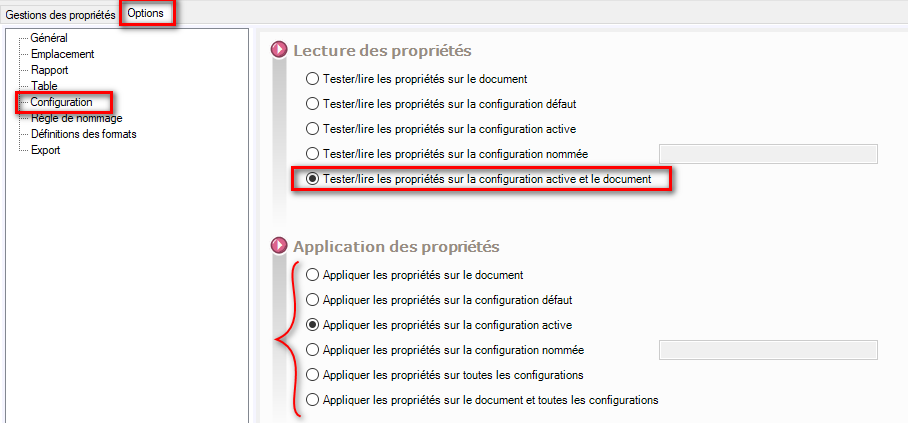
For all the Visiativ tools you have to go to the options of the software itself: Then in the " Configuration " tab and choose the right options depending on the case concerned:
And, " Yes " is an aberration as a management choice... Depending on the type of treatment chosen, it is often necessary to modify these settings!! It would have been so much more convenient if these choices could have been made from the property manager (the shares)...
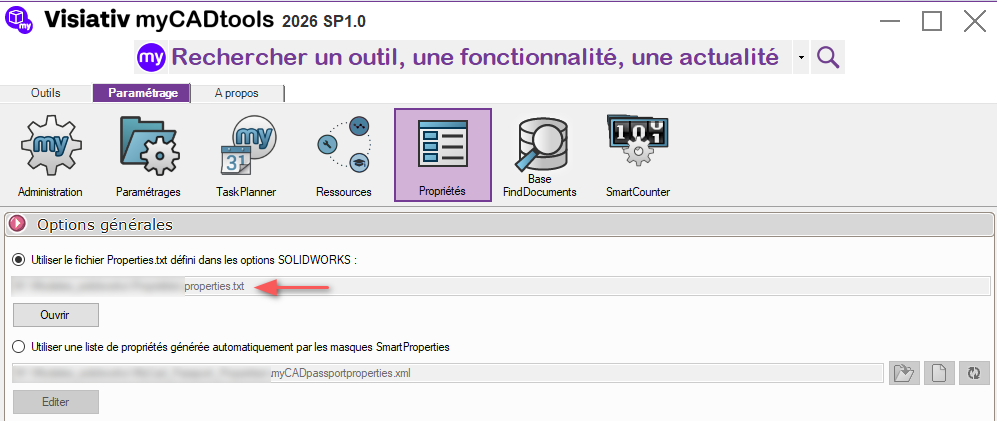
In your case, it is likely that the " PLM Revision" property has not been saved in the " properties.txt " file (See " property " tab in the MycadTools hub). This must be why it does not appear in the list.
Thank you for your feedback, but after checking this track does not work in my case, I do not see the item Revision plm in the lists.
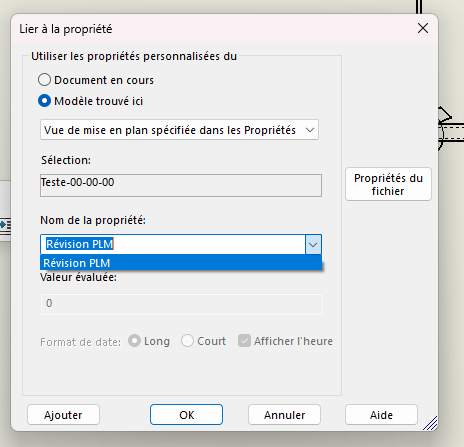
Now I can find PLM revision when I make a drawing and I put a note to look for the property, like on the capture, but I can't find this item on My CAD Tools.
And I can see in my property mask that the 3DX PLM Review item is present, and that it is not editable, which is normal since 3DX manages it.
Thank you in advance for your help, and sorry again for the inaccuracy of my first question!
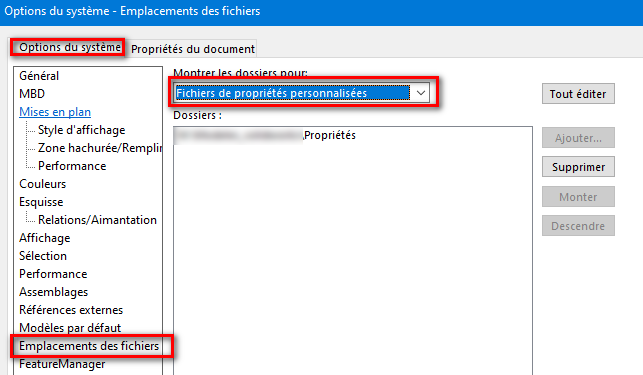
I'm talking about the native file (usually here): C:\ProgramData\SOLIDWORKS\SOLIDWORKS 20??\lang\english\properties.txt (Replace 20?? with the version year of your Solidworks) If " PLM Review" is not in this list, add it by hand. and take the opportunity to add all your properties that don't appear there.
Note: If possible, save this file in a new shared location (server) remembering to point Solidworks to this copy: And the mycadtools too (see above) This will prevent this file from being overwritten in the event of a Solidworks restore or update.
 me Well done!