Hello community,
One of our customer has problem with activating valid license to myCADtools Connected. We’ve tried uninstalling mCt 2025 and installing new mCt 2026 from latest installer avaiable. Everything regarding to license validity is correct.
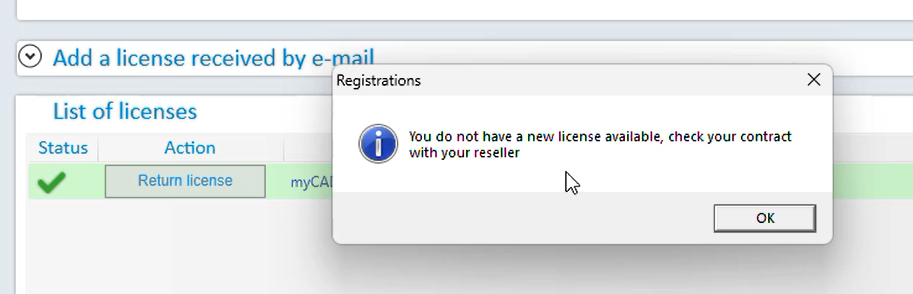
It seems to be software-related issue, not the license case. Did anyone face this error? « You do not have a new license avaiable, check your contract with your reseller » after hitting « Activate the application » in Registration window.
Hello,
The best thing to do in this case is probably to contact your dealer, who will take control of the PC or give the appropriate instructions
2 Likes
Hello;
Before the redesign of their site, it was possible to retrieve the MyCadTools license at:
https://app.mycad.visiativ.com/fr/licences
It seems that this is no longer the case, only a Contact my CSM button is available:

Have you tried email activation?
Last but not least, is it really " MyCadTools Connect " and not just " MyCadTools " that should be installed at your customer's site (it is likely that it will not be the same license number)?
1 Like
Well, I admit it was a bit easy, but I had to try it!! 
1 Like