I do a drawing and I assign a dimension to a red layer and another side to a blue layer.
My problem is that the color doesn't show up on the drawing
Despite my attempts: color drawing, export in pdf, nothing helps, the COE doesn't change color.
Someone will have an idea so that I can get the colors of a dimension or a line in my drawing
Hello and welcome;
To see the colors on your drawings, you have to activate the color mode from the Filters toolbar (keyboard shortcuts =>F5)

To export the colors in the pdfs you have to set the System options:
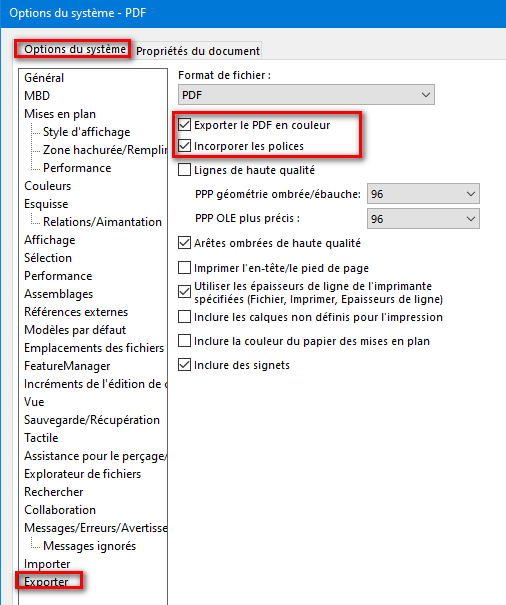
And for exports in dwg (or dxf) it is preferable to use a projection file:
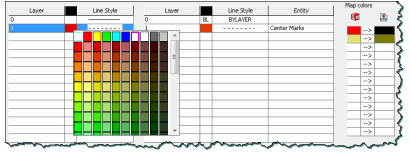
1 Like
Thanks for the quick feedback, but I had also tried the color display mode without success.
I had imagined that in the Solidworks settings there was an option that I had disabled but not found.
I have no more ideas...
For the projection file to the dwg and dxf:
In the Export/DWG/DXF system options:
You can activate the projection file:
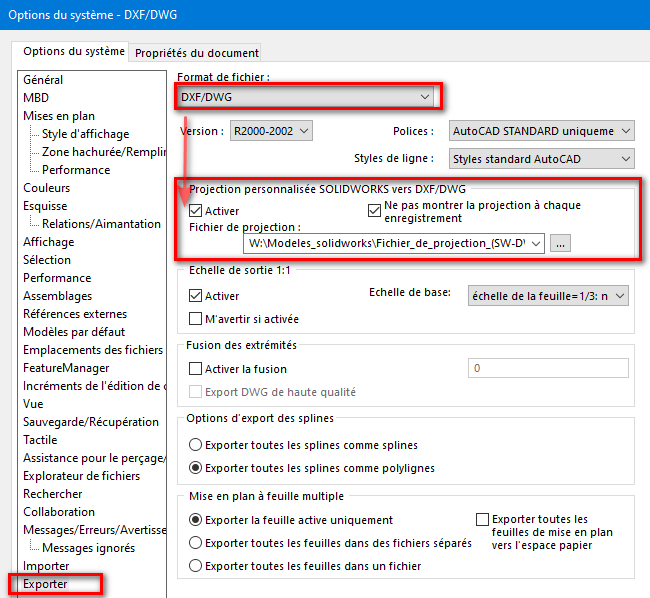
This allows you to " translate/convert " Solidworks line types to autocad line types (dwg).
You can also replace the colors of the Solidworks layers to other colors in the dwgs:
Example:
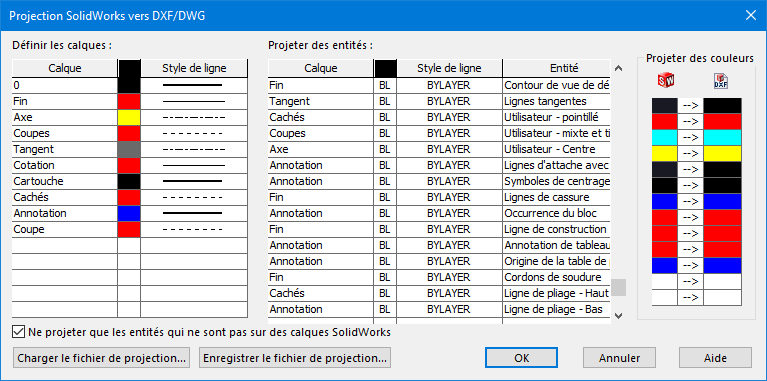
1 Like
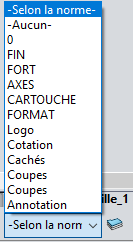
Hello @Maclane
Yes, I am configured according to the standard.
I saw that SW doesn't use classic RGB colors like other software but uses a calculation (in the setting of room families). Is that why the projection file?