hello the question is in the title
I am told it is possible but after many tries I get no results
Do you have a method for this
thank you
Yes, just create a 3d sketch, select your propeller and click on convert entities.

Then welded construction function by selecting your 3D sketch (not the propeller)
ok it creates a spline for me but the welded constructions function remains without result for me
Hello if the goal is to use the mechanically welded elements by bib .sldlfp it doesn't work for me in 3d sketching or composite curve, forced to go through a sweep and draw the section with a mano on a plane normal to the curve
Hello fr_GA, (SW2002SP4)
Indeed it's possible=>
Sipre_pour_esssai. SLDPRT (329.2 KB)
Spire_mecanosoude_1.SLDPRT (1.1 MB)
@+.
AR.
SW2023 sp 5.0
Thank you very much for this proposal
my goal would have been to be able to recover the specific properties of mechanically welded machines (particularly " TOTAL LENGHT ")
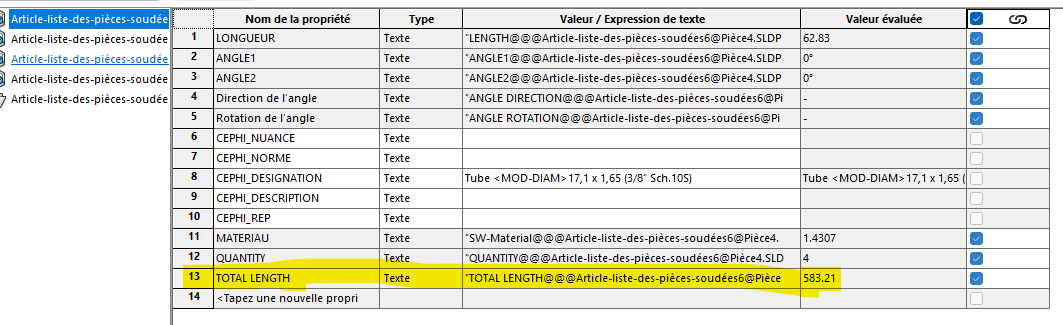
maybe there is another way for that
illustration, in blue the mechanically welding (arcs + lines) in gray l helix (sweeping)
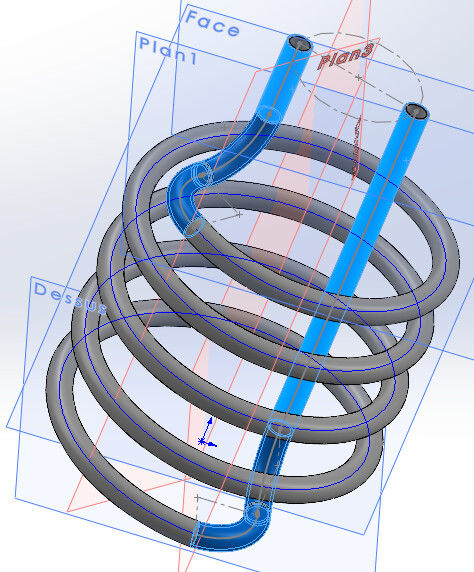
1 Like
Hello again Fr_GA,
Yes it's possible, by linking the text of length developed in my case=>
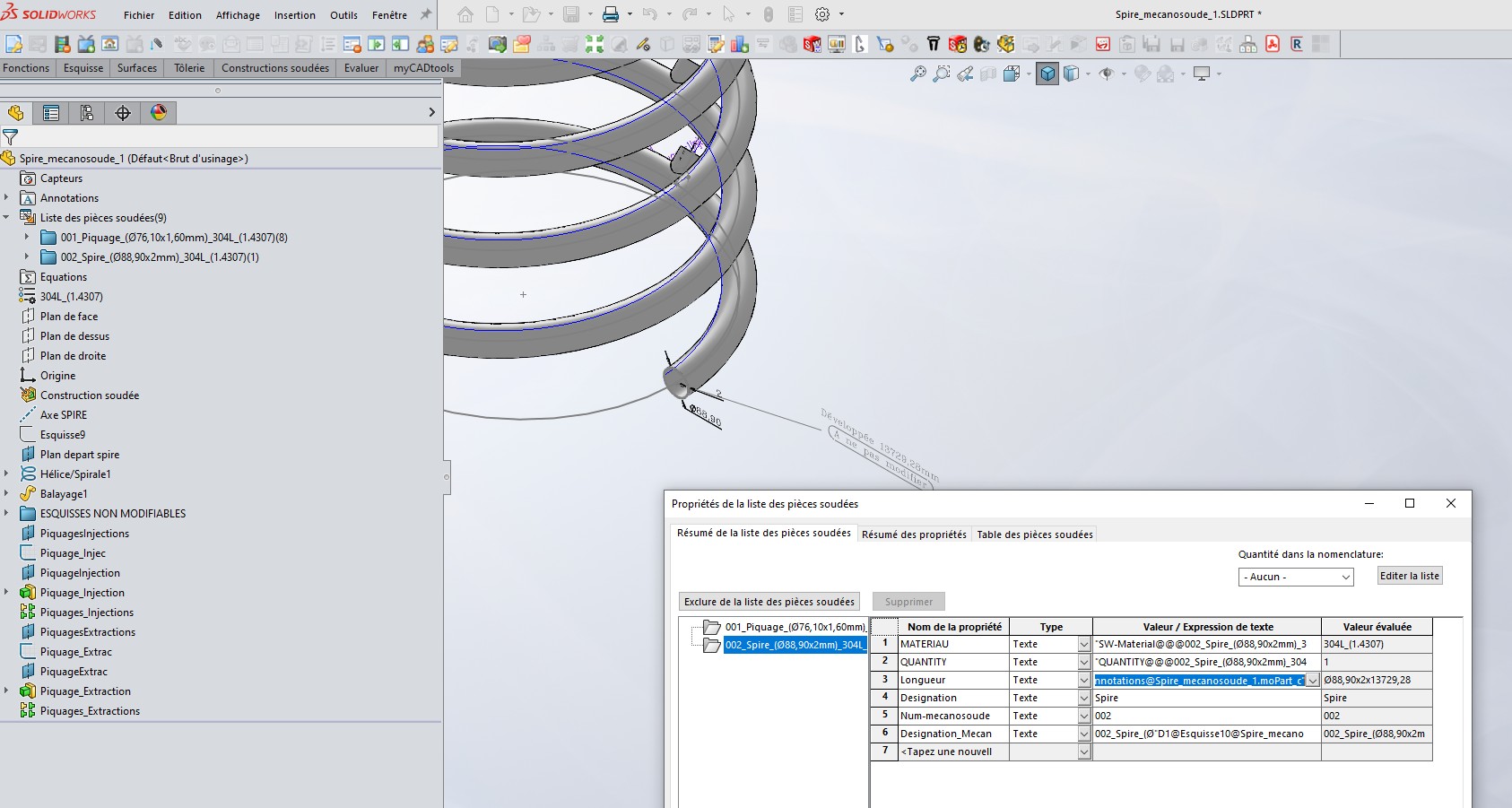
All this to be linked in the properties of your mechanically welded.
@+.
AR.
hello A_R
I understand the principle well I would like to apply it
I can create the type dimension (RD2@Annotations) but its display disappears as soon as I turn my view,
I saw that on your file it remained visible
I am told to right click on the property of the rating to manage its display but none of that at home
How do we keep it visible?
thank you
Hello Fr_GA,
Yes indeed as soon as you turn your part, depending on its position it disappears.
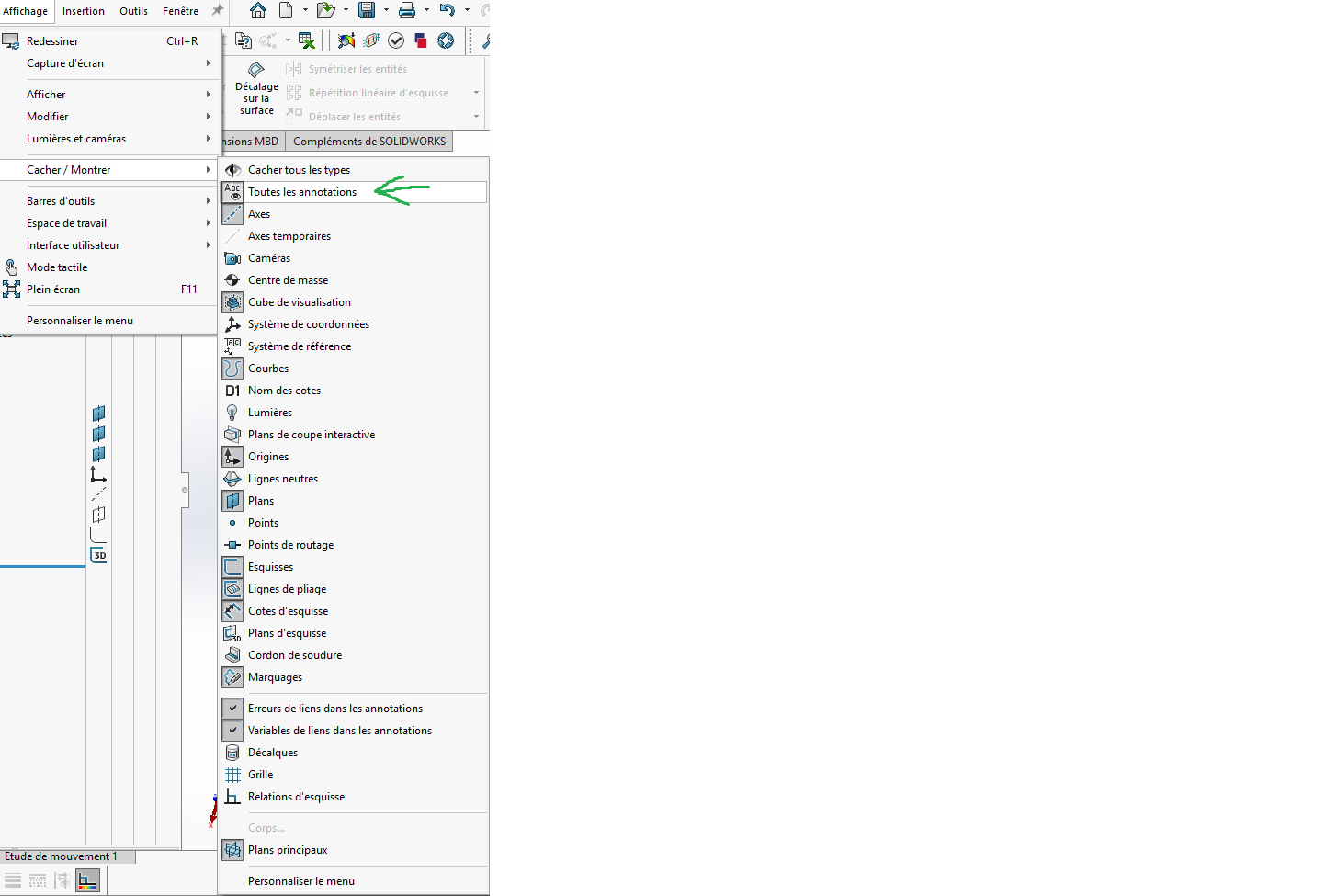
But look in your quotes display be displayed=>
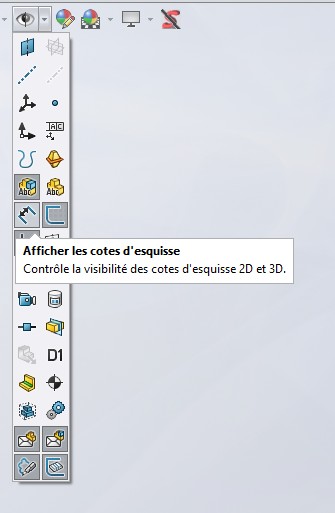
There you have it, try to see. (SW2022SP4)
@+.
AR.
thanks for the tip
by checking "all the annotations, I see them,
Have a good weekend
1 Like