Hello,
I regularly encounter problems with the display of body colors in my welded constructions.
An example with the image below:
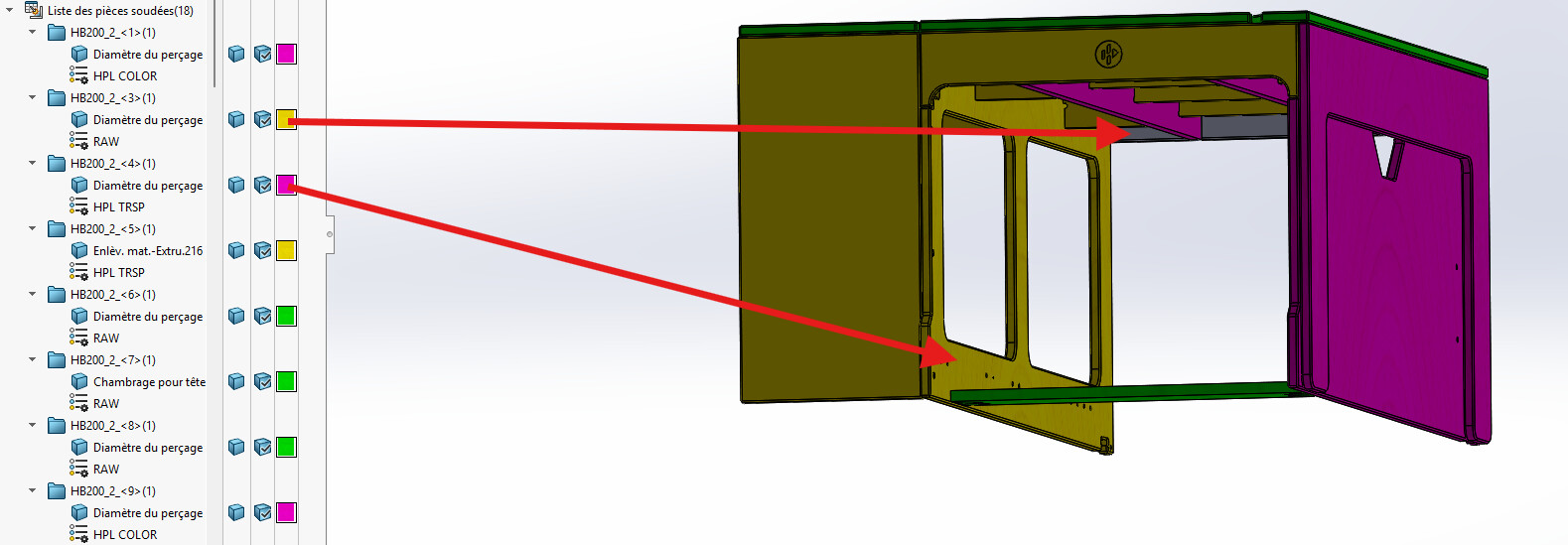
The piece <3> appears gray and without the texture of the material while the body is set to yellow.
The piece <4> appears yellow while the body is set to pink.
I manage to correct it but as soon as I save or update the file, the problem comes back.
Worse in other files, the colors disappear completely with each saving and refreshing.
The colors are determined according to the orientation of the room. Request made by my colleague who works on another design software so that he can find his way around more easily when I send him my STEP files.
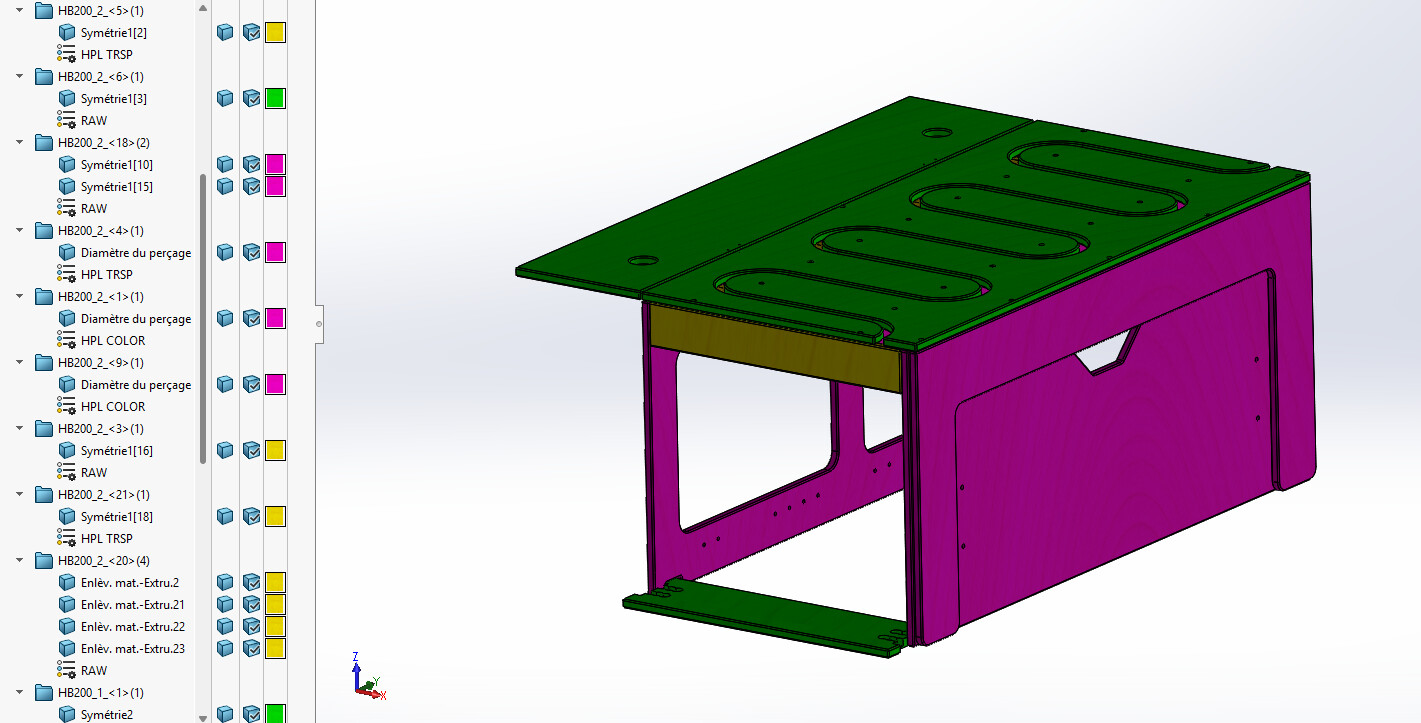
Another example on another file (symmetry).
Before saving, just after you set the body colors:
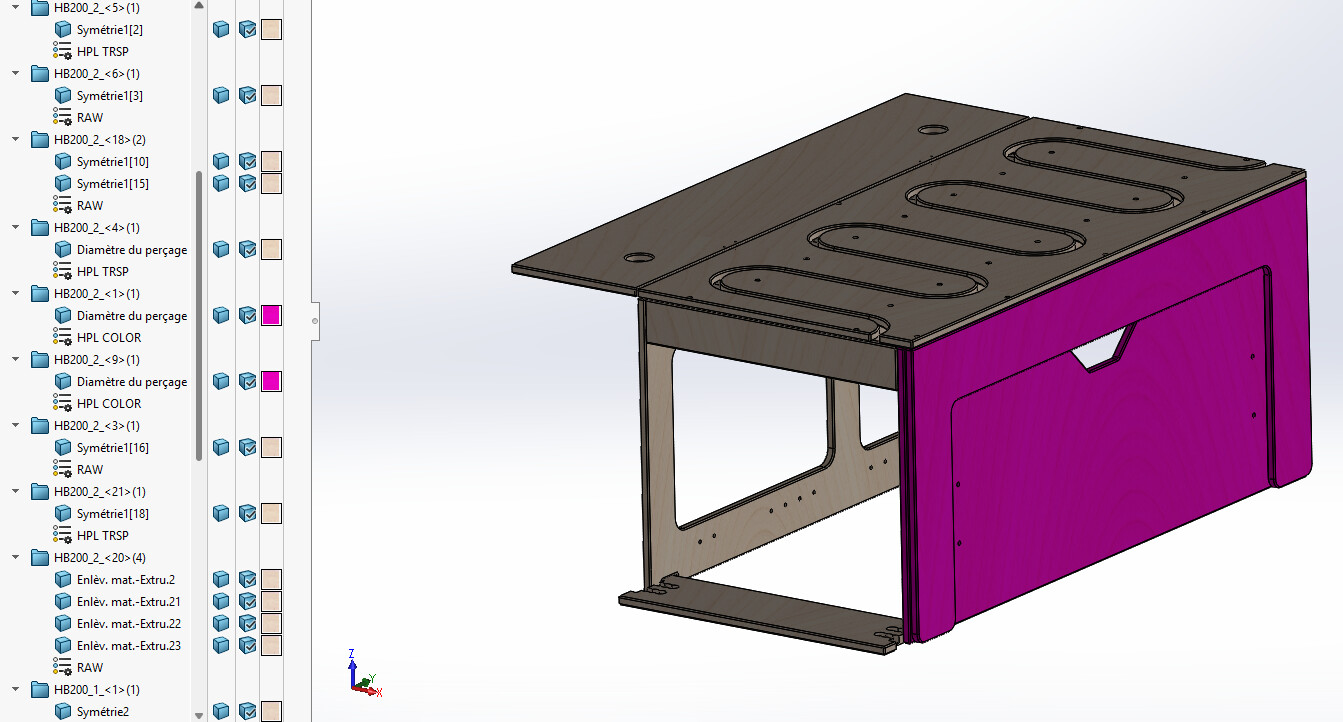
After saving and refreshing the file:
I looked for ideas and tips on the forum, didn't find much.
I disabled the " improved graphics performance" option but it didn't change anything
A color is not assigned to the part higher in the tree.
How is your piece made up (imported part into a room?) or is each body drawn in this room?
It's hard to answer without having the piece itself, out out at least see more.
The only certainty is that the color management is frankly not great on solidworks and that the bugs on the colors are legion...
No specific color assigned to the room, except the basic " gray " color.
On the file of the first image, all the bodies are drawn in the room.
On the file of the other 2 images, it is an imported part (the one of the 1st image) in a room to which I have applied symmetry and added modifications.
yes, that's what I thought I learned from my various research on color management.
Be careful with the symmetry, you can assign a color to the function (which therefore becomes a priority.)
On the imported bodies possible that the color does not attribute well as well.
Shareable document (even if it means removing some functions for the defense secret!)
Which version of SW?
SW2025 SP2.0
I prepared a file to transfer in which I deleted all the machining allowing the assembly of the furniture and redid my colors correctly. And on this one I have no problem defining my colors... It seems that there is something in my construction tree that is disturbing.
Below is the file without all the machining:
[EDIT: I deleted the file right now]
I never assign color to functions, only to bodies. When I see that this is the case, I remove the color related to the function. The same goes for the faces.
The only times I assign colors to the faces is to have a more realistic representation of the furniture, but I do it in a specific display state.
Well, a priori there was a function from my design library that bugged the thing in the construction tree. I turned the feature off and on, redo the colors and it seems to work.
1 Like
If it allows you to understand where your problem comes from, good for you.
2 Likes