Hello,
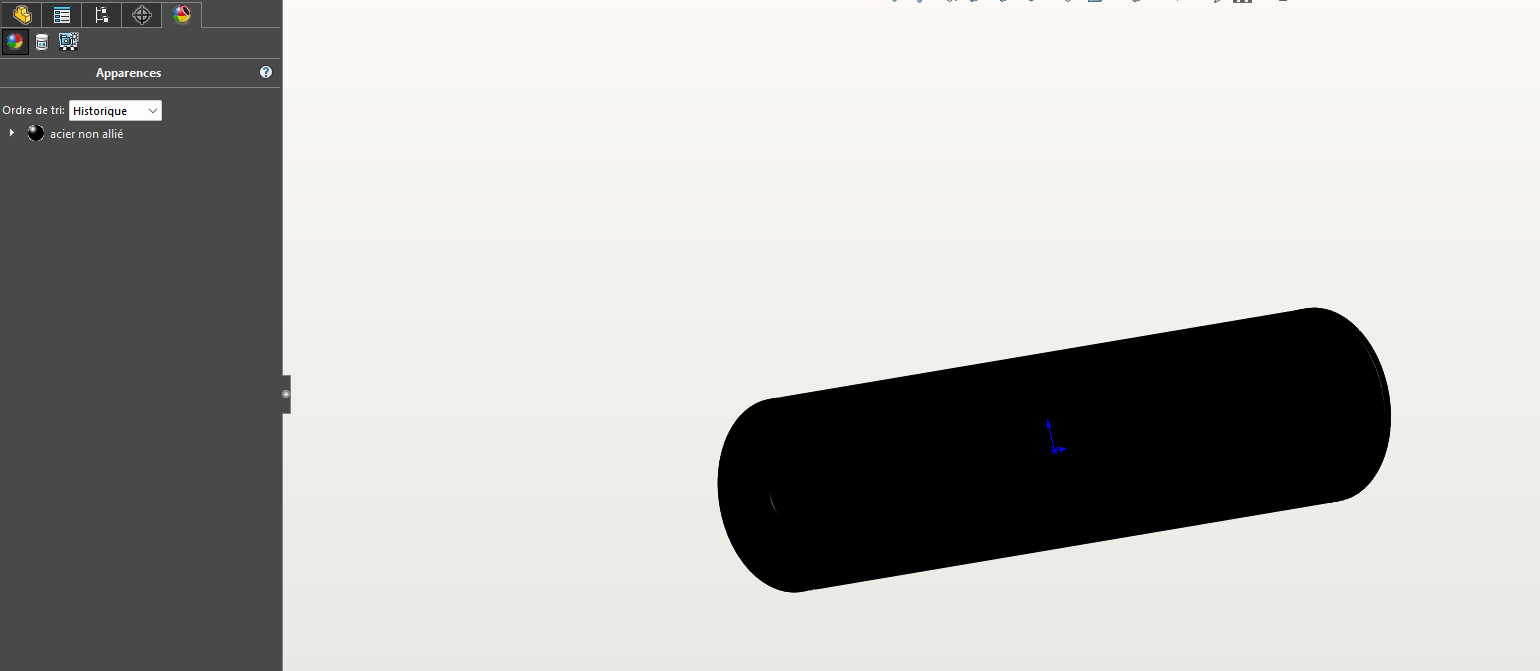
Do you also have a texture bug after switching to 2027?
Some parts have gone black even though it's basically S235JR or similar...
Rebuilding doesn't change anything, I have to reapply the material.
Below is an example:
Hello,
Do you also have a texture bug after switching to 2027?
Some parts have gone black even though it's basically S235JR or similar...
Rebuilding doesn't change anything, I have to reapply the material.
Below is an example:
Hello;
Look in the " Appearances " tab to see if a color would be applied at the body or " function " level rather than on the component.
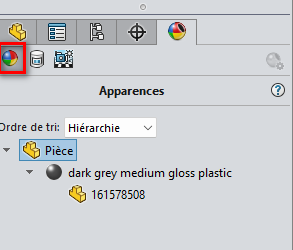
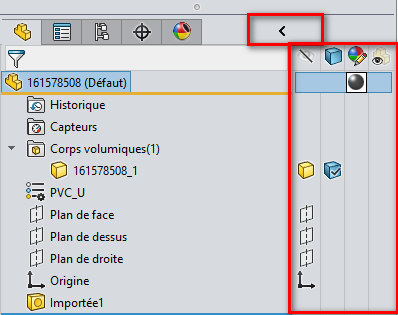
This should also be visible from the featuremanager (F8)
Otherwise, right-click on the component header + Appearance + remove all appearances then reapply the material:
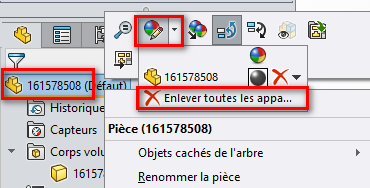
Be careful to remove and not DELETE all appearances properly if you are in an assembly (even if CTRL+Z restores appearances, it's scary when Solidworks actually removes all appearances from all parts...)
Note: This very often happens on imported/downloaded components.