Hello everyone,
I'm a bit lazy and wonder if there isn't a function like for the symmetrical reproduction of parts, the symmetry function of drawing...
Thank you all!
Julia
Hello,
There is a function, or rather an option for drawing views to display the symmetrical version:
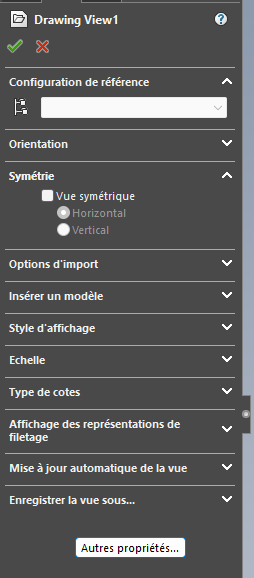
However, be careful how it is used!
Personally, I only use it in certain cases, for example to represent an exploded view of a symmetric subset.
This avoids creating an explode, and redefining the view completely: copy and paste the view, a checkbox, and you're done!
1 Like
If the question was rather to recreate the complete plan in a symmetrical version and by referencing the symmetrical component as well, then, sorry, no miracle solution.
1 Like
I don't know about the other versions @Silver_Surfer , but the " Symmetry " option is only available on a flat-pattern for me. (sw 2023)
I'm using it for a macro on this kind of unfolded piece. (not possible for an assembly or bending view)
Hi Silver,
Indeed, I would like to reproduce a 2D plan in its entirety with all the dimensions already made so as not to have to redo the symmetrical model.
I think it's a shame that this is not yet possible 
Thank you in any case
Hi
The idea is not to reproduce views of a plan but above all all the annotations and views following a symmetrical part, I imagine that if this were the case it would be necessary to make the detail plan and then create the symmetrical room with its plan... That would be great because we often make symmetrical parts at home 
For my bending views (normal and sym), I make a symmetry of my part in a configuration (from an assembly).
Example:
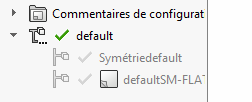
I copy my folding drawing sheet, modifying the views by the sym view, the dimensions follow (some small repositioning to be done.)
And macro to automate this manipulation.
You can start from the same plan, and make a copy of it.
From SolidWorks: File > open
Navigate to the drawing copy to select it, and then click Reference in the Open dialog box.
This involves redirecting the 3D model referenced in the drawing to the symmetrical version.
To do this, you have to double-click on the file name in the reference list.
Navigate through the exploirator to the symmetric model and select open.
It will then appear in green in the reference list.
Validate.
Open the drawing.
Note, the manipulation, for some obscure reason, does not always work the first time. If when you open the drawing, you see that this is the first model. Close and start again.
But when it works...
You will then have a drawing identical to the original with logically all the dimensions and annotations attached to the wobbly models.
Take your courage in 2 hands, and reattach all the dimensions and annotations to the right entities.
Even if it means being lazy...
- Create a symmetrical part B of room A.
- Create a plan B with the symmetrical views. Do not add any dimension but only the annotation " for dimensions, see plan A in symmetrical "
1 Like
Otherwise, if you're not afraid to spend some time, a solution had already been proposed here:
https://forum.mycad.visiativ.com/t/symetrie-mise-en-plan/96402/8?locale=fr&lang=fr
To make it short:
- You make your room A + its drawing A
- You copy the part by renaming it B
- You modify the part to make it symmetrical
- You copy plan A by renaming it B
- You replace part A with room B in the drawing
1 Like
Hello,
Thank you but...
This is like simply making an annotation as we found on the old tracing plans " Piece B Symmetrical to Piece A ".
With symmetry in a symmetrical configuration (and not a new part), the ribs hang on by themselves and you just have to rearrange them slightly, much easier than hanging them up again as with the other methods.
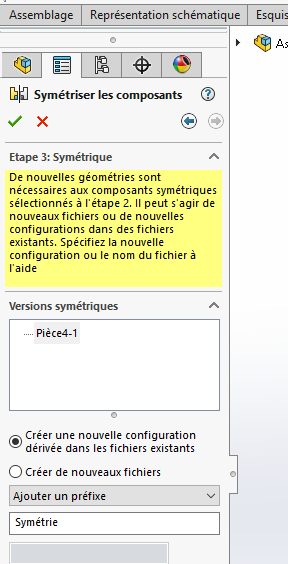
To do this, copy and paste from the normal sheet, then right-click, change the configuration on the different views and rearrange the dimensions (demo part and side snatch for the example)
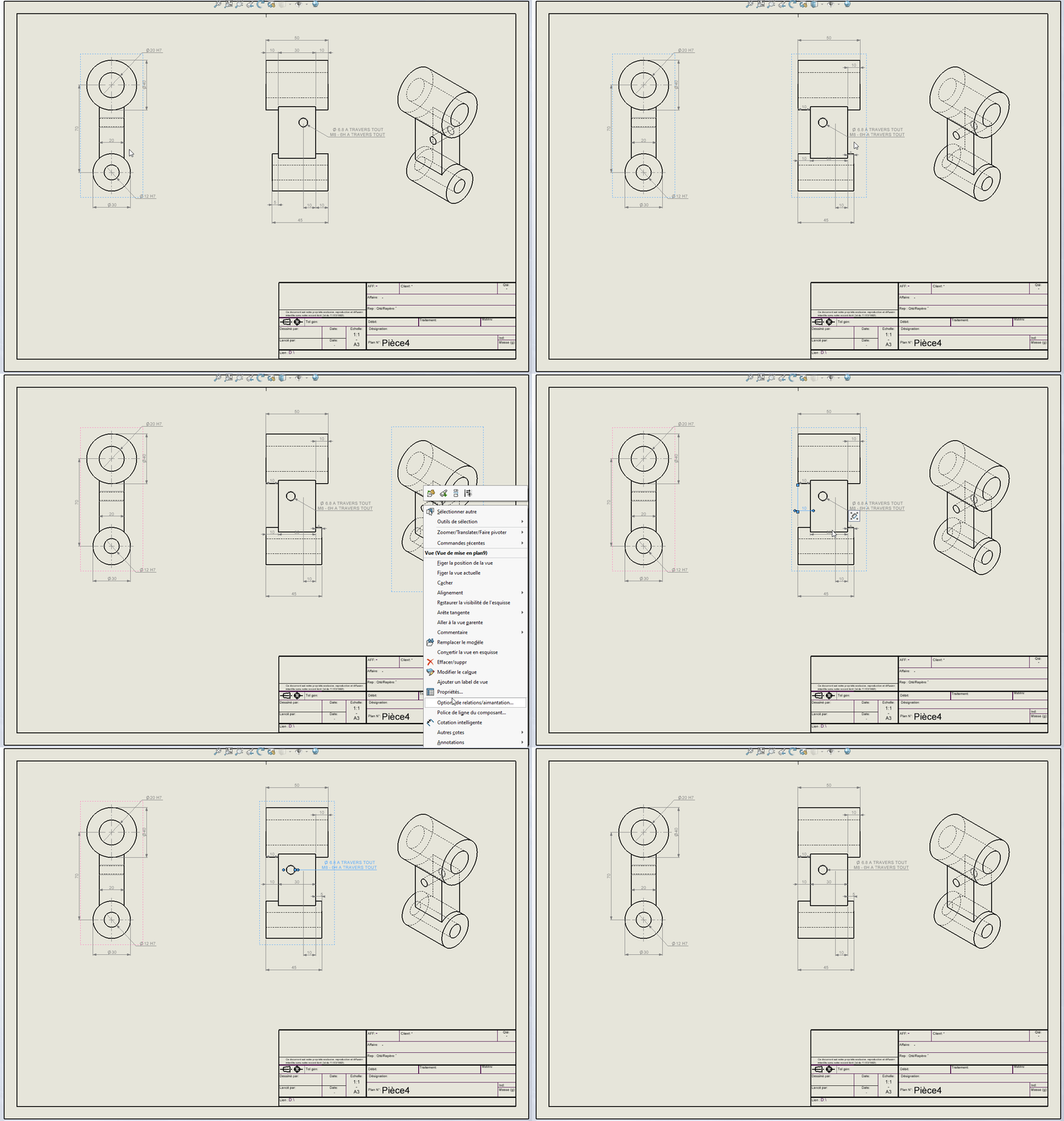
For my part, a macro takes care of copying the sheet (if an existing sym config), renaming the MEP, adding -SYM to the end of the Sym part name, and changing all the views to the symmetrical view.
2 Likes