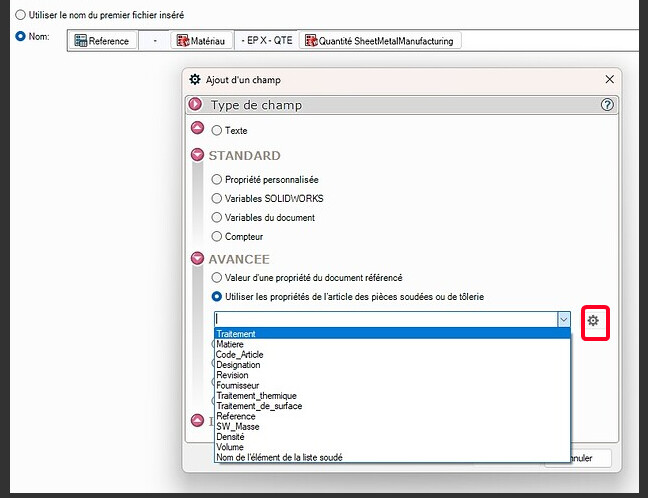
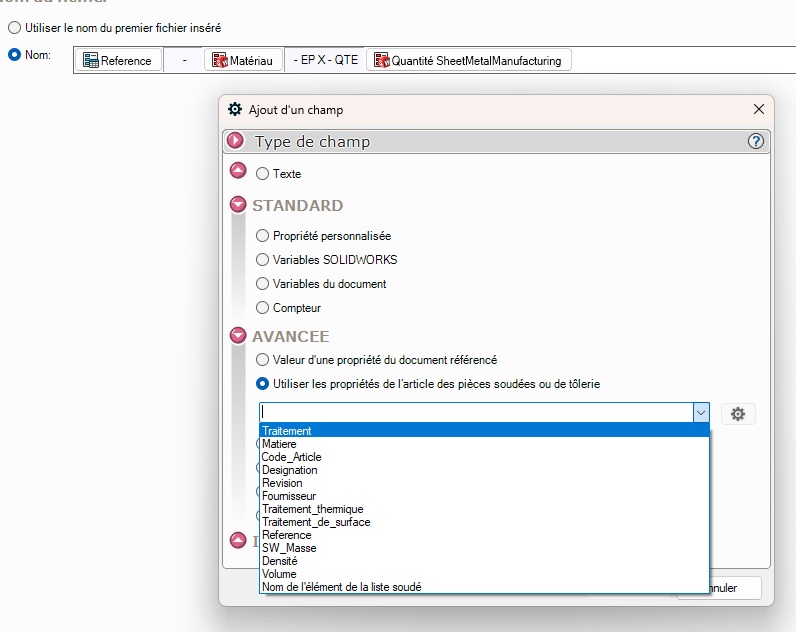
Hello When I export my flat part DXFs with sheetmetalmanufacturing, I can't seem to add the thickness in the file name created. I managed to integrate the name of my welded part, its material and its quantity, all I need is the thickness. The variable exists but cannot be found in the various property lists accessible in the filename tab. Thank you in advance for your help.
It's not a ' miracle ' but a hell of a job given the complexity of the macros used. You just have to use the macro to see how rich it is (a lot of options available that allow you to manage file exports as the user wants).
Thank you for the answers. Unfortunately the macro does not exactly correspond to the need, and moreover behind it I have to deploy it with my colleagues from the BE. FYI, Visiativ informs me that this value is not accessible to put in the file name and a request has been made to be able to do so in a future update.
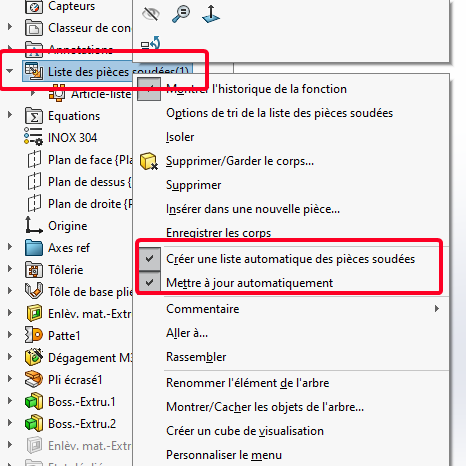
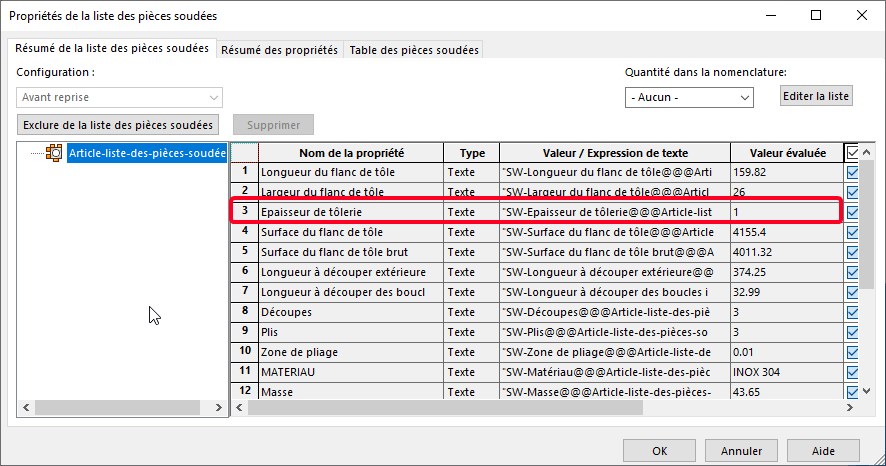
@sbadenis Indeed, I do have the list of welded parts, to which I have made smart properties in order to put references to each item of welded parts for my nomenclatures. The Thickness of Sheet Metal property is well present.
So @Maclane, this value already exists, is there any point in making this macro? (well I've never done macro but that's another subject! ) In the end, what I miss is the possibility to look for the value when I am in the naming of my file in SMManufacturing. No?
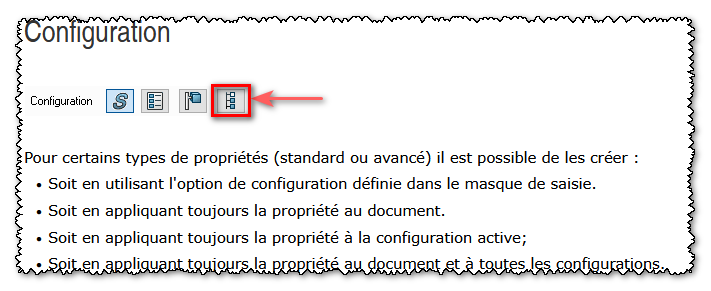
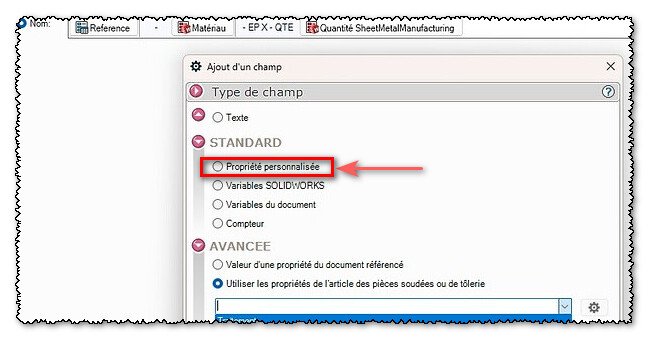
Hello; If the variable exists, it is obvious that the macro does not prevail. On the other hand, if the property is not visible from the drop-down menus, it is probably only associated with the configuration. In your Smartproperties, see if propagating this thickness property at the document level
you will probably be able to select it in the export renaming options (Custom property).
Hello @sbadenis I have the same thing as the screen you put in your message. I'm in version 2025 SP2.1 for Mycadtools and 2024 sp5 for SW.
@Maclane indeed the property does exist, knowing that he knows the indicated IN the dxf created. On the other hand, it is linked to a sheet metal body, and not to a configuration, because you can have sheet metal bodies of different thickness in a Part and therefore also in a configuration. Custom properties are tied to the share, not to a body. The good info, he also knows the found in a list of parts welded during the drawing for example, so I tried to find the concatenated of the property ("$PRPSHEET$: " ... ") but in vain.
I think I'll be satisfied with having the info written in the DXF, I found it more intuitive to have it in the file name, and also accessible to everyone, I'm thinking especially of purchases.
In reality I don't often draw sheet metal but for the few boxes we design, managing to do everything in one part is indeed quite nice (generally we don't have fun having 50 different thicknesses either but on mechanically welded sheet metal it's not necessarily stupid.
=> Different thicknesses for sheet metal components managed by configuration implies configurations that are both nested (folded+unfolded) and independent with different thicknesses. example: an ep2mm sheet with a " folded " configuration and a " unfolded " derivative configuration The same sheet metal in 3mm thickness also has a " folded " configuration and a " unfolded " configuration Ect... Each of these configurations involves an update of the welded part list. (which probably explains part of your renaming problems...). … These amounts of information, sometimes contradictory, have historically been mismanaged by Solidworks (older versions). Especially before the automatic update of the Welded Parts List. …
@Maclane no configuration just with multibody if I understood correctly. Hence the different thicknesses for the same part (no config) on the other hand a welded construction body = one thickness. For us no problem because a sheet metal = a part = a ref. (internal choice) Multibody is forbidden with us (almost automatic drawing, unfolded and dxf also via macro)
It is possible to manage an unfolded config (in derived config) for each body. By calling these configs on the MEP (possibly on several sheets) we can have something complete.
The only really bad thing will be the orientations of the different unfolded (SW manages) → you will eventually have to reorient the views (or even create named views if you are in real 3D at the level of the orientations of the different sheets).
I understand that this is not ideal in case of a welded sheet metal mechanic that is too complex (already the creation tree will quickly be unmanageable if you have 20 or 50 sheet metal bodies in the same part file).
On my example there were only 2 sheet metal bodies.
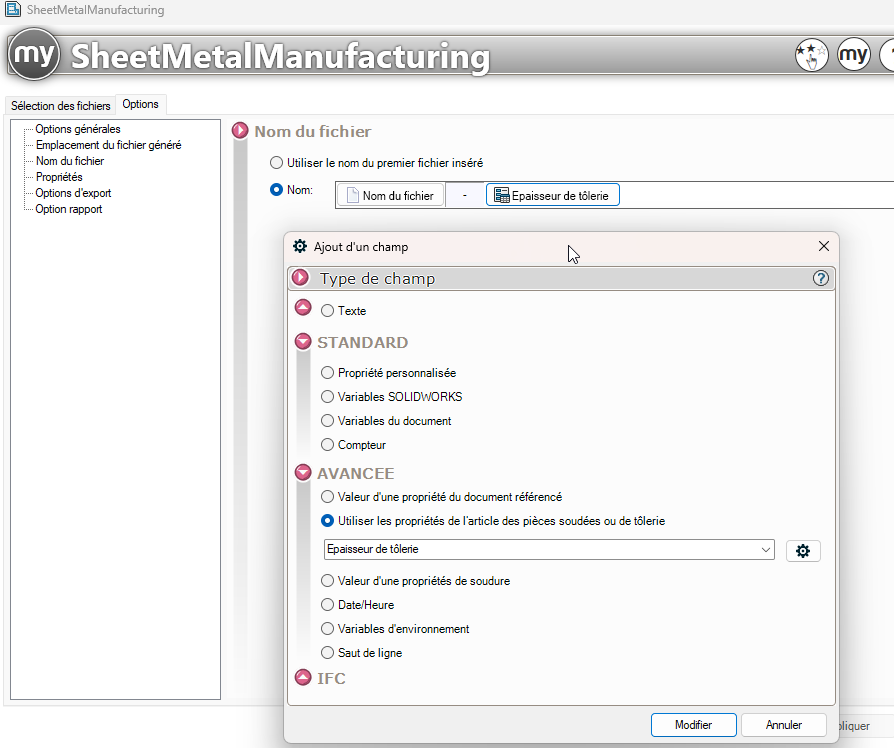
 )
)