Hello
I'm currently stuck on the following problem:
I can't add a BOM table to my ASM-specific drawing template.
The goal being, when creating (with SmartDrawings or in " manual ") a drawing of an ASM file, to have a predefined view in the center (that's good), and a nomenclature table that would already be present and that would therefore be filled automatically.
Currently I have to manually add a bill of materials on each ASM MEP...
It's probably very simple but now I have no idea 
Thanks in advance!
Hello and welcome;
I don't think that's possible, since a BOM table has to be associated with a drawing view...
On the other hand, the SmartDrawing tool allows the installation of a BOM table but the settings are limited.
Otherwise it is also possible by using the " Integration " tool of the MyCad suite:
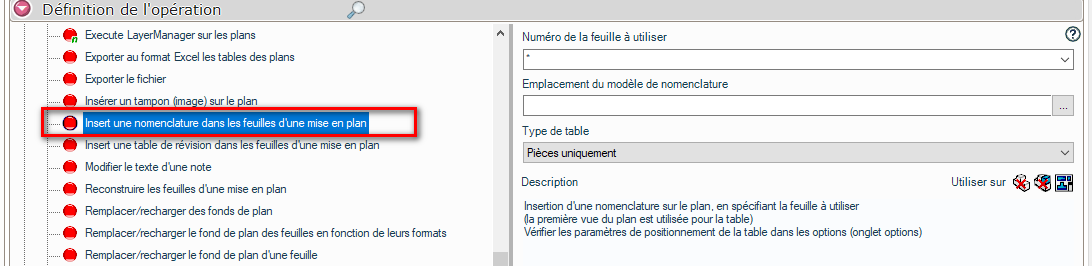
Indeed I tried the SmartDrawing tool, it could be a solution, just like with Integration.
The goal is to make it easy to use for colleagues who are less comfortable with this change of tool (we are gradually moving from Creo to SW).
I'm going to test the different methods proposed on a guinea pig!
Thank you