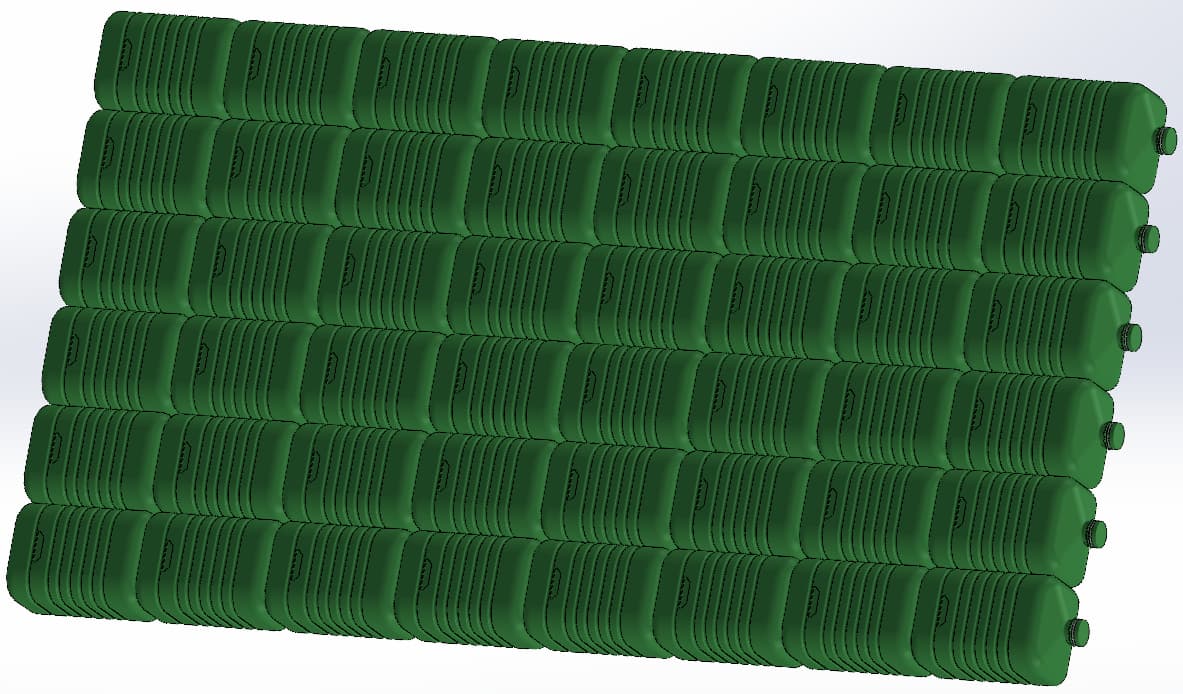
I'm working on a pontoon project. The float is an assembly of plastic canisters that will be covered with decking wood. SolidWorks 2021 refuses to include an assembly in an assembly. So, after recording in . SLDASM, I record in SLDPRT to continue my blends.
Despite 64 Gigas of memory on an Intel 7, it lags a lot when it comes to saving and opening.
How can this be made more fluid? Is there a way to create smoother subsets?
Hello; There is no reason for Solidworks to refuse to save an assembly in another assembly: File => Create an assembly from the assembly. Got an error message?
How is the " float" created? Linear repetitions?
If the appearance of the float doesn't matter too much, I'll decrease the level of detail of the bottle and record it in Parasolid (a single volume body) before repeating it in an assembly to create the float.
Using the blocking bar, in the room representing the canister, can also help a lot (especially if linear repetition as @Maclane says. If a lot of repetition a config with all the canisters and a simplified one (without the repetition can also be enough for the study.
The heaviest part of an assembly or worse an MEP, as @Le_Bidule says, is often the graphic part. If gamer graphics card not necessarily appropriate and no wonder it lags. Even more so if this graphics card is too recent for your version of SW and therefore not recognized in the official SW card. And there's no wonder at all that it's slowing down.
Hello. Sorry for the delay but I haven't received an alert of responses. My graphics card offers 12 gigs of memory, and I display in simple definition, without effects. "Float of linear repetitions? What is it? I'm going to try to record in Parasolid. What do you advise me? Parasolid files *.x_t, ou.x_b)? Thank you
It's still crazy that a can can make your assembly row. The level of detail of the canisters must be pushed to the extreme. You can't redraw them. Sometimes download WWTPs have the annoying tendency to plant assemblies.
Still not warned of the answers, even though everything is checked in the preferences. Thank you for your quick answers. Yes, the canister can be " heavy ". Already, it integrates a Shell function. Maybe also the fact that I transform an assembly into . SLDPRT. I'll get back to you when I've put this in Parasolid.
I didn't doubt the power of your graphics card (with 64G of ram it goes hand in hand) On the other hand, is it compatible with your version of SW? (few game graphics cards are compatible, especially with a slightly older SW.) To do this, solidworks RX and then diagnostics: If not compatible it's as if you didn't have a graphics card, because it's not used. Which version of SW?
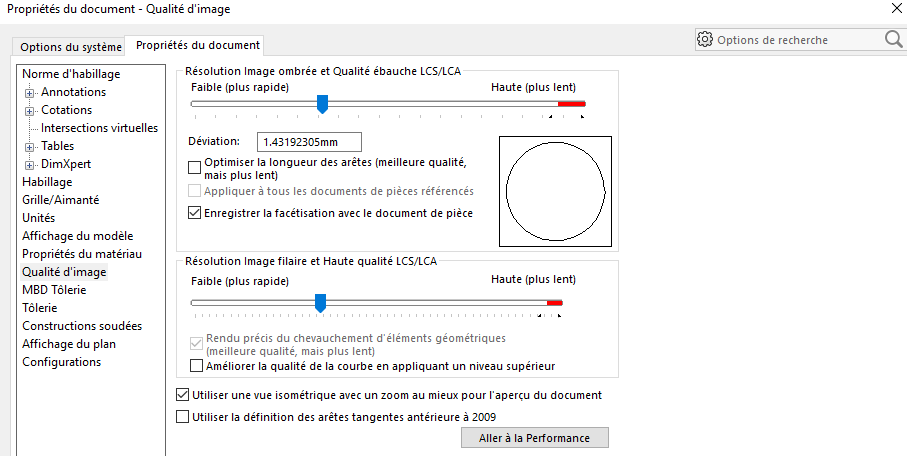
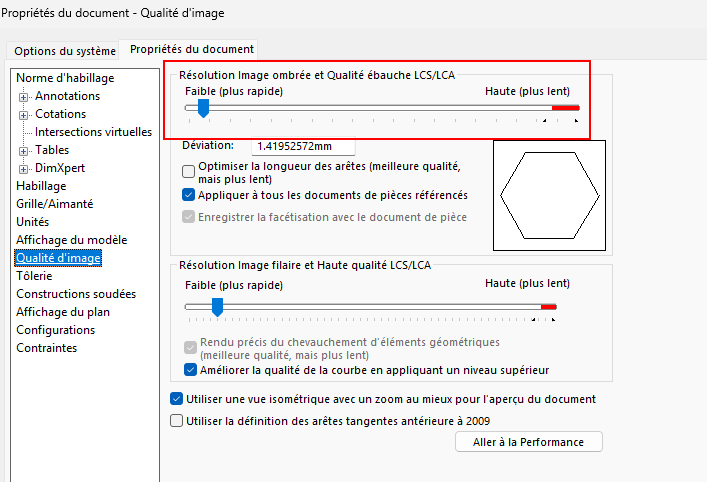
2021 Premium. When I open Solidworks, sometimes I get a message about an unsupported driver, and sometimes, for weeks, no message at all. I had also unlocked the RealView display (which I very rarely use) by modifying the registry, because it is often blocked at NVIDIA. As I have been passionate about 3D printing for many years, (I was 13 years a turner and miller), my Solidworks is set with a high definition, so as not to have " facet " problems when slicing files. I've already made very heavy sets with many parts without problème.je so I'm going to try the parasolid backup.
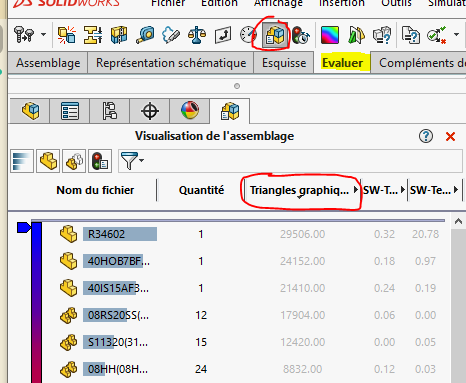
Have you created virtual assemblies? There is no reason why an assembly cannot be inserted into a subassembly. Regarding the graphic quality, it becomes critical when you have repetitions. With newer versions you could see the number of triangles graphically in a single canister and you would sometimes see thousands of facets.
I couldn't remember when it was added. Regarding the number of triangles, it's largely doable with a mid-range pc. Have you enabled the calculation with the graphics card in the options, requires a reboot.
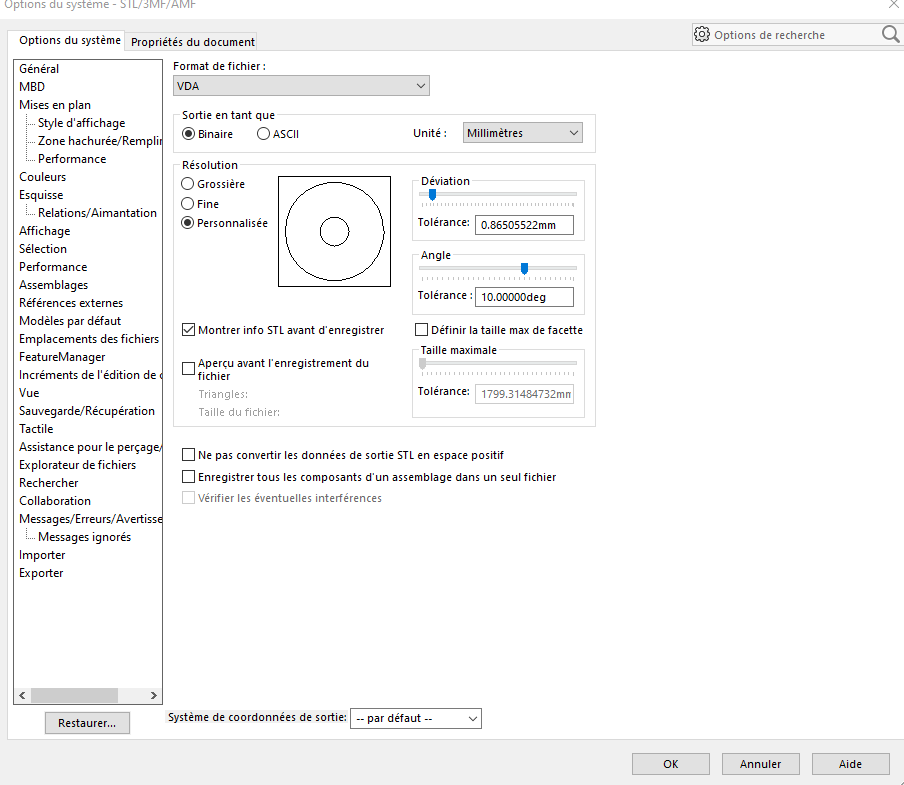
Did you launch Solidworks Rx to make a diagnosis? For me PC too recent for an old Sw so incompatibility graphics card, hence the problems. And otherwise setting it all the way does not help to improve performance: And for me it doesn't change anything about the facetization during an export (just for the graphic display) For the facetization during an export see in the stl format:

 see thousands of facets.