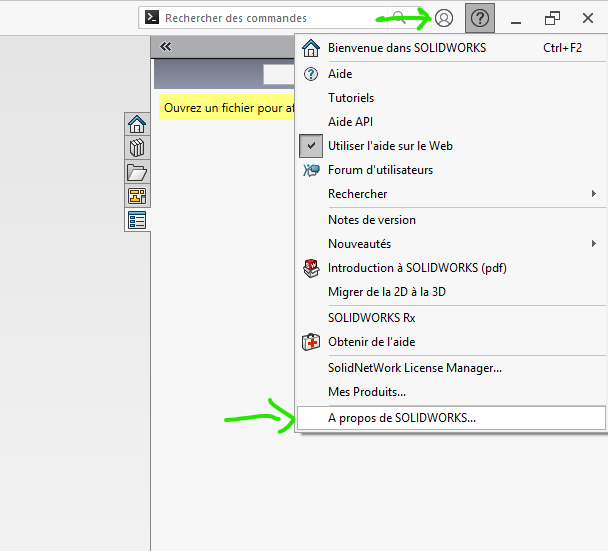
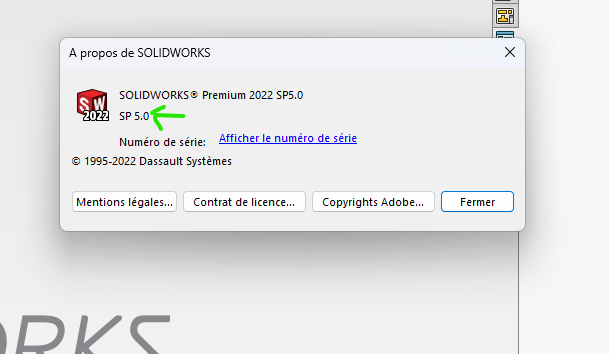
Bonjour à tous, nouveau sur ce forum, j’utilise SW2026 depuis 1 an . Depuis la dernière mise à jour, je rencontre des problèmes pénible dans la modification d’une pièce ou dans l’assemblage . Pour etre concret, tous ce bloque à l’écran pendnant1 minute , je veux changer de vue, modifier une cote d’un trous , … SW2026 plante ( rame) et plus de moyen de faire un changement sauf enregistrer et quitter. Ceci depuis la dernière mise à jour automatique . J’ai SOLIDWORKS Design connecté au cloud 3DEXPERIENCE. Est ce que parmis vous tous, certains on se même problème . Avant cette dernière mise à jour, je n’avais aucune latence, tout était +/- fluide dans les opérations … Merci du retour
;
Hello, tu as quel correctif, moi je suis sous sp3.0 hotfix 4.10, et RAS

2 « J'aime »
Slt, je ne sais pas quel verson j’ai ici, mais j’ai bien trouver le problème . Ma carte Graphique est partiellement mise en cause et elle ne figure pas comme carte graphique recommendé par SW. J’ai suspendu tous mes filets M4 dans le chassis : Sélectionner tous les filets, Edition / Supprimer / Cette configuration . Après avant d’envoyer le fichier à la production, je dois annuler la suppression et alors tous est près pour convertir en fichier Step . Bref je suis bon pour passer d’un portable a une tour avec une carte graphique adéquate avec de la ram … . Bonne fin de semaine , Fabrice
Bonjour
J’ai moi aussi ce problème de carte graphique mais cela peut venir de la version du driver. A moins que cela ne soit un carte graphique dédié, là c’est la loose  .
.
SI votre modèle 3D est énorme et qu’il soit très groument je peux comprendre le problème, mais si ce n’est pas le cas je regarderai ce que vous a dit @Scofield .
J’ai travaillé avec SolidWorks sur des notebooks galérant mais cela fonctionnait
Si vous êtes en version SP00 ne cherché par plus loin un correctif de votre version SW vous apportera surement des solutions, sans garanti nous parlons de SolidWorks