Help me~
In CATIA V5 « assembly workbench » and « DMU Kinematic workbench ».
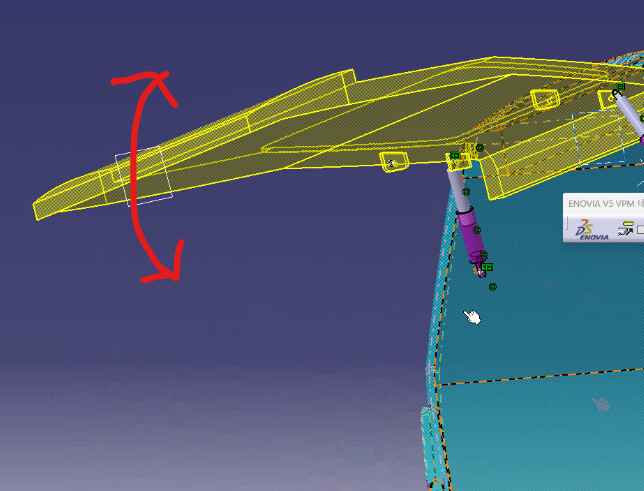
I made strut ball joint with van model.
But there is no problem after « Manipulate » in « assembly workbench ».
But after running simulator in DMU Kinematic workbench (Of course DOF = 0)
nothing moved~rotated~~!
(I think the root cause is maybe over constrained DOF = 0~!~
But I don’t know where is the over DOF problem~)
I don't know CATIA and its " kinematics workshop", but just reading this document is revealing.
The kinematic model can be defined in two ways:
either by converting geometric constraints into bonds,
or by declaration/definition of the links.
In the first case, if superabundant constraints have been defined for the purposes of the geometric model, they are converted into connections that may prove to be incompatible with the expected motion. This seems to be confirmed by the indication DOF = 0. And even if mobility is okay, hyperstatic nature may be difficult to manage. The second method makes it possible to define only what is strictly necessary in terms of connections, which is much safer.
The same problems and their solutions exist with the " mechanical " applications of Solidworks...
Thank you @m_blt,
Did you run in Solid works?
Can I get your simulated file.
Because…In the movie file, I can not distinguish where is constrained
« pivot, revolution ».
Or I just need information « where is over-constrained~ ».
Actually I have solid works 2019 simulator add-in(?) but
not familiar with solid works kinematics (Just Solid works modeling work did~)
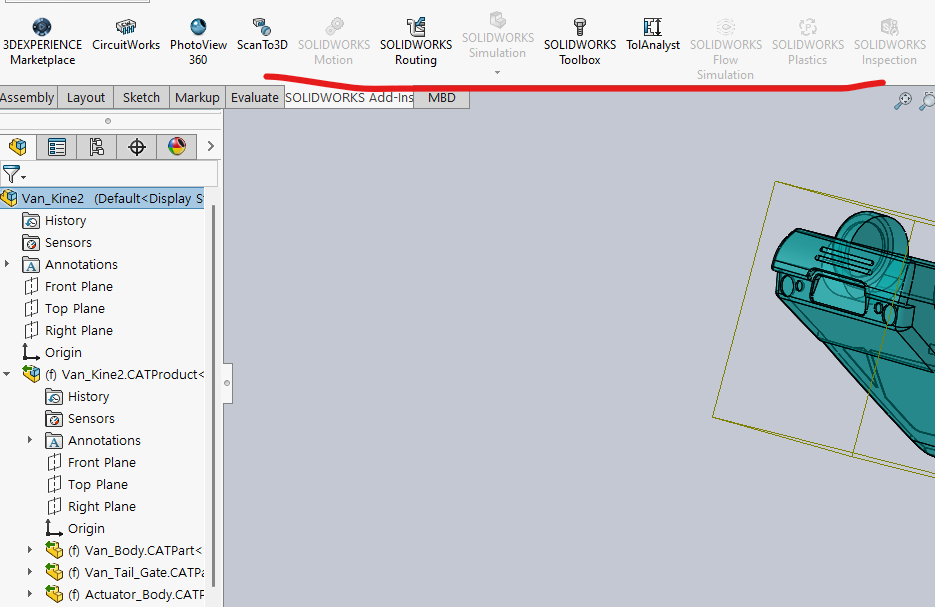
In my solid works, appears strange~ (2019 ver)
Some are disabled menus~
DId you use solid works composer???
But if you can send me some solid works made file, thanksful~
As you know CATIA does not have « pivot » link. Other names used~
That’s why I request you your file with your short kinematic making movies~
(lovebgm80@gmail.com)
Please help me~