Hello
How do you change the piping specification of a full or partial route?
Hello
How do you change the piping specification of a full or partial route?
Hello;
You will probably find what you are looking for at " Javelin " they have a lot of tutorials:
or at " Goengineer ":
Hello @Rem51
I used this module for a few years, if I can help you you need to tell me more about your needs.
Thank you
Hello
@FRED78 thank you for your help.
I would like to be able to trace a pipe or part of a pipe in steel and another in stainless steel for example or to be able to manage a change of PN.
But I think I have errors in my database.
Because here are some of the problems:
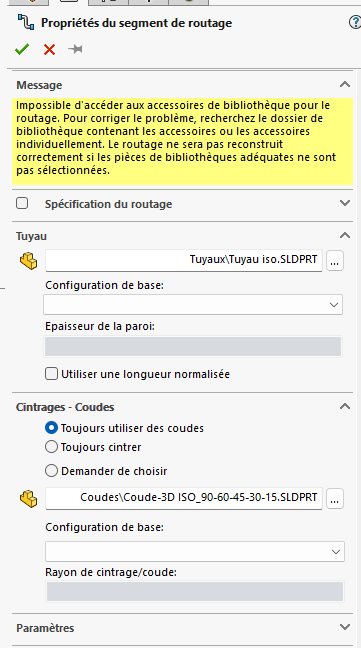
it can't find me a basic configuration while I have a configuration by DN on each element.
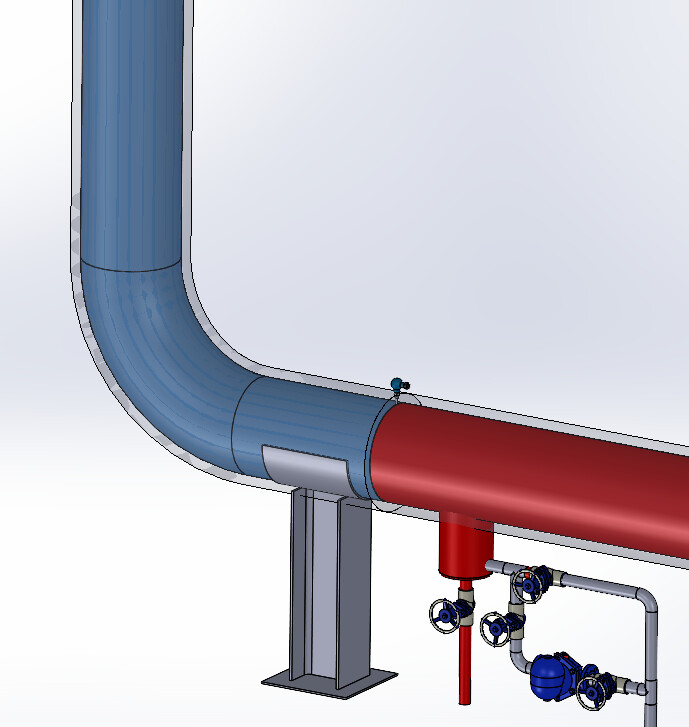
Then on some elbows impossible to create a real elbow he makes me a tube with the adjacent elements.

Hello @Rems51
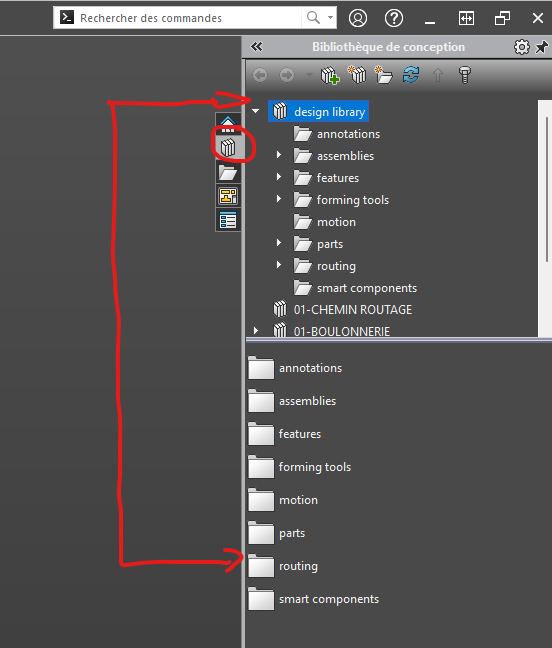
Normally you have in SolidWorks library just like for sheet metal tools that you create or exist.
In the case of piping and routing, there are predefined parts. In addition to elbows and T's or weldo, etc...
Properties and parameters are populated in a part family in the room. @Maclane suggested that you read the links to the SolidWorks routing which I also encourage you to do.
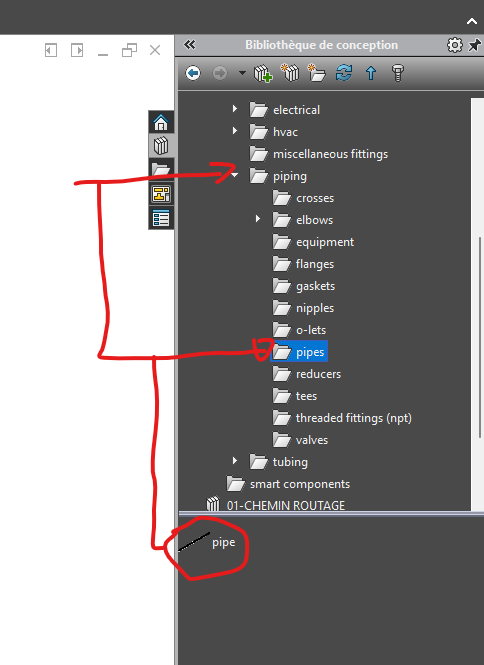
As I explained to you the library (see below)
Pipe Folder
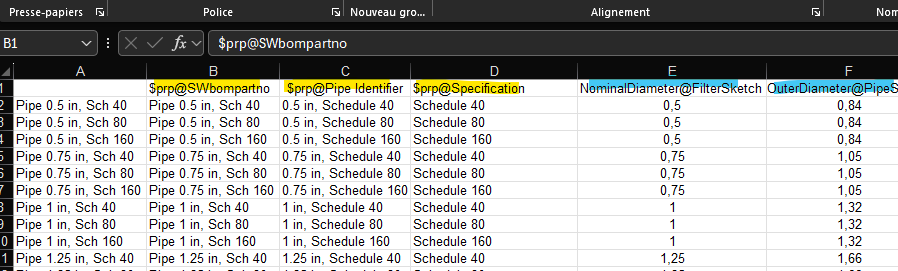
In the room you have the part family which informs in addition to the dimensions of the pipe the custom properties of the configuration
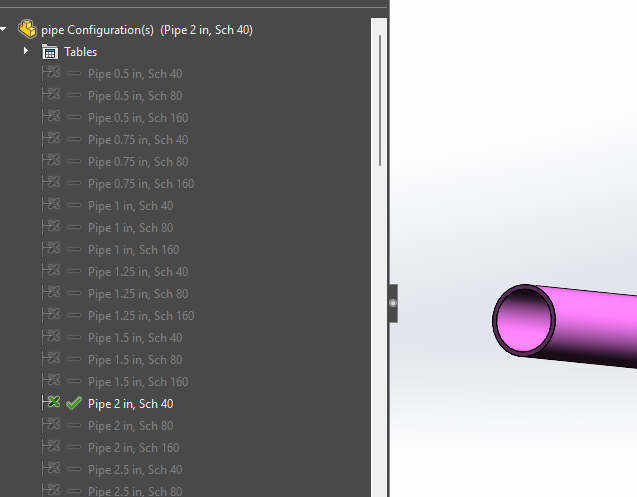
You can see the properties in the header of the columns
As you can imagine in yellow for personal properties (value that you get in your nomenclatures, in blue the dimensions of your 3D
You can see it's in inch. I don't think it's hard to replace these units. But be careful, you have to be square  , the accessories are connectable via the dimensions you enter, nothing insurmountable
I guess your company must have set this up, you surely have referents on the subject? You have to be careful, if you don't respect the method of modifying parts it can be capricious, it's SolidWorks  .
.
When I have a little time during the day I try to look in more detail
So far I agree with you and I follow you.
On my side, it's up to me to set things up, configuration, library, database, routing... so not always easy.
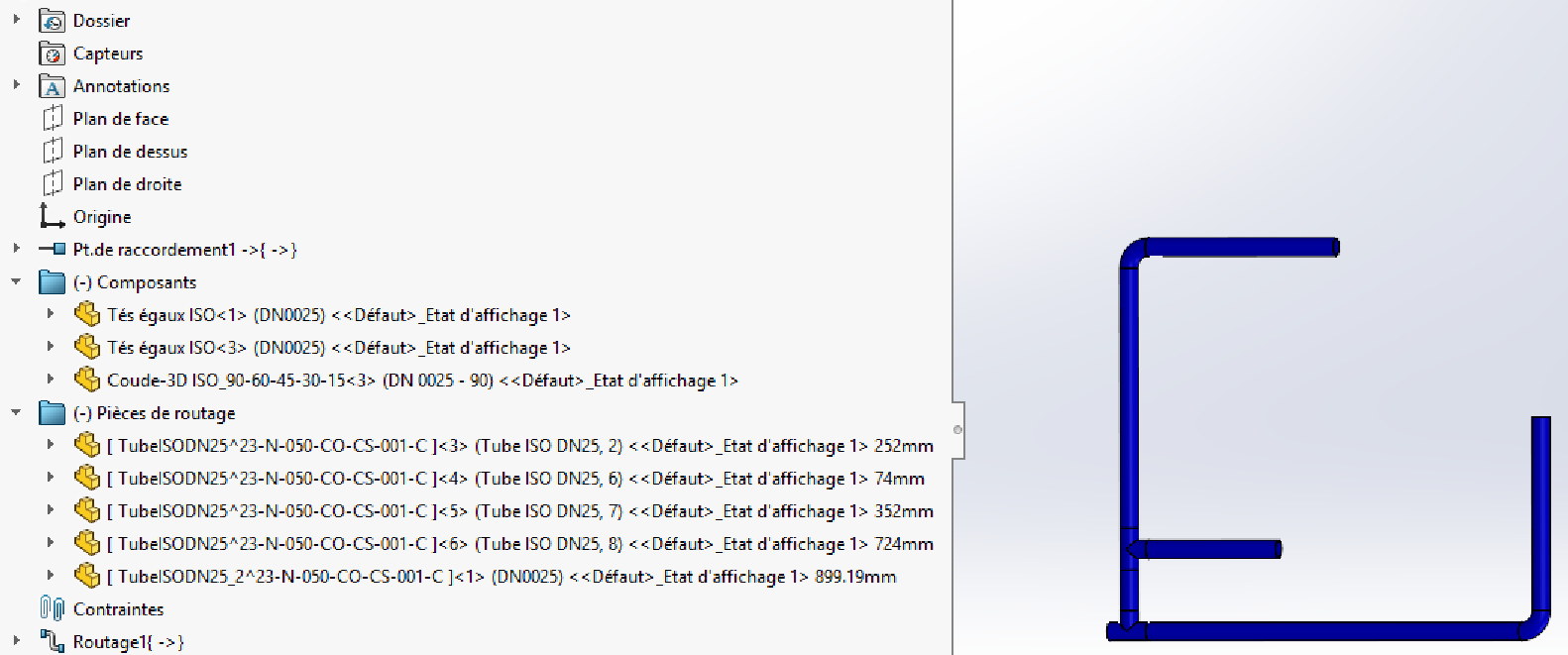
For example, on the same pipe, I only have one real elbow when I should have 2 (the second elbow is a bend) why??? mystery.
I advise you to get a training course because it's not complicated but it's tedious and when you mess up it's very complicated to find the needle in the boot.
You have to create custom libraries that are in line with your standards in room family mode.
Paste the tables of standards in the family of your room to point to existing references that you do not have to fill in or correct them. We had done it like that (well not me) but I had been able to see the method that I found practical.
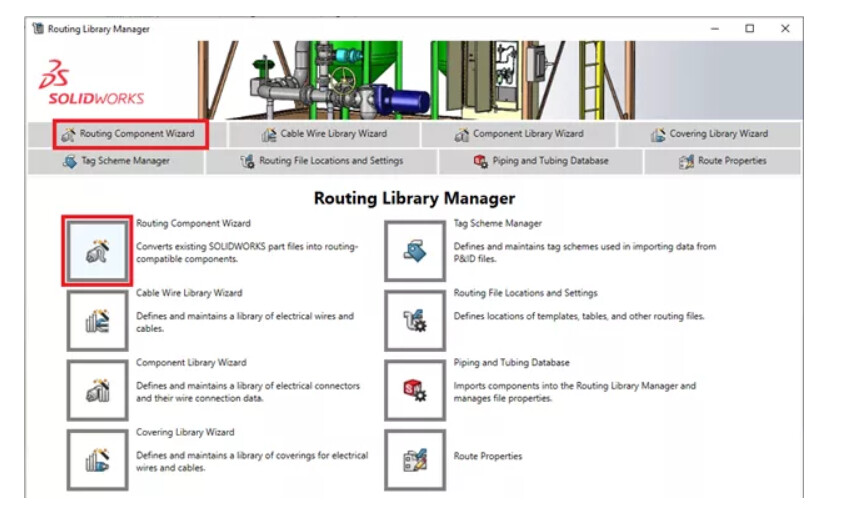
The toolbox can help with the implementation of piping libraries or other electronics as well, which can help to understand the necessary properties