How do you break down a reference (electrical assembly) in a BOM?
I want the two references to appear separately on 1 different line.
Hello;
We would need more clarification:
=> Solidworks version
=> What type of nomenclature do you use at the moment (single level, detailed...) ... I think your problem comes from there...
Could we start by saying " Hello " next time?
2 Likes
Hello!
Thank you for your answer. But I don't think we're talking about the same thing, I'm talking about the electrical part and not the mechanical part.
Bein, on parle de la même chose:
Cela peut être sensiblement différent si vous passez par PDM…
I delete, I was HS 
Hello,
Indeed, a little more detail would be welcome.
Which software are you talking about, Solidworks Electrical, Solidworks classic mechanical, or Solidworks classic with the 3D Electrical addon (3D cable routing)?
If on SolidWorks electrical, you want to output a table with all the references of the components inserted in your diagram, including the assemblies of electrical components (contactor type + additional contact module)?
Thank you,
Matthew
Thank you again to all for your answers,
I share with you a request that might seem clearer 
BOM Generated with SolidWorks Electrical 2023 software SP5.docx (62.6 KB)
Thanks, I looked, and under some references I don't have any associated 3D. Maybe that can play a role?
On SWE you have the possibility to create "assemblies" of electrical components that will carry the same reference in your diagram: example here with K M4: 3P contactor, 1 coil and 2 NO contact
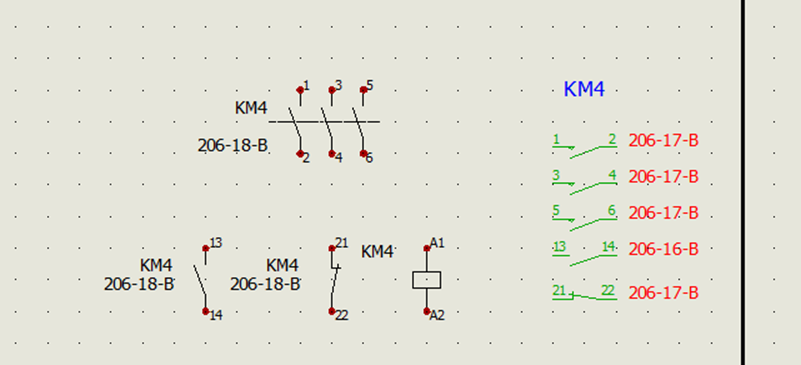
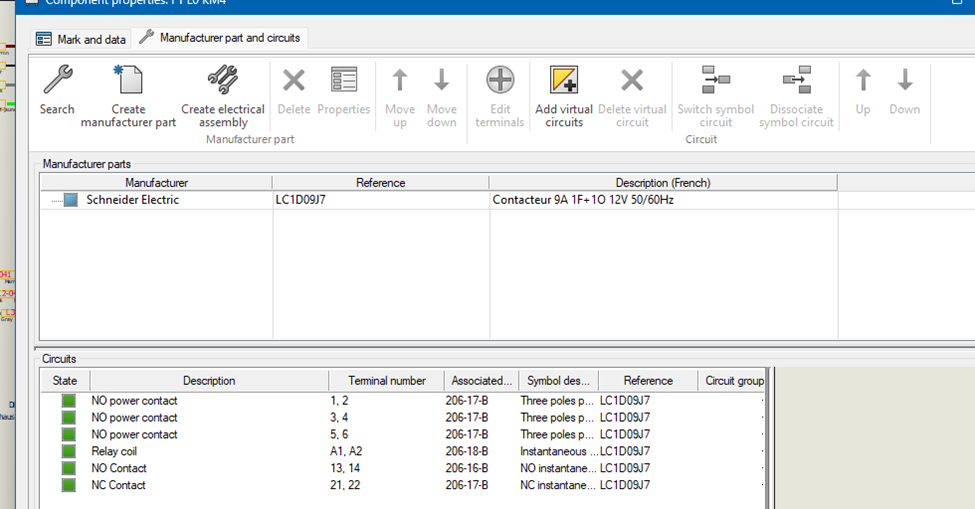
By assigning a second manufacturer reference, here for example an additional module with 2 NO contacts, you add two circuits to the KM4 marker:
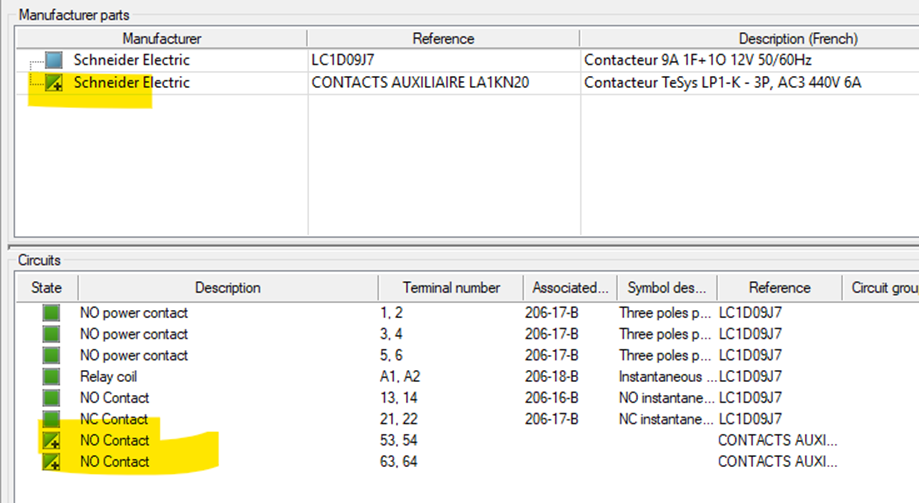
Which can be associated with NO contact symbols:
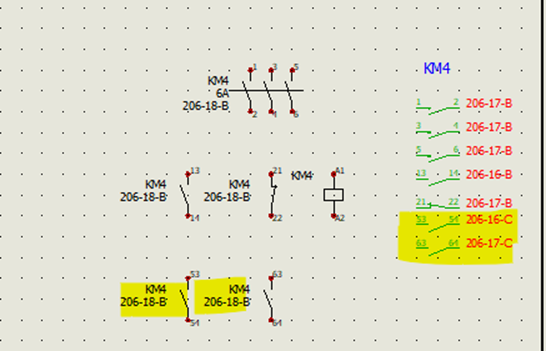
Then, by choosing a BOM report by manufacturer reference (and not by reference in your diagram because otherwise there will only be one KM4 line) you have this kind of table:

In your example, what type of report did you use?
Matthew
3 Likes
I am in the case of a purchasing bill of materials (i.e. without marks, only references, quantity and designations)
That's why I have this problem of a line by references.
Sorry I couldn't answer immediately (10pm block)
Marine
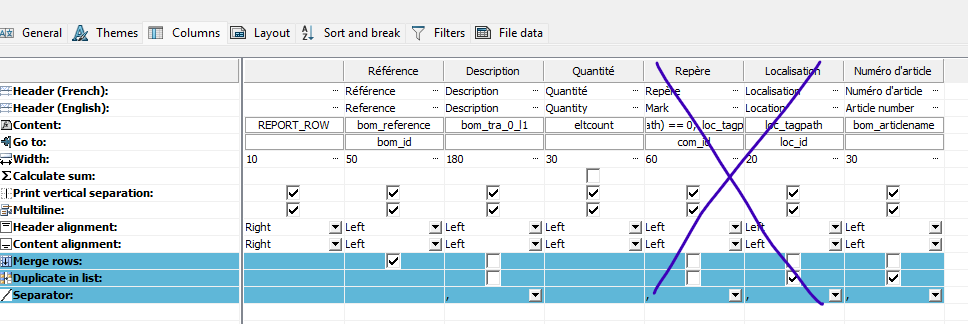
In this case I think you can take a " Nomenclature of material by reference and bundle " in the reports, by removing the " Location " and " Coordinate system" columns that depend on your schema.
This way you will have the list of components (excluding cables and wires) and their quantity.
Matthew
Hello Mathieu, thank you for taking more time for my problem 
I've already tried, as well as a lot of things but nothing helps.
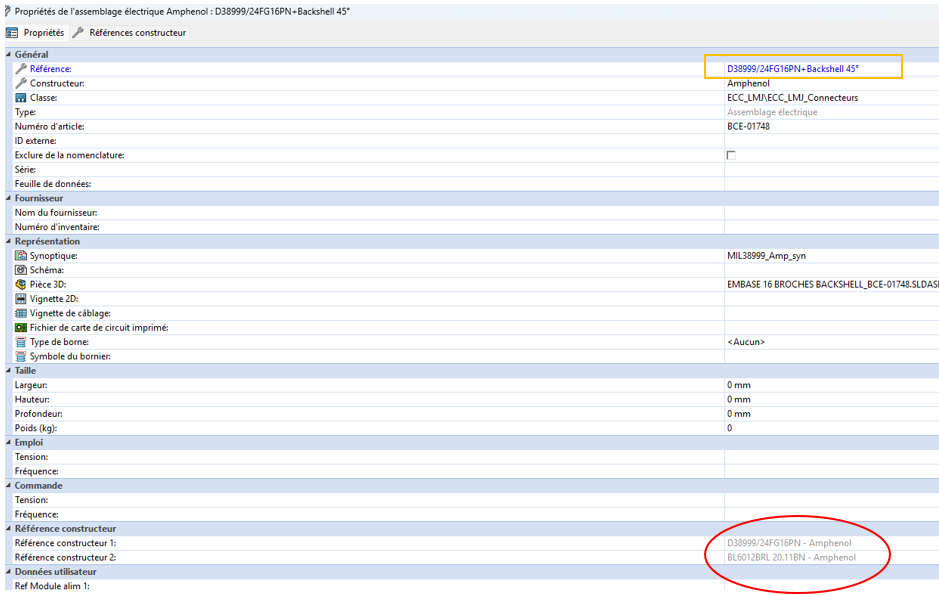
It always notes in the name the reference framed in orange, while I would like the one in red...
I despair 
Hello,
I didn't know the electrical assembly creation function as you describe it, on my side I have always added several manufacturer references on my symbols. Thank you for this discovery.
I did the test by creating a test assembly:
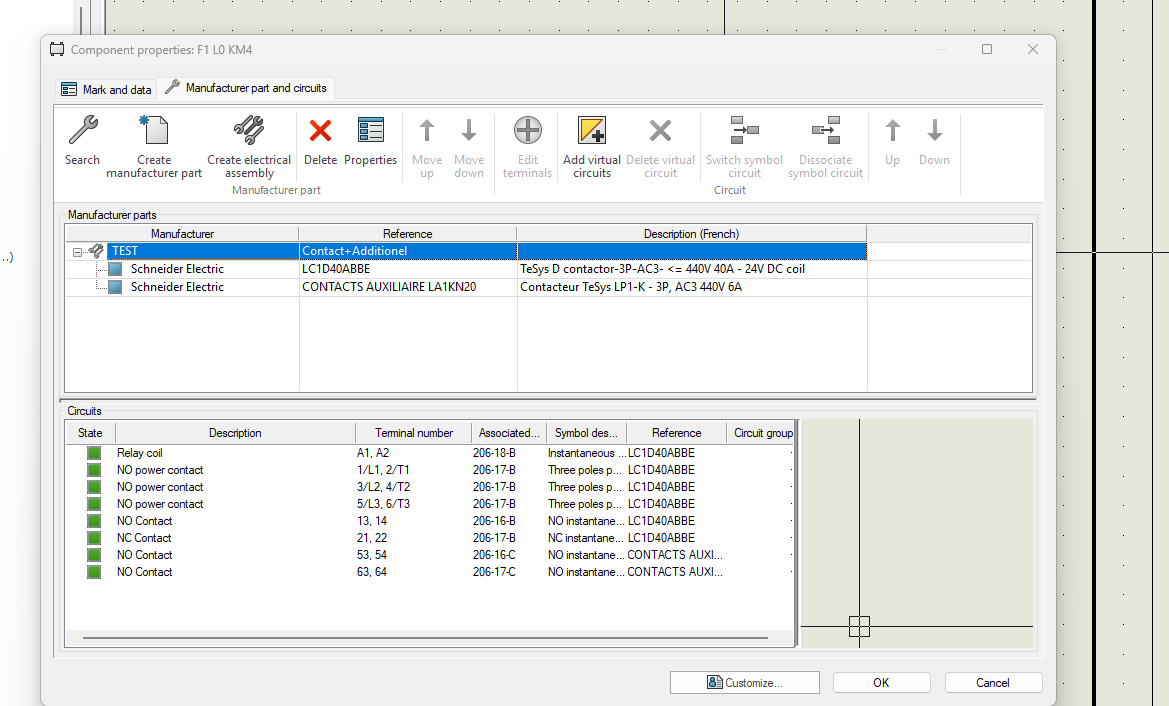
And in the basic nomenclature " Nomenclature of materials by reference and by bundle " I manage to bring out the assembly and its individual components:

I doubt that it is possible to see the content of " manufacturer reference" in this nomenclature. However, you can make a filter in the BOM so as not to show the assemblies:
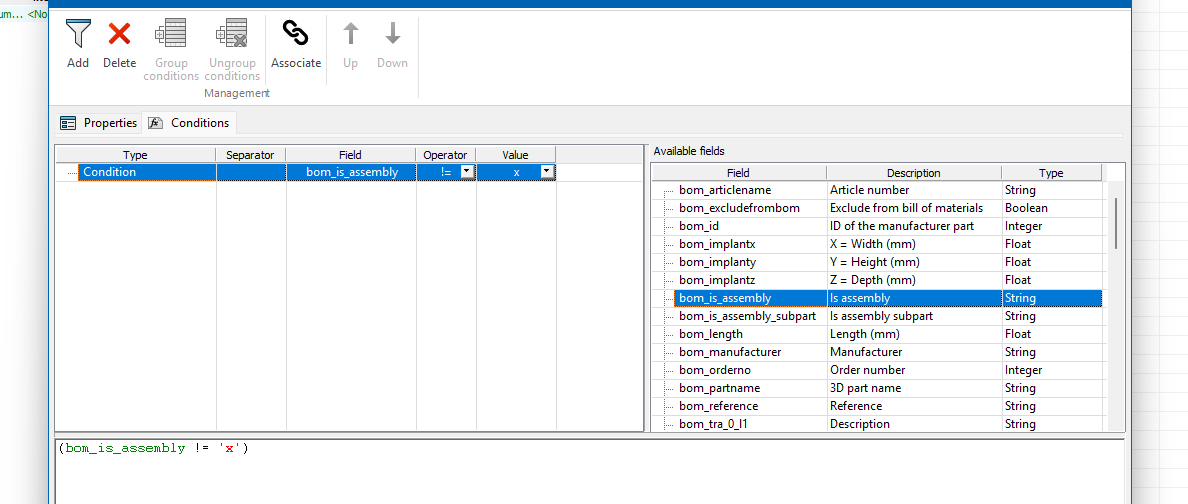
and in this case we have only the parts of the assembly:

Matthew
3 Likes
wowo thank you so much, I think you solved my problem! 

I will do some checks but it would seem correct to me.
I wish you a pleasant end of the day.
Marine
2 Likes