@ajrigaud What is the Solidworks version of the downloadable file?
I am in SW2025 SP3, registered in V2023.
I'm still on my end and surprised that we can't get this easily enough:
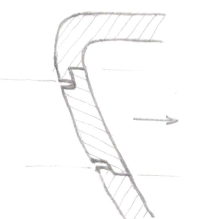
Well, it's okay, it's going to play... I'm just going to correct the direction of inserting the hatch.
Super!
Thank you for this solution which suits me well, but not easy to approach.
You have to know the surface mode, which is not my case.
I'll try to reproduce for the previous mouse.
Hello @ajrigaud ,
Below is another approach, with only volume extrusions/removals.
It may get a little more complicated if you try to apply drafts to the trap area, as is the case for the interlocking of the bottom...
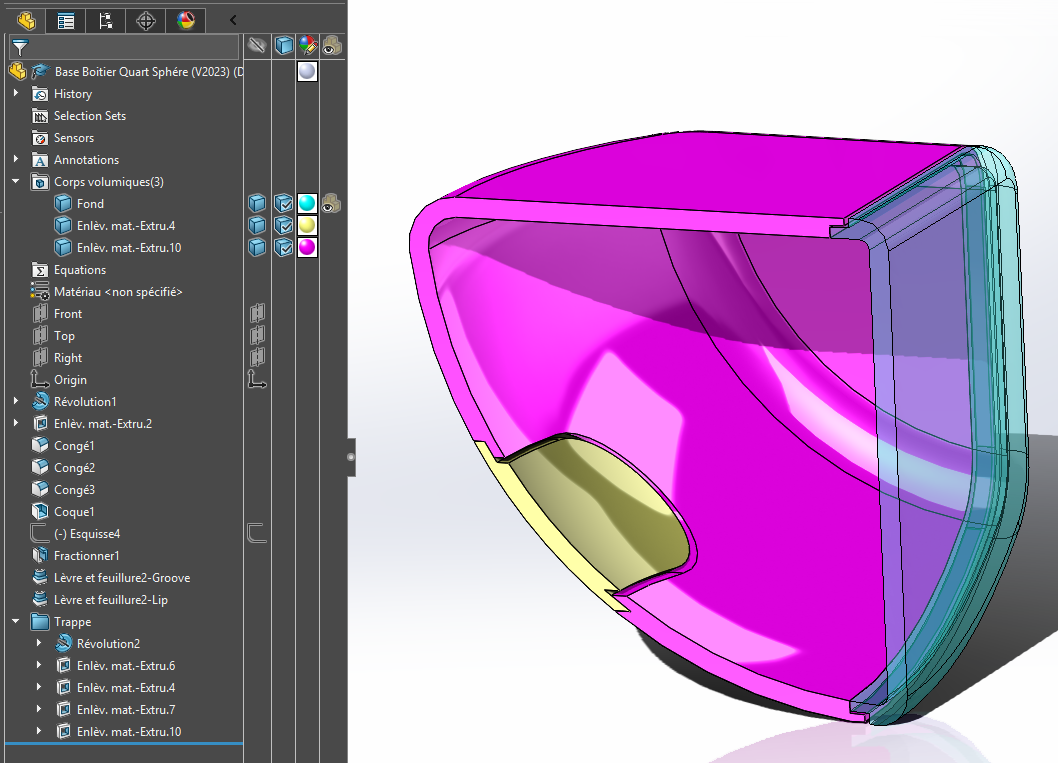
Base Quarter Spherical Case (V2023)V1.SLDPRT (418.1 KB)
2 Likes
Again, thank you m_blt for your proposal.
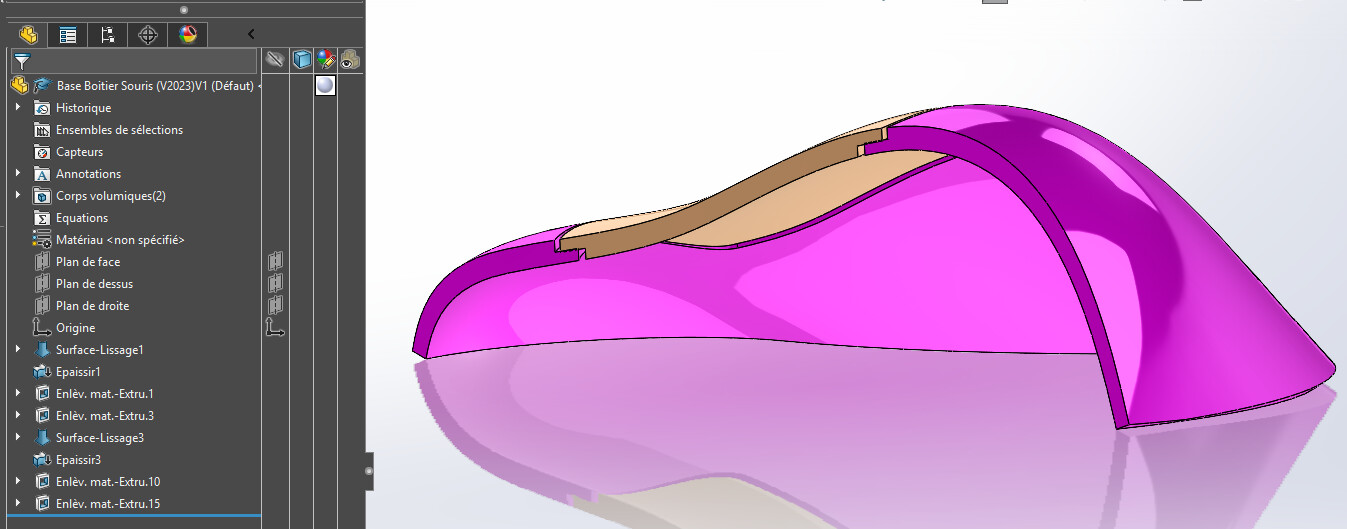
I had tested a solution of this kind but it cannot be extrapolated (revolution function) to left shapes such as the previous mouse.
I think that the surface solution must be.
And yet...
2 Likes
Well, I don't have your expertise 
Is it possible, too, to have the sldprt file?
Have a nice day.
The problems encountered are not related to the process of creating the geometry, but rather to the difficulties for Solidworks to process complex surfaces:
- Giving a (thin) thickness to an initial surface of the smoothing type regularly results in a refusal. Change the direction of creating the thickness, and SW accepts.
- Same type of problem with the similar function of offset surface, which is very useful in the type of problem you are raising.
- And what about the smoothing material removal function if the path to follow is a 3D sketch containing a left curve.
Conclusion: you have to be persistent and try to get around the problems...
My pseudo mouse is attached.
To be handled with care, it is fragile...
Mouse Case Base (V2023)V1.SLDPRT (422.0 KB)
2 Likes
Well, I take note of the conclusion 
The difficulty is to appropriate the sometimes convoluted approach of certain conceptions...
@m_blt is right, there is a way to make it simpler.
Base Quarter Spherical Case (V2024) v2. SLDPRT (417.8 KB)
I admit to having an annoying tendency to go on the surface...
Well, obviously, it's better that way...
Lots of ways to do it.
Good night
1 Like
Don't forget to close the topic with the most complete answer as having solved your problem.
The one in m_blt below seems to be the perfect choice in my opinion.
Hello @Silver_Surfer if possible it would be nice to post a screenshot to visualize the method used in your file. Thank you.
Hi @Sylk,
Can you please specify? The method for what?
If ever, the files have been made available for download in 2024 version.
Just for those who, like me, can't read the file with their old SW. But don't feel obligated.
1 Like
Which version are you in? I can go back down to 2022...
[edit: well no actually: the original file was made with an educational license, impossible to save it in an SLDPRT format of an earlier version. sorry!]
This forum is there to help each other... If people start saying, " I'd like to help..." But now I don't want to." So here it is:
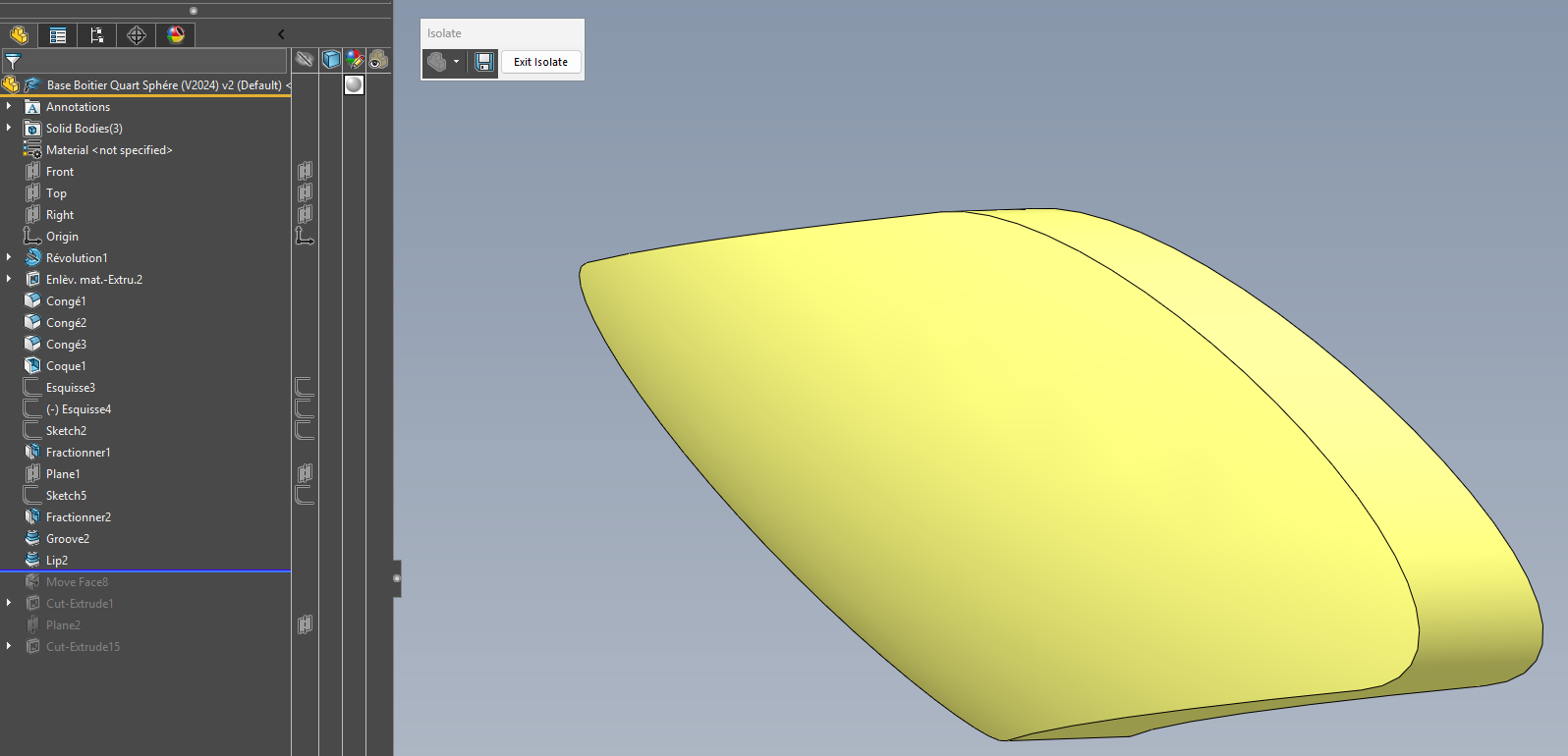
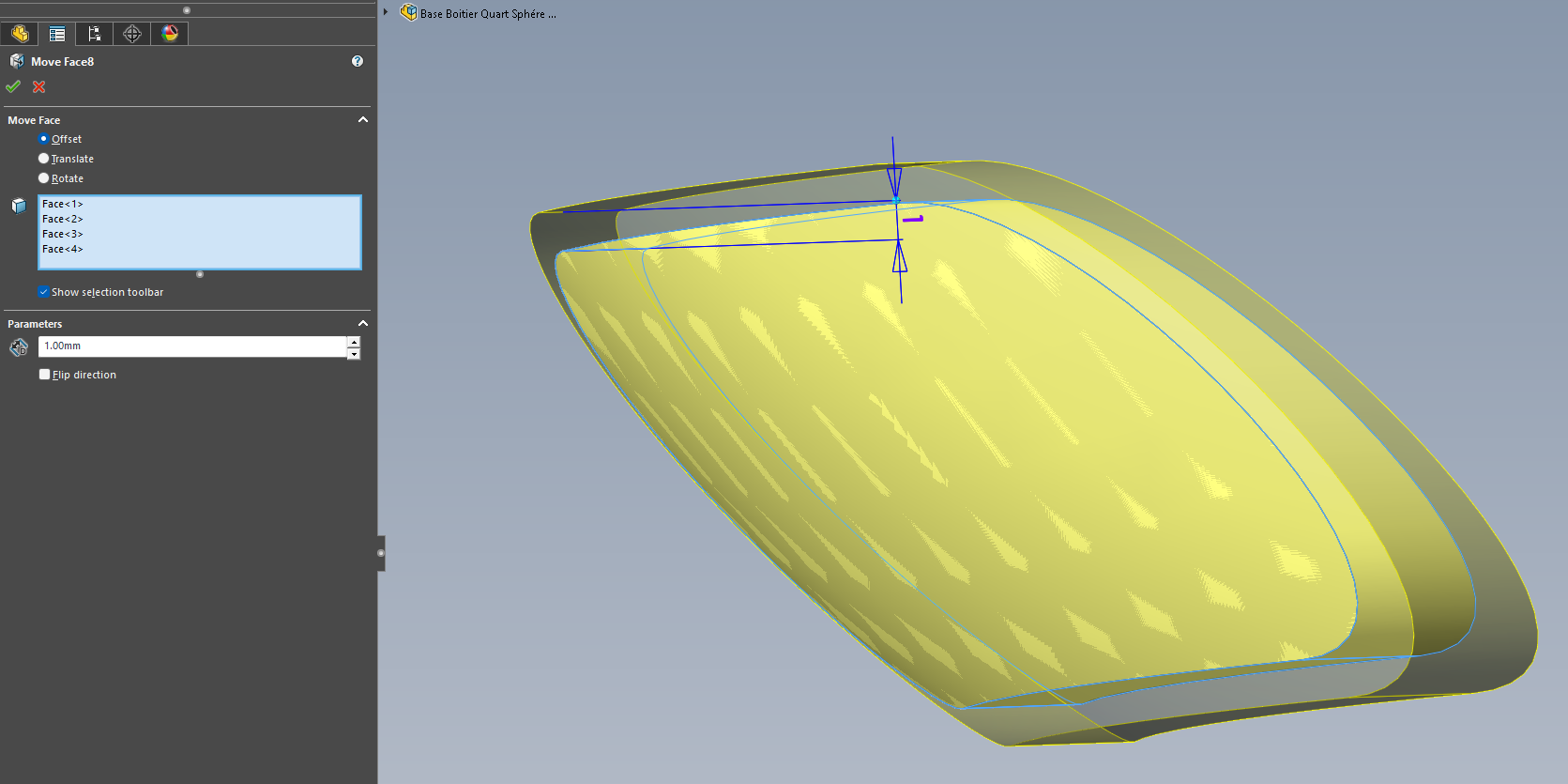
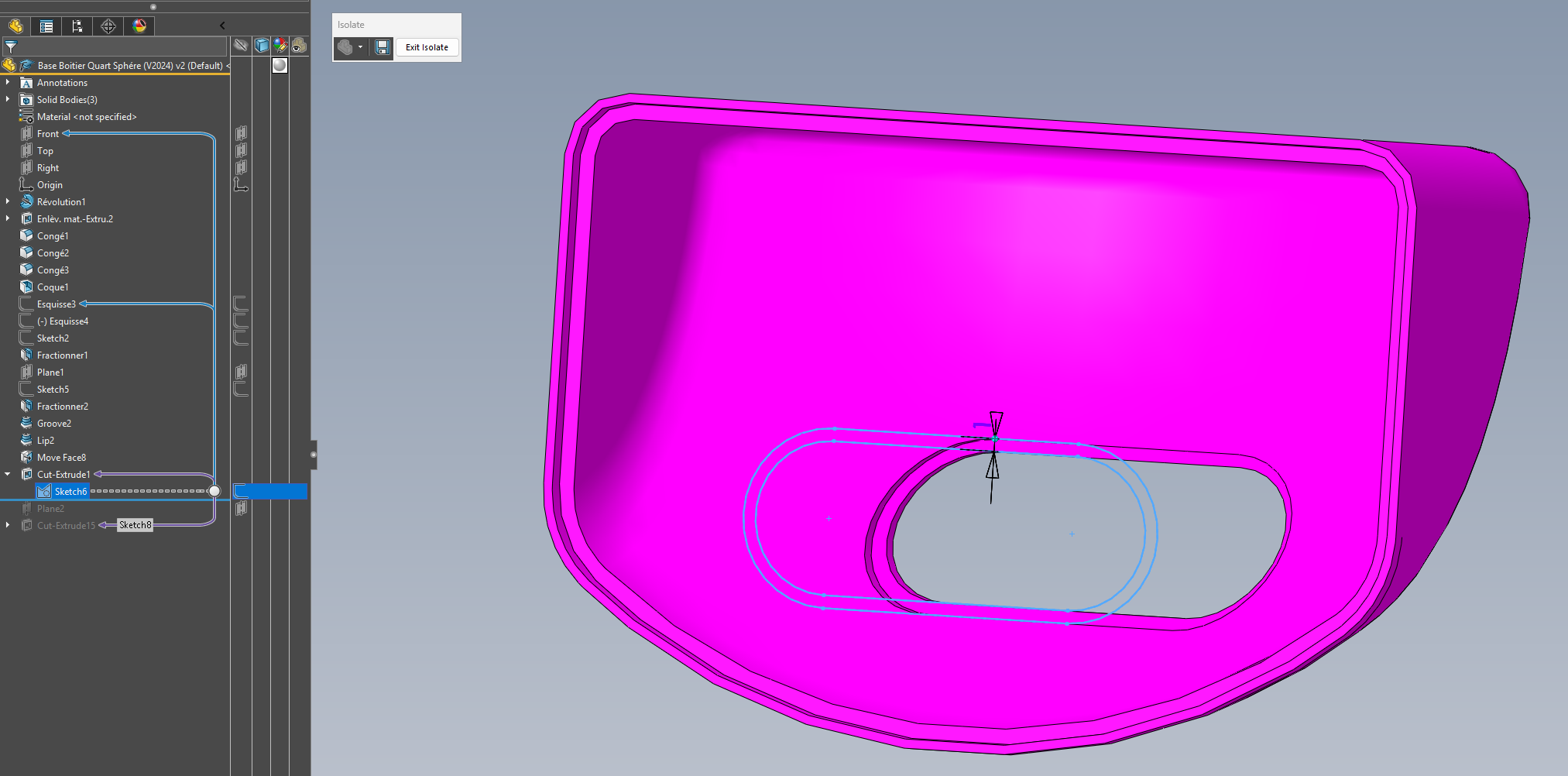
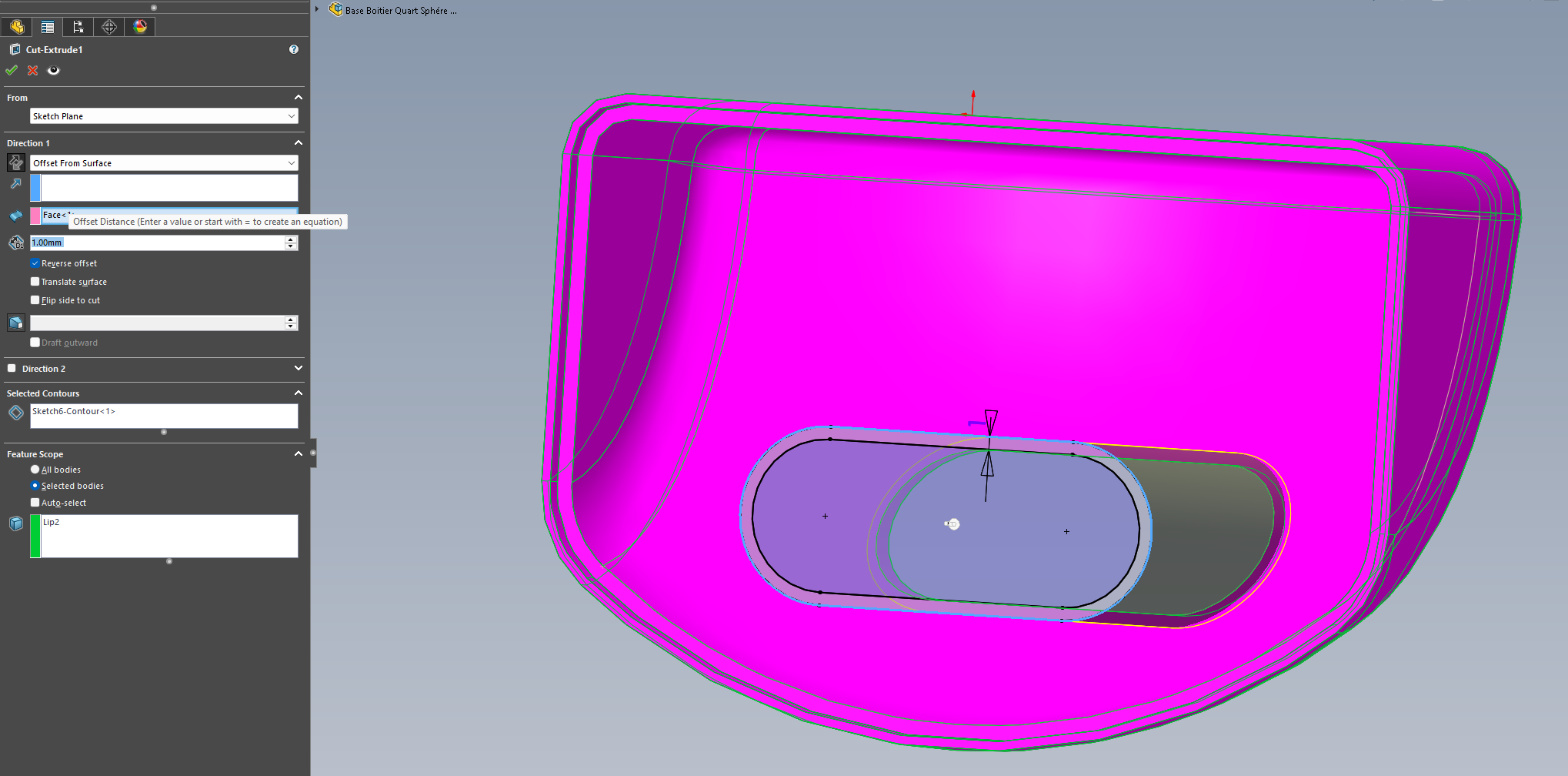
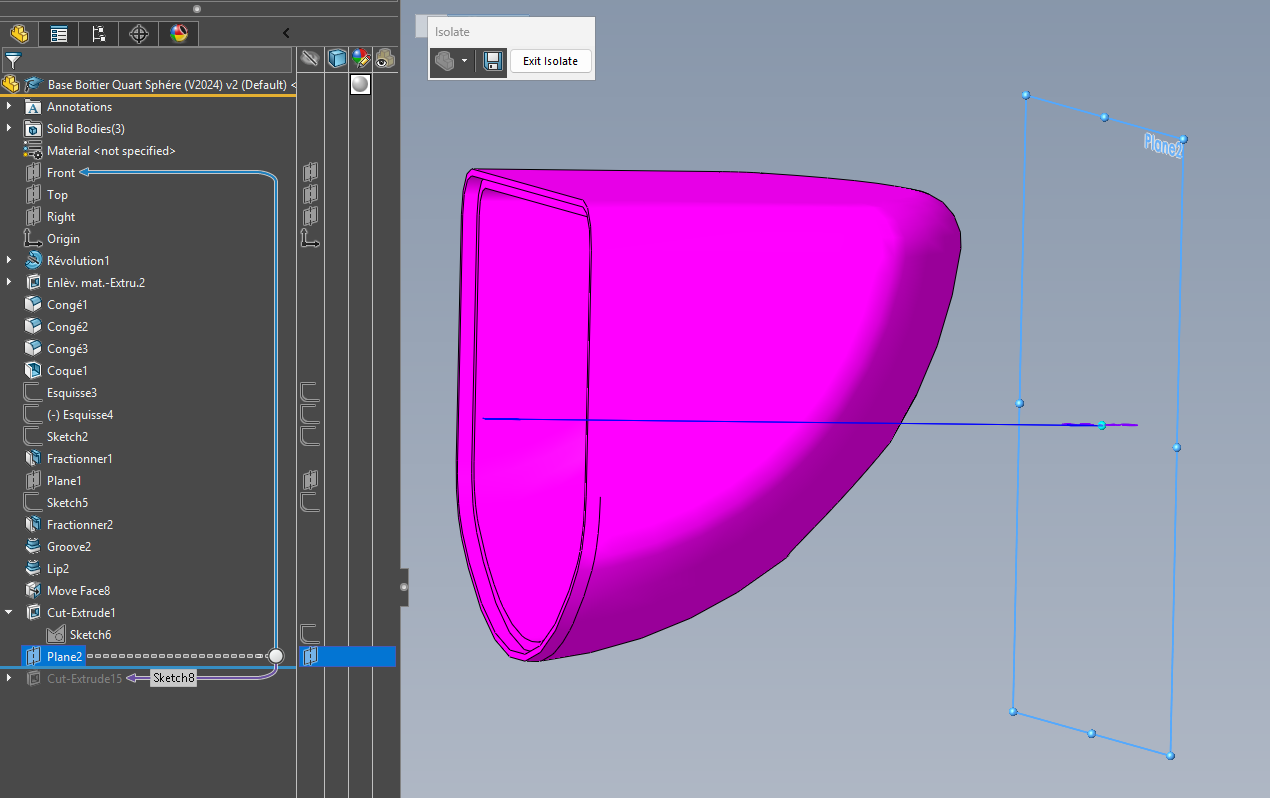
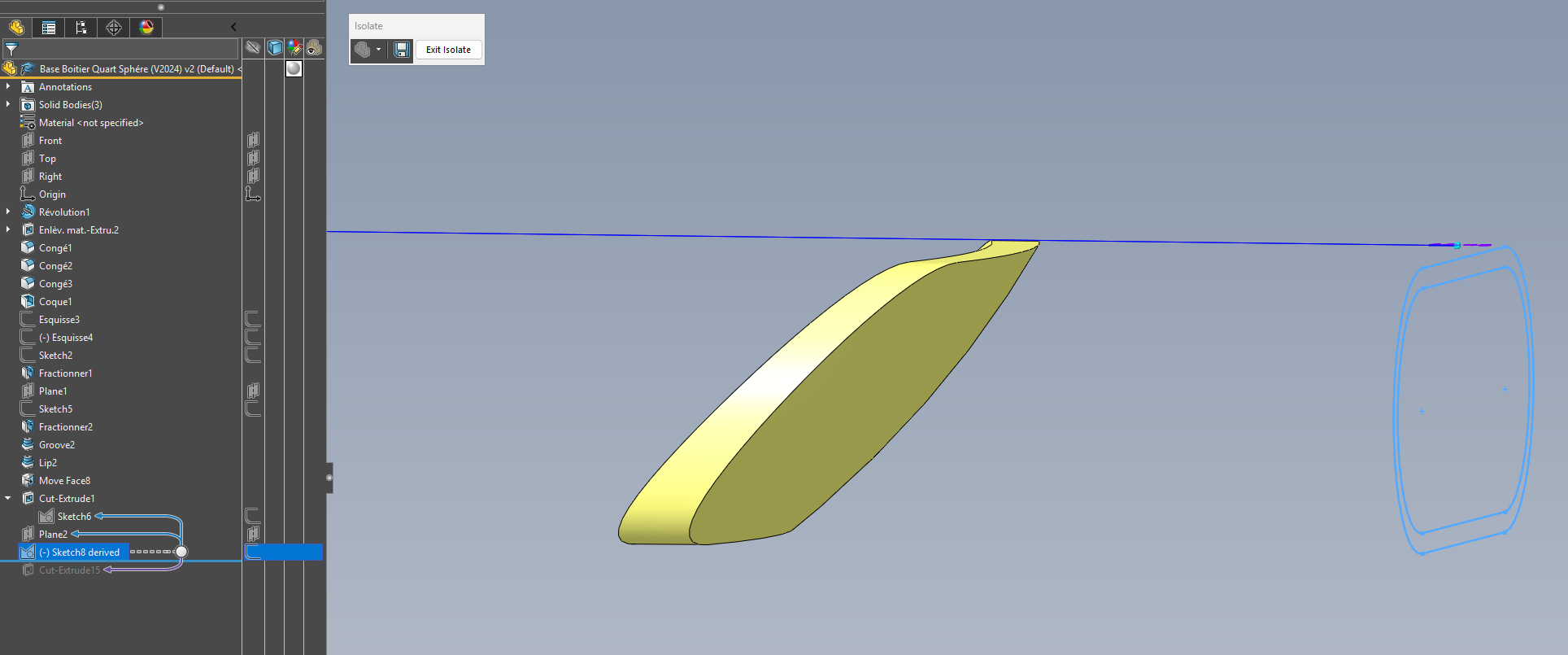
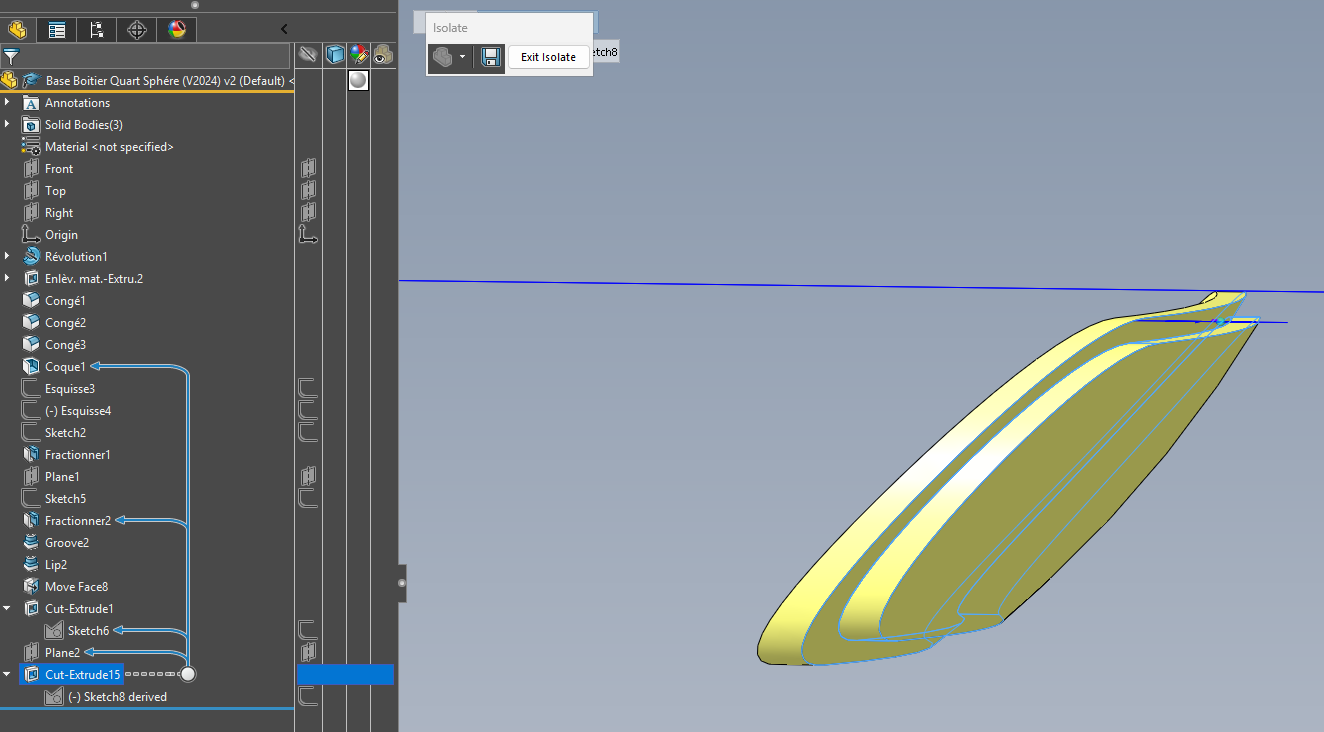
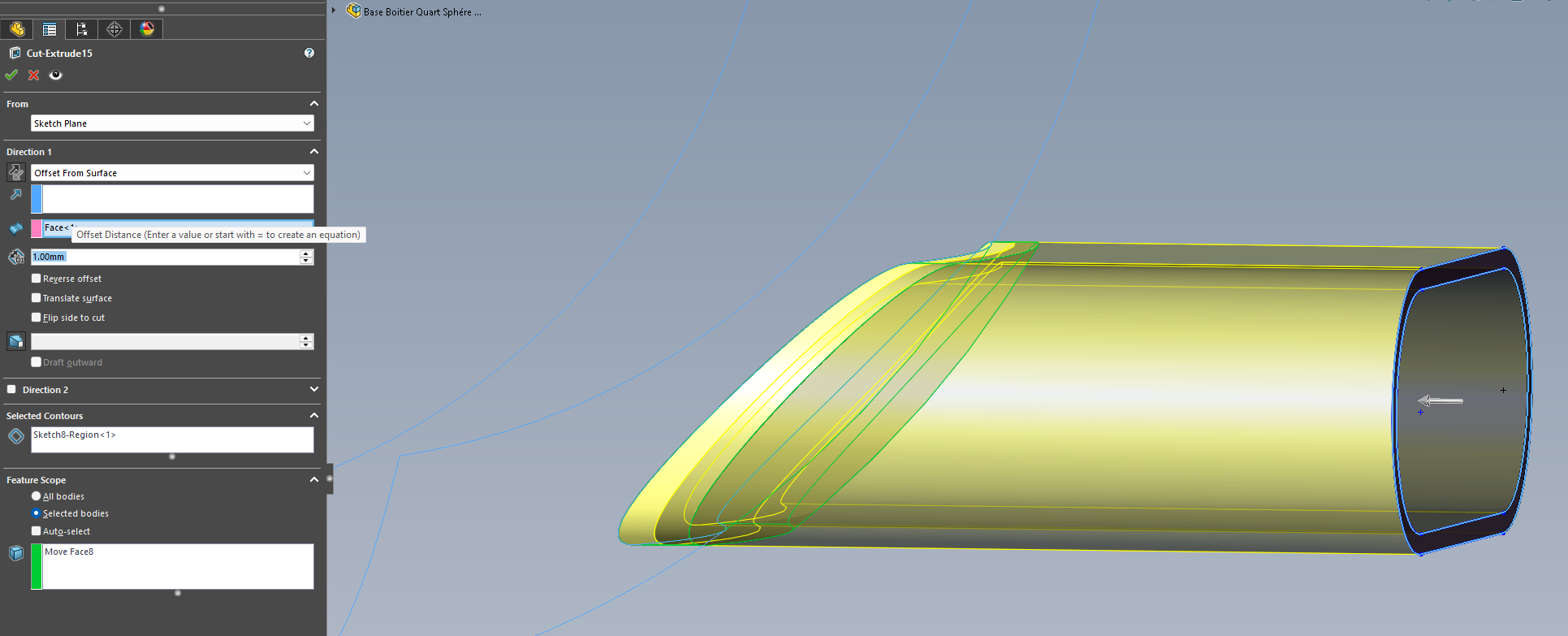
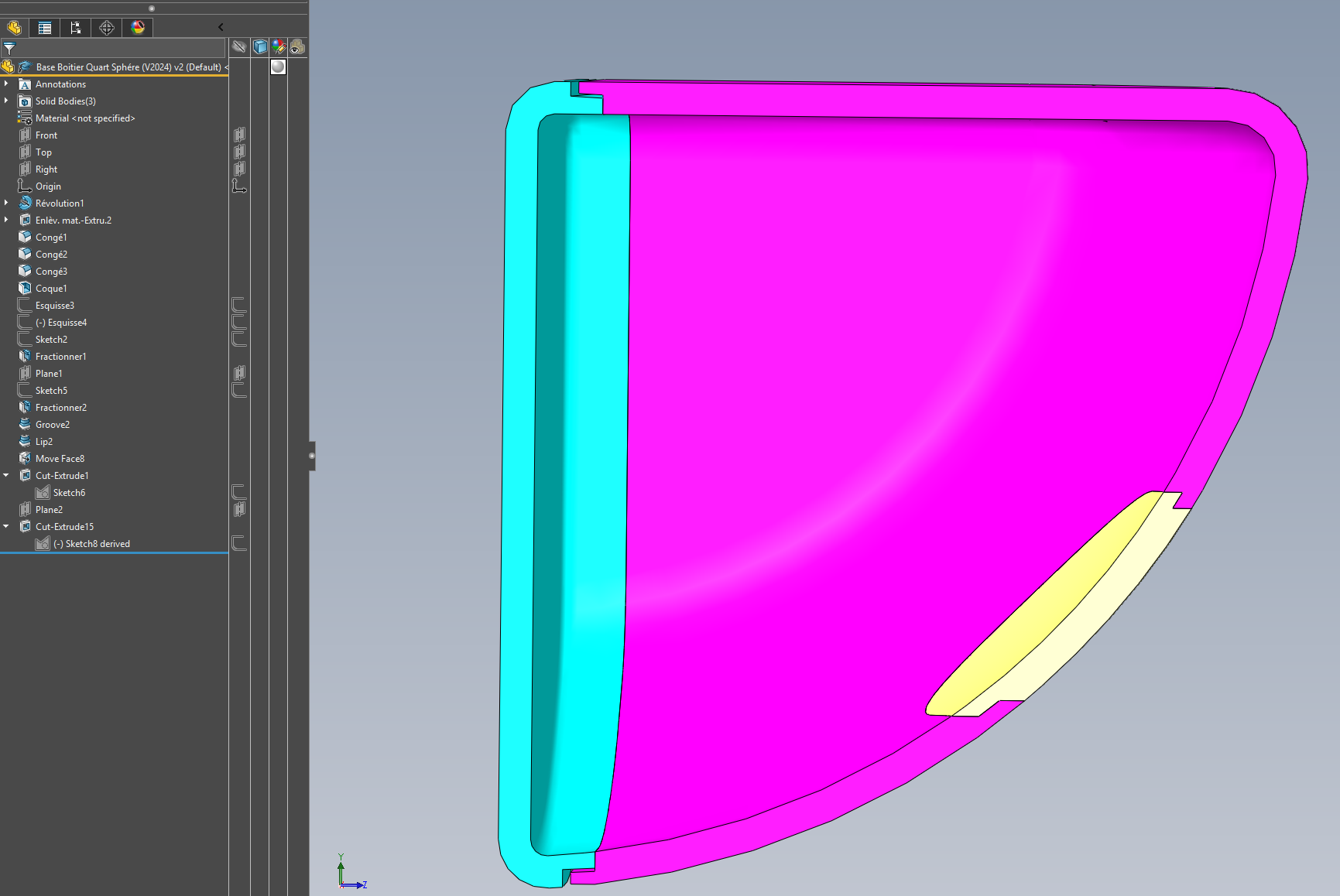
3 Likes
It's likely that this is the method I would have used to do this.
I didn't insist on a file because it's 2020.
Images are a more universal complement. Thank you.
1 Like
Hello to all the participants of this forum,
Mixing different welcome tips (@m_blt @silver_surfer), I propose this Nth approach:
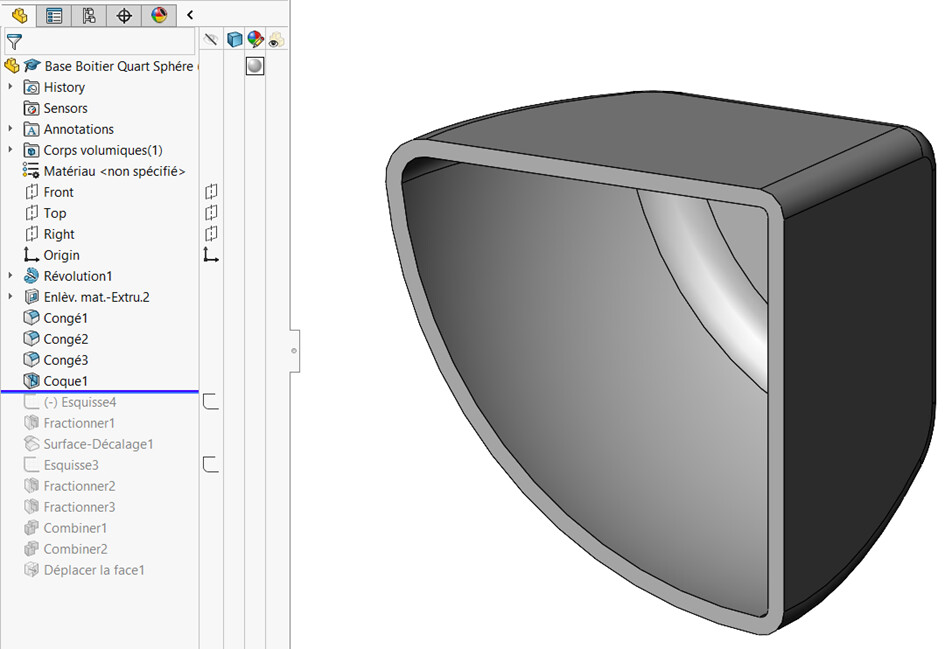
Starting Hull:
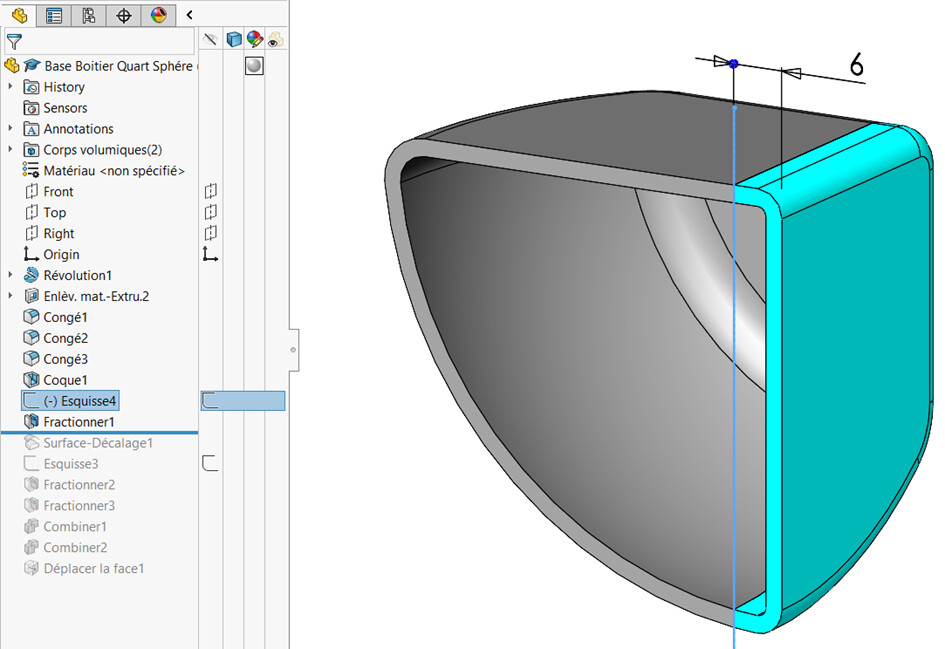
Cutting the bottom by splitting:
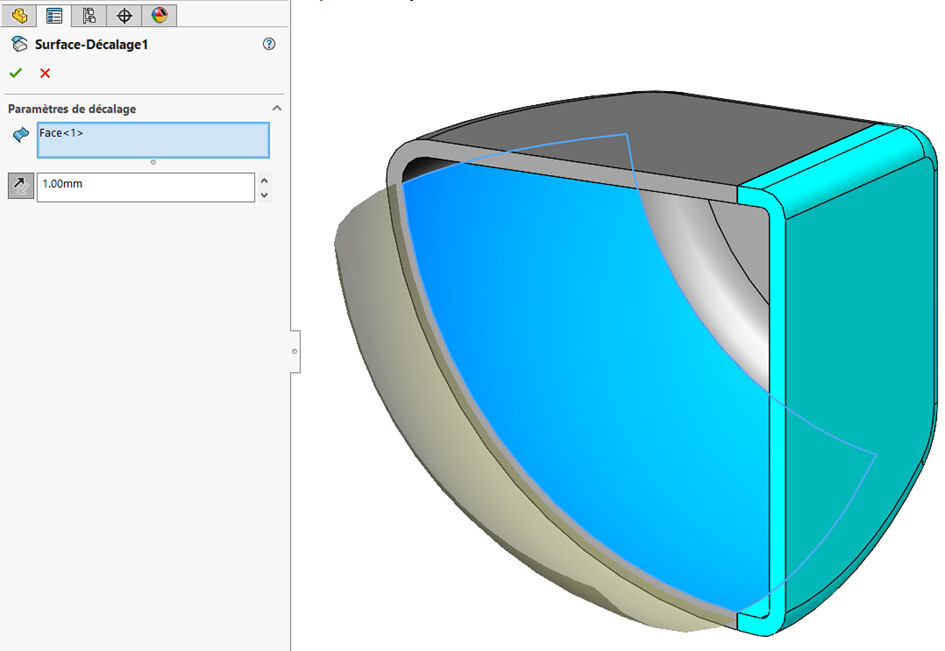
Offset of the inner face (half-thickness of the shell):
Splitting the front of the case into 3 bodies:
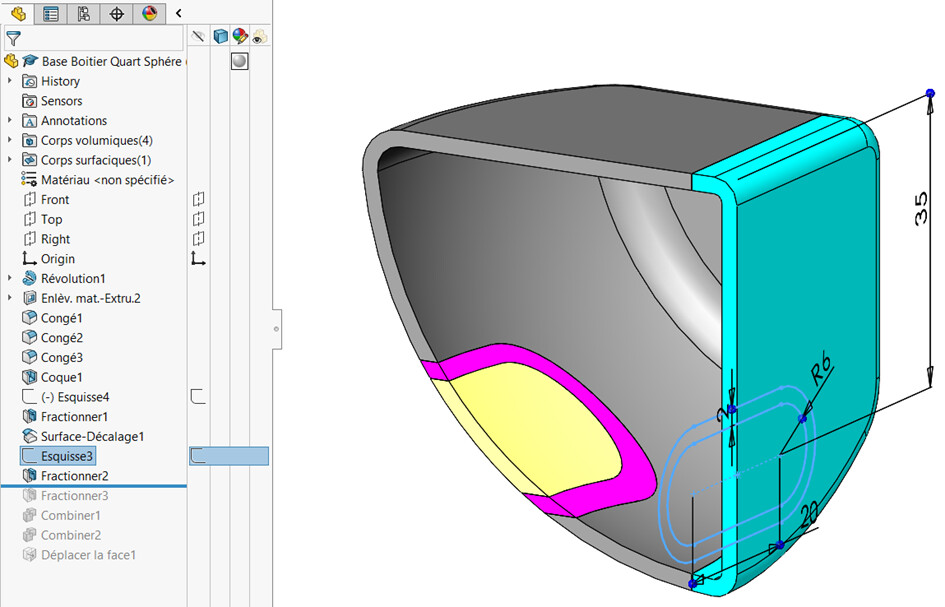
Splitting the previous purple outline by the offset inner surface:
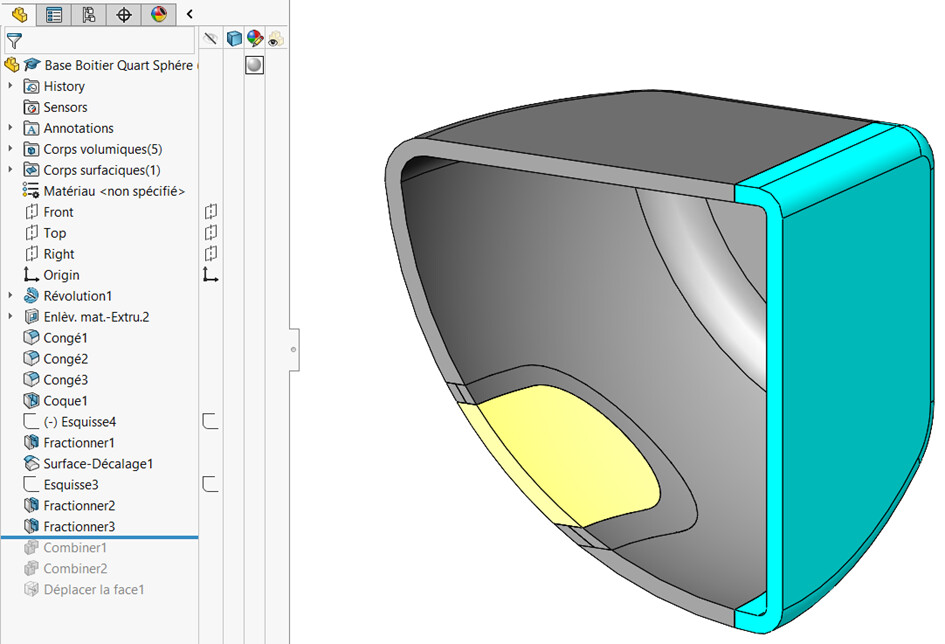
Fusion of 2 shapes for the hatch:
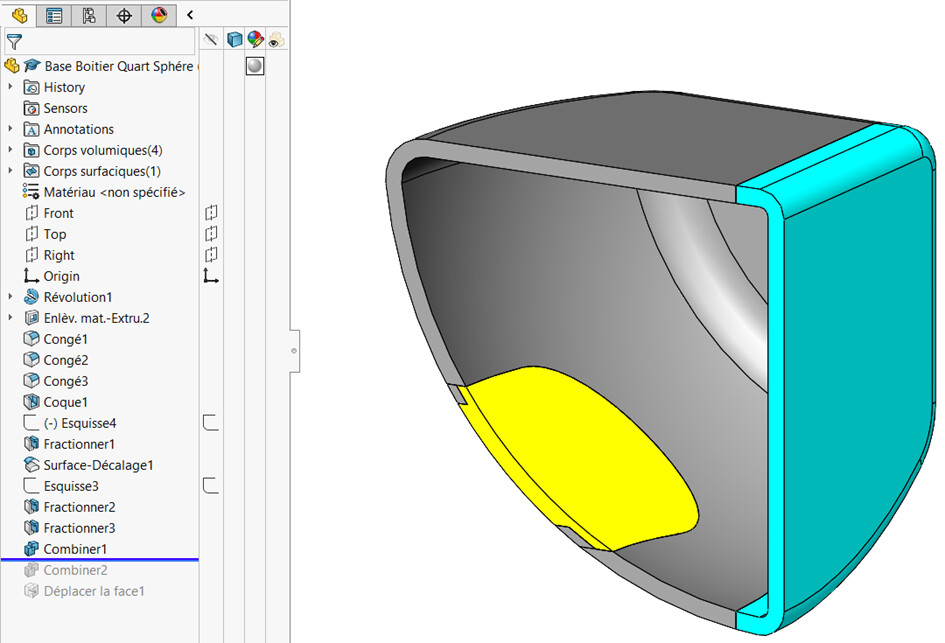
Fusion of 2 shapes for the front of the case:
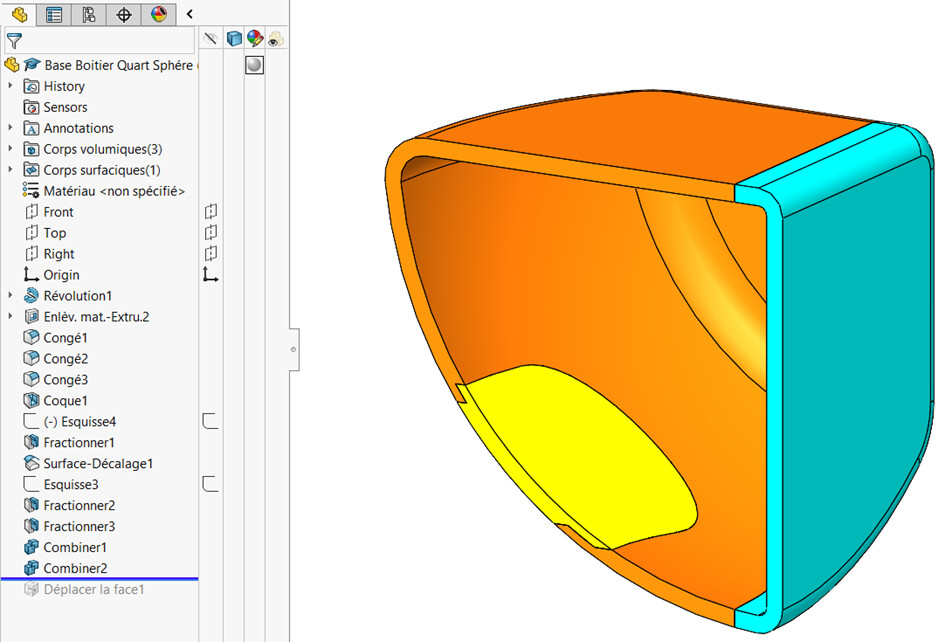
Offset of the contour faces to materialize the game:
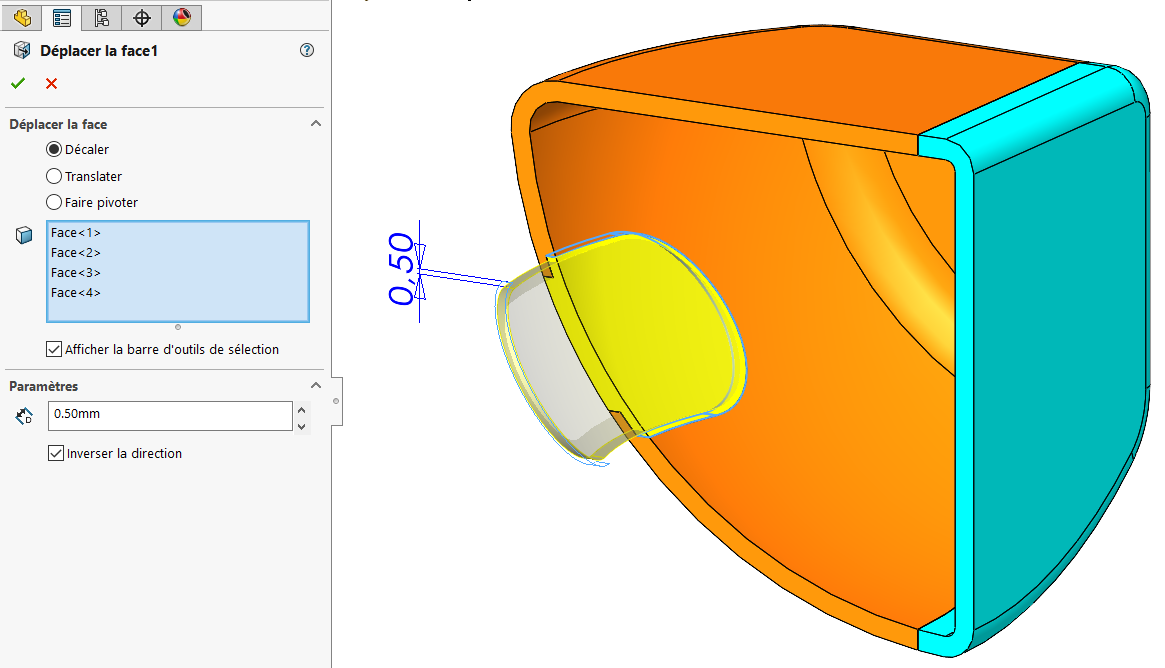
1 Like