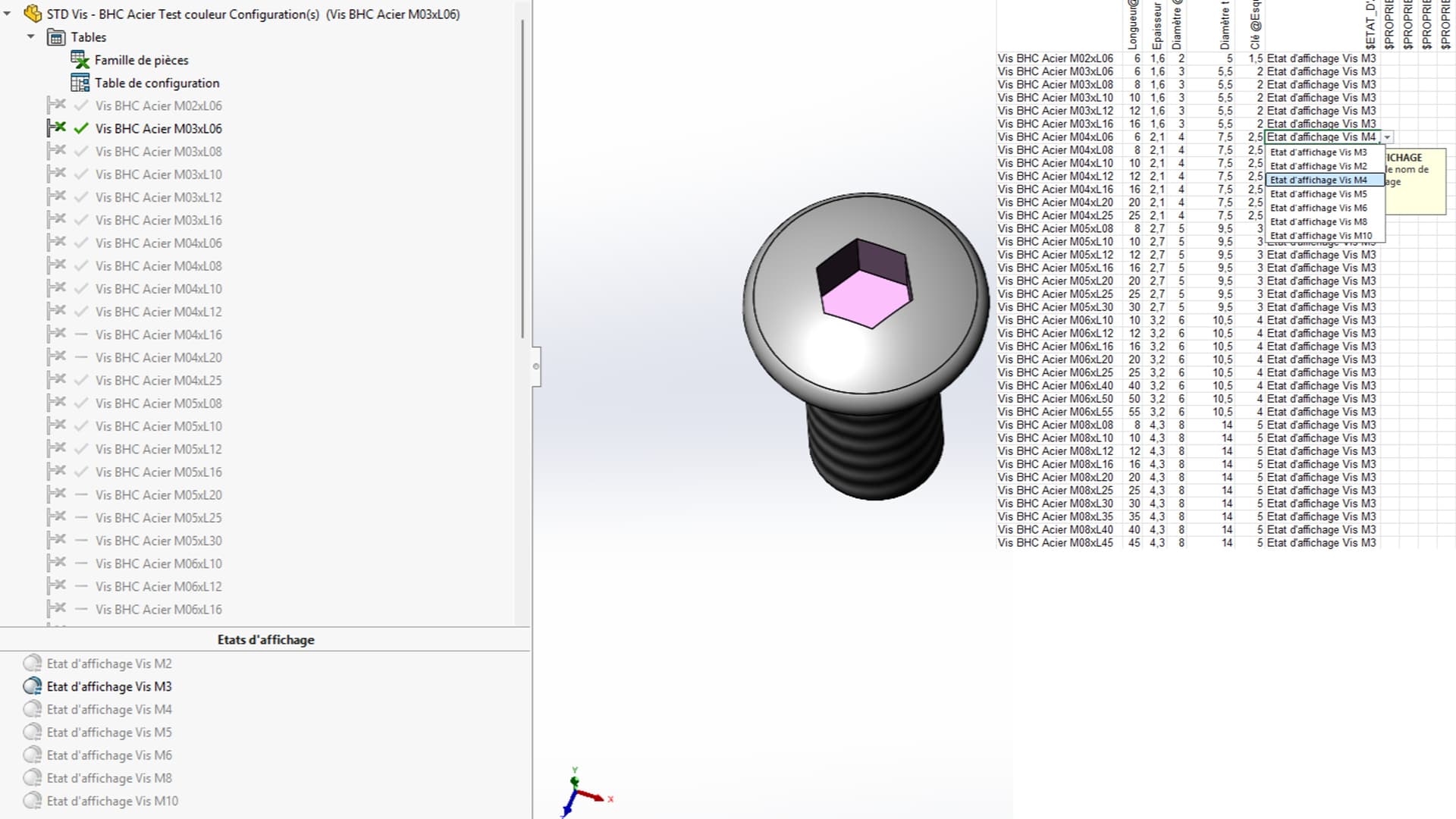
My case concerns a screw file with several sizes (Example: CHC M3 lg10 to CHC M12 lg50), and I am looking to assign a color for the size of the screw and a color for the tool footprint.
So I assigned an appearance to my screw and an appearance to the removal of material that makes the impression of the tool.
I have already created a family of parts to control all my screw sizes. Since solidworks is already able to find the color of the part via the variable: " $COULEUR ", I have a column in which I assign the color I want in front of my configuration. However, I can't find a variable of my second appearance, and I would like to be able to control it via my part family. I would like to point out that my display states are linked to my configurations.
If you already have a valid part family, try to change the color of your function (and not the face) on one of your configs and then re-edit your part family to see if it offers you the new parameter.
I tried in V2020 and it doesn't seem to work. Newer versions may support display states.
If your removal of material is done with a library function, you may be able to manage the color of the .sldlfp part and that it is imported when inserting the function in a part (unlikely but to be checked anyway).
You should be able to play with the materials according to the configurations on the other hand (that's for sure), but I'm not sure that it can go up on the appearances when inserting the part family.
I just looked out of curiosity and couldn't find anything. I tested in a family of pieces something with values bearing the name of the body. But no, it would be too easy. The only possibility is at the level of the part or an assembly.
For your information, if you haven't already noticed it, the RGB controlled in a family of rooms goes through a clever calculation.
Good research but I think it's dead, maybe by going through a macro.
Obviously the fact of applying a material on the appearance of my material removal does not change anything, solidworks does not offer me an additional variable for my family of parts.
Otherwise I dissociated the display states from the configurations. I can get a $ETAT_DISPLAY COLUMN. However, solidworks doesn't change the display state when I change the configuration (because the two are not related). And my family of parts overwrites the display state changes that I apply.
Finally, if you try to link the display states to the configurations, you end up with a state by confiq and with a unique name (this means that you can't copy a display state to another config without having to rename it as long as the colors follow).
In short, I'll have to do this manually and it's a shame, I have the impression that there is everything you need to automate the functions but that it hasn't been coded with this application case in mind.
In order for him to offer you the color option, you have to apply 2 different colors (each in their configuration) to the same function, then he should offer it to you when creating the room family
For column $COULEUR, solidworks found it for me. The difficulty is to have a second column that controls the color of an appearance applied to a function or a face.