Bonjour;
quelle est la version Solidworks utilisée ?
Merci d’ajouter une capture écran et/ou un équivalent STEP ou Parasolid pour celles et ceux qui ne peuvent ouvrir le fichier joint.
Avez-vous une référencer fournisseur ?
Cela ne m’étonnerai pas que l’on puisse trouver le 3D complet dans un hub de téléchargement de type Find-il ou tracepart…
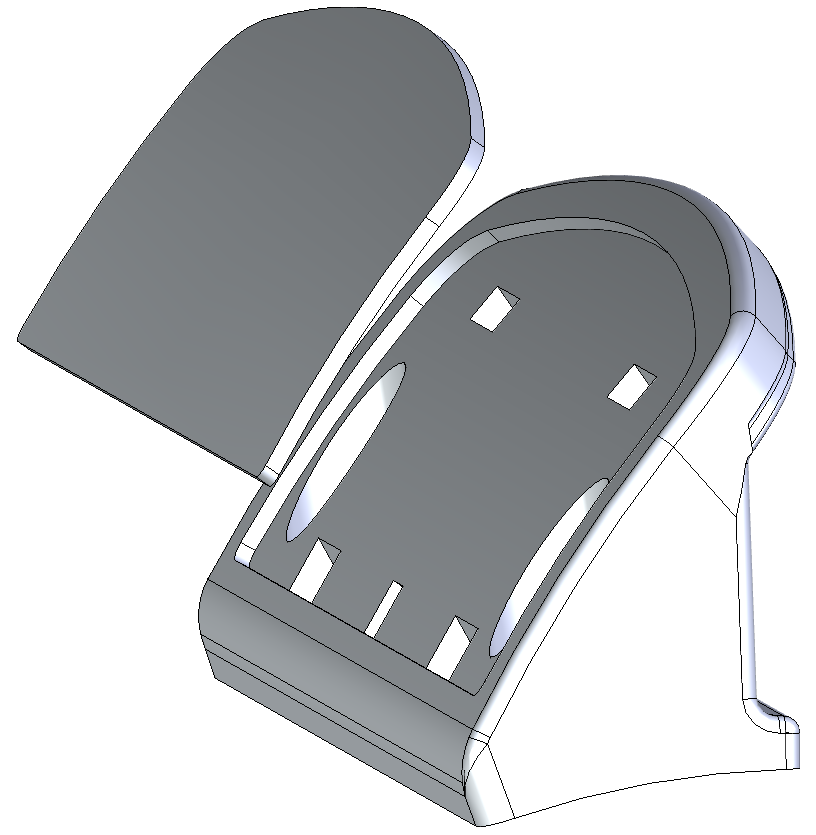
Sinon, je travaillerai sur la découpe incurvée (Couvercle) dans l’assemblage + projection réduite de 0.1mm de l’esquisse des 5 encoches (Une encoche = une esquisse pour maitriser la direction d’extrusion) puis une fonction Dépouille…
Et j’ajouterai une petite encoche ou un enlèvement de matière sur un bord pour pouvoir le retirer avec un petit tournevis…
Non je suis navré je ne possède plus aucune référence fournisseur … J’ai tenté de rechercher avec les infos que l’on m’a donné mais sans succès et ça date déjà d’un moment …
Je n’ai pas utiliser la dépouille. J’ai copié collé l’esquisse 3D dans une nouvelle pièce mais en extrudant ça me créer un angle non modifiable sur l’épaisseur de la pièce (voir fichier 3D). Quand j’essaie de passer l’angle du plan à 45° par exemple ça me change l’angle de l’autre côté comme avec un miroir …
Je vais essayer comme vous avez fait là.
Je peux créer une pièce depuis l’assemblage ? et ensuite la modifier ? Et si je modifie la poignée, le couvercle suit c’est cela ?
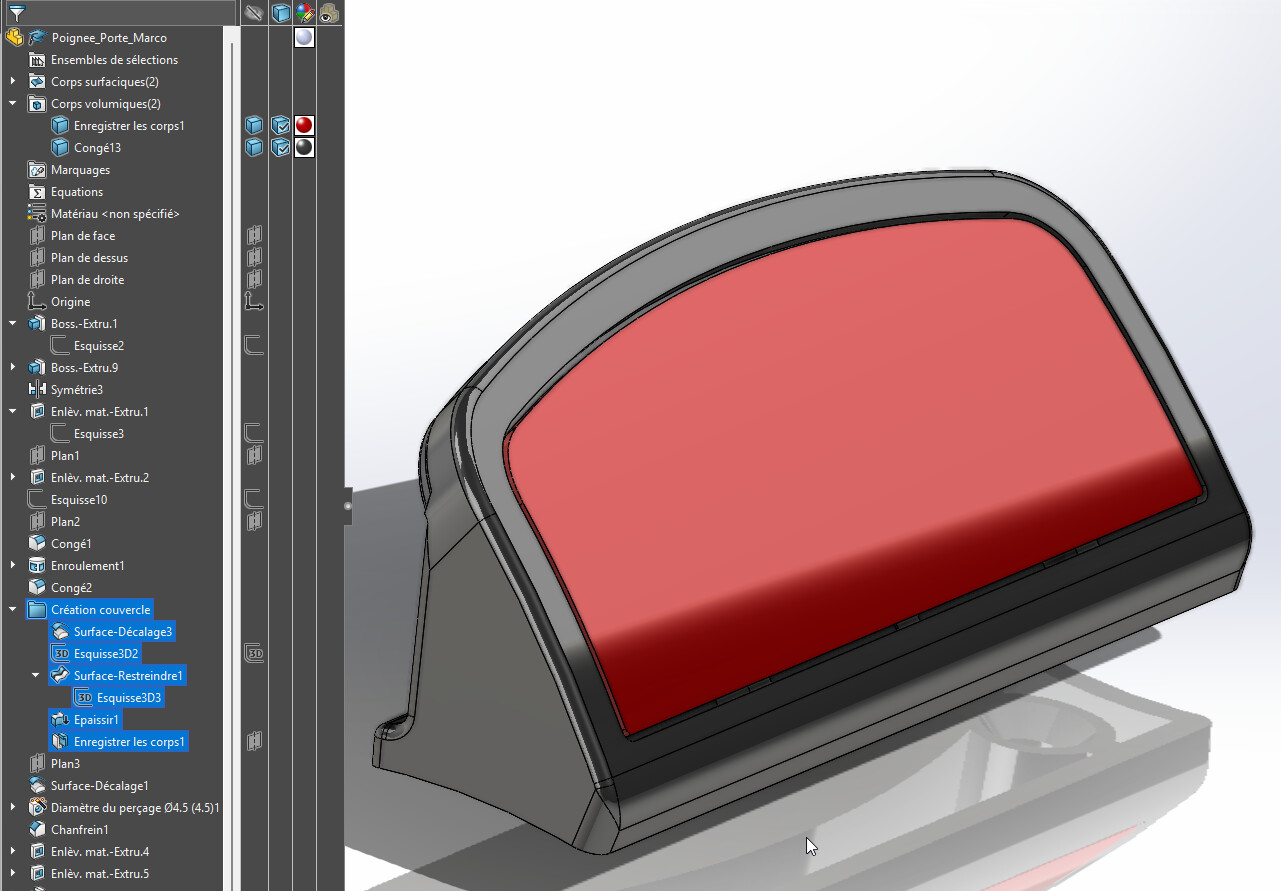
Créer une « Surface décalée » du fond de l’empreinte, avec un décalage de 0.0 mm. Ce qui génère un nouveau corps surfacique : « Surface-Décalage3 ».
Cacher le corps volumique de la poignée « Congé2 ».
Dans une esquisse 3D, créer par « Décalage sur la surface » un contour d’esquisse distant de 0.5 mm du contour extérieur de la face. Cette valeur est à adapter pour correspondre au jeu souhaité entre la poignée et le futur couvercle.
Utiliser la fonction surfacique « Restreindre la surface » pour supprimer le bord extérieur.
Utiliser la fonction « Bossage/Base » > « Epaissir » pour donner son épaisseur à la plaque (1 mm). Décocher la case « Fusionner le résultat » pour créer un second corps volumique, le couvercle.
Ce corps peut être sauvegardé comme pièce en cliquant du bouton droit sur la branche « Corps volumiques » de l’arbre de construction, puis option « Enregistrer les corps ».
Reste à créer les griffes de maintien sur la poignée…
Je viens de rentrer, je vais pouvoir essayer et regarder tout ce que vous m’avez tous conseillé
ça me semble pas mal du tout votre solution.
Je vous tiens au courant quand j’ai essayé et si je n’y arrive pas, serait-il possible d’avoir le fichier modifié ? (ne serait-ce que pour comprendre comment vous avez fait).
Je vais d’abord essayer seul en suivant tes instructions et je regarde tes fichiers si je n’y arrive pas, ça me sera plus profitable d’apprendre à le faire
Je viens d’essayer m_blt et j’ai bien compris la logique et ce qui est génial c’est que si je veux modifier la poignée et le couvercle « en même temps », si je puis dire, le fichier isolé du couvercle se mets à jour tout seul !!! J’adore !!!
Merci beaucoup pour ce tuto, ça a répondu parfaitement à ma demande !!! Vous êtes au top !!!