Bonjour,
Je tourne un peu en rond sur un sujet, et je n’arrive pas à réaliser ce que je souhaite exactement.
J’ai besoin de créer une pièce, en l’occurence un tube, que je pourrais inssérer depuis la bibliothèque dans mes assemblage et pouvoir sélectionner un diamètre et une longueur.
le but est de pouvoir insserer plusieurs tubes de diamètre et longueur différentes sans les re dessiner à chaque fois.
Savez-vous par quel moyens je peux faire ça ?
La solutions la plus pertinente pour l’instant que j’ai trouvé c’est de créer une pièce avec plusieurs configuration, mais je ne peux pas changer la longueur.
Pour faire simple, j’ai besoin de faire la même chose que l’outils Toolbox avec les vis. Je choisis un tube et ensuite il me propose un diamètre et une longueur.
En vous remerciant par avance,
Sinon dessiner la pièce dans la bibliothèque, la faire glisser à l’emplacement désirer, la rendre virtuel (clic droit, rendre virtuel), puis modifier le Ø et la longueur.
Le composant virtuel est une copie virtuel du composant initial (sans aucun lien)
Edit: Et cela évite à terme d’avoir une pièce super lourde avec une infinité de configuration suivant les Ø et lg différente.
Ici une seul configuration.
Bonjour,
Le configuration publisher devrait répondre à votre besoin :
Configuration Publisher - 2022 - Aide de SOLIDWORKS Design
3 « J'aime »
Salut,
Je n’utilise pas Config Publisher mais je ne suis pas sûr que l’on puisse rentrer une variable comme la longueur sans définition en amont (liste/famille de pièces). A confirmer
Bonjour
Pourquoi ne pas faire une famille de pièce, avec une contrainte comme pour une vis ?
La famille de pièce est plus rapide pour concevoir. SI vous préférez une configuration, vous supprimez la famille de pièce, les configurations resteront.
En partant d’un template normal
Bonjour,
Je plussois le « Configuration publisher ».
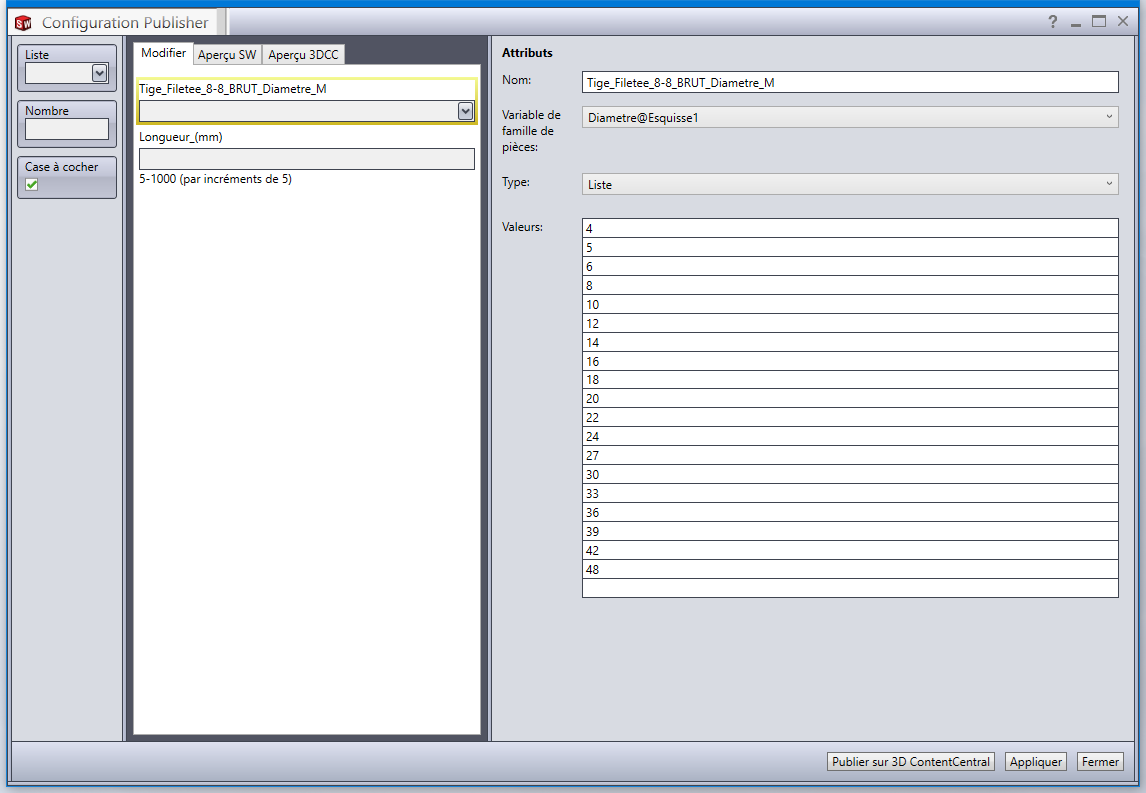
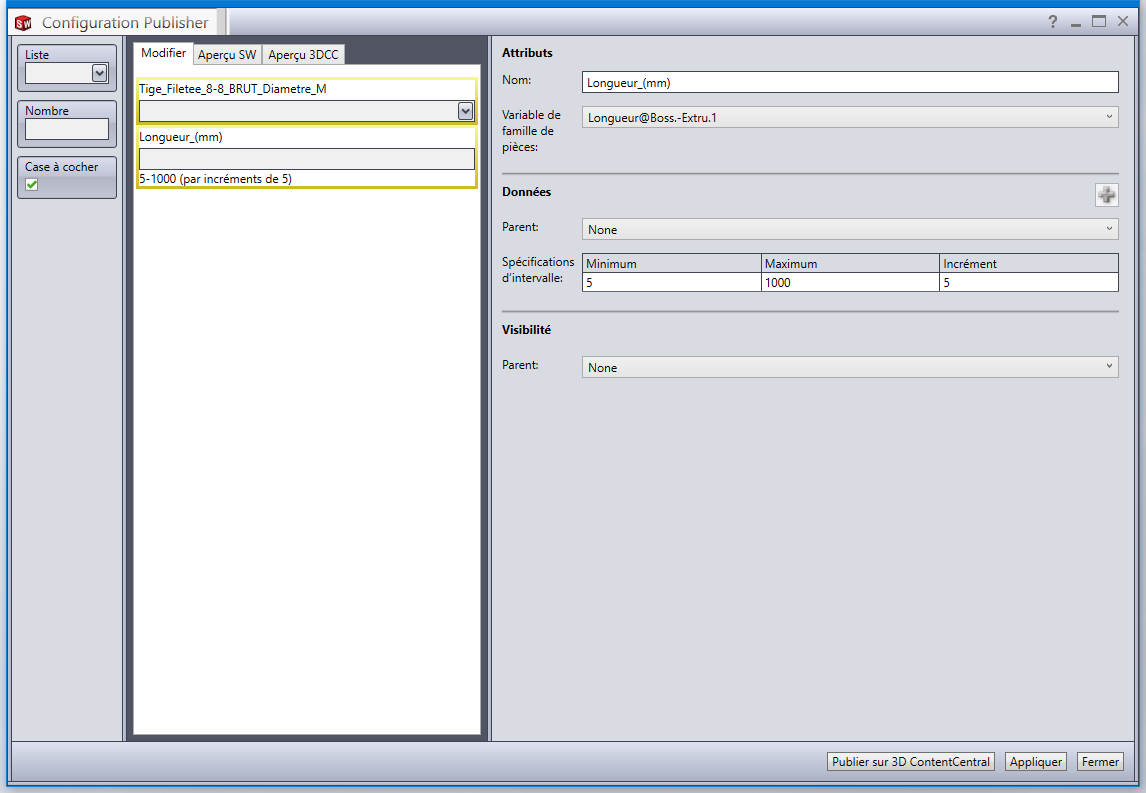
Cela permet de définir plusieurs diamètres de tubes via une liste déroulante tout en laissant la possibilité d’une longueur « variable » (complétement libre ou comprise entre deux limites).
3 « J'aime »
Exemple de configuration publisher (solidworks 2022) :
Le principe de base est de construire deux configurations (avec les cotes spécifiques aux configs), de lancer le publisher dans lequel on inscrit les variables.
Valider le publisher.
Puis lancer la table de famille de pièce sous Excel pour faire en sorte que les noms des configurations soient une concaténation du type:
« Tube » + $Diamètre tube + $Lgtube
de maniere à ce que toute nouvelle configuration crée dans un assemblage soit une nouvelle configuration dans la famille de piéce.
Dans l’exemple donné le nom des configurations est:
=CONCAT("Tige-Filetee_8-8_M";TEXTE(B3;"00");"x";TEXTE(C3;"0000");"mm")
Tige_Filetee_Metrique_8-8_Brut - Copie.SLDPRT (171,5 Ko)
3 « J'aime »