Hello,
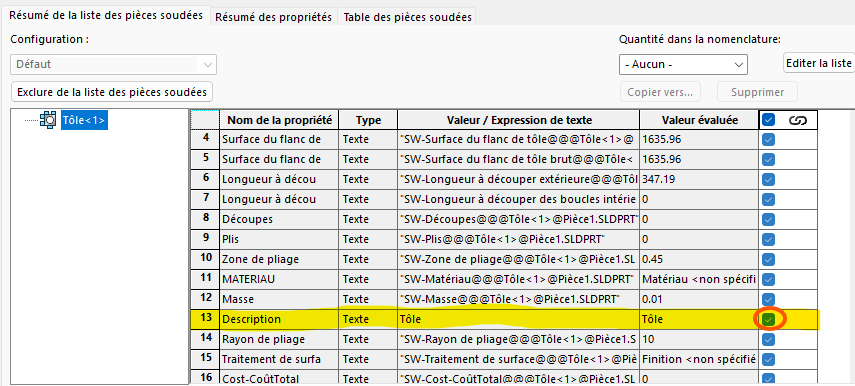
Is it possible to uncheck this box by default?
I use MyCadTools and as long as this box is checked, SmartPropreties cannot rename the description of my sheet metal with the rules I have imposed on it.
Hello jhersard,
Here's what its current state in SolidWorks means:
-
Checked Box (Linked): The description of this part in the welded parts list is automatically inherited from the name or properties set by default by the sheet metal/welded part function (here, the word automatic
"Tôle"). -
If you click on it to uncheck it (Unlink): You break the link with the automatic value. This allows you to manually enter the text of your choice in the " Value / Text Expression" column (e.g. give this sheet a specific name) so that it appears in your BOM.
Here's the definitive method to automate this in your models:
- Edit System Options (For Future Parts)
To have this checkbox unchecked by default on all your future creations:
-
Go to Tools > Options (or click on the gear at the top).
-
On the System Options tab, click Welded Parts.
-
Uncheck the option named " Rename Welded Parts List Folders with the Value of the Description Property" (or a similar option related to the automatic description of sheet metal depending on your version).
-
Click OK.
-
Automate via File Properties (Document
.prtdotTemplate)
If you are using a custom part model, you can impose your own properties without SolidWorks forcing the link:
- Open your empty part template file (format
.prtdot). - Go to the Custom File Properties .
- Create a blank line
Descriptionor with generic text. - Save the template. This way, the global property will take over in the standard way without enabling the automatic linking of the local function.
That's it, I don't know any more.
@+.
AR.
1 Like
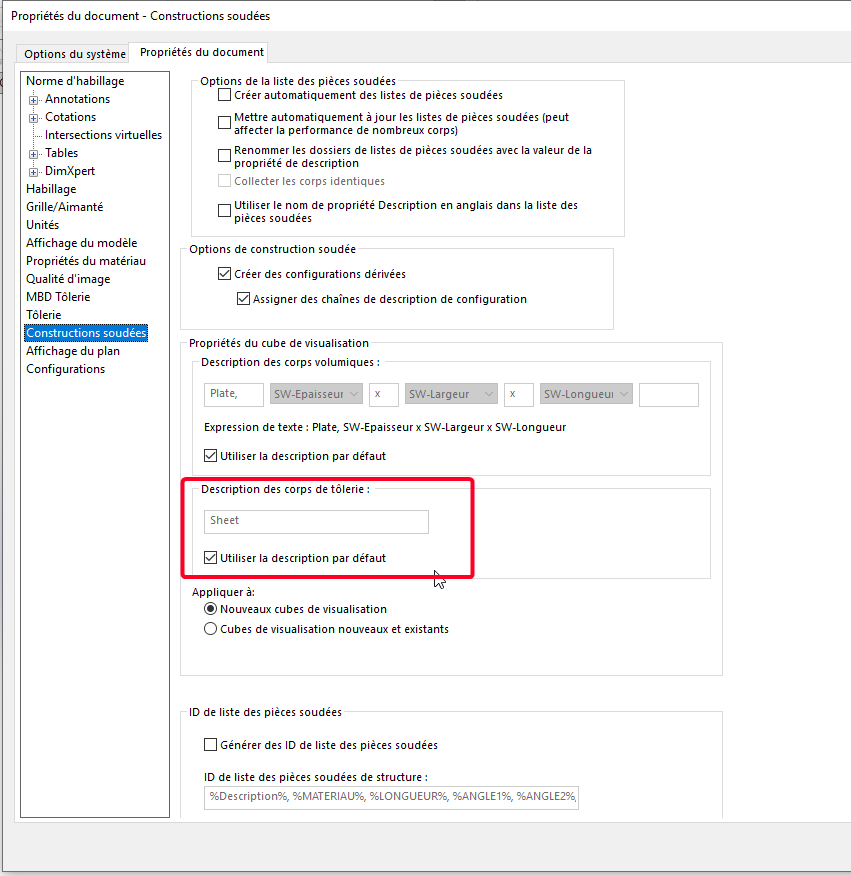
In your document options, is Use default description checked?
With Sheet Metal instead of Sheet, for example? If so, try unchecking.
1 Like
I don't think that's the solution, we lose all the point of renaming the article as welded pieces by the description we give it.
In addition, I already have a default description value that uses the dimensions of a visualization cube in order to automatically name my parts non-" sheet metal "
Sbadenis,
Yes, the box is unchecked.
What if you delete it?
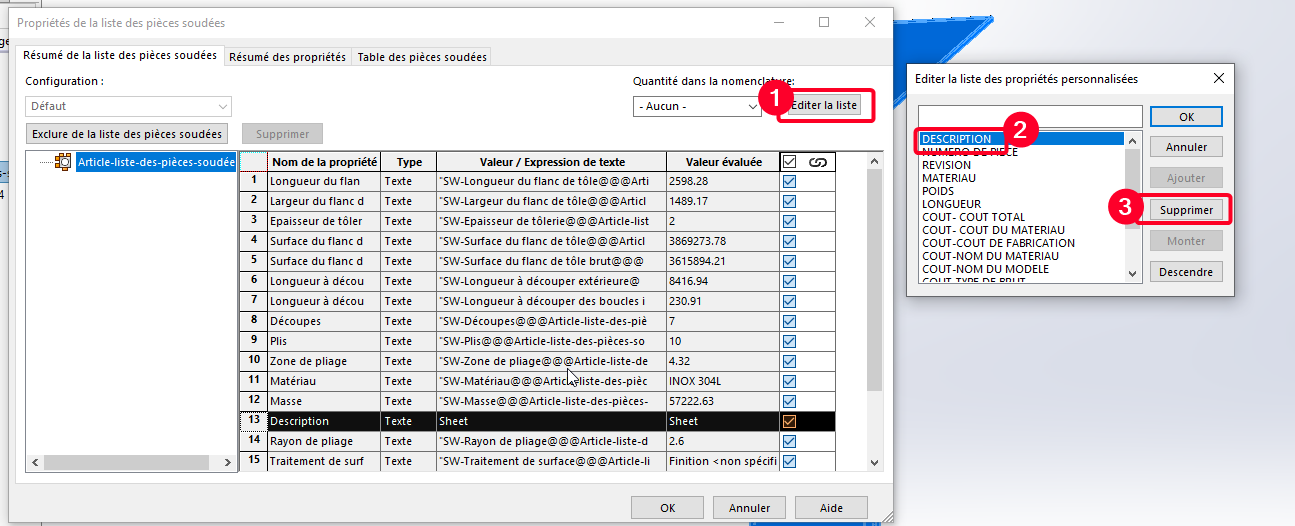
If it works, it is possible to save the room model without the addition of this description since it is added via the Smartproperties afterwards.
1 Like
Hello;
Be careful, basic, Smartpropeties uses a specific data mask for mechanically welded files:
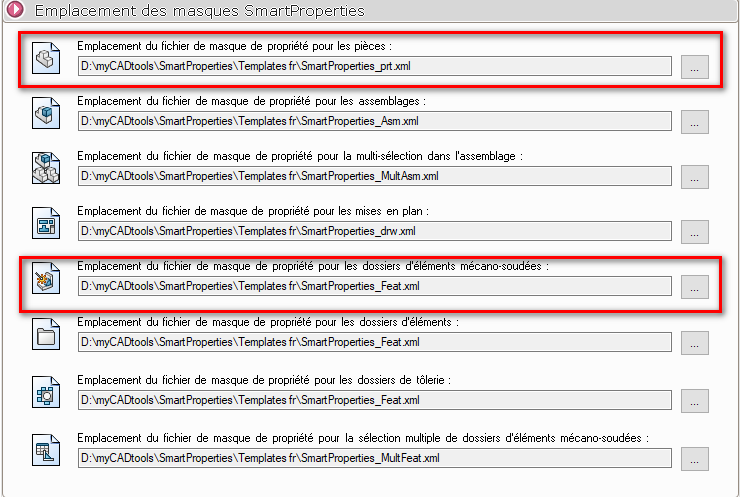
which is different from the mask for rooms
If your smartproperties corresponding to the parts open on your mechanically welded files, it is because the Solidworks model used also corresponds to that of a part:
I wonder if putting the same location for the mechanically welded components as the one for the parts doesn't solve the problem (to be tested).
The properties of the mechanically welded elements only seem to change if you select the body in the design tree (featuremanager):
Excerpt:"
Apply properties to welded parts:
In the case of a mechanically welded or sheet metal component, SmartProperties can apply the properties to the welded parts.
To do this, simply select the part in the tree. This part is then added in the selection box ''Show properties of:‹ '' and the input mask for welded parts items appears."
Otherwise, I agree with @sbadenis as to the use (or not) of the default descriptions on mechanically welded and/or sheet metal elements:
See:
https://forum.mycad.visiativ.com/t/les-good-to-know-de-goengineer/114140/8
1 Like