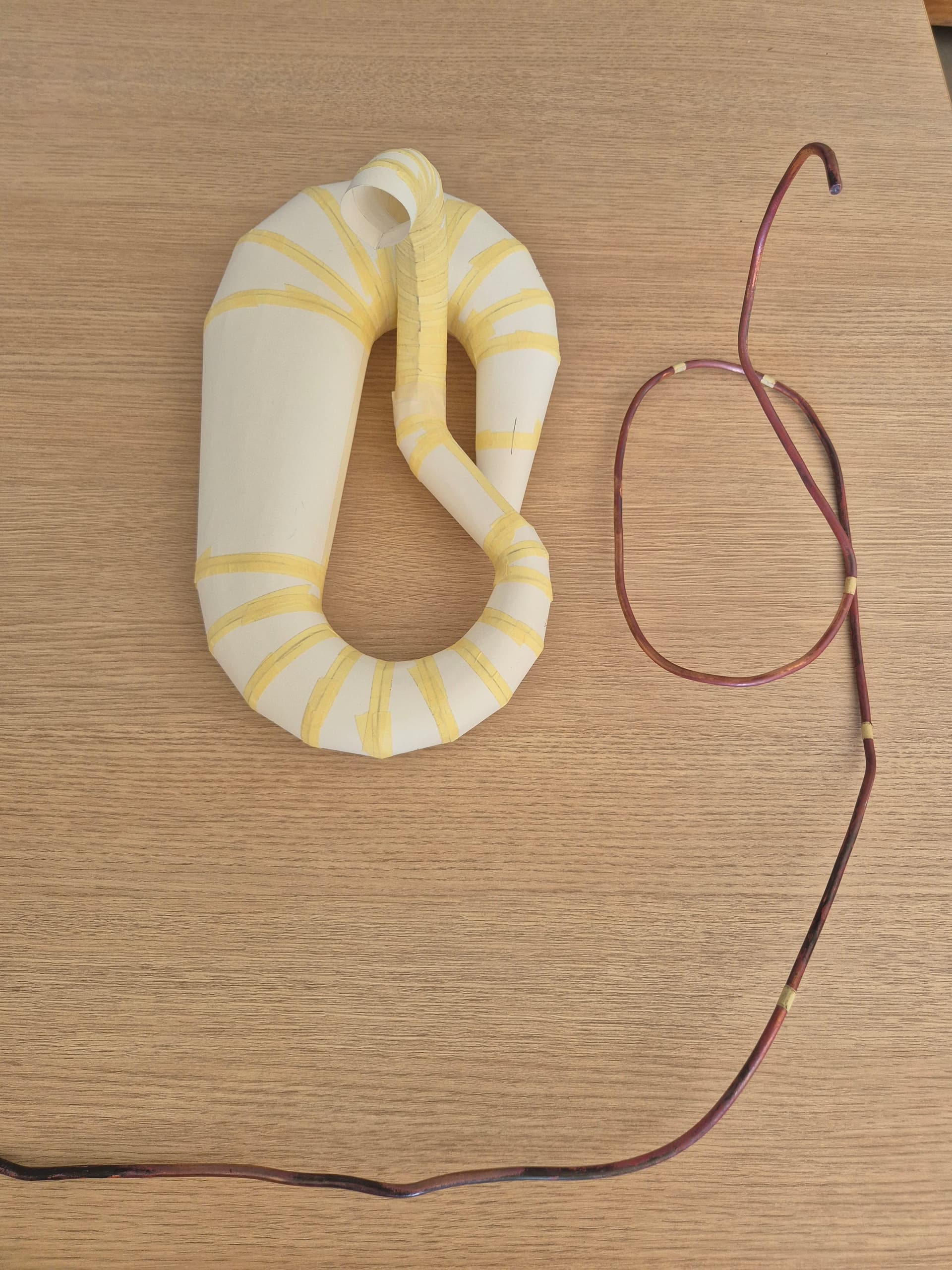
Hello, I would like to be assisted in designing in 3d my exhaust on solidworks student 2025 that I made in paper in order to refine the angles and sides, thank you very much for your feedback.
Hello Burt_Munoro,
For my prt, I would go through a 3D sketch with a spline, with the different sections desired.
For the moment I can't take screenshots, but as soon as I have my hand on my PC, I will.
…@+.
Good luck.
AR+.
Hello,
For my part, I will opt to actually start with a 3D spline and then make a succession of planes + sketches on each plane in order to be able to use the " Bossing/Smoothed Base" function with a different diameter on each plane
1 Like
What is the final goal, to get a plan out of each sheet with the press or just to have a realistic 3d plan.
The starting bases will not be the same depending on the need.
1 Like
I think it's a good exercise on SW and indeed if it's for shape optimization it will be an interesting step added to a 3D print.
Otherwise for the developed, since the mufflers are generally made with very thin sheet metal, the unfolded paper should be enough.
1 Like
Hello
3D sketch, but I'll start with different straight lines to define the trajectory (relying on a spline why not). Using lines and endpoints I created plans and sketches defining the sections. And by thin sweeping I create the surfaces.
1 Like
Hello @Burt_Munro ,
Is it for a scale model, a motorcycle (probably given the nickname...  )?
)?
What scale, what dimensions? How is it made?
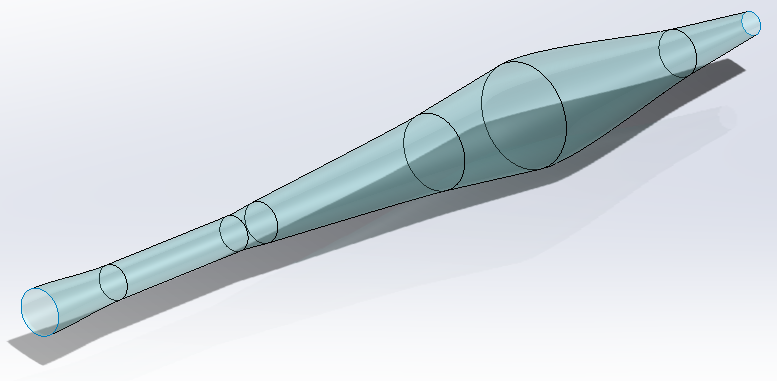
One possible way is to generate the surface of the pot in a "straight" version (see image below), and use the Solidworks Bending function to make the 5 bends...
The main problem will be to manage the angles.
1 Like
In the end, less trouble than expected.
Even if the bending seen by Solidworks is not crystal clear.
It's a pity that the sketches don't follow the body in its deformation.
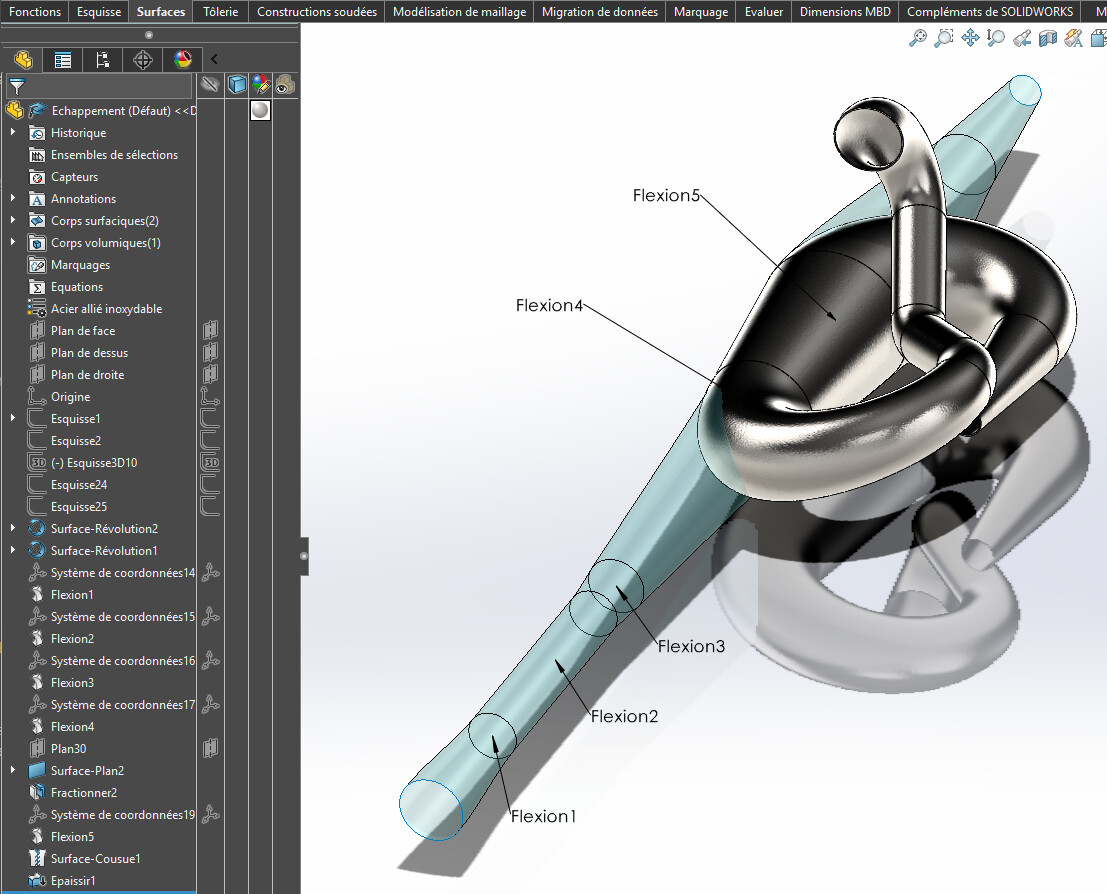
Result attached (SW 2022).
Escape.SLDPRT (2.2 MB)
2 Likes