Bonjour à tous,
Je suis sur Solidworks 2024 Sp5 sur laquelle j’ai créé un ASM, des pièces et une cinquantaine de fichiers plans.
Je parviens à réaliser un « pack and go » en version antérieur (2022 et 2023) cependant cela n’est fonctionnel que pour les pièces et assemblage. Les mises en plans cochées et exportées via le « pack and Go » restent en 2024…
Aprés contact et échange avec le support la réponse est: « c’est le fonctionnement normal de solidworks » (comprendre: débrouillez vous! ça ne nous regarde pas!)
J’ai tenté le planificateur de tâche, j’ai tenté de passer par une macro… bref je suis sec!
La seule méthode qui fonctionne: c’est d’ouvrir les plans un a un, puis de les enregistrer en version antérieur.
Dans ma logique de féniant (et de qualité!) ça me semble impensable pour 50 plans ainsi que pour les projets futurs.
Quelquequ’un a t il trouvé une combine pour exploiter cette MAGNIFIQUE fonction « d’enregistrement en version antérieur » pour des lots de fichiers de mise en plan?
Oui, largement signalé (mais pas reconnu officiellement comme bug)
Comportement normal ?
Officiellement oui… mais très contesté
Correctif annoncé ?
Non
Contournement viable ?
Macro VBA ou sauvegarde manuelle
Pack and Go fiable pour DRW rétro ?
Solution macro VBA pour convertir un dossier de plan (Non testé sortie tel quel par IA copilot):
Option Explicit

Dim swApp As SldWorks.SldWorks
Dim swModel As SldWorks.ModelDoc2
Dim errors As Long
Dim warnings As Long

Sub main()

    Set swApp = Application.SldWorks

    ' ⚠️ MODIFIER LE CHEMIN DU DOSSIER ICI
    Dim folderPath As String
    folderPath = "C:\TEMP\Plans_2024"

    ' Choisir la version cible :
    ' swSaveAsVersion_e.swSaveAsCurrentVersion
    ' swSaveAsVersion_e.swSaveAs2023
    ' swSaveAsVersion_e.swSaveAs2022
    Dim targetVersion As Long
    targetVersion = swSaveAsVersion_e.swSaveAs2023

    Dim fileName As String
    fileName = Dir(folderPath & "\*.slddrw")

    Do While fileName <> ""

        Dim fullPath As String
        fullPath = folderPath & "\" & fileName

        Set swModel = swApp.OpenDoc6( _
            fullPath, _
            swDocumentTypes_e.swDocDRAWING, _
            swOpenDocOptions_e.swOpenDocOptions_Silent, _
            "", _
            errors, _
            warnings)

        If Not swModel Is Nothing Then

            swModel.ForceRebuild3 False

            Dim savePath As String
            savePath = folderPath & "\OLDVER_" & fileName

            swModel.SaveAs4 _
                savePath, _
                targetVersion, _
                swSaveAsOptions_e.swSaveAsOptions_Silent, _
                errors, _
                warnings

            swApp.CloseDoc swModel.GetTitle

        End If

        fileName = Dir
    Loop

    MsgBox "Conversion terminée !", vbInformation

End Sub
Pas possible pour moi de testé la macro car sw2023, mais le code semble correct à 1ère vue.
Essai et fait nous un retour, si bug et où (capture de l’erreur).
Si fonctionnalité (enregistrer en version antérieur) non existante dans l’API, on fera pas grand chose.
Si bug autre possiblement on pourra t’aider à débugger.
Essaie celle ci au cas ou avec SaveAs3 Method (IModelDocExtension) au lieu de saveas4.
Cette fonctionnalité existe après elle est bien documenté avec une option version, donc à tester.
Option Explicit

Dim swApp As SldWorks.SldWorks
Dim swModel As SldWorks.ModelDoc2
Dim swExt As SldWorks.ModelDocExtension
Dim errors As Long
Dim warnings As Long

Sub main()

    Set swApp = Application.SldWorks

    ' ⚠️ CHEMIN À ADAPTER
    Dim folderPath As String
    folderPath = "C:\TEMP\Plans_2024"

    ' Version cible
    Dim targetVersion As Long
    targetVersion = swSaveAsVersion_e.swSaveAs2023
    ' swSaveAs2022 possible aussi

    Dim fileName As String
    fileName = Dir(folderPath & "\*.slddrw")

    Do While fileName <> ""

        Dim fullPath As String
        fullPath = folderPath & "\" & fileName

        Set swModel = swApp.OpenDoc6( _
            fullPath, _
            swDocumentTypes_e.swDocDRAWING, _
            swOpenDocOptions_e.swOpenDocOptions_Silent, _
            "", _
            errors, _
            warnings)

        If Not swModel Is Nothing Then

            Set swExt = swModel.Extension
            swModel.ForceRebuild3 False

            Dim savePath As String
            savePath = folderPath & "\OLDVER_" & fileName

            swExt.SaveAs3 _
                savePath, _
                swSaveAsOptions_e.swSaveAsOptions_Silent, _
                targetVersion, _
                errors, _
                warnings

            swApp.CloseDoc swModel.GetTitle

        End If

        fileName = Dir
    Loop

    MsgBox "Conversion terminée", vbInformation

End Sub
Bonjour
Il n’est pas possible de dire à une macro d’ouvrir tous les plans un par un, et de les imprimer ? sous 2024 extraordinaire
Avez vous PDM? C’était une macro qui nous faisait cela à une autre époque après sélection des MEP.
Les limites de l’IA!
Dernière tentative, pas facile quand on ne peut pas tester.
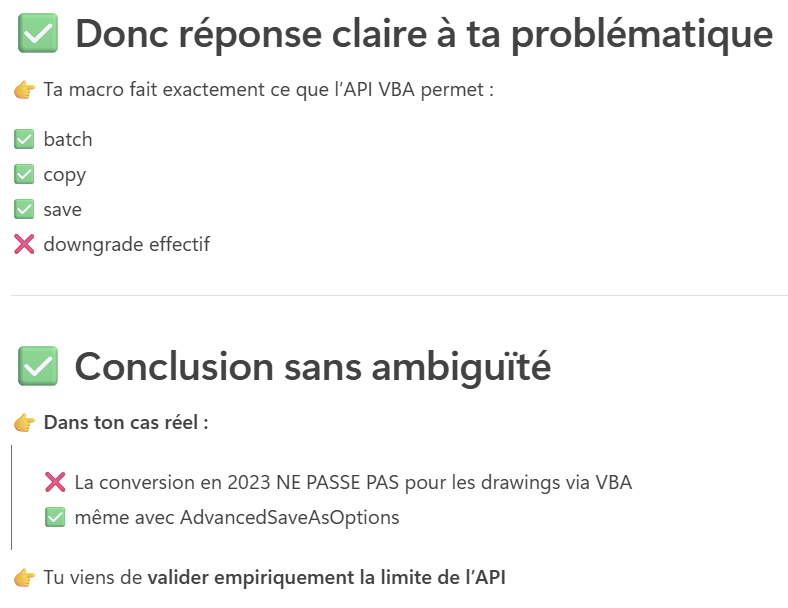
Visiblement il faut utiliser « AdvancedSaveAsOptions.SaveAsPreviousVersion` »:
Option Explicit

Dim swApp   As SldWorks.SldWorks
Dim swModel As SldWorks.ModelDoc2
Dim swExt   As SldWorks.ModelDocExtension
Dim advOpts As SldWorks.AdvancedSaveAsOptions

Dim errs    As Long
Dim warns   As Long

Sub main()

    Set swApp = Application.SldWorks

    ' >>>>>>>>>>>>>>>>>>>>>>>>>>>>>>>>>>>>>>>>>>>>>>>>
    ' A MODIFIER
    Dim folderPath As String
    folderPath = "C:\TEMP\Plans_2024"

    ' -1 = version précédente
    ' -2 = deux versions précédentes
    Dim previousOffset As Long
    previousOffset = -1   ' 2024 -> 2023
    ' previousOffset = -2 ' 2024 -> 2022
    ' >>>>>>>>>>>>>>>>>>>>>>>>>>>>>>>>>>>>>>>>>>>>>>>>

    Dim fileName As String
    fileName = Dir(folderPath & "\*.slddrw")

    Do While fileName <> ""

        Dim fullPath As String
        fullPath = folderPath & "\" & fileName

        Set swModel = swApp.OpenDoc6( _
            fullPath, _
            swDocumentTypes_e.swDocDRAWING, _
            swOpenDocOptions_e.swOpenDocOptions_Silent, _
            "", _
            errs, _
            warns)

        If swModel Is Nothing Then
            Debug.Print "❌ Impossible d’ouvrir : " & fileName
            GoTo NextFile
        End If

        Set swExt = swModel.Extension

        Set advOpts = swExt.GetAdvancedSaveAsOptions( _
            swSaveWithReferencesOptions_e.swSaveWithReferencesOptions_None)

        advOpts.SaveAsPreviousVersion = previousOffset
        advOpts.SaveAllAsCopy = True

        Dim savePath As String
        savePath = folderPath & "\OLDVER_" & fileName

        If False = swExt.SaveAs3( _
            savePath, _
            swSaveAsVersion_e.swSaveAsCurrentVersion, _
            swSaveAsOptions_e.swSaveAsOptions_Silent, _
            Nothing, _
            advOpts, _
            errs, _
            warns) Then

            Debug.Print "❌ ERREUR SaveAs : " & fileName & _
                        " | Code = " & errs
        Else
            Debug.Print "✅ OK : " & fileName
        End If

        swApp.CloseDoc swModel.GetTitle

NextFile:
        fileName = Dir
    Loop

    MsgBox "Traitement terminé (voir Ctrl+G pour le log)", vbInformation

End Sub
``
Désolé pour les pistes froides.
La piste la plus sérieuse est celle-ci:
Teste là sur une MEP si cela fonctionne, cela veut dire que c’est possible de le faire en lot. (Via Intégration, ou en modifiant cette macro).
Codestack est une source fiable contrairement à l’IA…
 Oui, largement signalé (mais pas reconnu officiellement comme bug)
 Officiellement oui… mais très contesté
 Non
Non