Hello
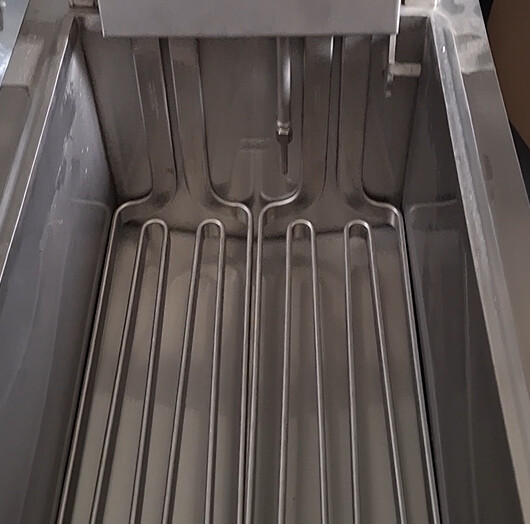
I have to do a sweep that must match the photo, the thinnest side of my oblong visible as on the photo unfortunately in the 3D I can't do it
01.SLDPRT Fryer (1.0 MB)
Hello
I have to do a sweep that must match the photo, the thinnest side of my oblong visible as on the photo unfortunately in the 3D I can't do it
What version of SW do you have? A priori >2023.
Do you have the option to save it in < version?
However, I don't see any particular complexity.
In PC example (SW2023SP5)
Pièce-forvstv.SLDPRT (239.7 Kb)
Version 2026 but your
unfortunately your file doesn't show what I want
Here is my screenshot of my file
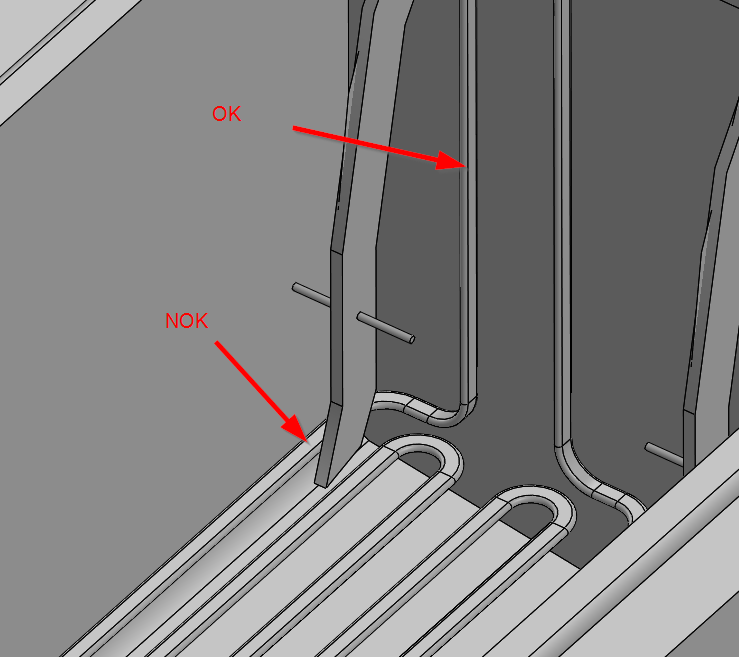
well I had access to other photos reeeles it's me who messed up the reflection of my photo made me believe that the profile was thin at the top of the image when it is flat
So??
I had put my oblong in the sketch the wrong way
Hello;
I think that the orientation of your profile to be scanned is not good.
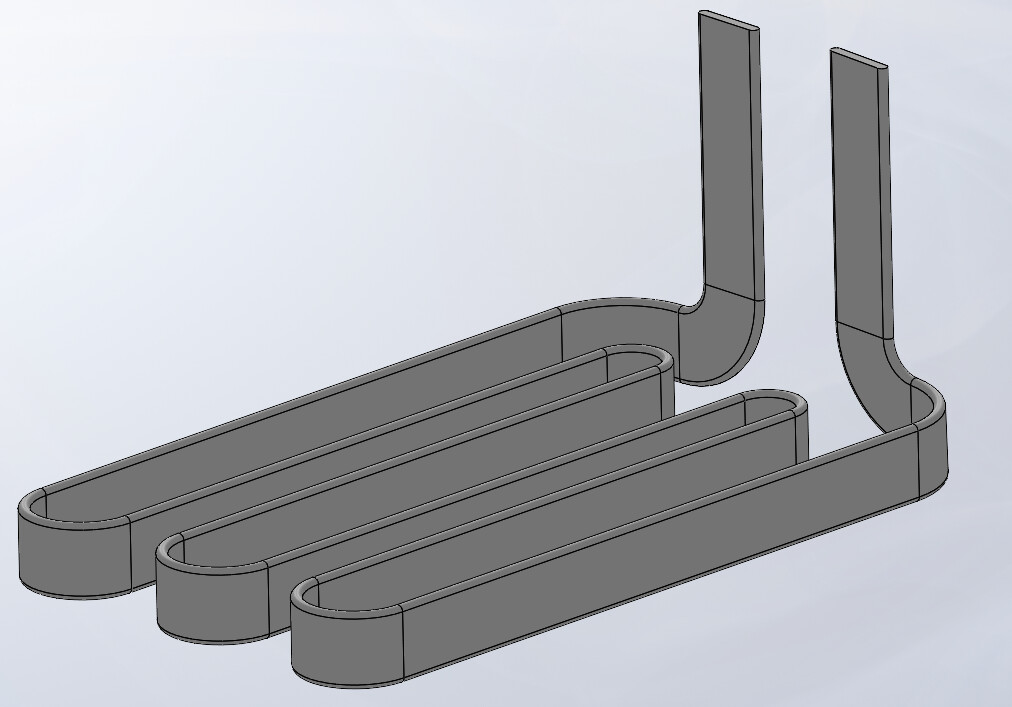
Solidworks 2022
Item6.SLDPRT (215.1 KB)
That's what I answered + file
 It's possible (or even likely) but since I only have Solidworks 2022, I missed it.
=> I give back the " Best answer "... 