Hello
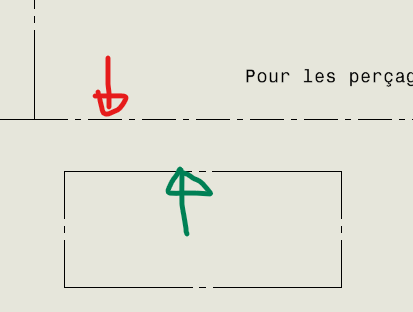
When drawing sketch lines on my drawing to make visual separations, I don't have the same type of mixed line (checked for construction) when I draw a rectangle or a line
(in red line for construction, in green rectangle for construction)
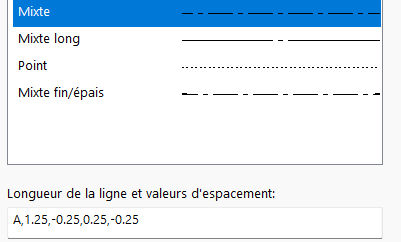
Here are the settings for my mixed strokes
Does anyone have the same phenomenon?? 
SW2023SP5
Hello bidule,
We don't have a 2023 version, we still have 2022SP4,
I encountered this problem, you have to remake (or remake a copy for testing) of the basemap by respecifying types of lines.
Try this, and keep us informed.
Good luck.
@+.
AR.
No worries for me (same version and sp):
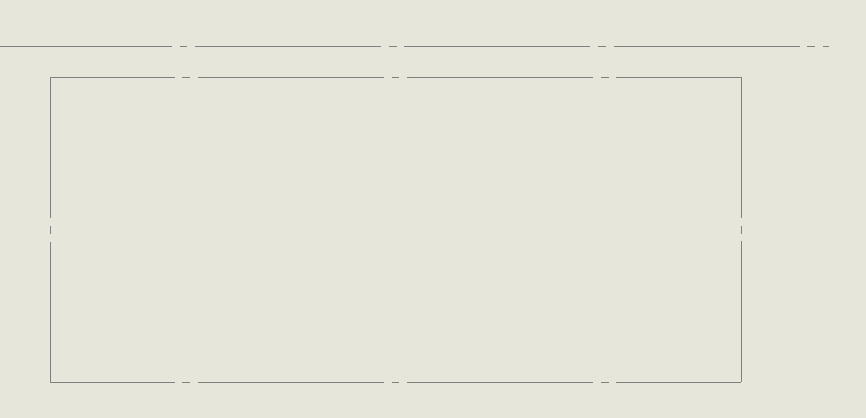
For your information, line and rectangle, drawn in an empty background, without an inserted view.
2 Likes
Indeed, on an empty background, no problem.
I dig in and keep you in the juice
1 Like
Result of my tests:
- when drawing a construction line ==> mixed line (short)
- when we draw a line and then I transform it into a construction line ==> long mixed line
- when we draw a rectangle and then I transform it into a construction line ==> long mixed line
Verdict (at least in my case): when you transform a straight line, curved or other into a construction line ==> long mixed line
So there must be a short mixed line info somewhere for the constrauction lines drawn with the " construction line" icon
1 Like
For me no worries:
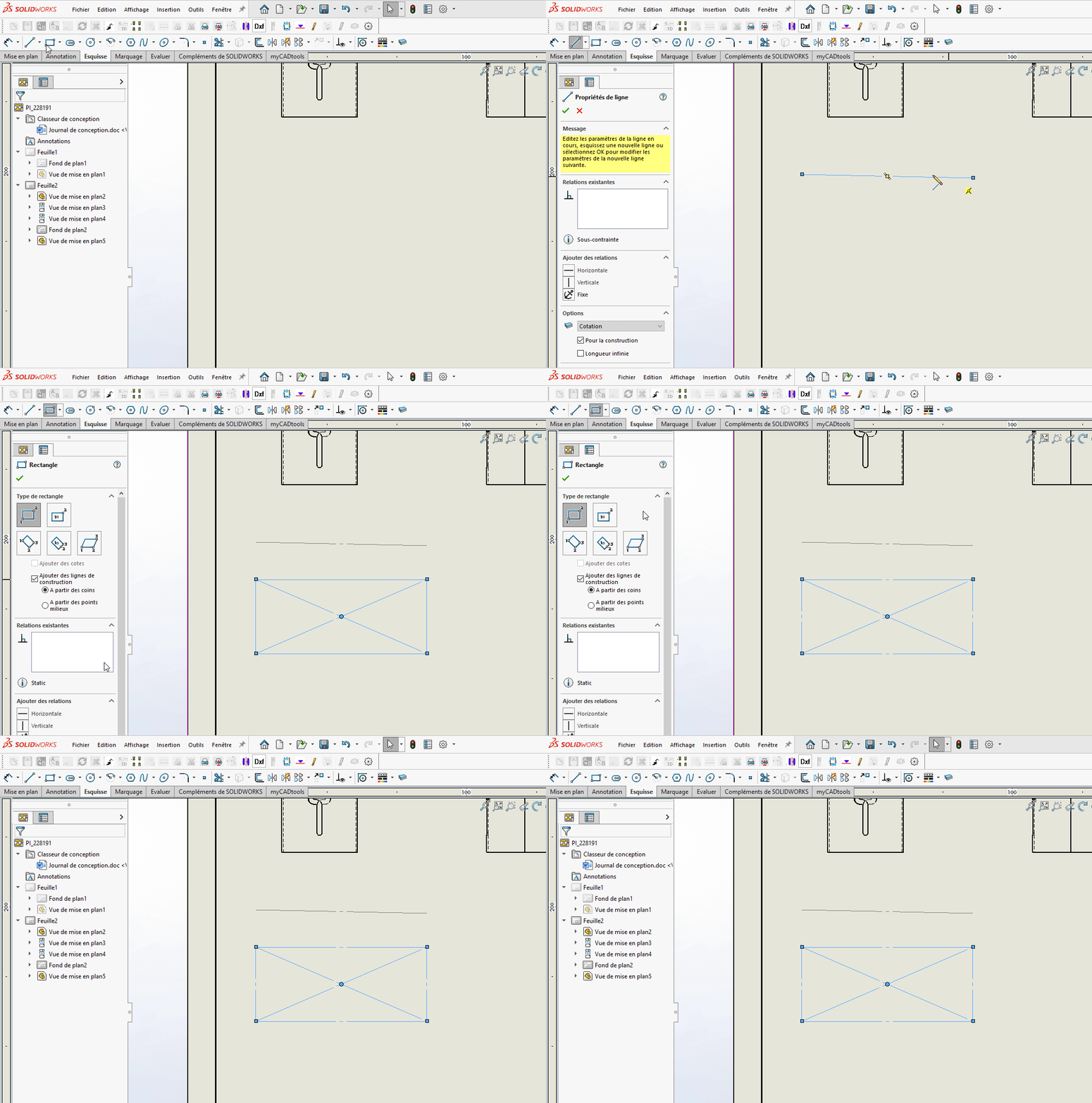
2 Likes
I don't have this problem with blank basemaps
2 Likes
This should come from an option in " Document Properties":
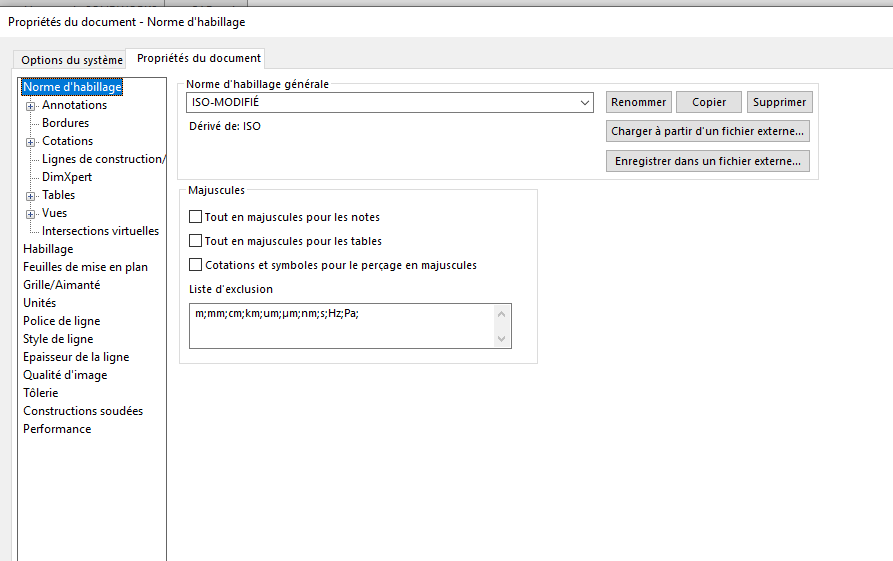
1 Like
Hello @Le_Bidule
Wouldn't you have a layer with its own format for the construction lines?
See here if you're on " none " or on a set layer.
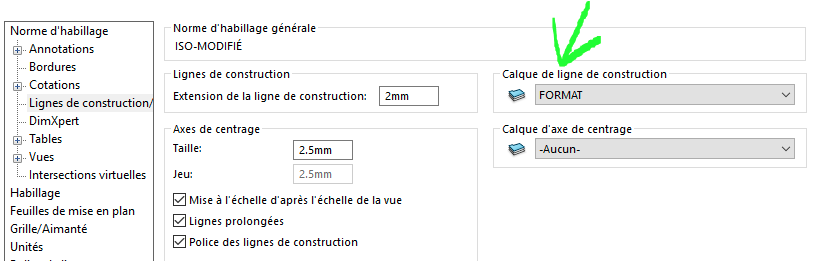
And/or in the properties of the line:
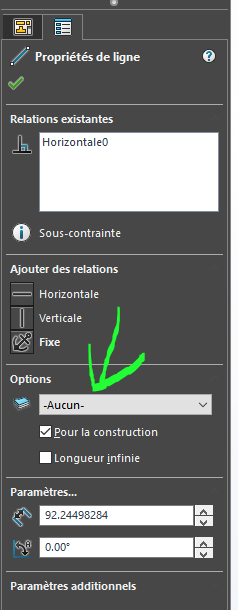
Knowing that on a blank plan it should be on " none " it would explain why only an already modified document has the problem.
3 Likes
Ben! as Sylk says, further down, there would be types of lines in the layers... To be seen.
1 Like
I checked all this ...  It's a real headache, but I'll find
You can try:
1- with the SW document template - if the behavior is as expected as on my workstation you then compare the properties of the document.
2-With sw Rx you reset the factory profile for 1 session to check and if ok screenshot of the properties of the document
In both cases it comes down to playing the 7 differences! 
Edit: Another test change the active layer before your test to see if the pb is linked to a layer or not.
Edit2: post your blank document template to see if we reproduce the pb by inserting a view and then the construction line.
2 Likes