Hello
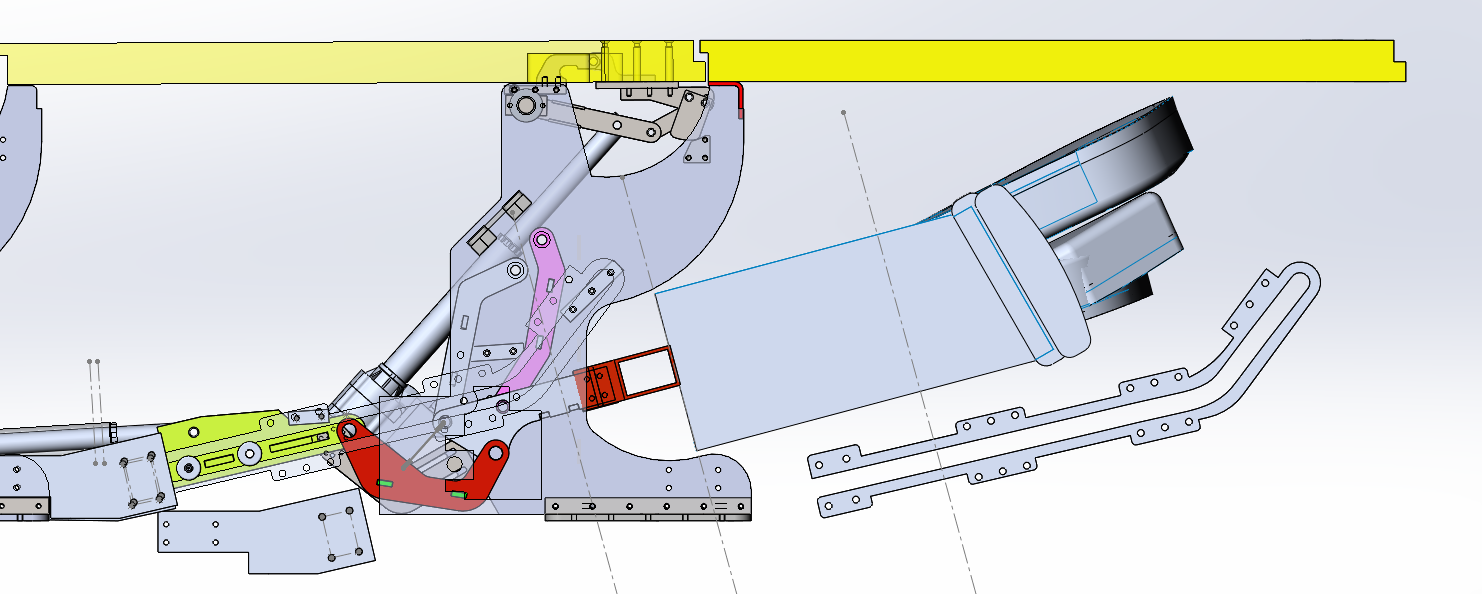
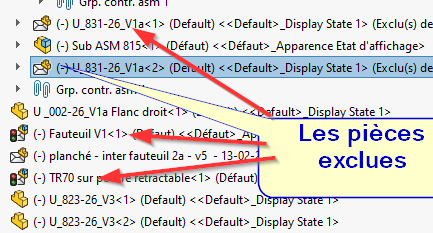
I only wanted to create a nomenclature and without really knowing why a certain number of objects are excluded from it and moreover it puts me in the asm (it removes the constraints) and it colors the parts and puts them in duplicate.
How to Fix the Situation
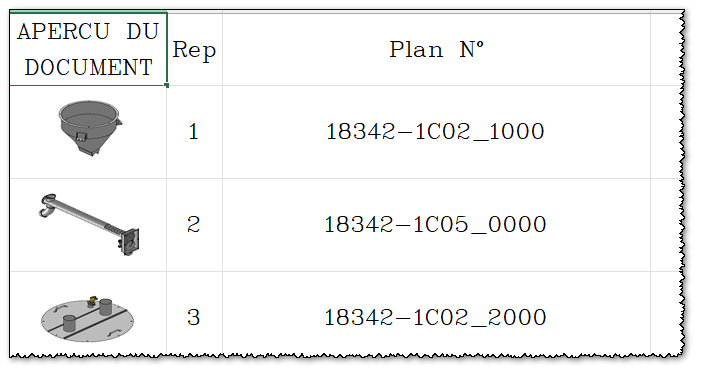
By the way I used to have the nomenclature with a thumbnail in excel, how to have these mini images. I know that there is no dynamic update of these thumbnails but for sending the files to the subcontractors it is easier to dialogue at the reception.
Thank you friends and nevertheless colleagues
2 Likes
Hello @Zozo_mp ;
It seems to me that by default the so-called " envelope " components are automatically marked as excluded from the Nomenclature.
look in " Component Property": (right-click in the creation tree)

Then the status of the " Exclude from BOM " cell
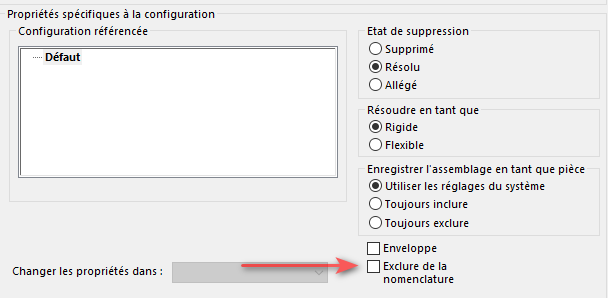
https://www.goengineer.com/fr-ca/blog/solidworks-envelope-mode
3 Likes
Bravo @Maclane
That was it apparently. I must have clicked in the wrong place.
I ask the bells to make a detour to your place for chocolates.
Thank you
2 Likes
Hello,
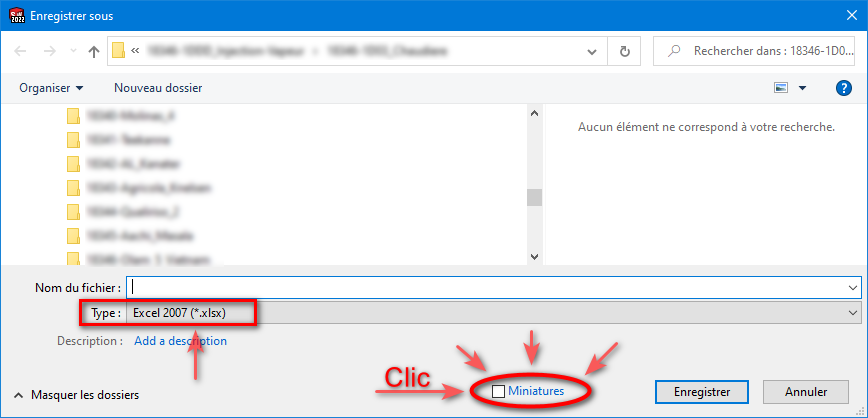
In your drawing you make a save under your nomenclature and at the bottom of the window you will find a mini checkbox ' thumbnails '

I'm in 2023 SP05
And that's it.
2 Likes
@Le_Bidule Thank you very much
1 Like
@Le_Bidule
I thought it was also possible to have the miniatures of the 3D model and not only the one of the MEP
I had it in my head but hey 
1 Like
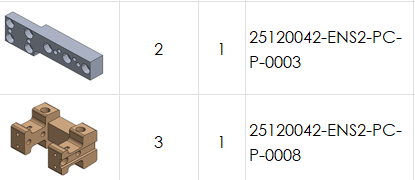
I have this kind of rendering, a priori an automatic iso view from 3D
3 Likes
At home I also have the 3D thumbnails in iso: (Solidworks 2022 + Excel 2602)
Whether the export of the bill of materials comes from the drawing or the sldasm, it's all the same...
My Excel update is very recent... Since when is the magic option:
Does "insert an image IN the cell " exist? 

(since the time I was waiting for it...)
4 Likes
Nouveauté 2019 @Maclane  :
:
2 Likes
@sbadenis ... I was talking about the new Excel function, not the one from Solidworks...
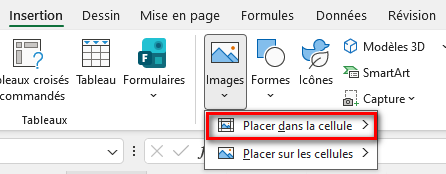
3 Likes
Thumbnail insertion already worked with SW 2020 and EXCEL 2016. That is, before AI when humans were not yet too degraded 
2 Likes
Gloupss!
The problem is that the thumbnail is not displayed in excel.
Before asking you again, I made a tutorial and there rusk it doesn't work.
What did I miss or do badly (NOoooon don't hit my head)
2 Likes
That's it, I'm making water (it's not beautiful I know)
Like a donkey, I forgot to select thumbnail.
I cover my head with ashes and apologize that it is because I have disturbed you
ZZ
1 Like
*Don't forget tar and feathers 

2 Likes
A reprimand...
… And a little tutorial for our national Rantanplan: (For next time )
4 Likes