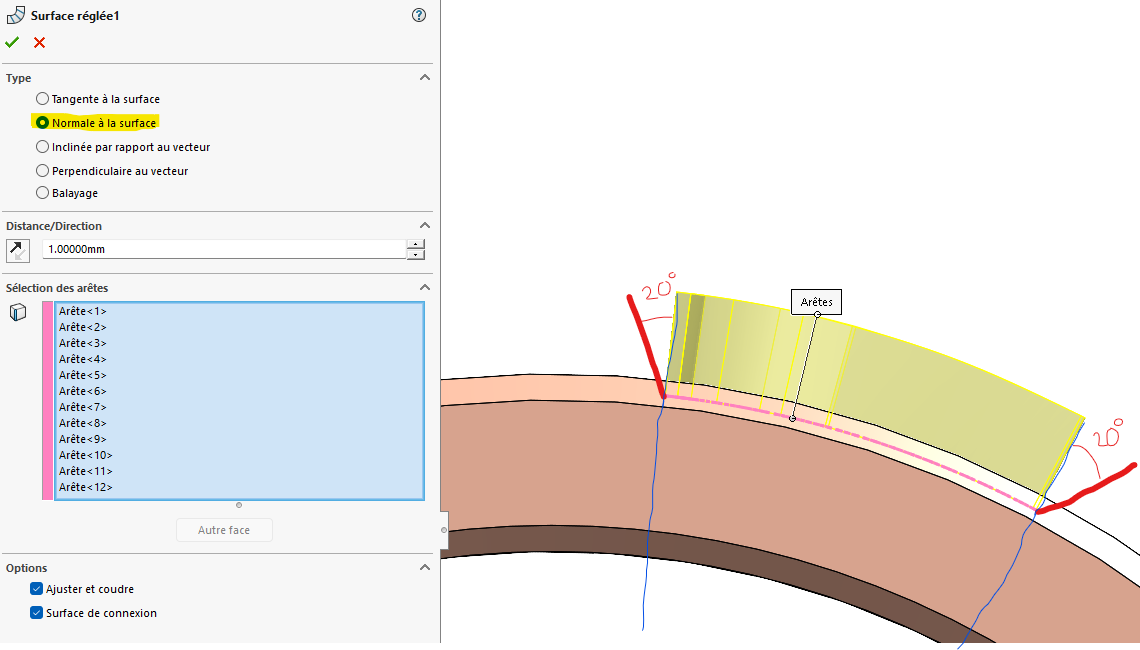
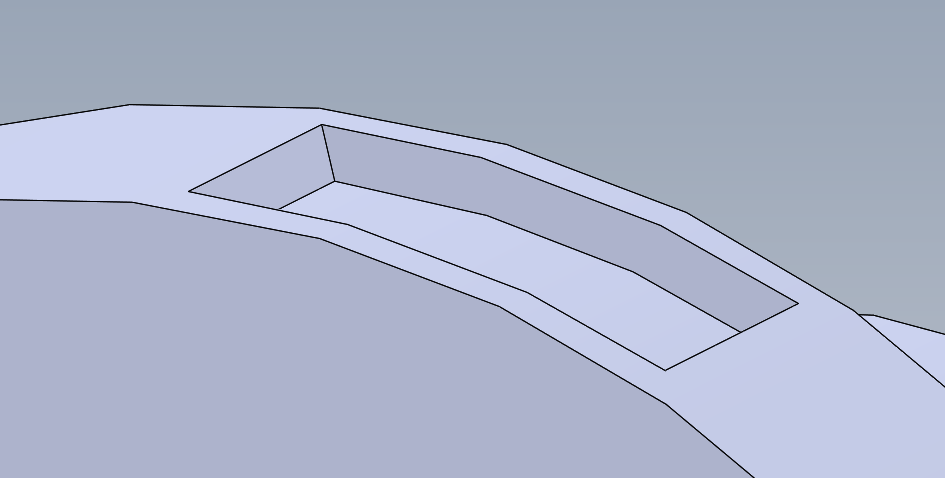
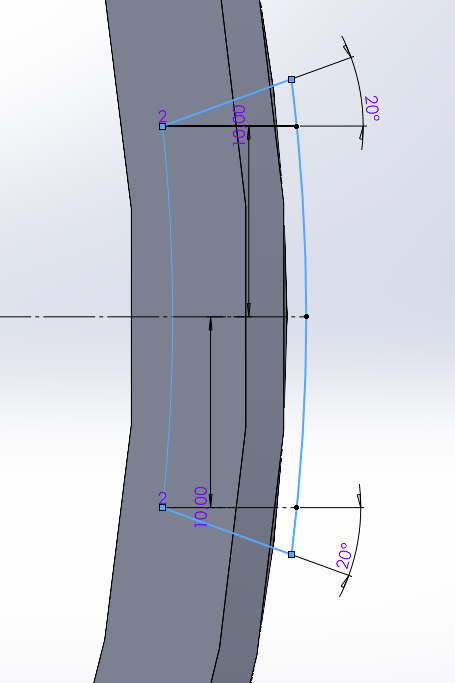
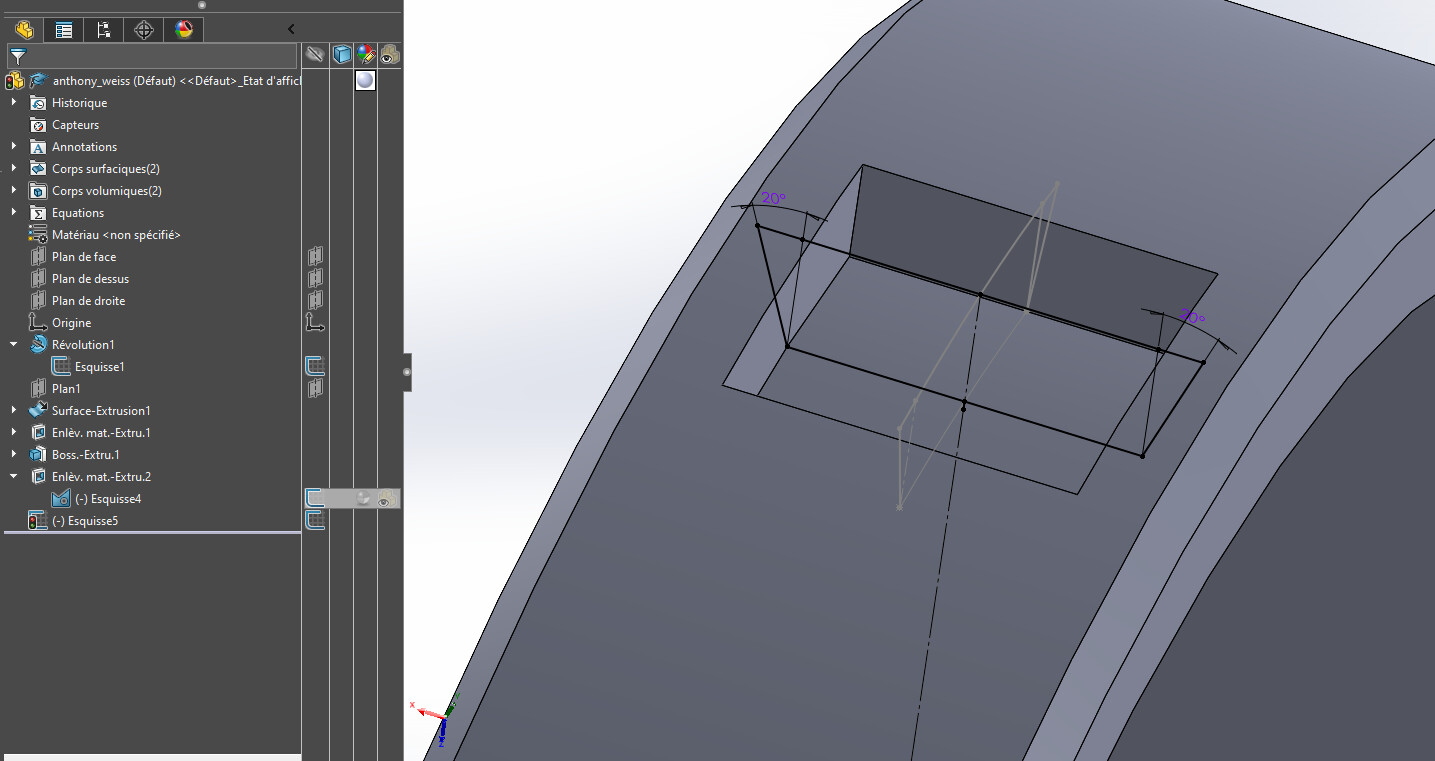
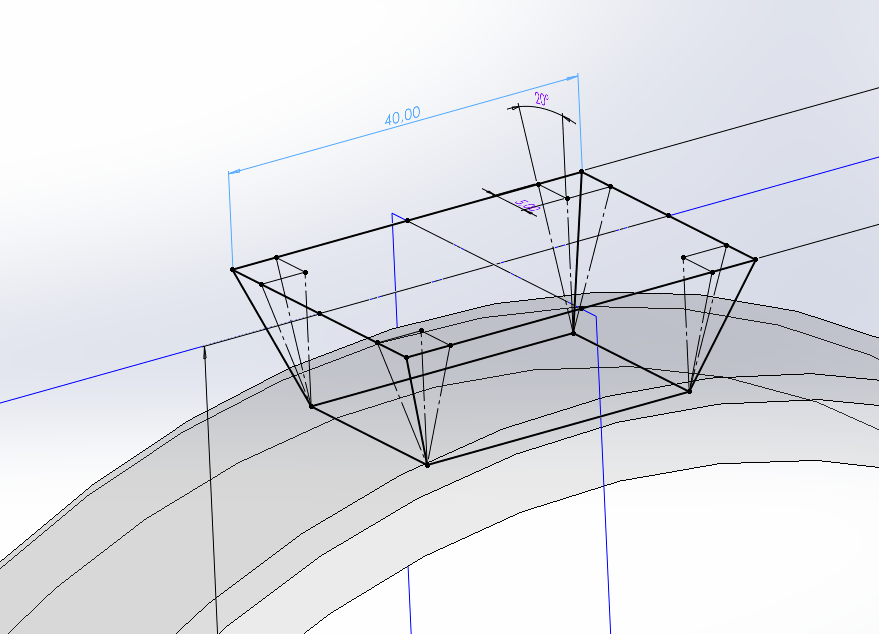
Here's an image that will explain better than words Here I am doing a normal extrusion to the surface (so all my surfaces are oriented towards the center of my cylinder), but to this I would like to add a draft of 20° compared to the normal, and not in relation to a plane direction The diameter of my cylinder can evolve and therefore the angle of the normal too, the pattern is always the same size.
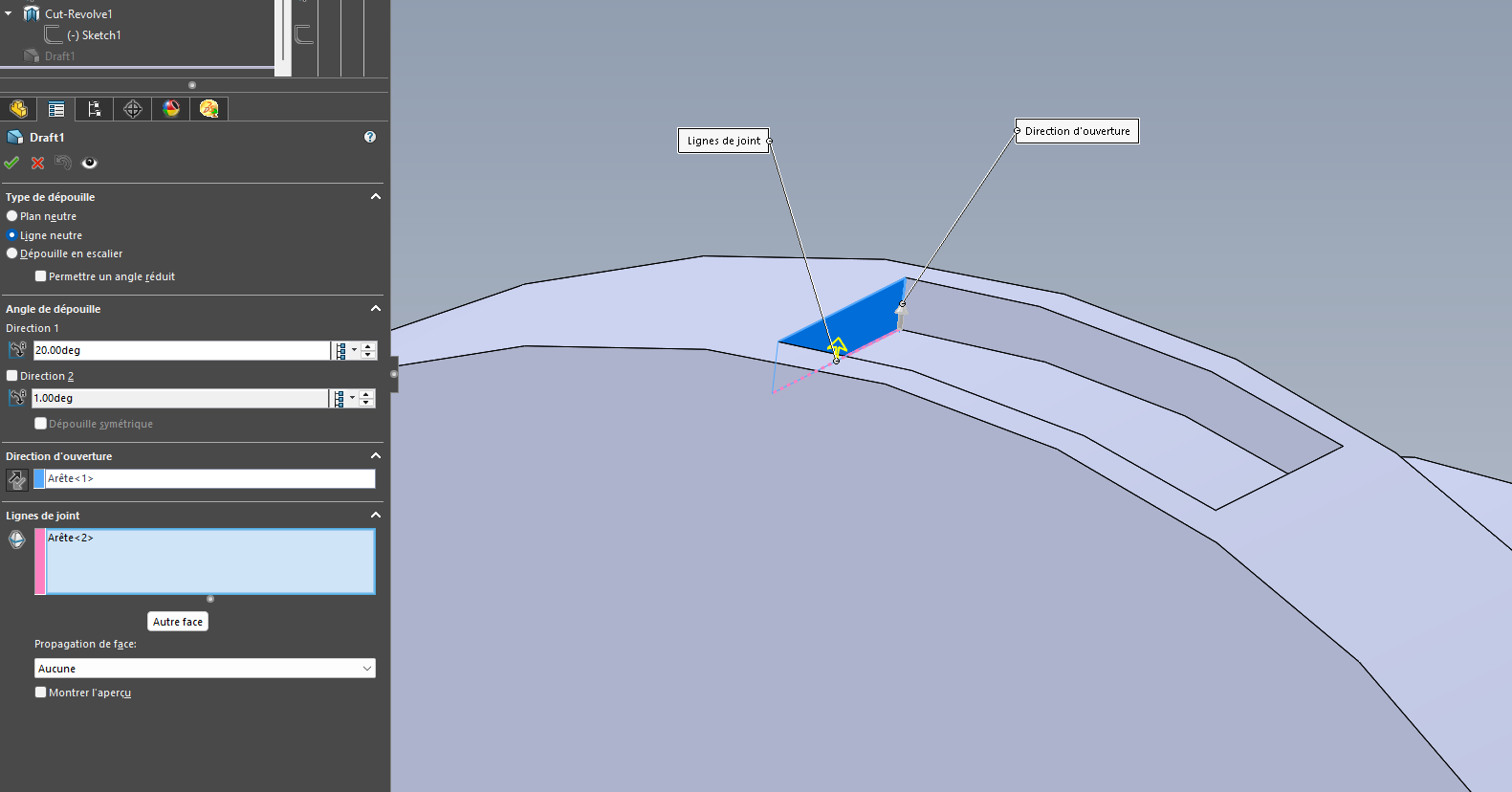
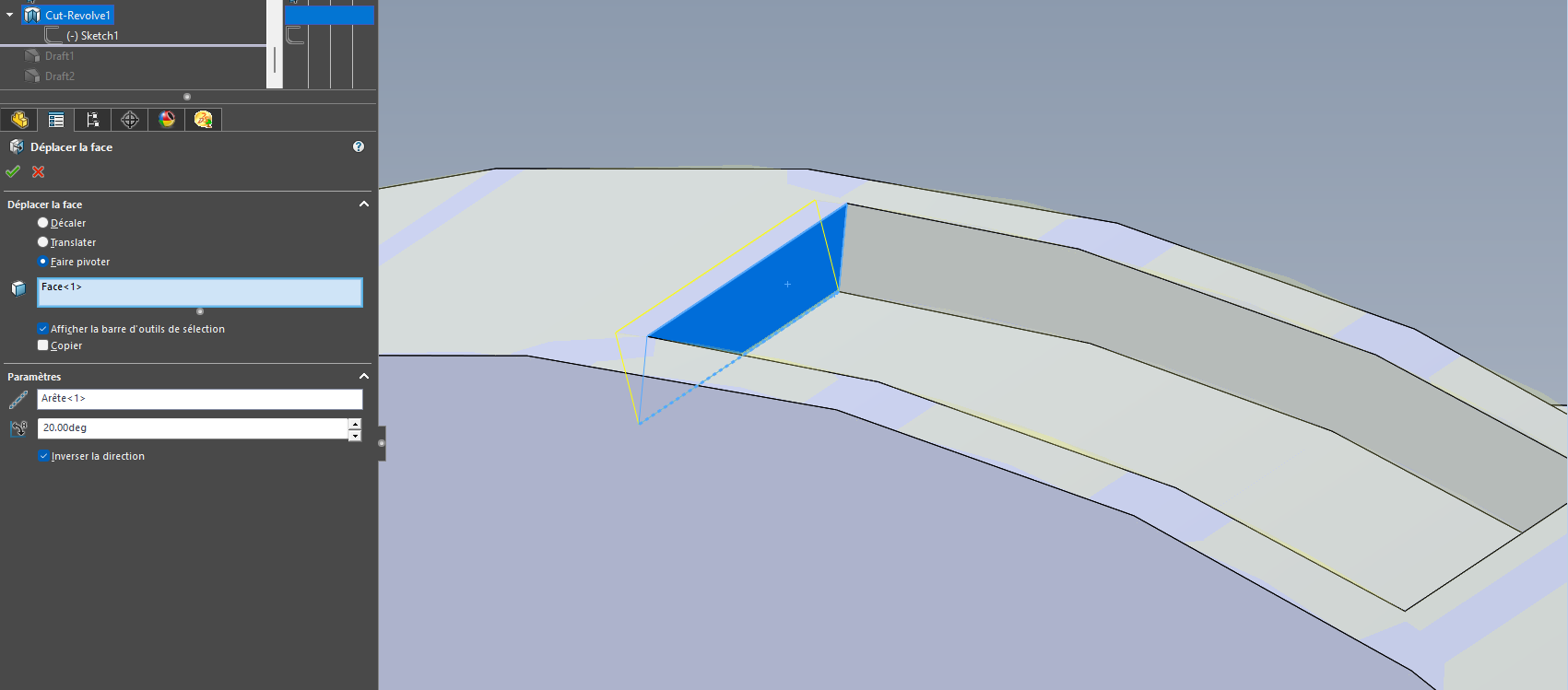
I think it is enough to generate the material or the removal of material by revolution (to obtain the initial faces normal to the cylindrical face), and then use a neutral line draft function with an angle of 20° on the faces that require it.
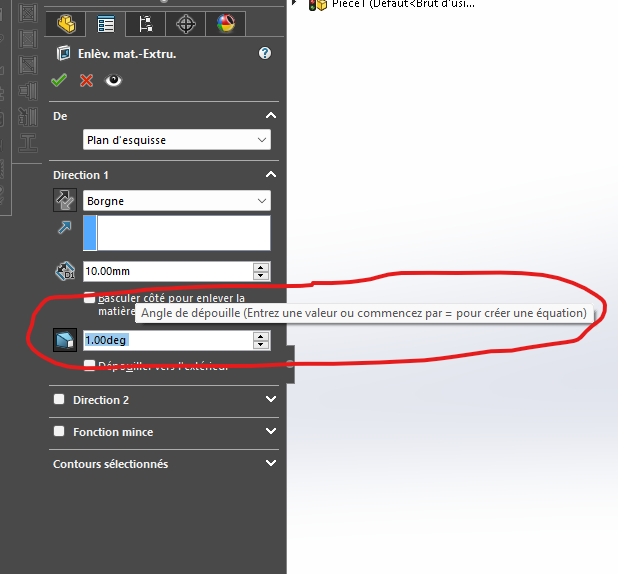
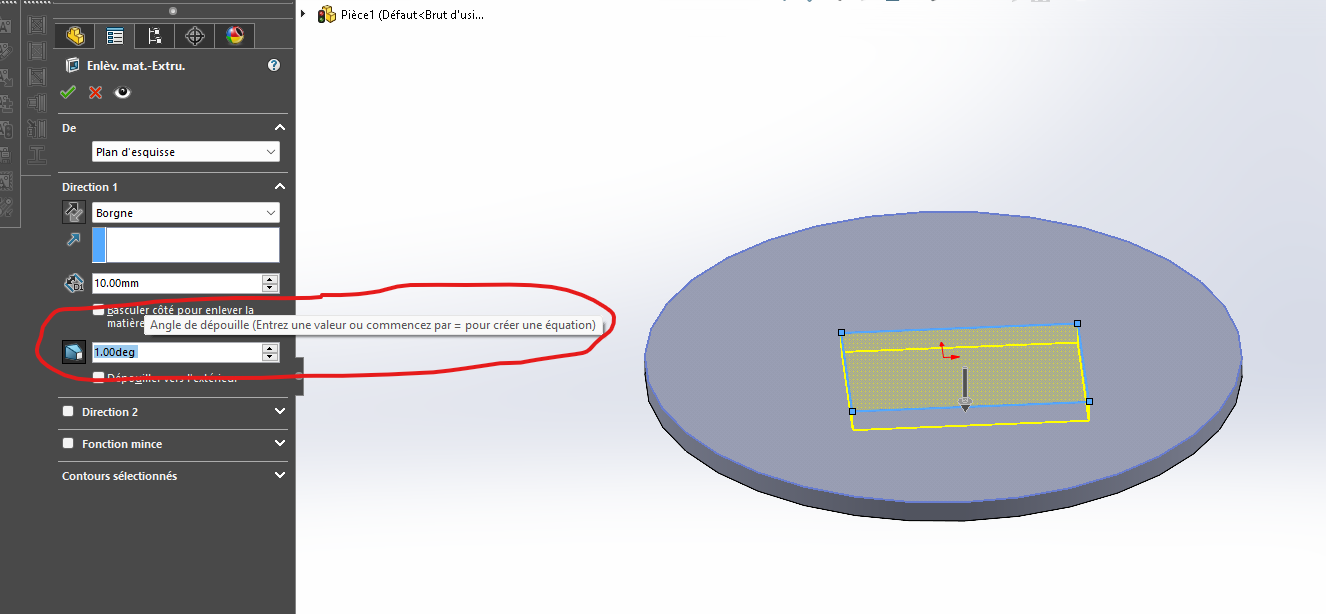
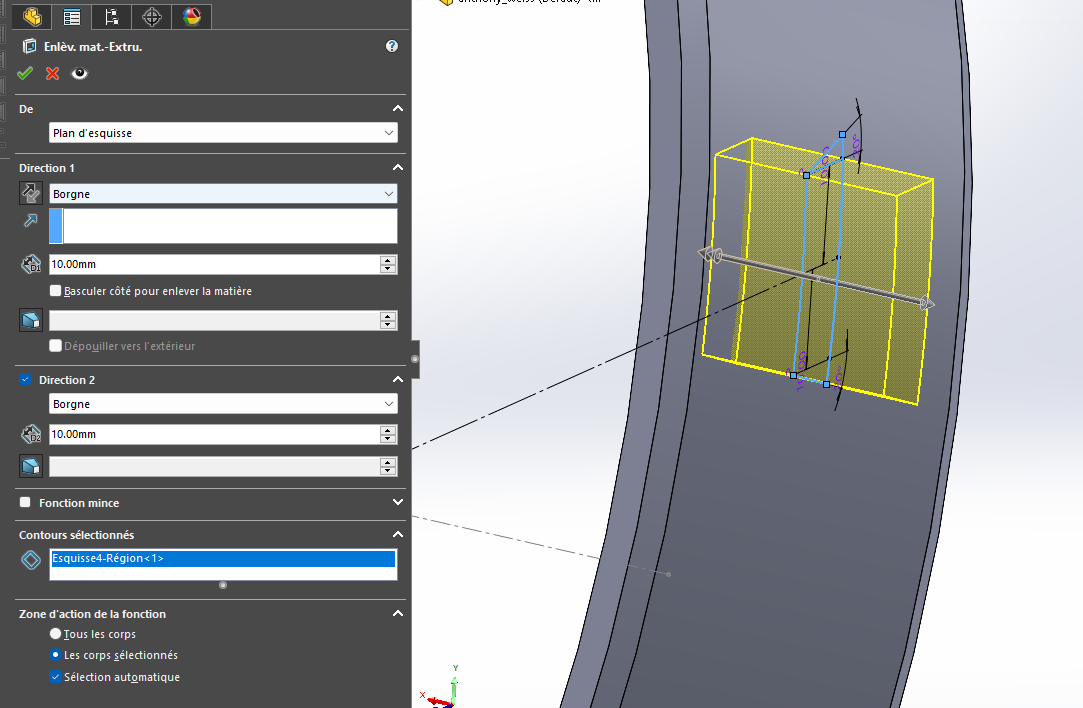
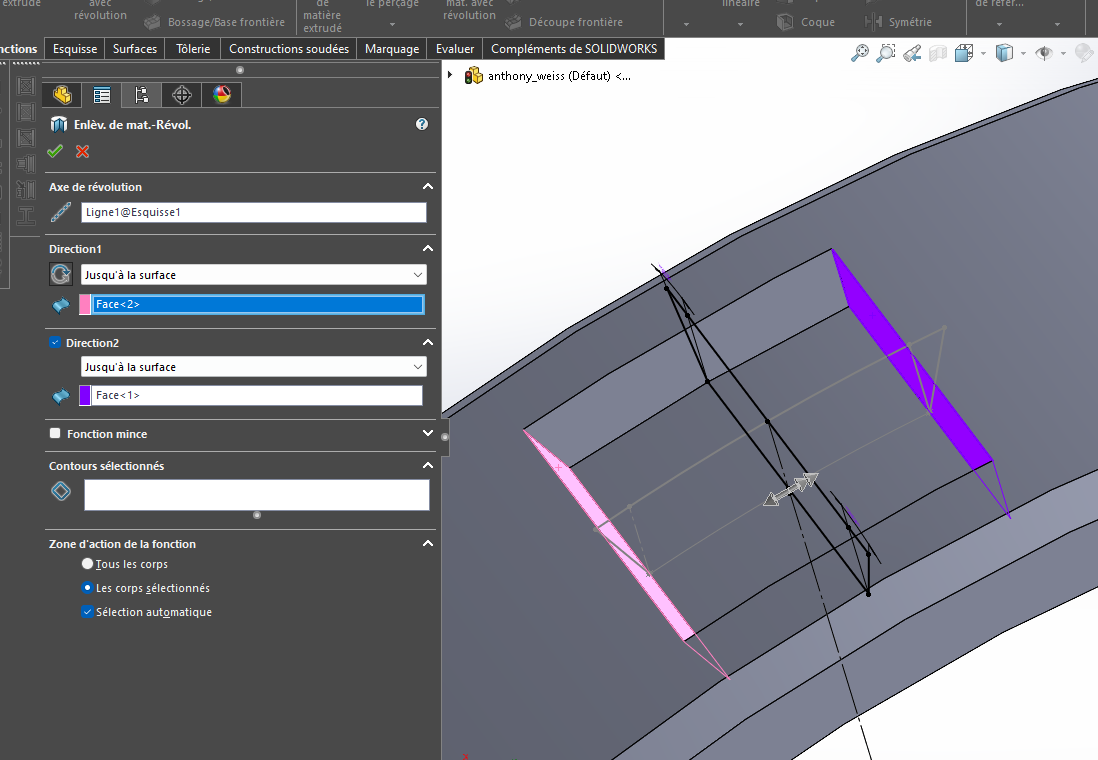
I don't think so, if you give a direction, for example an extrusion of a rectangle like in your case it will make the drafts in the two opposite directions. Try to do it, and make a screen print so that we can see what you get.
This is what seems to me to be the closest to what I would like, but once again you have to give a direction, something I don't want, because opposite the pocket, the angle is not good. I think the option I want is not yet in the software.
I thank you all for your ideas and different approaches, I will try to be inspired by them to try to find a solution and I will come back to update the subject if ever
Quote: I think the option I want is not in the software yet.
And given the complexity of the problem, I fear that it will not be available for a long time. I propose below an approximate solution, in 6 steps:
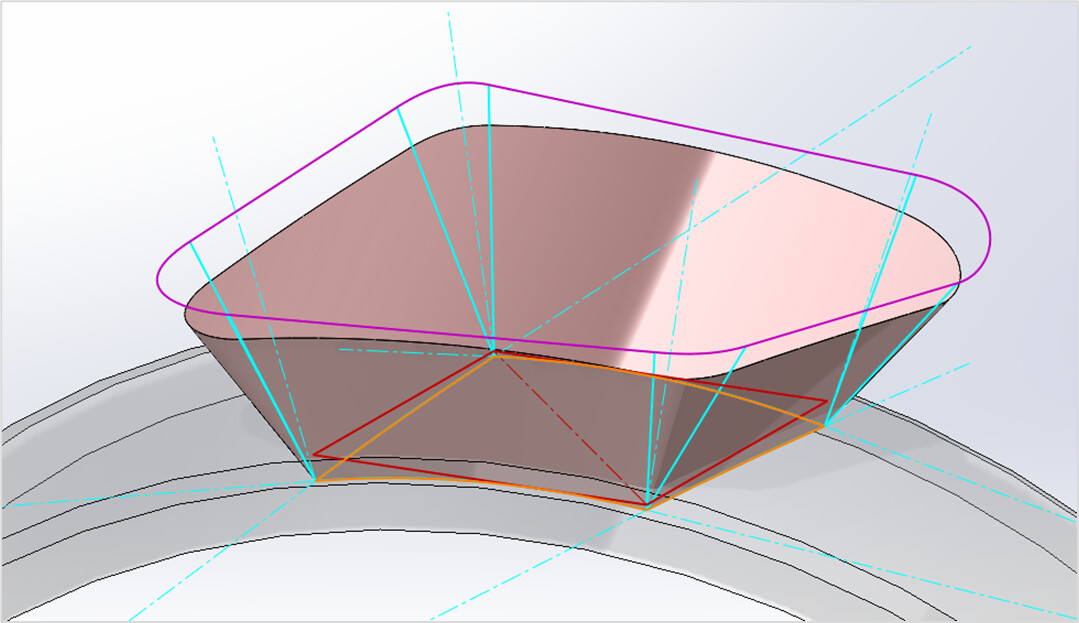
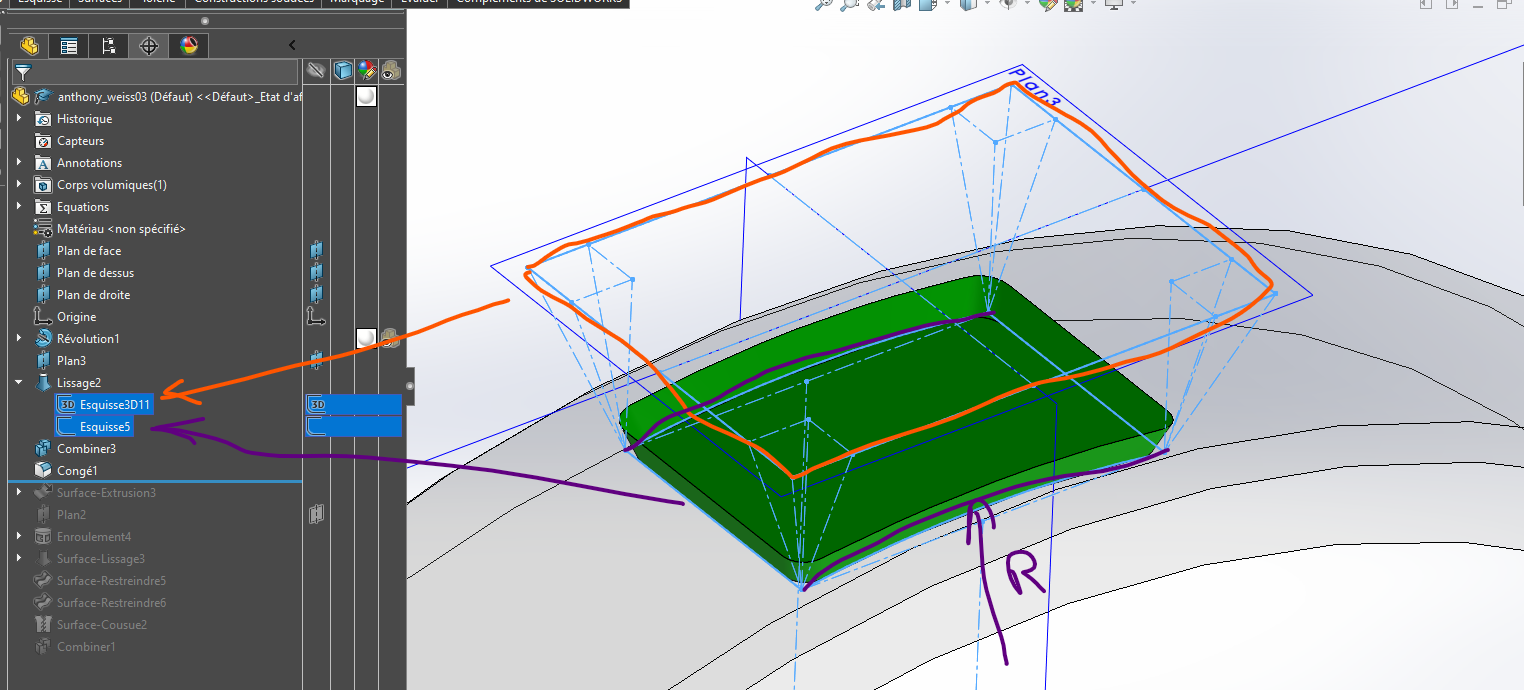
Creation of a flat sketch (in red) that defines the outline of the volume to be generated or removed: parallelogram to look like the first image of the post;
The sketch is wound on the lower cylindrical face (winding function). The resulting curve is converted into a curvilinear outline in a 3D sketch (orange);
In this same 3D sketch, creation at the 4 corners of normals with a cylindrical face in the form of construction lines (turquoise);
Still in the 3D sketch, two segments are created from each corner, i.e. eight segments in total, of the same length. Each segment is at an angle of 20 degrees to the normal, and it is constrained " perpendicular " to the corresponding segment of the curvilinear contour;
The eight end points of the segments are joined in the form of a closed outline (purple). For want of anything better, by segments of straight lines opposite the sides of the lower contour, and by tangent splines in the angles;
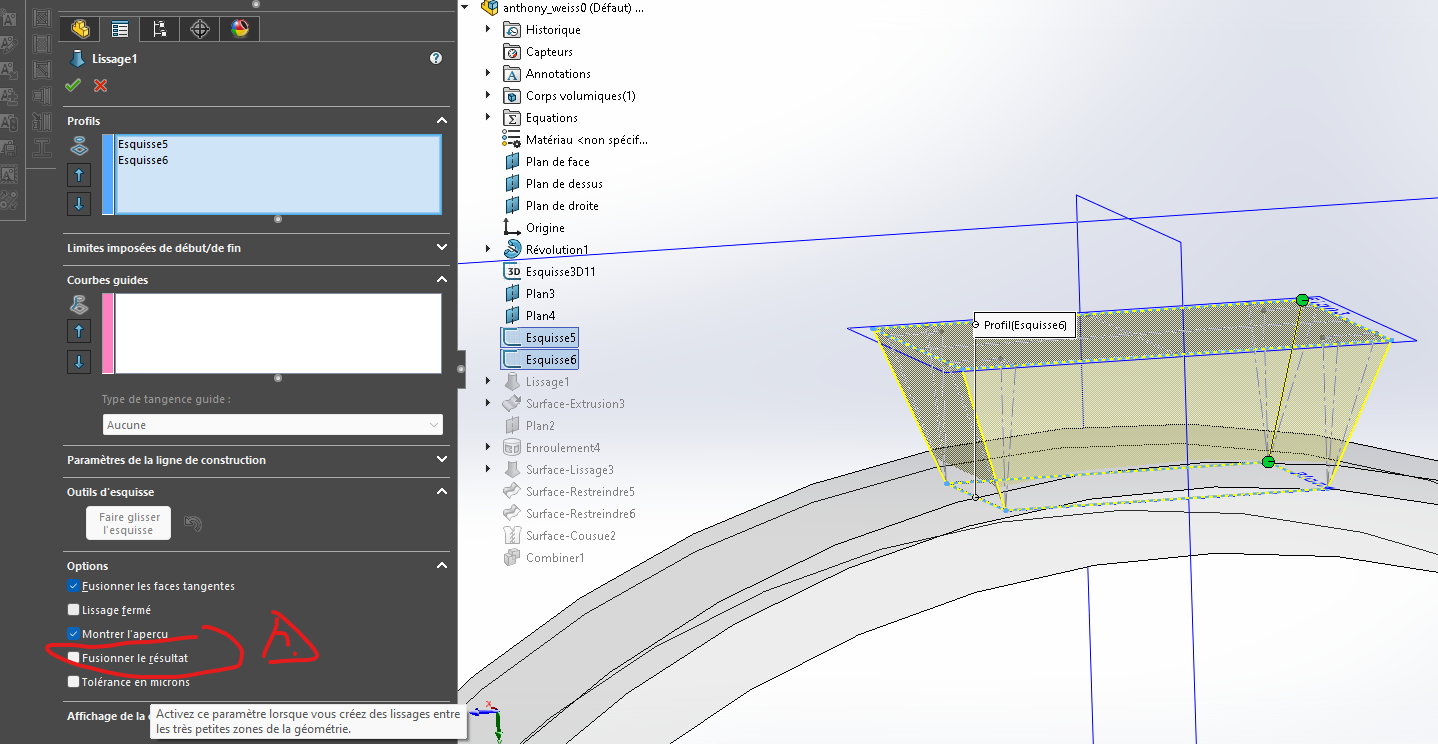
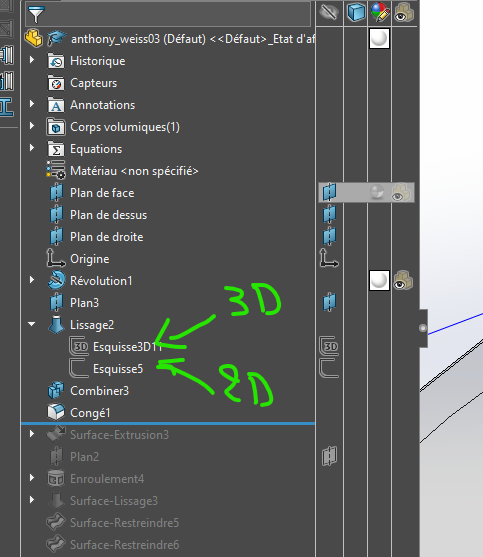
The outer surface is generated by surface smoothing with the two contours as profiles (orange and purple), and the eight segments as guide curves (turquoise). A few " Restrict Surface " and " Stitched Surface" functions later, the volume is generated.
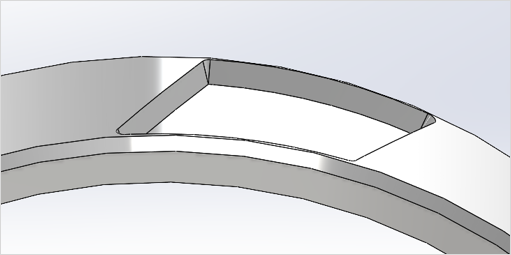
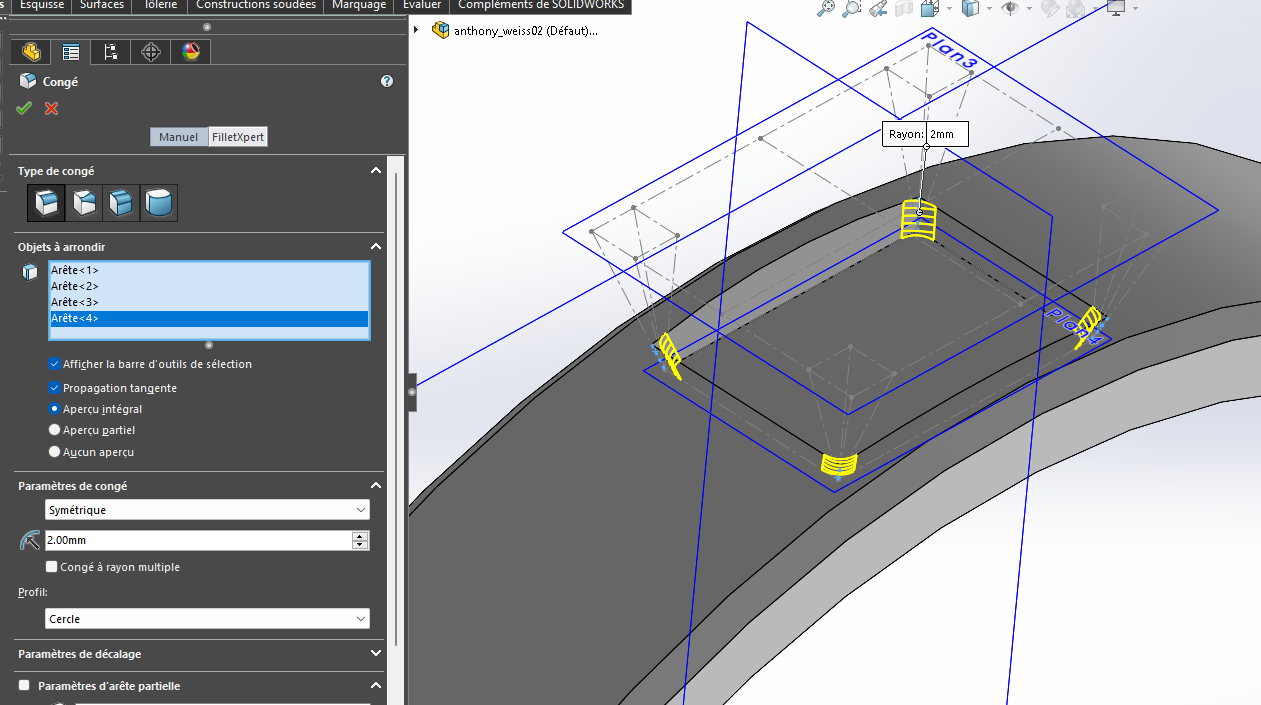
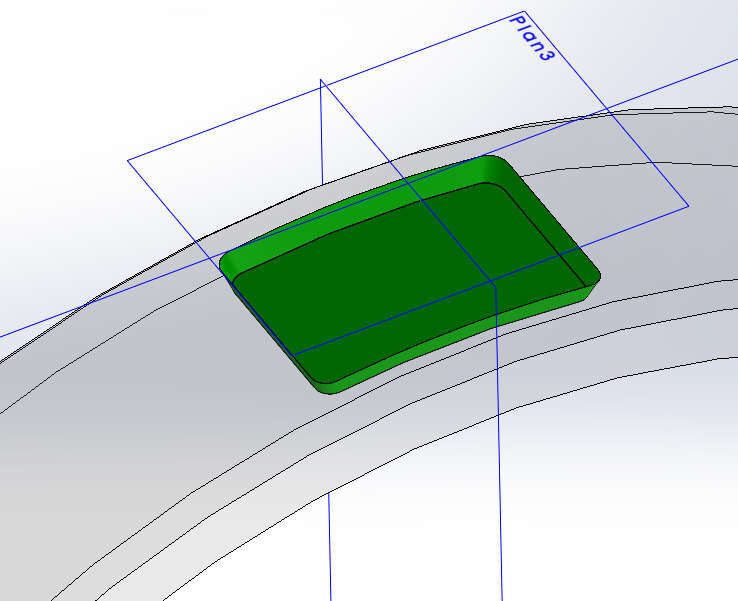
The result is an approximate response to the initial request, since the angle of 20 degrees is strictly respected only for the 8 guide segments. Also note some kind of cones in the corners, a solution to try to respect the 20 degrees. I don't see how else to do it. Below is the appearance of material removal.
The process is laborious, but if it is essential in the design... Model attached under SW 2022. anthony_weiss0. SLDPRT (212.2 KB)
You're on the right track. I thought about it again this morning and on paper it works.
Your 3D sketch is the right solution, but you have to mix it with what I proposed in my previous messages (there have been several of course ).
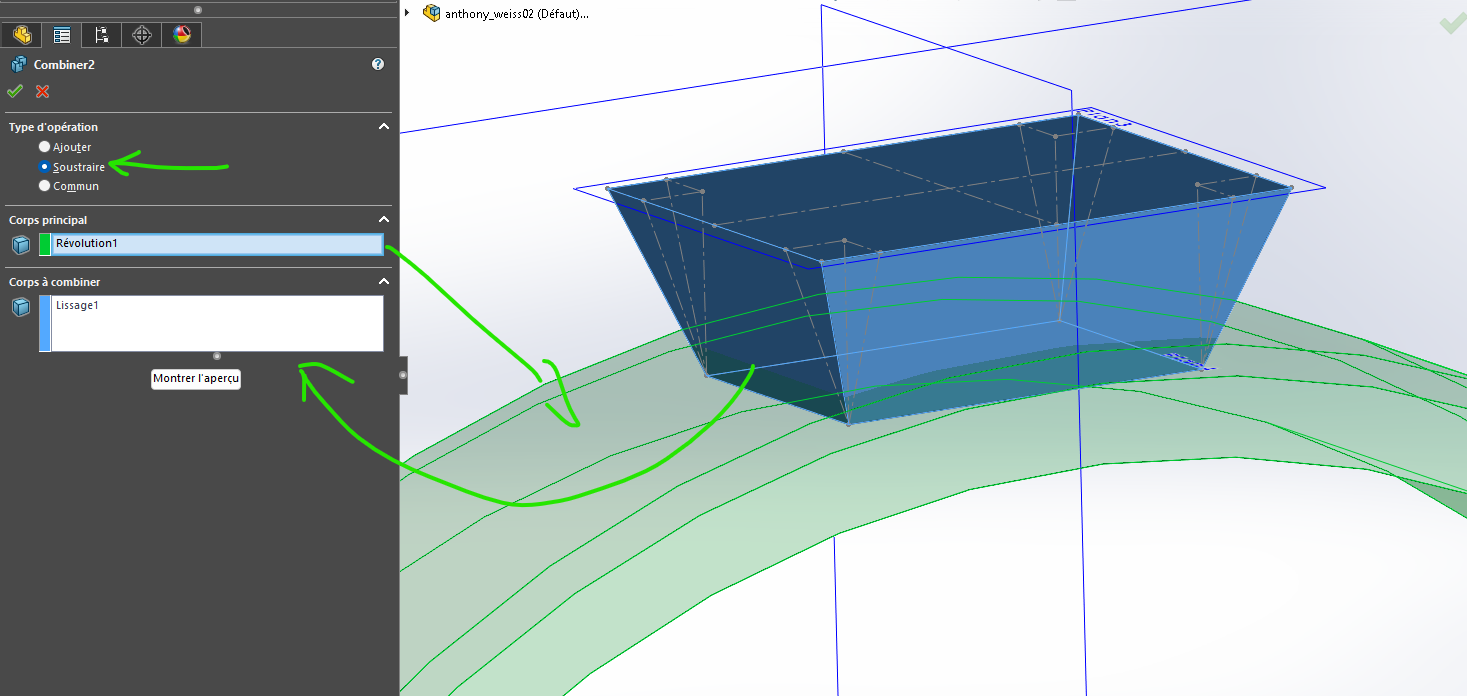
The solution I think is to create a body with the desired shape Sketch 3D like you did, from there: You can maybe use surface to create a body but I don't recommend it. Or make a solid with two sketches, one upper profile and one lower. You create a body that you subtract from the body of your basic piece.
A yes, take away your leave, you will do it in a later position
To make it a little more understandable, I'm going to explain how this pocket should be physically made. The edges of this pocket with cylindrical bottom, will be made with a Ø0.08 engraving cutter and an angle of 40° in total, and the machining will always be oriented towards the center of the ring, hence the 20° in addition to the normal on the surface.
I've seen a lot of recent answers that I'll be quick to try.
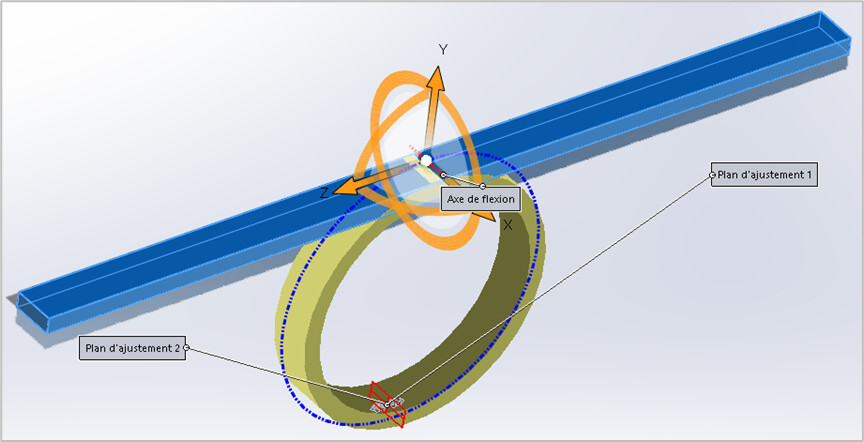
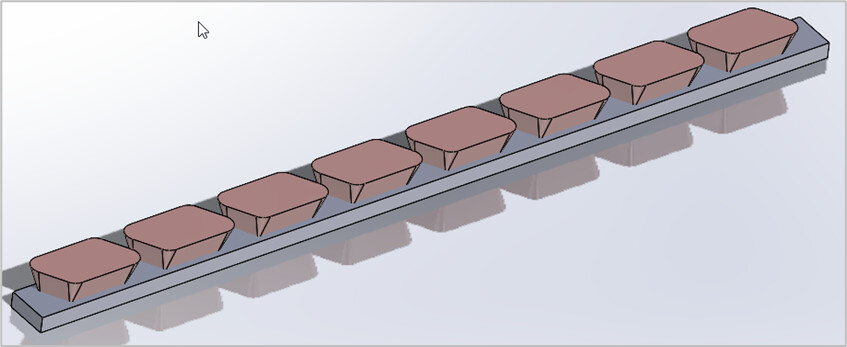
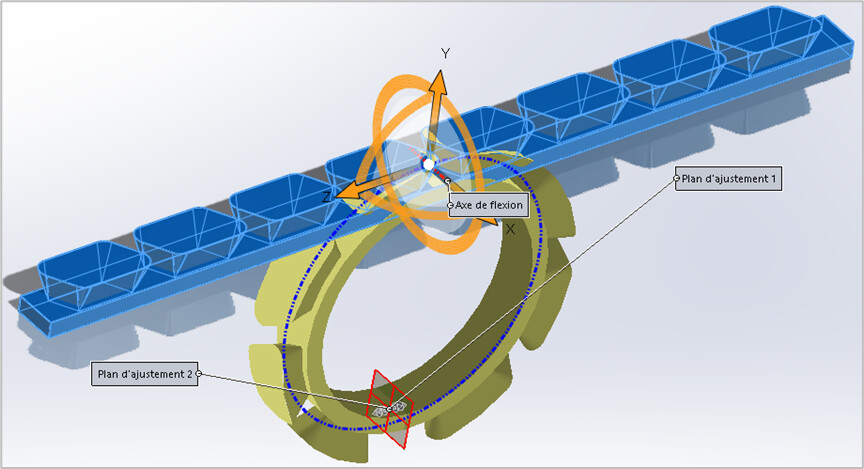
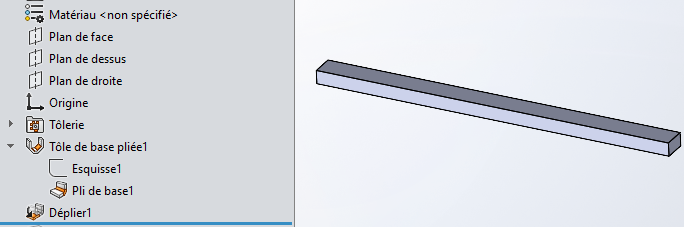
Why not a very simple solution, which remains to be validated. The " Insert> Functions > Bending... " of SW makes it possible to deform one or more bodies, by imposing a geometric transformation on them. The " Bending " option consists of a deformation by rotation around an axis, parameterized by an angle. A straight (blue) rung can thus become a circular ring (yellow).
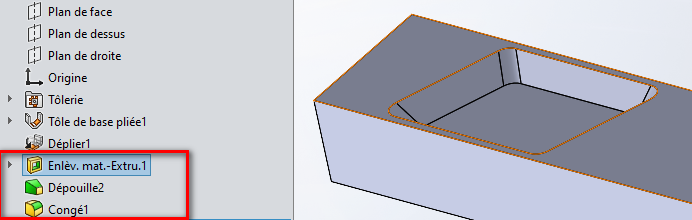
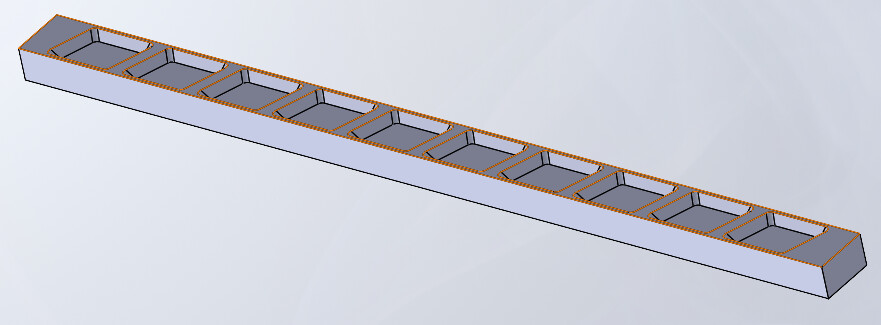
An extruded body, with a constant draft of 20 degrees, will undergo the same transformation. The same goes for a repetition of this body.
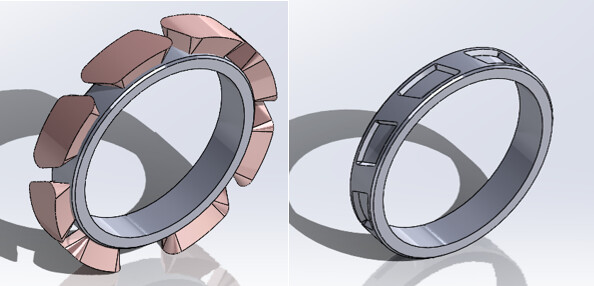
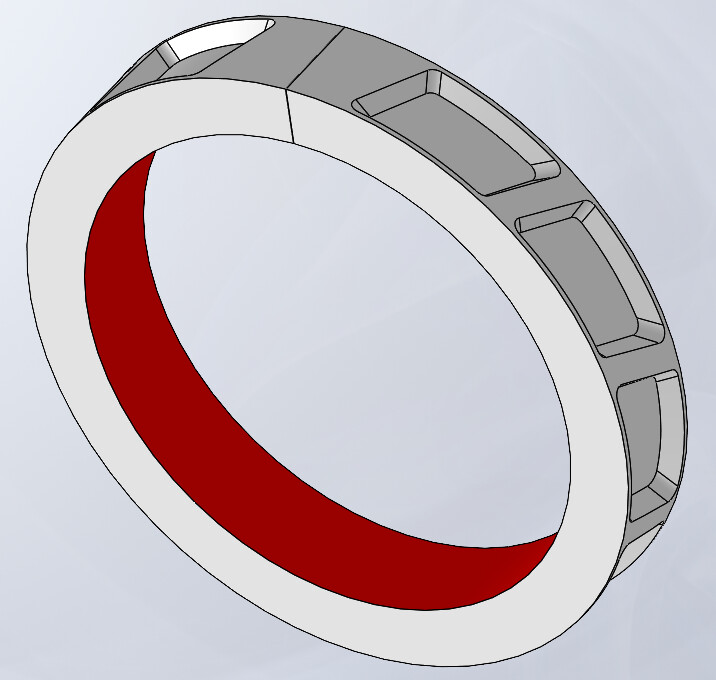
After bending...
The final result, without and with material removal by the " Combine " function.
The accuracy of the geometry obtained depends on the geometric transformation by SW. It is easy to verify that the straight bar does indeed become a cylinder. But it is more difficult to ensure that the constant 20-degree draft of the bodies of the definition remains a 20-degree draft of the normal after bending. Visually, this seems to be the case. The dimensions of the " rectilinear creation" will still have to be defined in order to obtain the desired dimensions of the " circular bending" version.
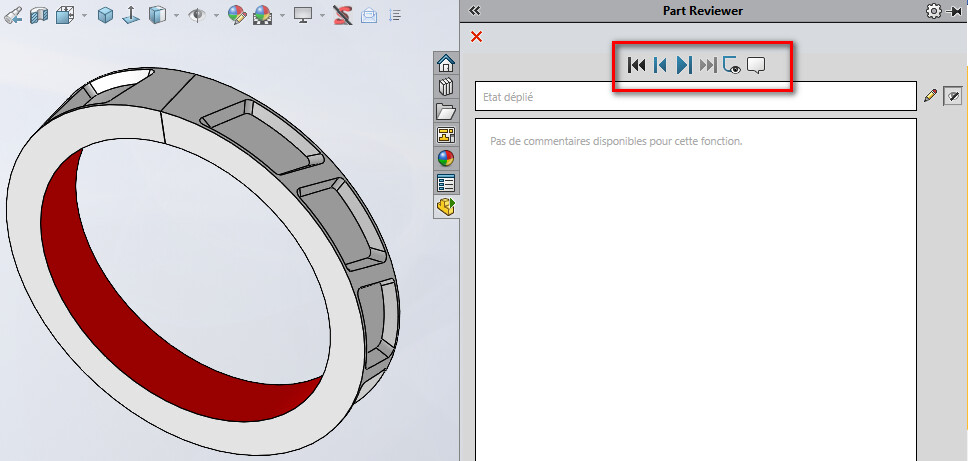
Nb: I just realized that the "streaming playback" option has completely disappeared from the " Part Reviewer "... Sniff It was however very practical to make video captures of the design of parts (on the other hand I didn't use it much, and if it happens this option has disappeared a long time ago).
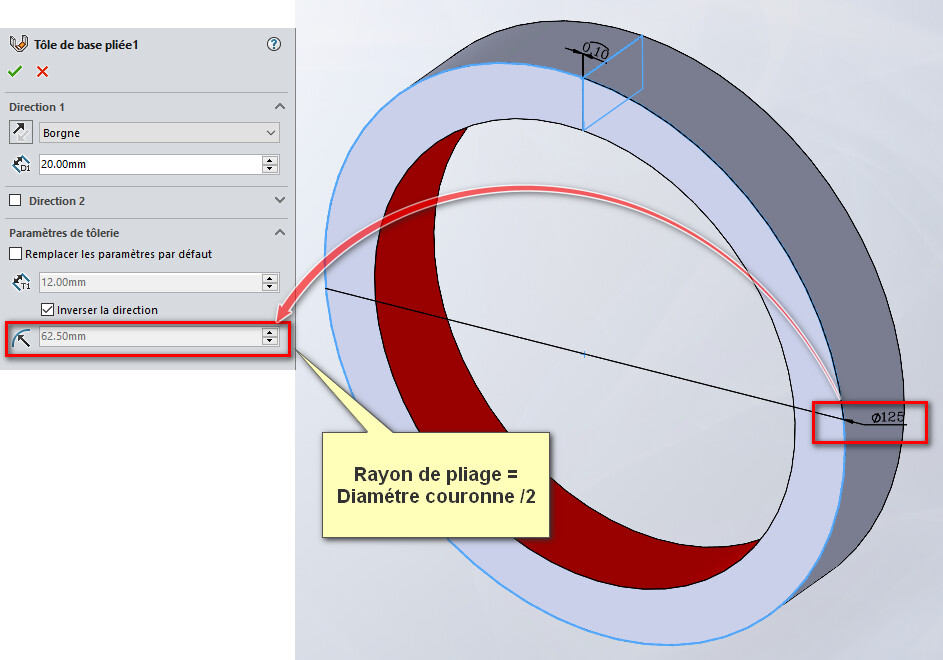
Rather than using the bending function which is (or was at the time a gimmick) I will use the winding function on a diameter.
You do the series of shapes after making your cylinder and you wrap around your cylinder so that you can drive I think more easily and in a less empirical way.
But I'd like to see your tree structure and your piece to see the weight. If this is the form you want, I think that the previous method I proposed should also work. THERE you need a calculation to define the lengths of the shapes but nothing insurmountable
You should know that if you do machining and you program via SW, you have to pay attention to your 3D design method because the software when it breaks down your 3D to identify the Machining Phases is based on your design. But now I'm afraid he'll face you with weird stuff (but they must have progressed on these tools)
FYI I tried the shape tool it doesn't work or maybe by fiddling so I gave up

 ).
).
 )
)

 ...
...