Je suis en train de réfléchir à un nouveau modèle de plan. Je le désire robuste et avec un maximum de remplissage automatique pour limiter les clics!
(Je suis sur le millésime 2024 SP5)
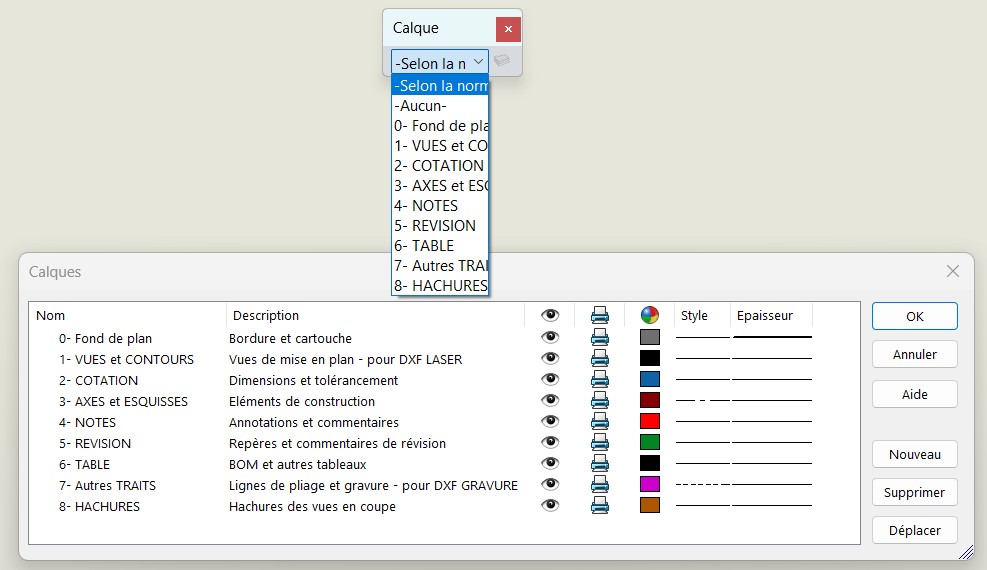
Je me heurte à différentes problématiques concernant le gestionnaire de calques.
Dans mon idéal je souhaite que l’utilisateur ne travaille que sur l’onglet « Selon la Norme » et que toutes les affectations de Calques soient automatique (selon les propriétées du document)
Comment définir un calque par défaut pour les nouvelles vues insérée?
Comment définir un calque par défaut pour les hachures?
Comment définir un calque par défaut pour les lignes de pliages?
Comment supprimer ou interdire le calques par défaut « -Aucun- »
Comment réorganiser l’ordre des Calques dans le gestionnaire de calques? (le bouton « déplacer » ne semble pas fonctionner chez moi…)
Merci d’avance pour vos réponses et conseils sur le sujet!
Bonjour;
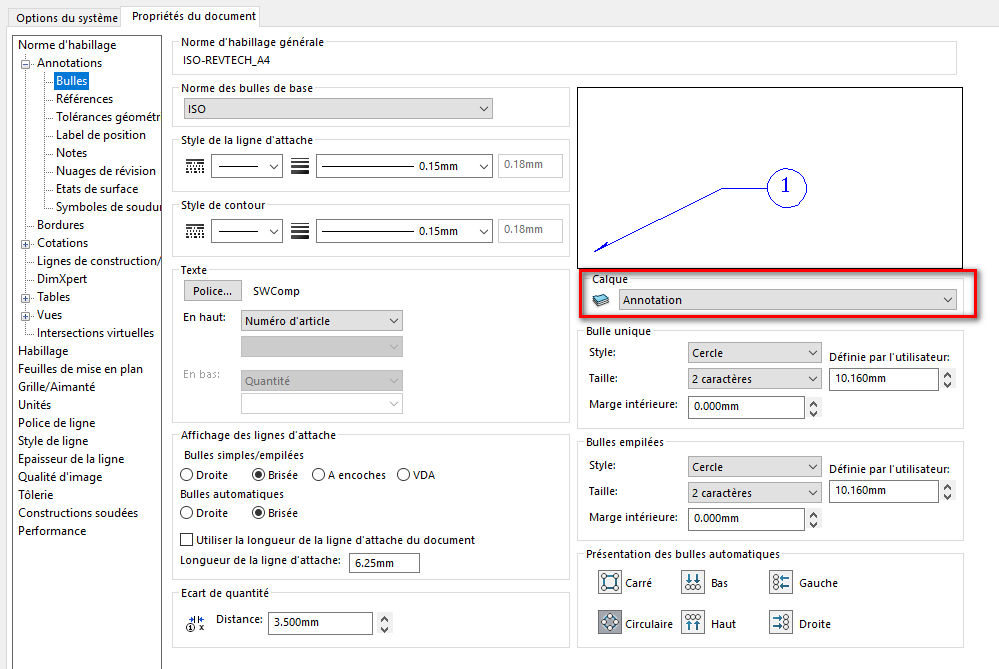
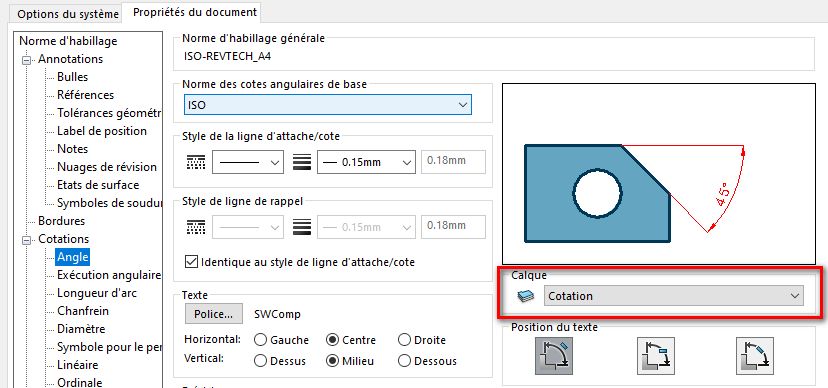
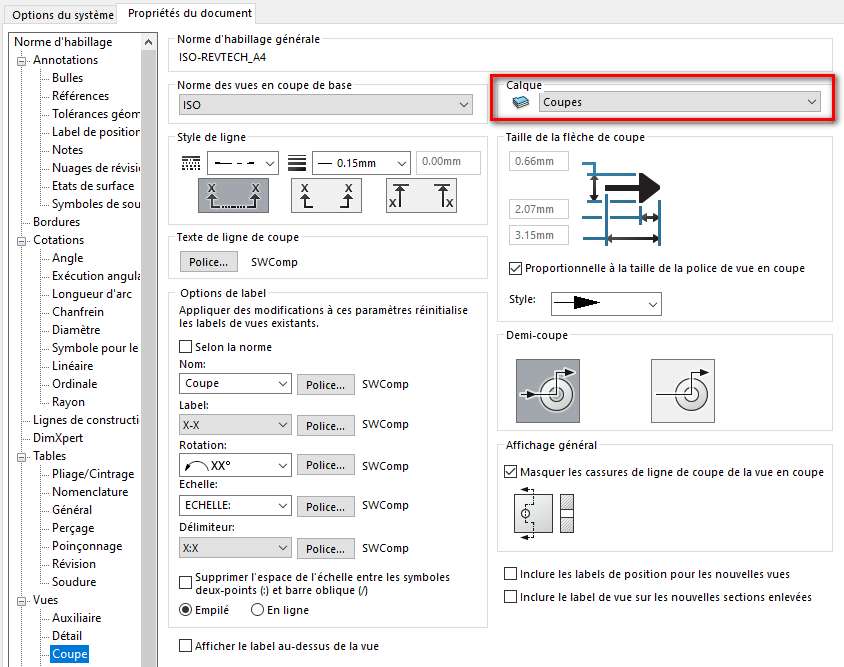
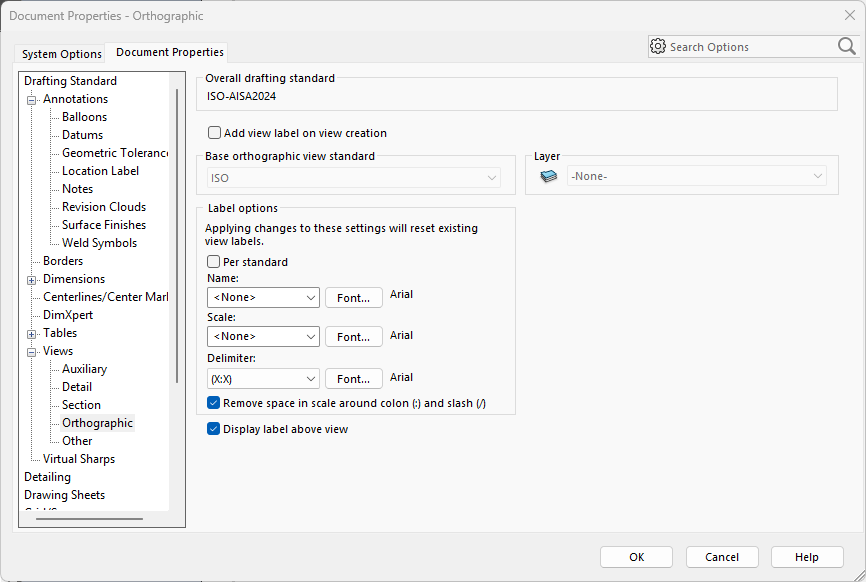
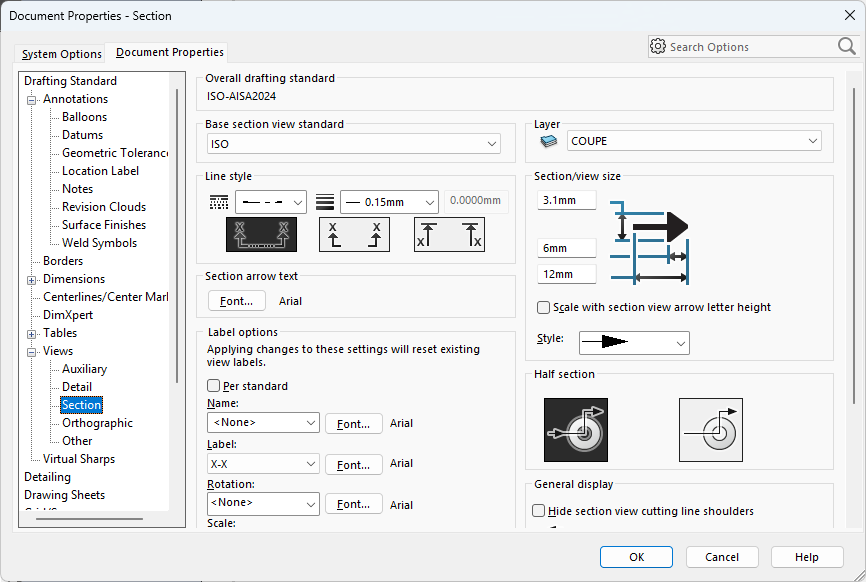
« L’attribution » par défaut des calques se fait dans les « propriété du Document » des templates de mises en plan.
Sans oublier de forcer le calque de base en « Selon la Norme »:
En complément de la réponse de @Maclane
N’oubliez pas de créer un fond de plan, ainsi qu’un Template associé. Et de créer une norme personnalisée.
Mais je pense que vous le saviez déjà.
Merci pour ce début de réponse.
J’aurrai dû en effet préciser que l’attribution de mes calques est déjà réalisée dans les propriétés de mon modèle de document.
Cependant impossible de réaliser les point listés:
Comment définir un calque par défaut pour les nouvelles vues insérée?
Comment définir un calque par défaut pour les hachures?
Comment définir un calque par défaut pour les lignes de pliages?
Comment supprimer ou interdire le calques par défaut « -Aucun- »
Comment réorganiser l’ordre des Calques dans le gestionnaire de calques? (le bouton « déplacer » ne semble pas fonctionner chez moi…)
Les hachures ont un comportement particulier dans le sens où le calques qui leur sera affecté au moment de la création d’une vue en coupe sera le calque défini pour la coupe. Ainsi si vous définissez un calque par défaut dans la Norme d’Habillage pour les vues en coupe, les hachures associées se verront affecter le même calques que la ligne de coupe et l’annotation.
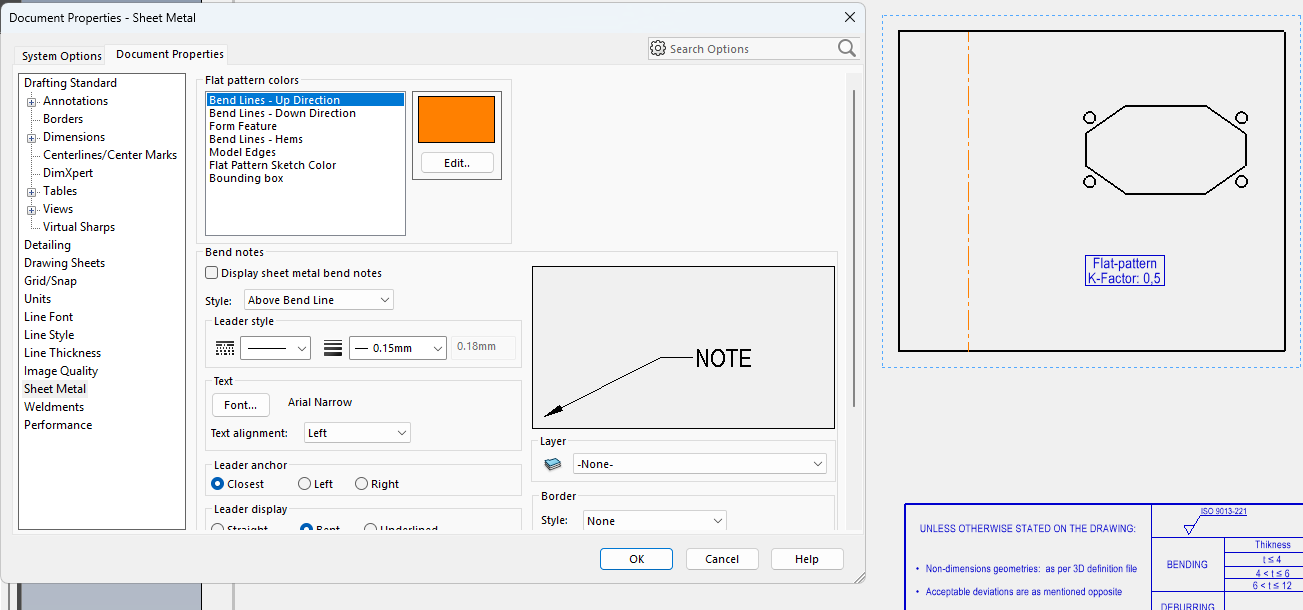
Étrangement, la couleur des lignes de pliages ne se fait pas via l’affectation d’un calque, mais par la définition d’une couleur dans les Propriétés du document - Tôlerie :
Il est possible de forcer le calque par défaut sur « Selon la norme » en l’applicant dans les modèles de mise en plan, mais il vous sera impossible d’interdire aux utilisateur l’accès aux autres calques pendant l’édition.
Il n’est malheureusement pas possible actuellement de réorganiser les Calques dans SolidWorks. Ce point fait l’objet de plusieurs demande d’amélioration depuis plusieurs année maintenant : 3DSwym 3DSwym 3DSwym 3DSwym 3DSwym
Nota : la commande Déplacer sert à modifier le calque affecté à une sélection d’entitées (si vous sélectionner des annotations avec un certains calque sur votre plan, en ouvrant le gestionnaire de plan pour sélectionner un autre calque et cliquez Déplacer, vous changerez le calque affecté aux annotations sélectionnées)
Merci à toi pour ce tour d’horizon, et je constate qu’on arrive malheureusement aux même conclusions.
la gestion des calques est tres succintes.
Dommage de ne pas pouvoir définir un calque pour les nouvelles vue du modèle.
Re Dommage de se trainer ce calque « -Aucun » qui ressemble a un fourre tout et qui est source d’erreur.