I am thinking about a new model of plan. I want it to be robust and with a maximum of autofill to limit clicks! (I'm on the 2024 SP5 vintage)
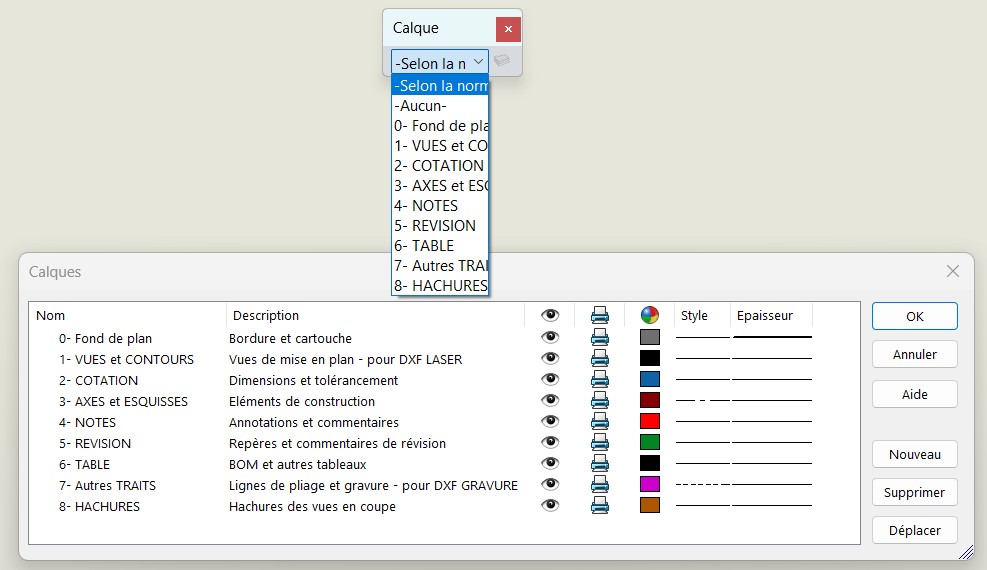
I'm running into various issues with the layer manager. Ideally, I want the user to work only on the " As Standard " tab and for all layer assignments to be automatic (according to the properties of the document)
How do I set a default layer for new inserted views?
How do I set a default layer for hatching?
How do I set a default layer for bend lines?
How to remove or disallow the default layer " -None- "
How do I rearrange the order of layers in the layer manager? (the " move " button doesn't seem to work for me...)
Thank you in advance for your answers and advice on the subject!
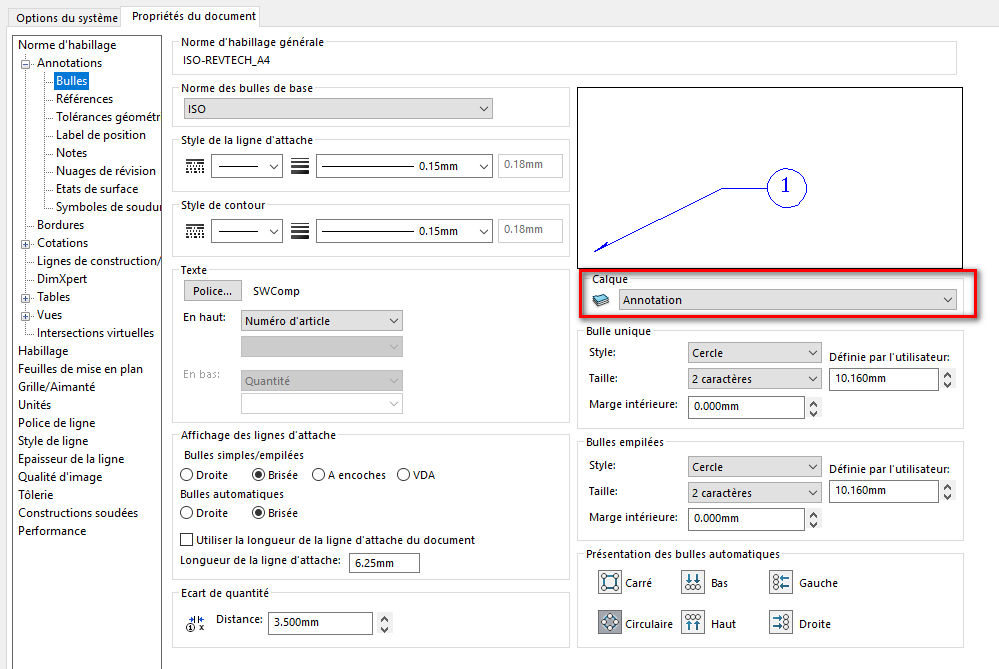
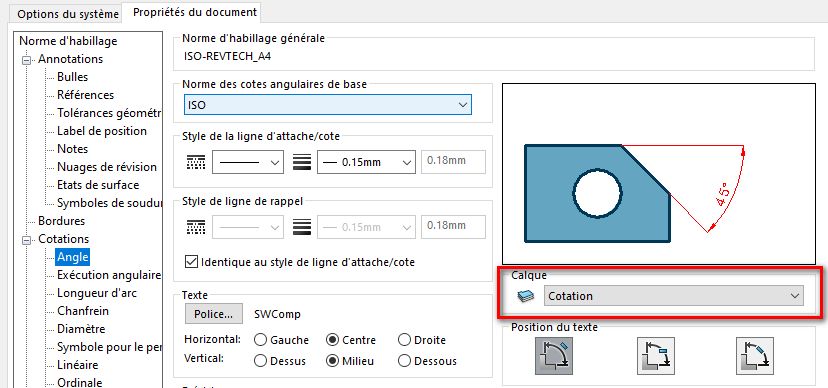
Hello; The default " assignment " of layers is done in the " Document Property" of the drawing templates. Don't forget to force the base layer to " According to Standard ":
In addition to @Maclane's answer Don't forget to create a basemap, as well as an associated Template. And to create a personalized standard. But I think you already knew that.
Thank you for this beginning of an answer. I should have specified that the assignment of my layers is already done in the properties of my document template.
However, it is impossible to achieve the points listed:
How do I set a default layer for new inserted views?
How do I set a default layer for hatching?
How do I set a default layer for bend lines?
How to remove or disallow the default layer " -None- "
How do I rearrange the order of layers in the layer manager? (the "move" button doesn't seem to work for me...)
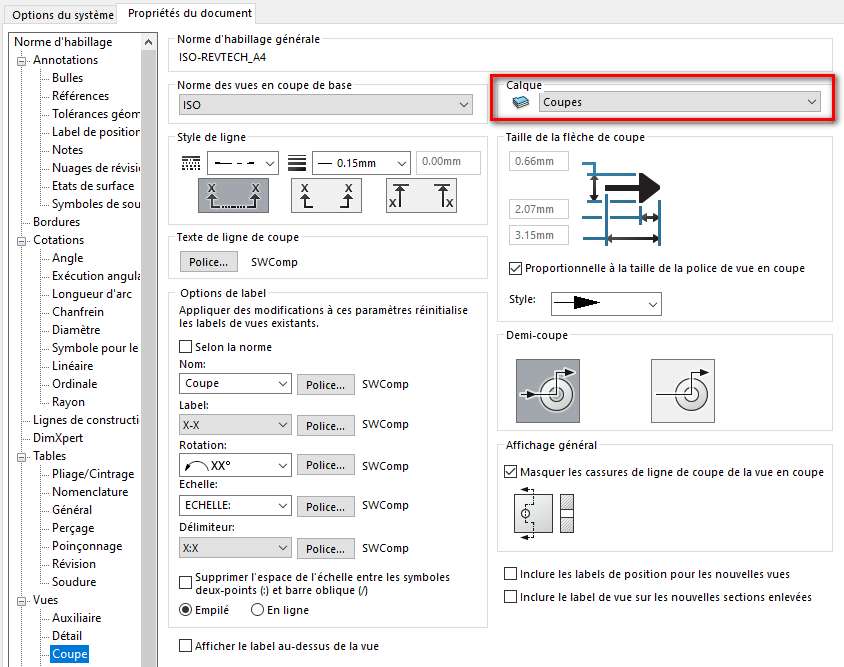
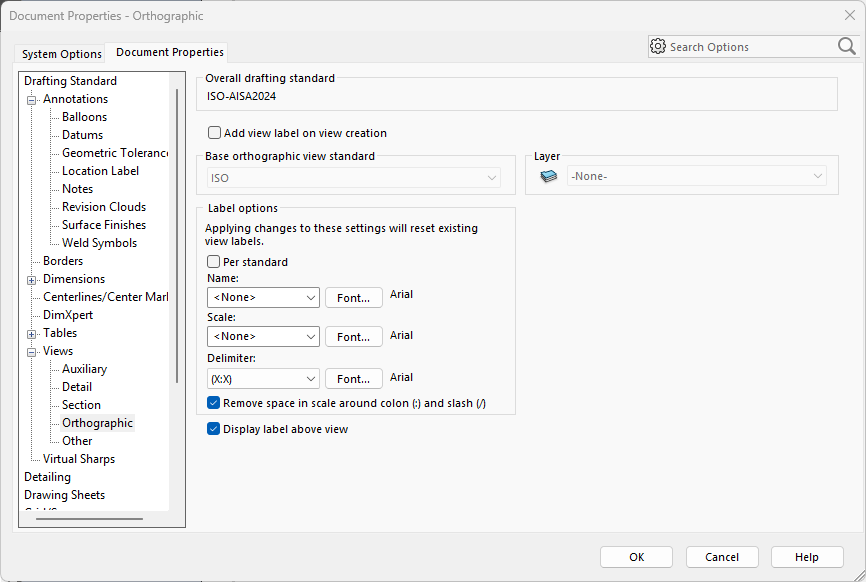
Setting a default layer for new projected views is done here:
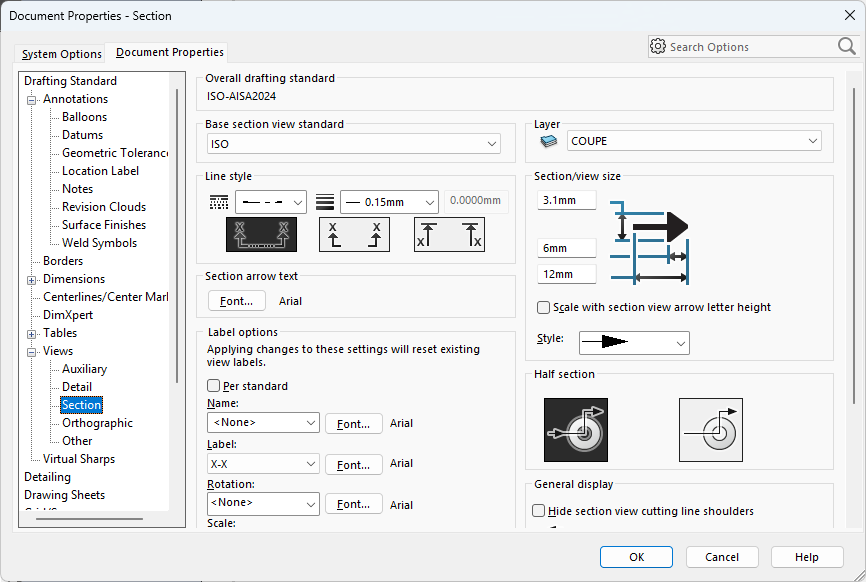
Hatching has a special behavior in that the layer that will be assigned to it when a section view is created will be the layer defined for the section. For example, if you set a default layer in the Wrapping Standard for section views, the associated hatches will be assigned the same layers as the cut line and annotation.
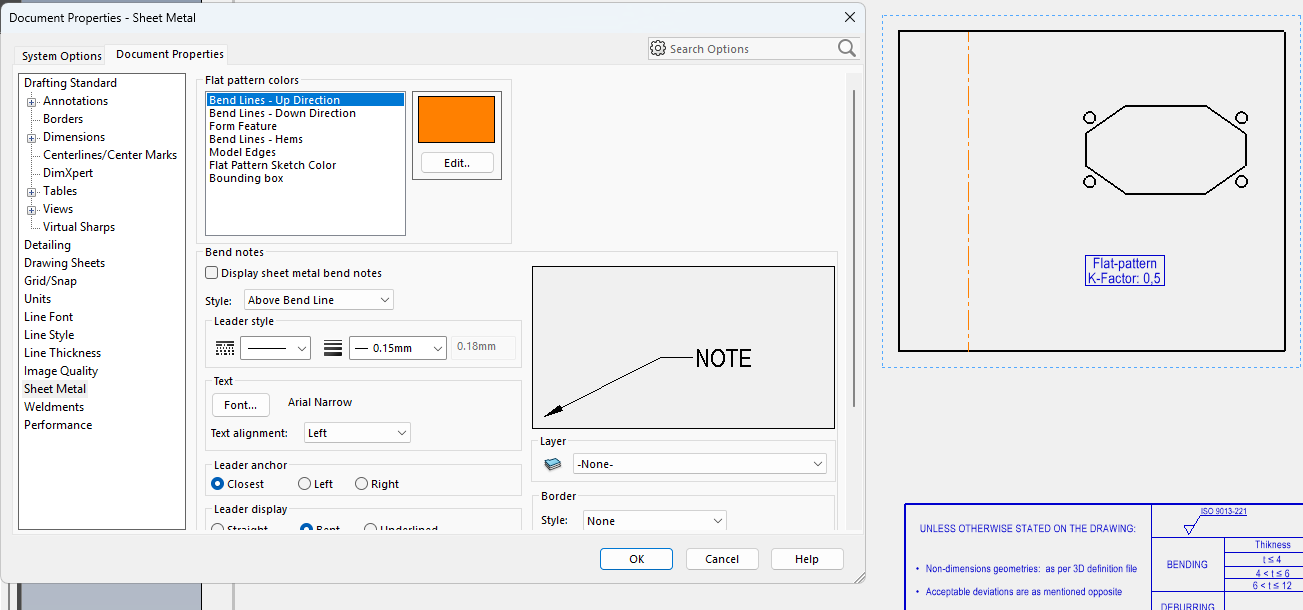
Strangely, the color of the bend lines is not done by assigning a layer, but by defining a color in the Document Properties - Sheet metal:
It is possible to force the default layer to " As Standard " by applying it in the drawing templates, but you will not be able to deny users access to other layers during editing.
Note: The Move command is used to change the layer assigned to a feature selection (if you select annotations with a certain layer on your layer, opening the Layer Manager to select another layer and clicking Move will change the layer assigned to the selected annotations)
Thank you for this overview, and I see that we unfortunately come to the same conclusions. The management of layers is very succinct.
Too bad I can't define a layer for the new model views. It's a shame to drag this " -None " layer that looks like a catch-all and is a source of error.