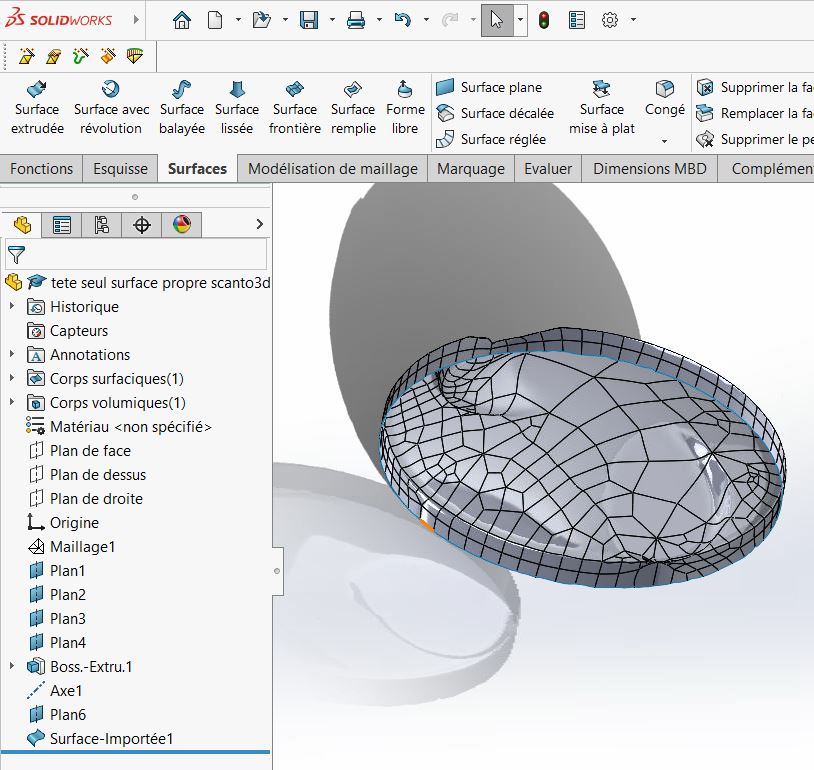
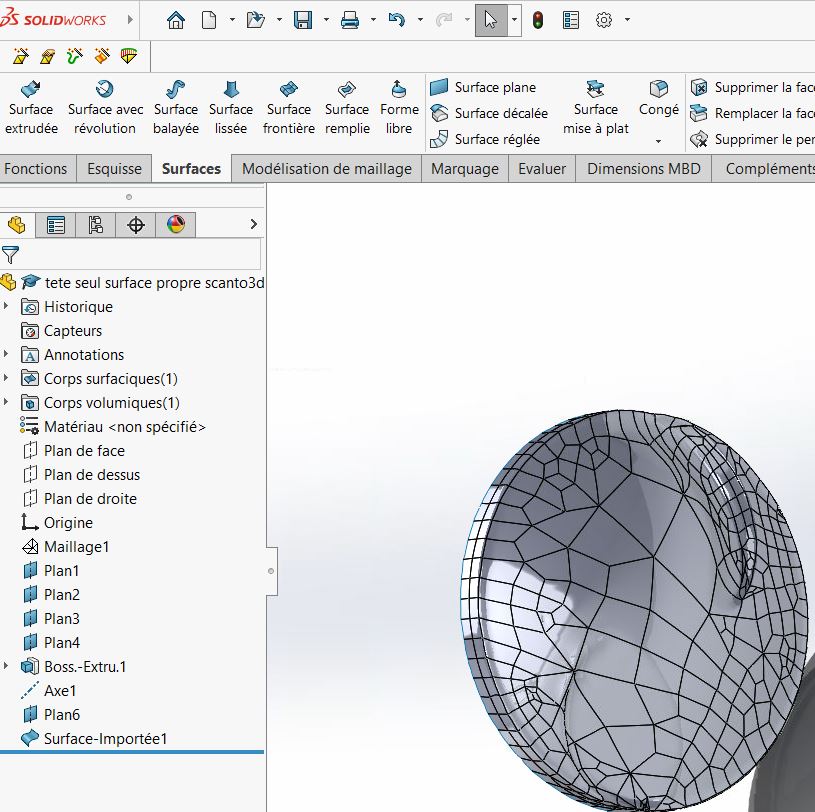
Hello, I've been trying to transform my STL file from 3D scan to a STEP file for several hours now.
Currently, I have managed to transform my mesh into a surface, but I can't seem to transform my surfaces into a solid... I tried with the thicken tool as well but it makes a mistake for me, I also tried to surface filled by selecting the open loop but it gives me an error as well.
Hello Judging by the overall shape, it looks like it's a combustion engine piston, even if the scan is of poor quality.
Even if it means spending hours trying to recover it, it would probably be simpler, faster and more geometrically rigorous to rebuild it with the basic functions of SW. In any case, this is the solution I would go for...
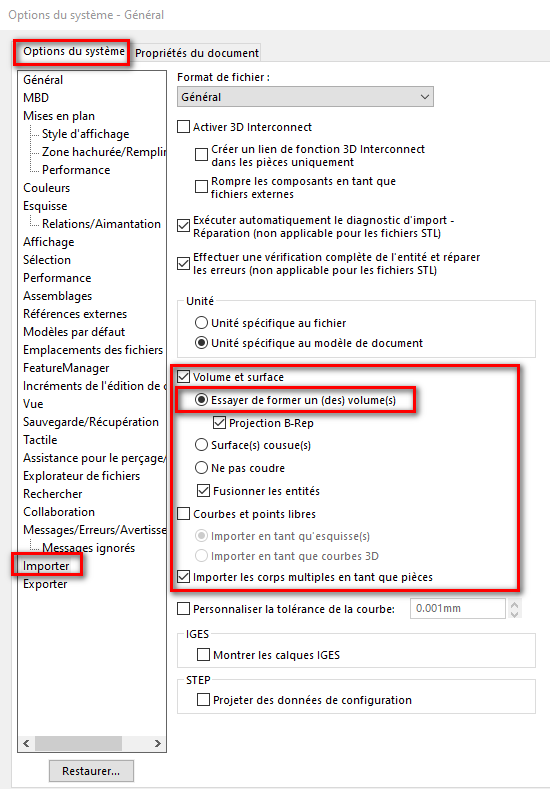
It is always tricky to go from a surface element to a volume element, especially if it comes from a mesh... Now that you have successfully transitioned from mesh to surfaces, you can try to " cheat " by saving your component in Parasolid " *.xt ", when reimporting the parasolid, Solidwork should try to rebuild a volume itself (depending on the import settings).
When opening, also make a 3D repair diagnosis and try to reconstruct first the faces and then the discontinuities.
But as @m_blt suggests... It is often better, and faster, to model the component yourself.
Thank you for your answers. I still haven't been able to get over it.
Indeed, it is a combustion engine piston. The volume of the piston head is very important to us at work and we can't get any concrete measurements. So it's too difficult for us to model conventionally.
I tried to cheat in Parasolid but it didn't work. I wonder if it wouldn't be my scan which is too poor quality, yet it costs the price of a car, but hey, the car doesn't make the driver.
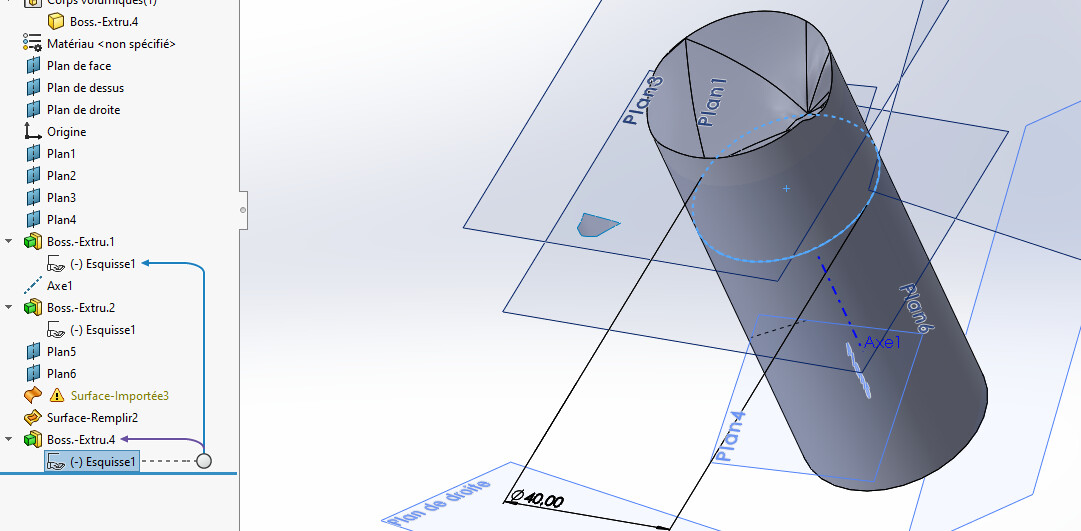
I'm going to try to start from a cylinder and extrude to the surface when I get back to my work because I'm on the go. I'll keep you posted.
Attached is the SLDPRT 2023 version, I can't save it under 2022.
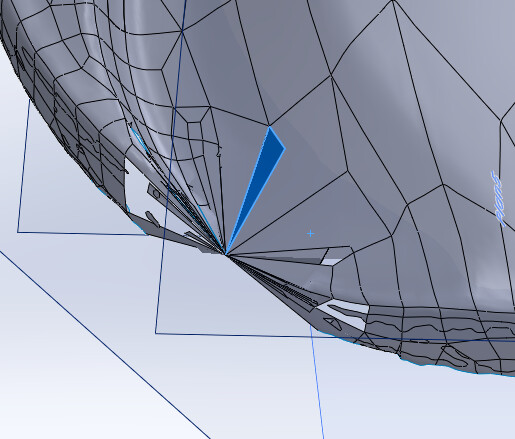
No wonder you can't do anything when you see this on your imported surface: there are holes and surface crossings. In particular here:
You would have to be able to repair this on the surface, but given the look it has you have to be good (or even very good) under SW. However, the scan seems to lack a lot of details in this area (so even if you repair it will probably be unusable because not accurate enough or downright wrong there). The entire perimeter of the piston is also quite bad visually: it may be almost impossible to connect with your cylinder.
The solution is probably either a clean rescan or a cleaning of the surfaces of the stl via a real surface software (like Rhino?). As long as you don't have a single real clean surface without holes and that doesn't intersect, SW won't be able to do anything.
By decreasing the diameter of the volume cylinder to ø40, you can extrude to your imported surface: It proves that the problem comes from the outside of your imported surface. E Piston pr surface SLDW2023 mod. SLDPRT (6.1 MB) In PJ the model opened with V2025 and registered in V2023