Je suis passé récemment de SW2023 à SW2025, ainsi que d’une nouvelle de sauvegarde d’option système fournie par la direction.
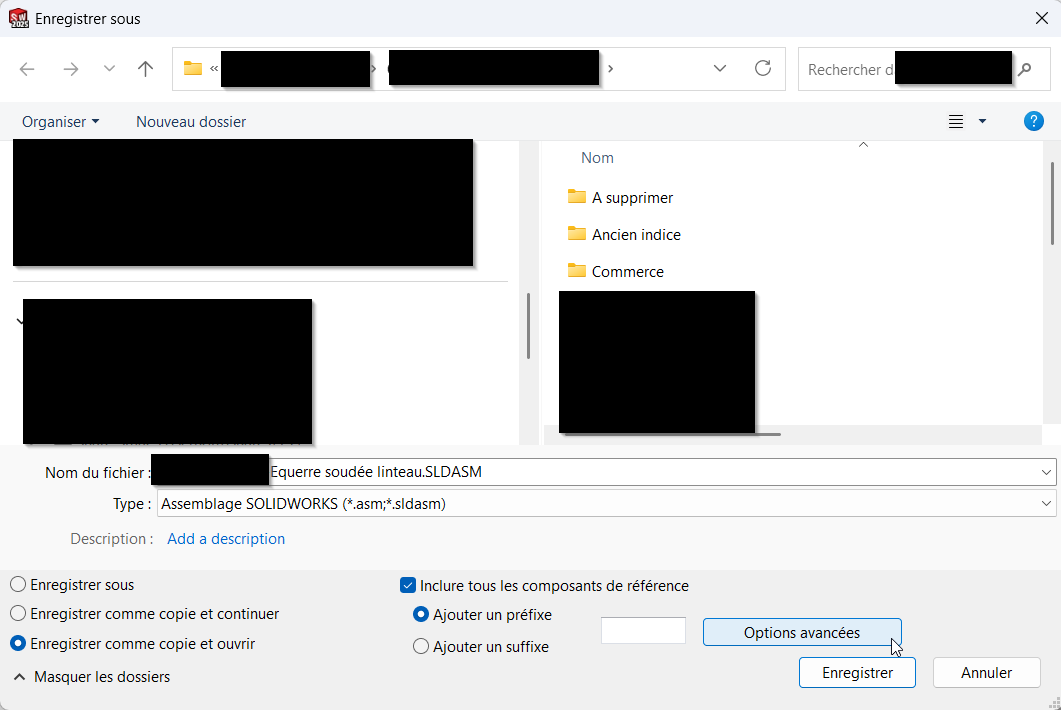
J’avais l’habitude, par exemple pour créer un nouvel ASM équerre+visserie à partir d’un exemple, d’utiliser « enregistrer sous »->Copie et ouvrir"->« Inclure tous les composants de référence » & « Options avancées ».
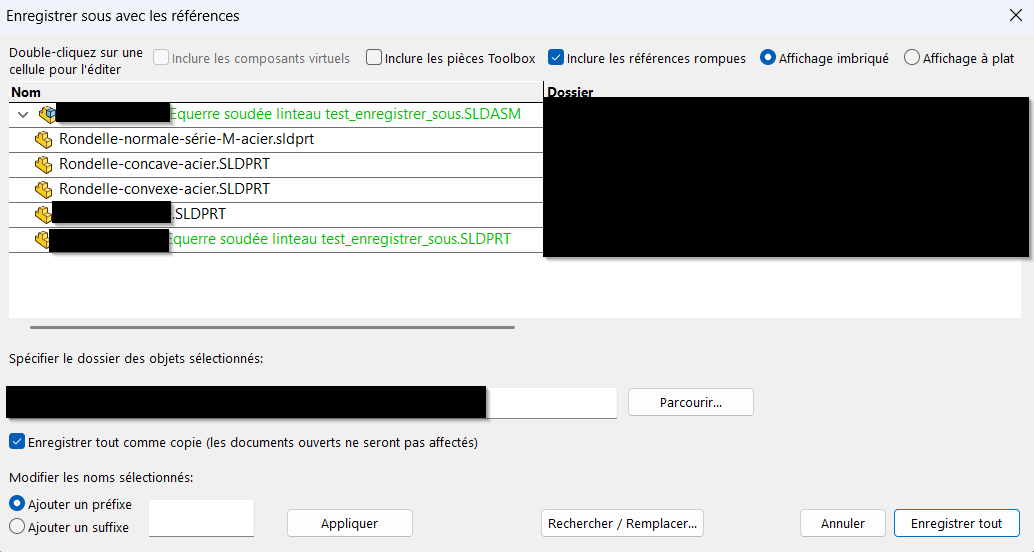
Dans cette interface, je ne modifiais que le nom de mon ASM et de ma pièce équerre, et je ne touchais pas à la visserie. Uniquement les lignes modifiées étaient enregistrer en copie, et les liens de la pièce équerre dans l’ASM équerre était mis à jour directement.
Je n’arrive plus à faire cette action, il y a t-il eu une modification ou j’ai un trou de mémoire ? Il y a t-il une autre façon de faire ?
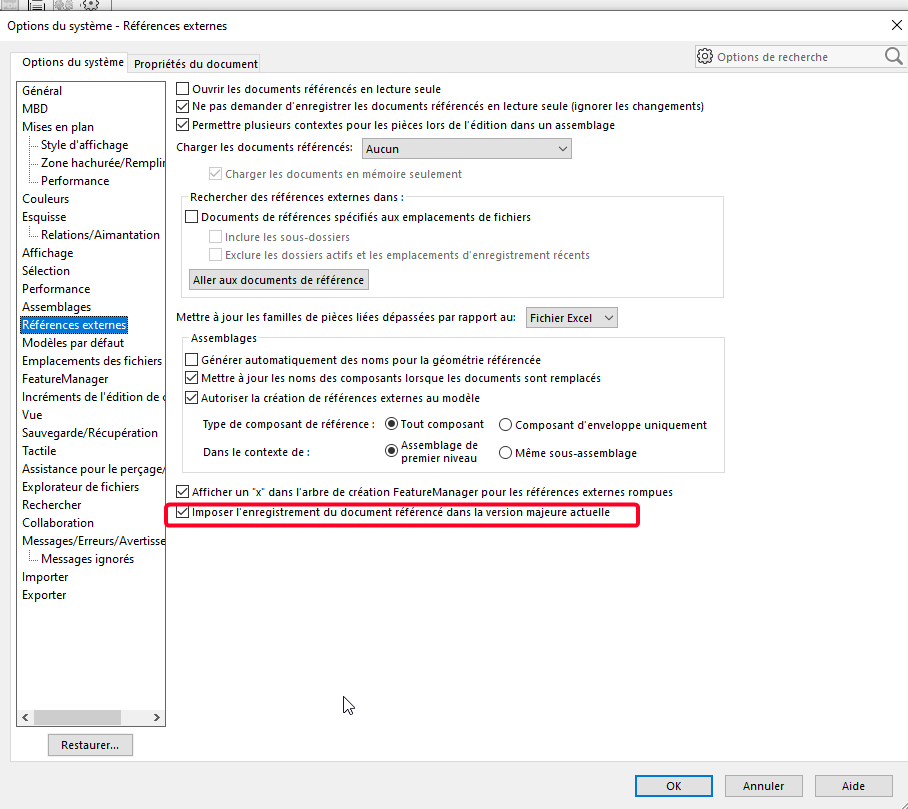
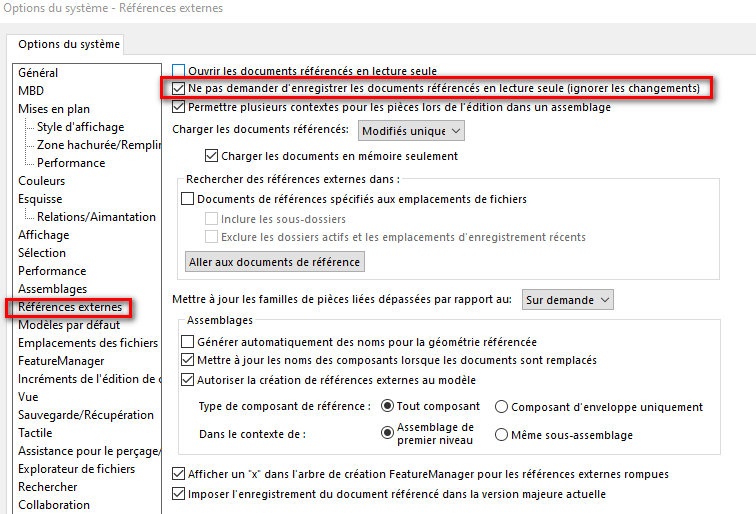
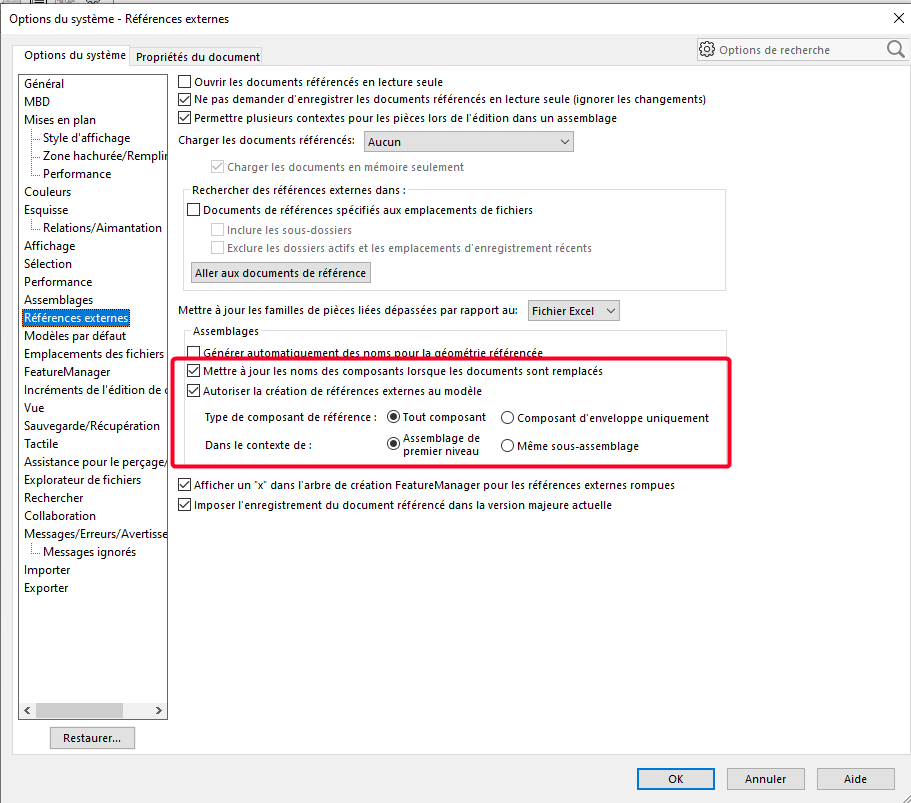
Je l’avais de coché. J’ai essayé de la décocher mais ça ne change rien.
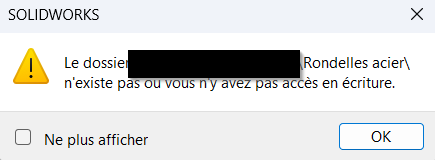
J’ai aussi essayé de décocher la ligne « Enregistrer tout comme copie » dans l’interface d’enregistrer sous, mais ça ne change rien car ma visserie est en lecture seule, il annule tout l’enregistrement.
Vous pouvez en dire plus sur ces deux points ?
=> Mon Solidworks 2022 ne me pose pas ce genre de questions…(sauf si je souhaite enregistrer un assemblage en pièce ou si l’assemblage comporte des pièces virtuelles)
Il y a peut-être plus simple que ma méthode ? J’avais trouvé ça relativement pratique.
Mon objectif est de copier l’ASM et sa pièce en même temps, en gardant les liens, sans exporter toutes les autres pièces, et en les renommant car je les enregistre dans le même dossier que l’exemple (donc ne fonctionne pas avec le Pack & Go ?).
Je comprend un peu mieux…
Avez-vous vérifié que les composants du type boulonnerie et autre (Bibliothèque) sont bien restés en « Lecture seule » lors du passage entre vos deux versions de Solidworks ?
nota:
Pour dupliquer un assemblage ou une pièce (et leur mises en plan) tout en brisant les références j’utilise une adaptation de la macro :
Mon adaptation consiste à empêcher l’utilisateur de sélectionner un élément issus d’une répétition…si tu le souhaite je peux te la fournir.
Je n’ai jamais utilisé cette méthode pour de la copie partielle d’assemblage et de son contenu.
Pack and go le fait parfaitement, à mon sens le fait de cocher « inclure tous les composants de référence » ne prête pas à débat.
C’est vrai que Pack&Go fonctionne bien, mais on ne peux facilement changer le nom sauf à ajouter un suffixe, de plus j’ai ma réf inscrit dans mon nom de fichier, donc impossible de la faire évoluer et il faut que je la modifie par la suite.