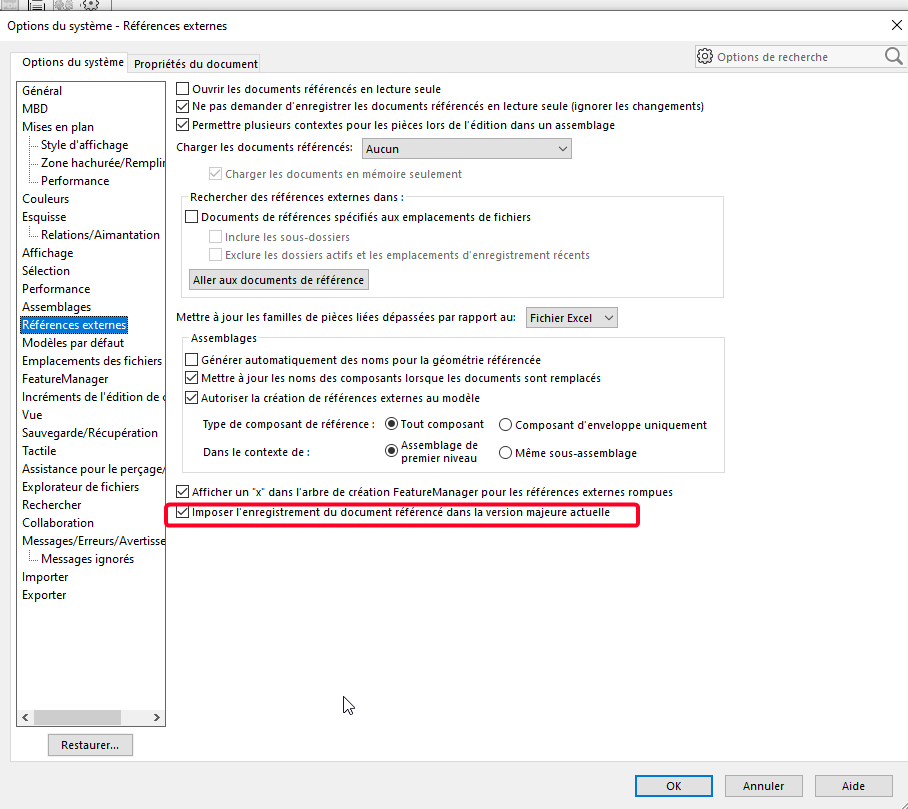
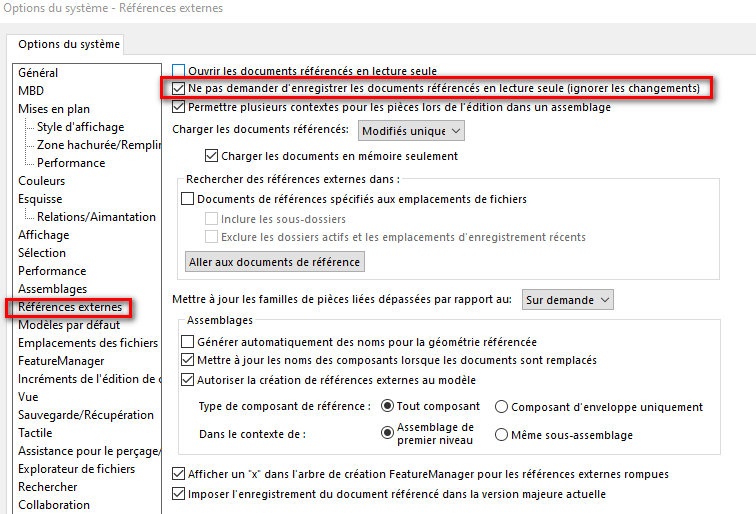
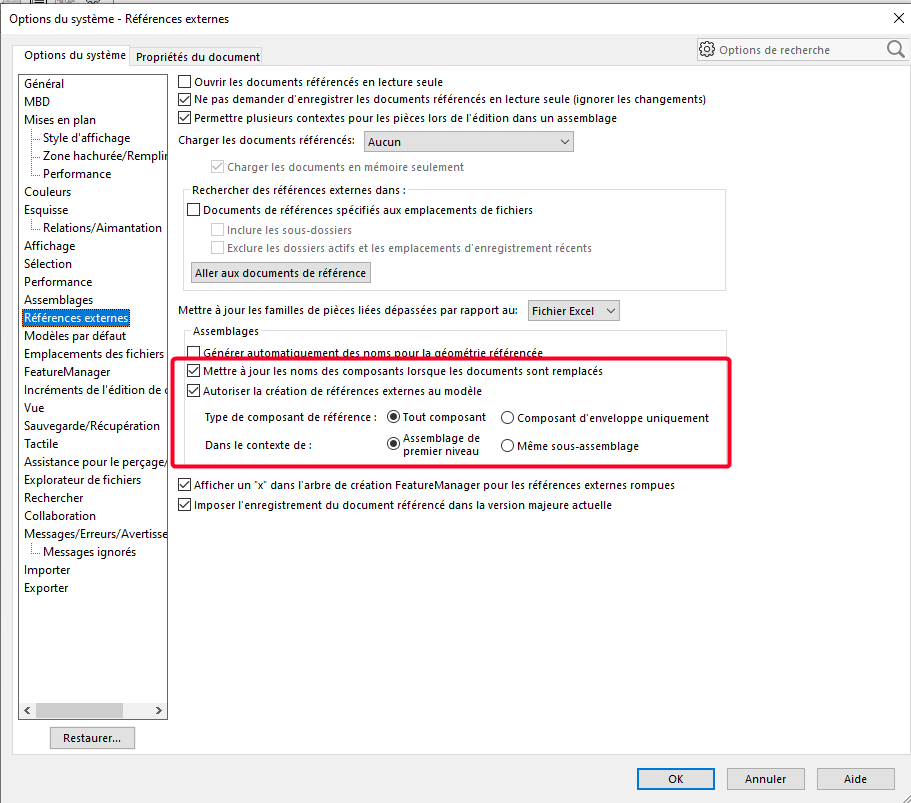
I recently switched from SW2023 to SW2025, as well as a new system option backup provided by the management.
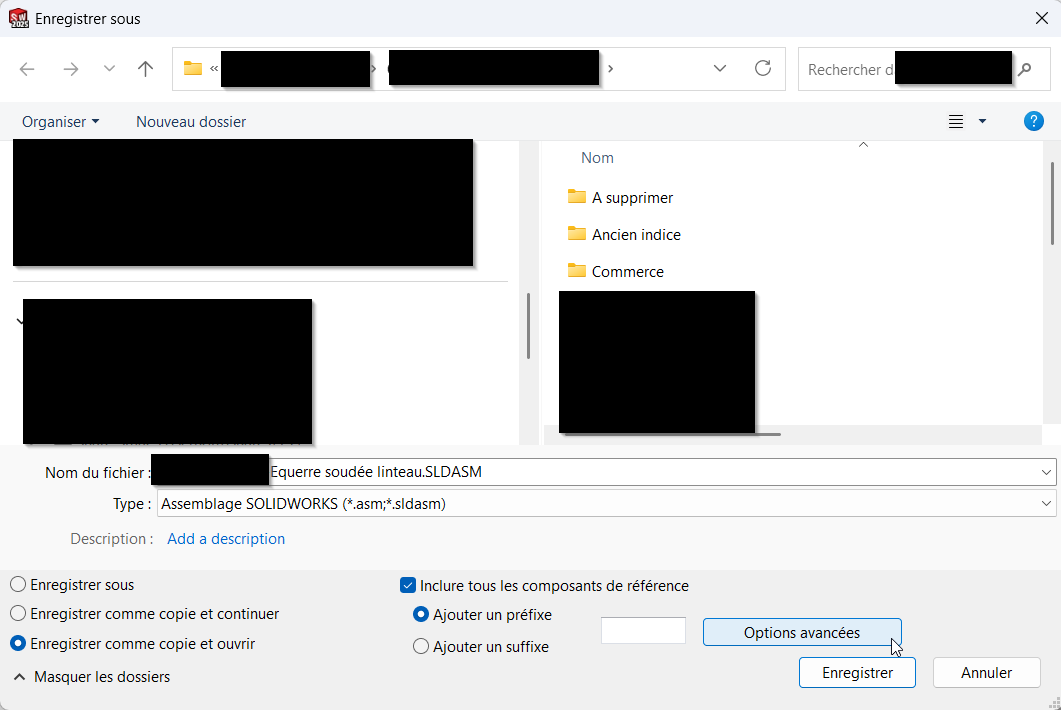
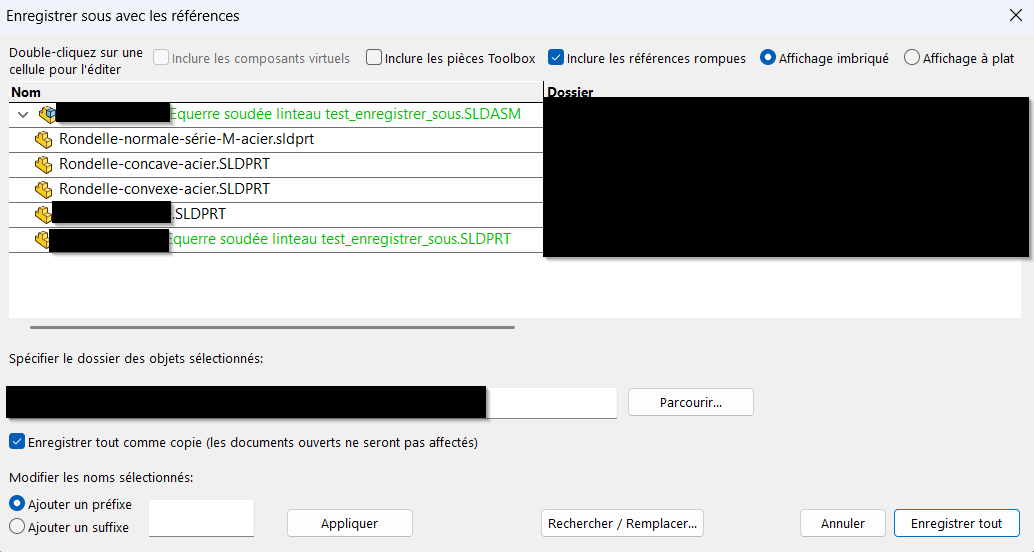
I used to use " save as "->Copy and open"-> "Include all reference components" & " Advanced options" to create a new ASM square+screws from an example. In this interface, I only changed the name of my ASM and my square part, and I didn't touch the screws. Only the modified lines were copied, and the links of the square part in the square ASM were updated directly.
I can't do this action anymore, has there been a change or do I have a memory lapse? Is there another way to do it?
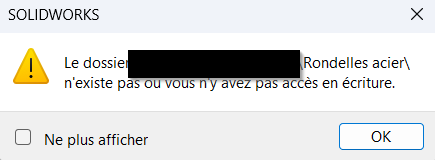
I had it checked. I tried to uncheck it but it doesn't change anything. I also tried to uncheck the " Save everything as copy " line in the save as interface, but it doesn't change anything because my screws are read-only, it cancels all the recording.
Can you say more about these two points? => My Solidworks 2022 doesn't ask me these kinds of questions... (unless I want to save a part assembly or if the assembly has virtual parts)
Maybe there is something simpler than my method? I found it relatively practical. My goal is to copy the ASM and its part at the same time, keeping the links, without exporting all the other parts, and renaming them because I save them in the same folder as the example (so doesn't work with the Pack & Go?).
I understand a little better... Have you checked that the bolts and other (Library) components have remained in " Read-only " when switching between your two versions of Solidworks?
Note: To duplicate an assembly or a part (and their drawings) while breaking the references, I use an adaptation of the macro:
My adaptation consists in preventing the user from selecting an element from a repetition... If you wish, I can provide it to you.
I have never used this method for partial copying of assembly and its contents. Pack and go does it perfectly, in my opinion the fact of ticking " include all reference components" is not up for debate.
It's true that Pack&Go works well, but you can't easily change the name except to add a suffix, moreover I have my ref written in my file name, so it's impossible to change it and I have to change it later.