Hello community,
I work for a very small company where we design furniture in kits for converted vans.
I have just set up a spreadsheet for the management of our hardware stores and bills of materials.
To make my spreadsheet work perfectly, I need a column in my BOM extracted from SolidWorks where the furniture reference (assembly file) appears on each line. I could then import my nomenclature directly into my spreadsheet without needing to touch up anything.
I can't find the solution, if it's not possible, there's always the possibility to add the column manually in my google sheet file but it adds manipulation and risk of error.
Thank you for your help
Hello Man_SRVL, (SW2022SP4)
And we use that=>
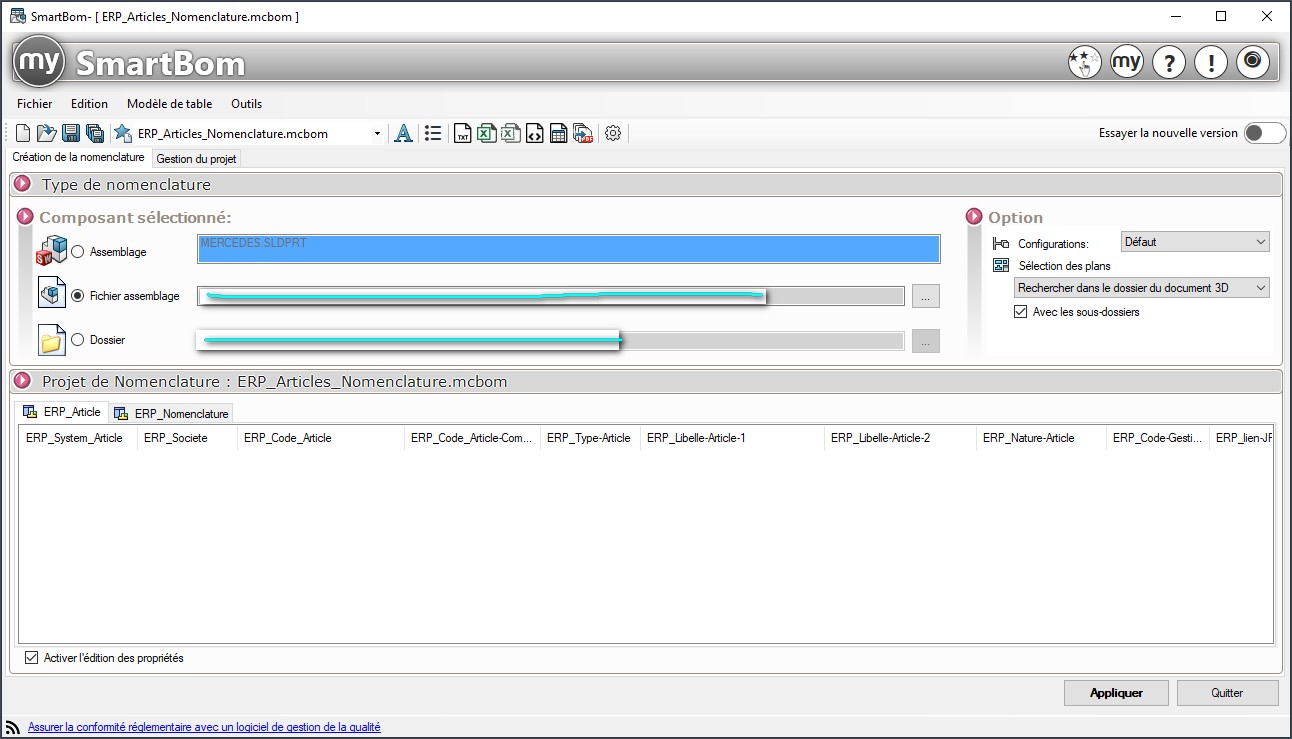
for our nomenclatures.
But it is possible to extract an excel directly from SW, going directly through your 3D or 2D, to extract an excel, you just have to open your assembly or your drawing, point to your nomenclature and save under an excel.
There you go, there you go, ... Good luck.
@+.
AR.
Hello,
It will not be possible to call a property of the document in the BOM table.
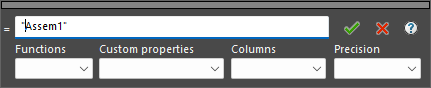
However, you can deploy the assembly name -or other text- with a column formula:
1 Like
Hello,
Thank you for the feedback, I have no problem saving my Bill of Materials from SW in excel.
And it is not current to take a MYCADTOOLS license (I am not a decision-maker).
My problem is that I would like to make the reference of the furniture (assembly) appear on all the lines of my nomenclature.
OK thanks,
I just tried, this may be a solution indeed.
But it's the same as creating the column directly in google sheet after extraction from SW and filling it in practically, without the ergonomics and ease of implementation.
But I take note.
It's a shame not to be able to retrieve this data directly.
Hello
BOMs work like excel, a simple formula can work
Hello,
OK, but what is the formula to enter to retrieve the property of the assembly file?
I know that for a part file you can look for a property by calling $PRP: " NOM_PROPRIETE ", for a welded part $PRPWLD: " NOM_PROPRIETE " but here I can't find it...
Using the $PRPMODEL:" DESCRIPTION " data in a column formula as mentioned by
, I was able to retrieve the DESCRIPTION property of my drawing document.
Which is already great.
So, now, is it possible to link the DESCRIPTION property of the drawing document to the REF_MEUBLE property of my assembly with a formula?
Yes
In this kind (formula that I got from my nomenclatures but which is not suitable for you)
IF(REFERENCE FOURNISSEUR<>" »;DESCRIPTION " - " REFERENCE FOURNISSEUR;DESCRIPTION)
But I only know about it
If in the properties of your drawing you define a REF_MEUBLE > Text > $PRPSHEET:" File Name" property and then insert a formula $PRPMODEL:{REF_MEUBLE} in the BOM table, does it work?
Bounjour,
No, it doesn't work.
But on the other hand, if I create a DESCRIPTION > Text property in my drawing> [FURNITURE REF] (here HC112) and in the nomenclature table I create a column with the formula (EQUATION): $PRPMODEL:" DESCRIPTION ", it works. I have HC112 on all lines.
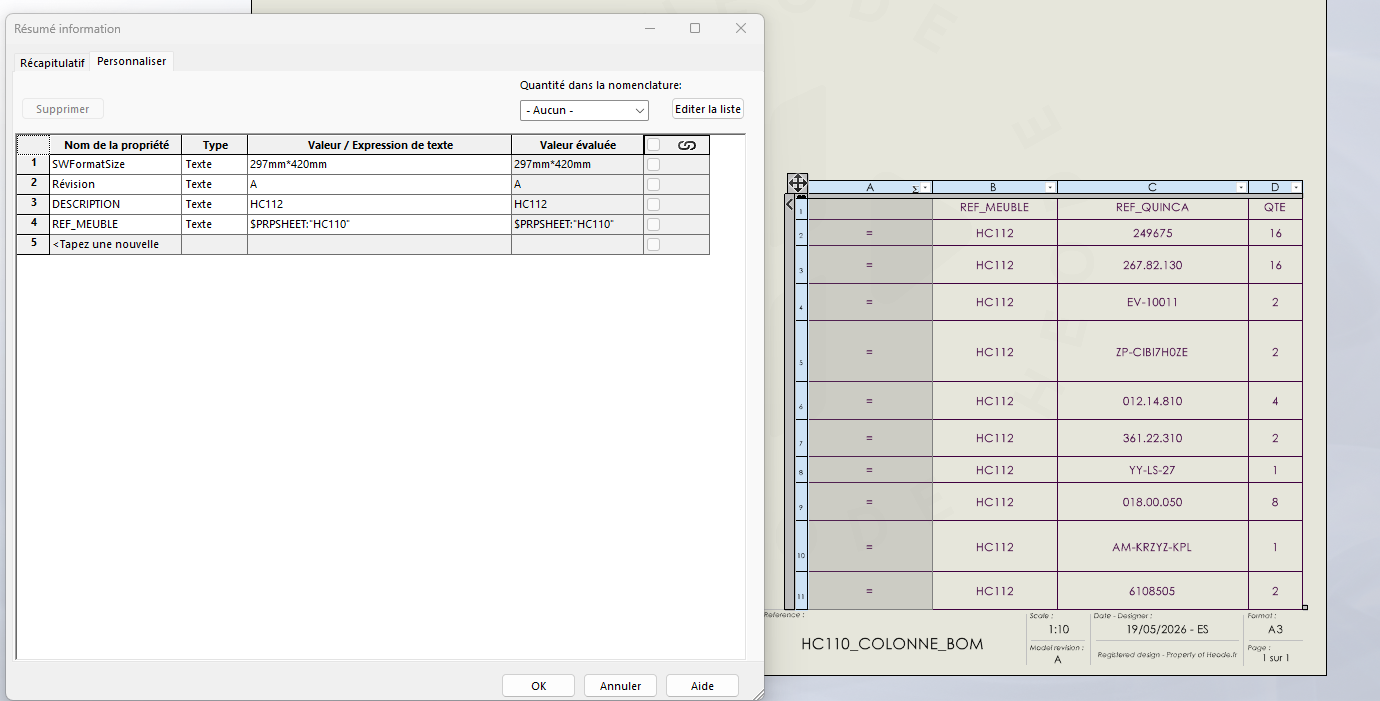
Now my question would be to know if it is possible to put an equation in my DESCRIPTION property of the drawing to automatically retrieve the value of the REF_MEUBLE property of my assembly?
Yes, but no.
In fact, in the assembly file, you must have a REF_MEUBLE property that has the value HC112.
In drawing, you create the same REF_MEUBLE property with a TEXT value that calls $PRPSHEET:{REF_MEUBLE}.
$PRPSHEET:{HC112} calls an HC112 property of the referenced model.
2 Likes
No, the $PRPSHEET can't retrieve the ownership of the assembly:
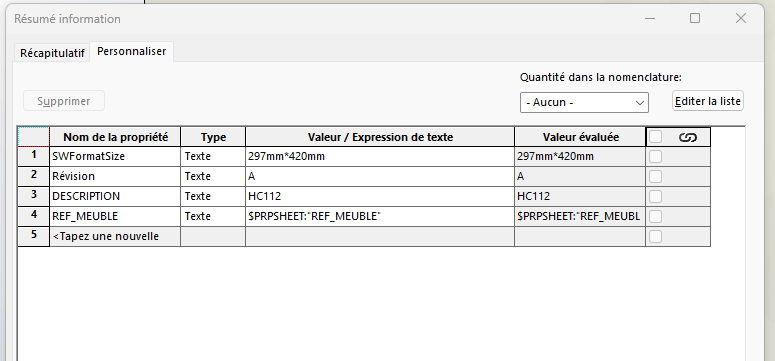
Oh so sorry it works well!
Seeing that the evaluated value did not give anything, I thought that the formula was not the right one.
But when, in the column of my nomenclature table, I call again the formula $PRPSHEET: " REF_MEUBLE ", it manages to recover the REF_MEUBLE property of my assembly.
That's perfect!
Thank you very much
Can you please make a printout screen of what you note in the formula and the result in the table please?
No problem.
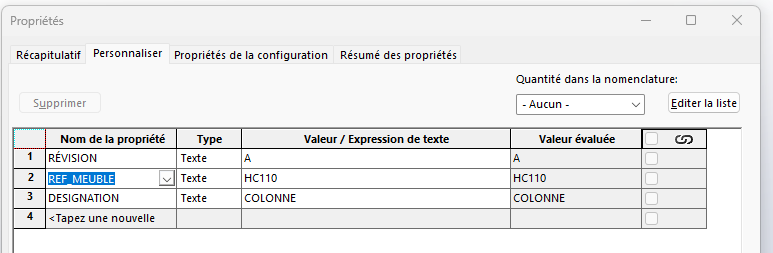
So, the properties of the assembly:
And the properties of the drawing and the formula of the column:
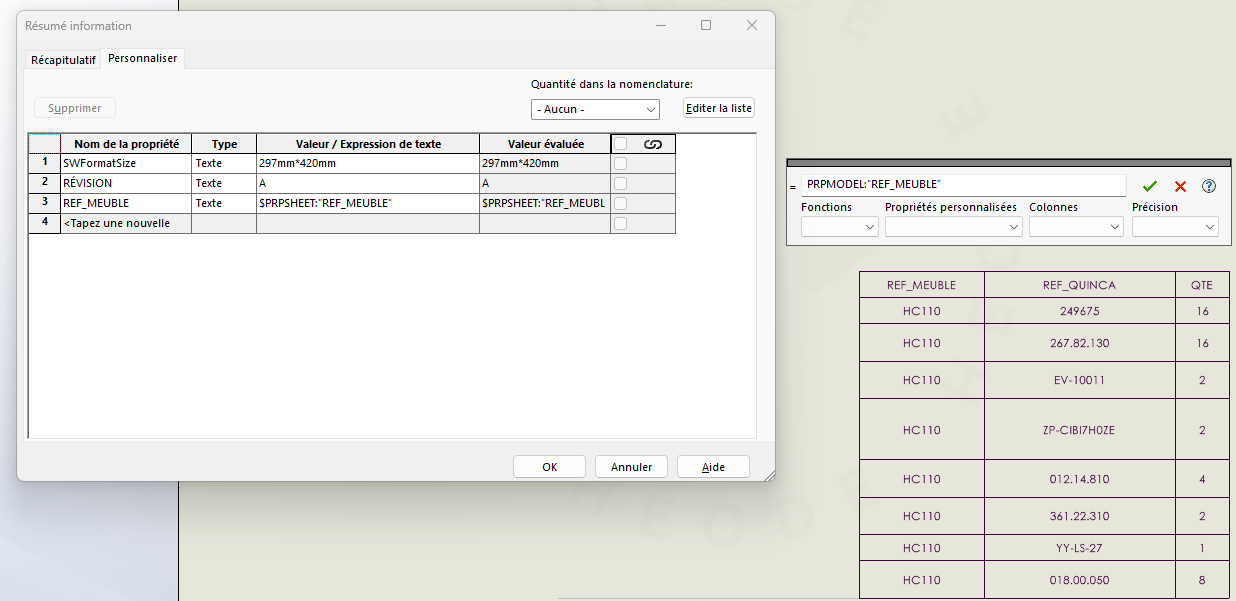
(For the table formula, I started with $PRPMODEL to be able to generate the bill of materials directly in the assembly file if needed, but otherwise in the drawing it also works with $PRPSHEET)
And I get the value set in the assembly.
2 Likes
Note: This method does not seem to work in SW2022.
Validated for SW2025.
If anyone can occasionally test for 2023 and 2024...
1 Like
When you used the formular in the BOM, did you applied formula to the individual cell, or the complete column. I had tried it in the past with 2021, but it would leave an = sign if formula is applied to the complete column, but works for individual cell.
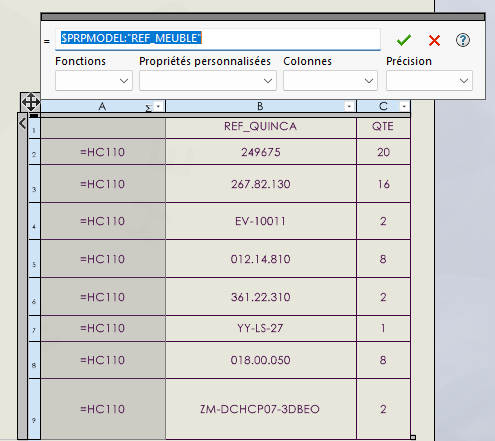
Hello indeed, the sign "=" remains by applying to the column:
But if you insist a little, after validating the formula, this window appears, and you retype the formula in the empty cell:
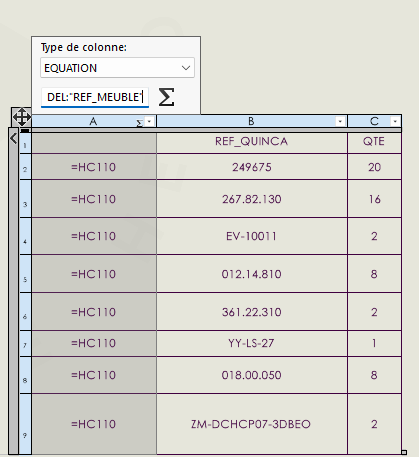
And normally after a new validation the sign "=" disappears:
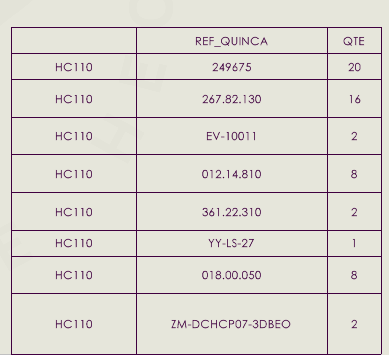
And if you change the value of your property in the assembly, the link works fine, the value of the column will also change.