Bonjour à tous,
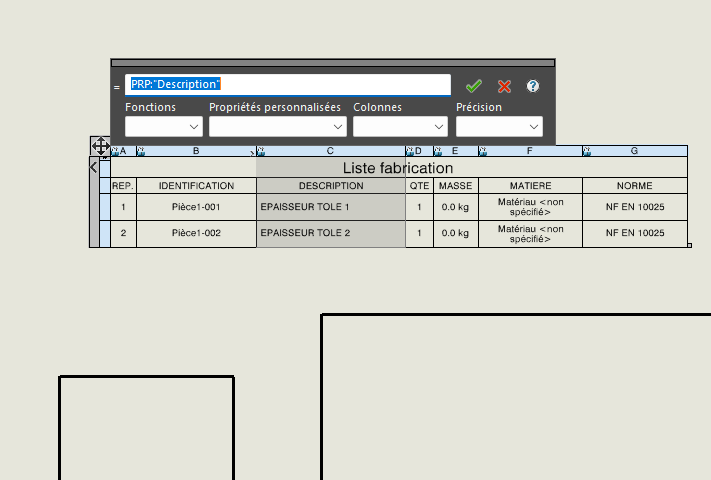
Ma question du jour; Comment enlever ceci « <1> » au bout du nom de la pièce soudée
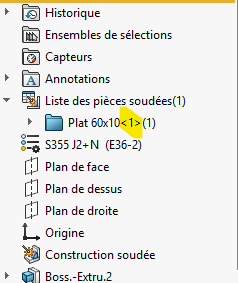
Non, même avec un seul corps.
La qté c’est le nombre entre parenthèses.
Entre <> c’est le n° de l’article, en () c’est la quantité. Par exemple s’il y a une répétition de corps. Pour ma part je n’ai pas les <> (je ne sais pas pourquoi)

Ce texte vient des options choisit ici:
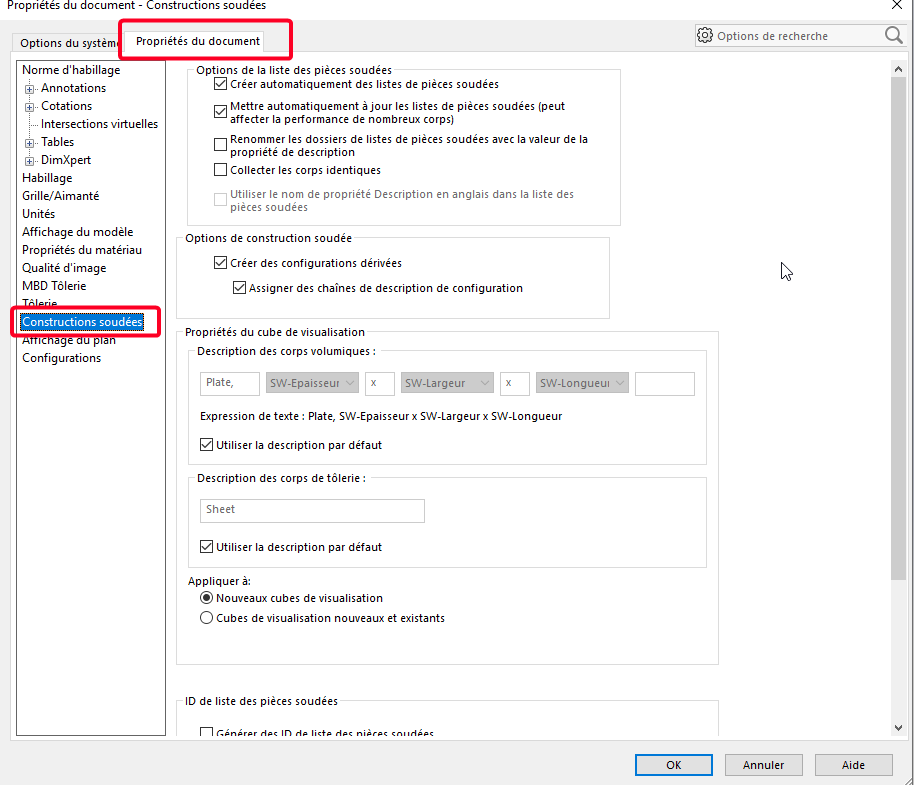
Pas sût que ce numéro puisse être enlevé à tester avec quelques essais (suivant version de SW changement possible)
1 « J'aime »
Aucune des options à cocher ne modifie cet affichage des <>
J’ai de mon côté essayé plusieurs modif dans les options et je n’arrive pas à avoir les <>. Je pense qu’il doit y avoir un fichier du style de calloutformat quelque part
Bonjour,
D’après l’aide de Solidworks il n’est pas possible de masquer le numéro d’instance à partir du moment où il y à (ou il y a eu) plusieurs occurrences du même composant dans l’assemblage :
https://my.solidworks.com/reader/onlinehelp/2021%252Fenglish%252Fswconnected%252Fswdotworks%252Fc_component_instance_numbers.htm/component-instance-numbering-in-assemblies?lang=de
Oui alors pourquoi certaines personnes n’ont pas ces numéros d’instances <>.
@Le-Bidule je n’ai pas modifié ce fichier et j’ai récemment réinstallé le soft donc ce fichier est d’origine.
Pourtant dans cet ancien sujet il y a le post de @stephane_GUINOT dans lequel on peut voir sa liste de pièces soudées sans les <>
https://forum.mycad.visiativ.com/t/proprietes-de-la-liste-des-pieces-soudees/110339/21?locale=fr&lang=fr
1 « J'aime »
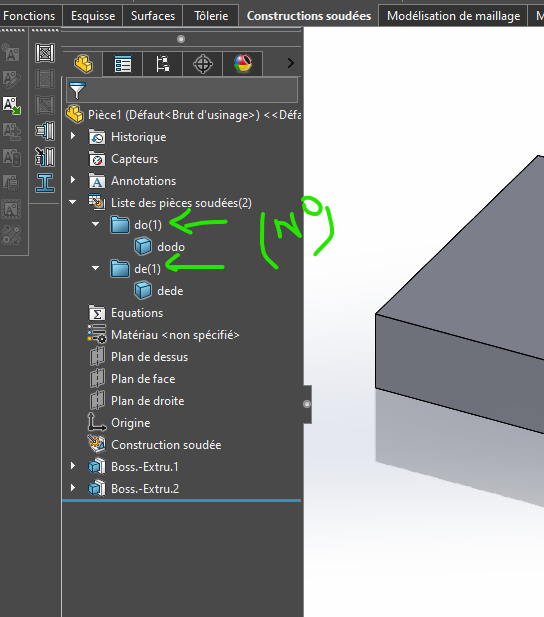
Ah oui curieux 
Non, c’est logique, en renommant les pièces avec des non différents, on obtient deux éléments "uniques "… donc plus besoin de <>.
Je pense que si @FRED78 renomme une nouvelle fois ses pièces soudées avec le même nom le repère d’occurrence doit réapparaitre.
1 « J'aime »
Curieusement non, en même temps lors de la création du sujet, la parenthèse revenait tout le temps  , mais bon avec SW je lâche prise
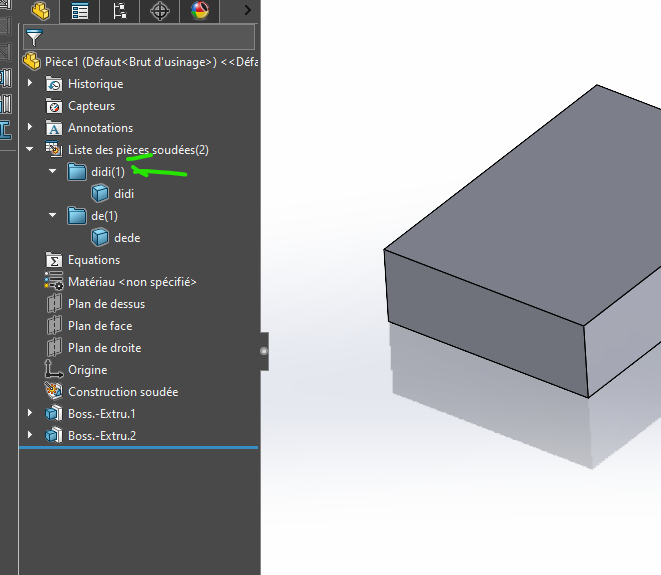
Mais si je supprime la fonction mécano-soudée et que je l’insert à nouveau là
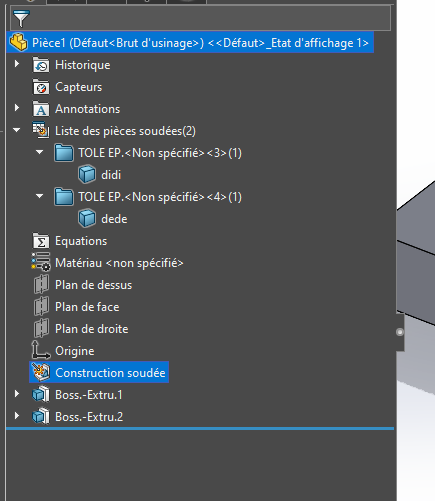
Perso je lâche l’affaire aussi sur pas mal de choses qui me semble utile niveau CAO.
Bref c’est un autre débat et là ça ne solutionne pas la ma problématique.
En faite l’idée de départ est de récupérer cette propriété (corps soudé) dans le formulaire de propriétés de la pièce via le formulaire de construction soudé mais les <> sont également importés donc pas top dans la nomenclature.
J’ai le même problème que vous dans la 3D
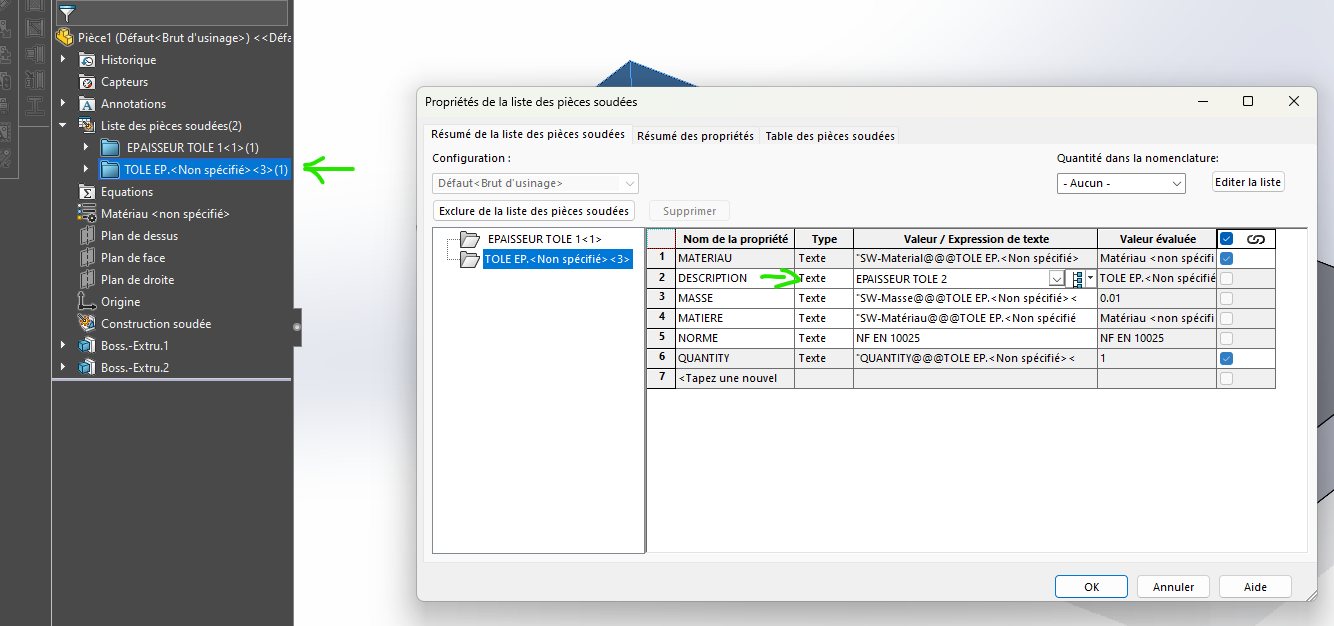
Mais dans la mise en plan ma nomenclature mécano-soudé n’intègre pas <>
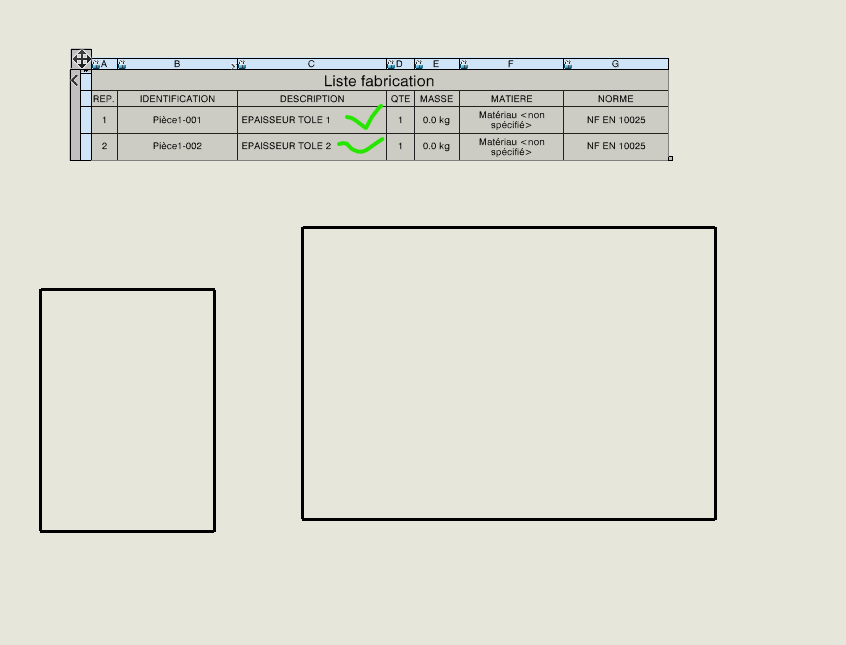
Cela dit nous rentrons manuellement la désignation des corps, certaine société sur notre projet on commencer à créer un cube de visualisation pour les dimensions de tôle. Mais on vite arrêté car trop problématique. Il faut travailler dans un sens pas dans un autre pour que les dimensions respecter une forme.
Bred dans la nomenclature la propriété est nommée ainsi