Hi all
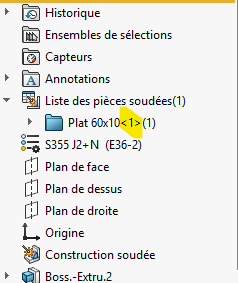
My question of the day; How to remove this " <1> " at the end of the welded part name
No, even with one body.
The qty is the number in parentheses.
Between <> it is the number of the article, in () it is the quantity. For example, if there is a repetition of bodies. For my part I don't have the <> (I don't know why)

This text comes from the options chosen here:
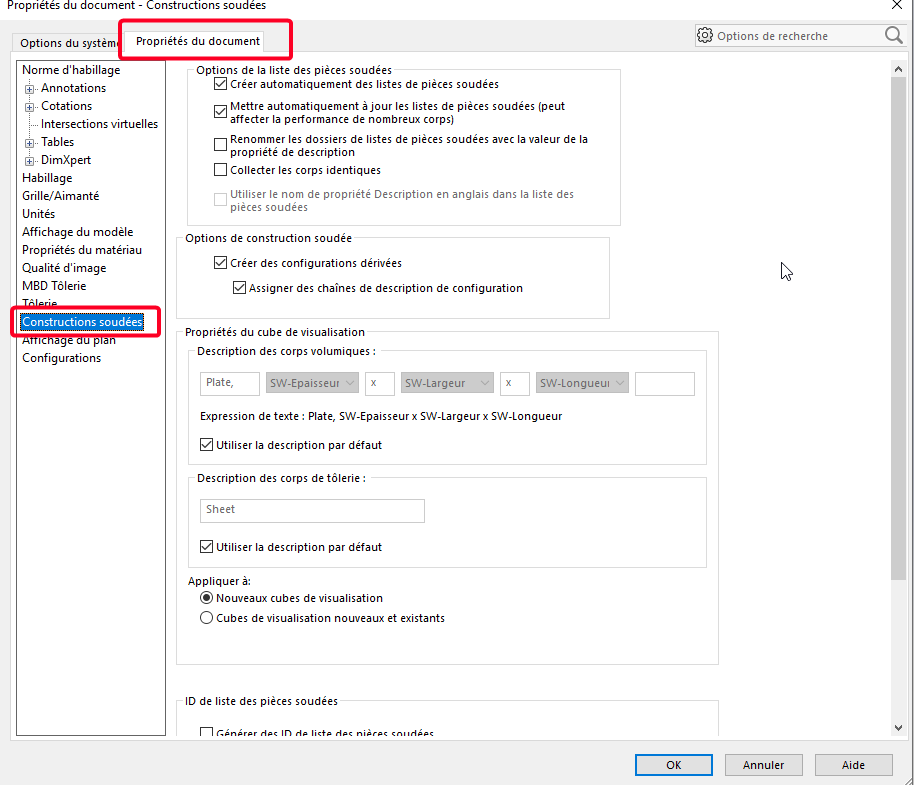
Not sure that this number can be removed to be tested with a few tries (depending on SW version possible change)
1 Like
None of the checkpoints change this display of <>
I've tried several modifications in the options and I can't get the <>. I think there must be a file like calloutformat somewhere
Hello
According to the Solidworks help, it is not possible to hide the instance number as long as there are (or have been) several occurrences of the same component in the assembly:
https://my.solidworks.com/reader/onlinehelp/2021%252Fenglish%252Fswconnected%252Fswdotworks%252Fc_component_instance_numbers.htm/component-instance-numbering-in-assemblies?lang=de
Yes, so why don't some people have these instance numbers <>.
@Le-Bidule I haven't modified this file and I recently reinstalled the software so this file is original.
However, in this old topic there is the post of @stephane_GUINOT in which we can see his list of welded parts without <>
https://forum.mycad.visiativ.com/t/proprietes-de-la-liste-des-pieces-soudees/110339/21?locale=fr&lang=fr
1 Like
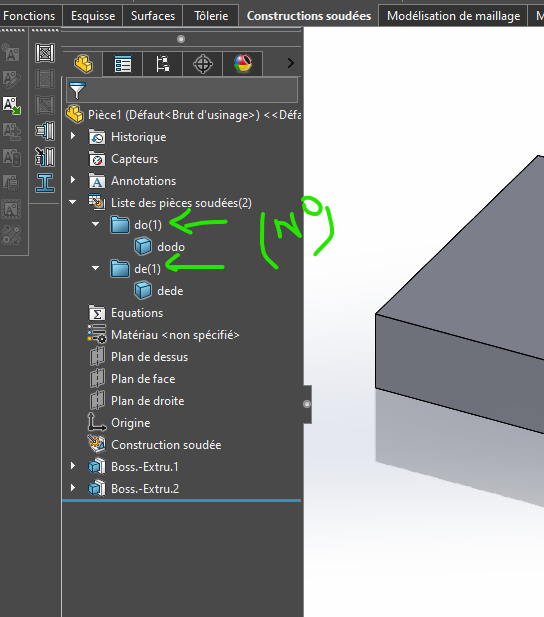
By renaming it replaces them with parentheses at home, and I no longer have <>
Oh yes, curious 
No, it's logical, by renaming the pieces with different no's, we get two "unique" elements... so no need to <>.
I think that if @FRED78 renames his welded parts with the same name again, the occurrence marker should reappear.
1 Like
Strangely no, at the same time when creating the subject, the parenthesis came back all the time  , but hey with SW I let go
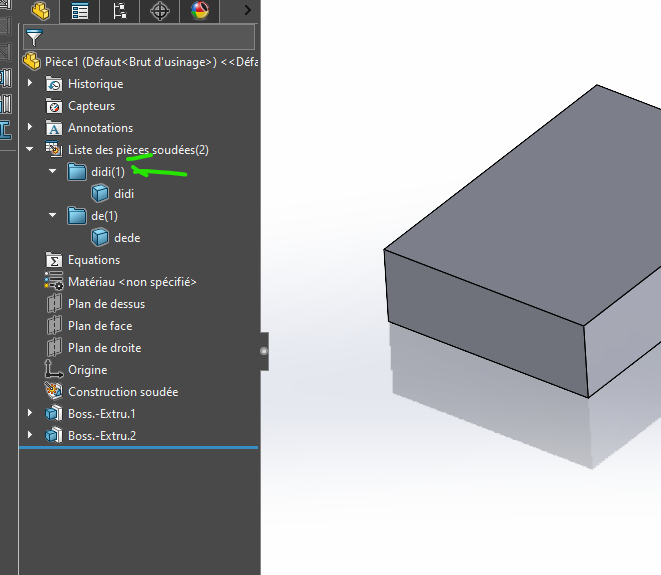
But if I remove the mechanically welded function and insert it there again
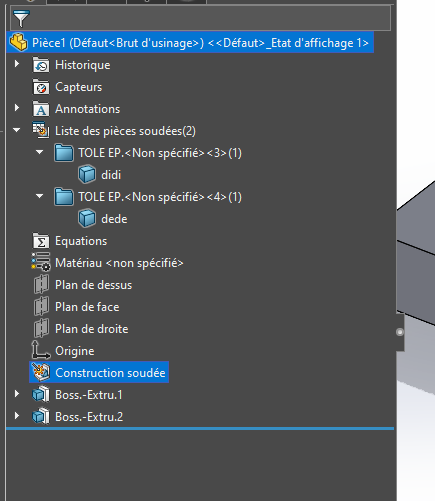
Personally, I also let go of the matter on a lot of things that seem useful to me in terms of CAD.
In short, it's another debate and it doesn't solve my problem.
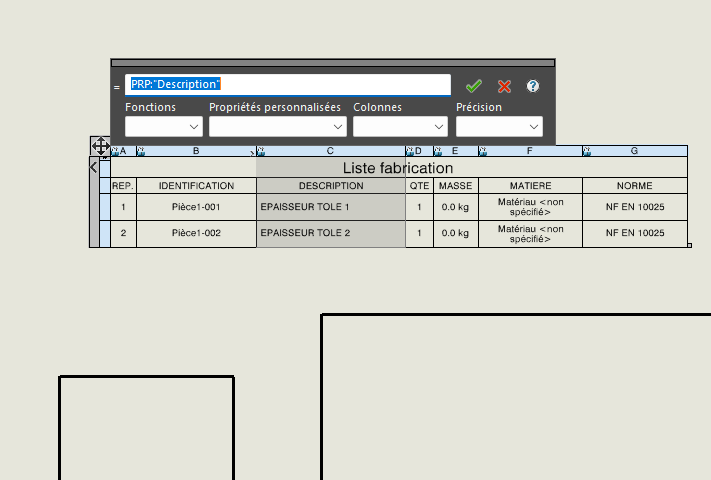
In fact, the initial idea is to retrieve this property (welded body) in the part properties form via the welded construction form, but the <> are also imported, so not top in the nomenclature.
I have the same problem as you in 3D
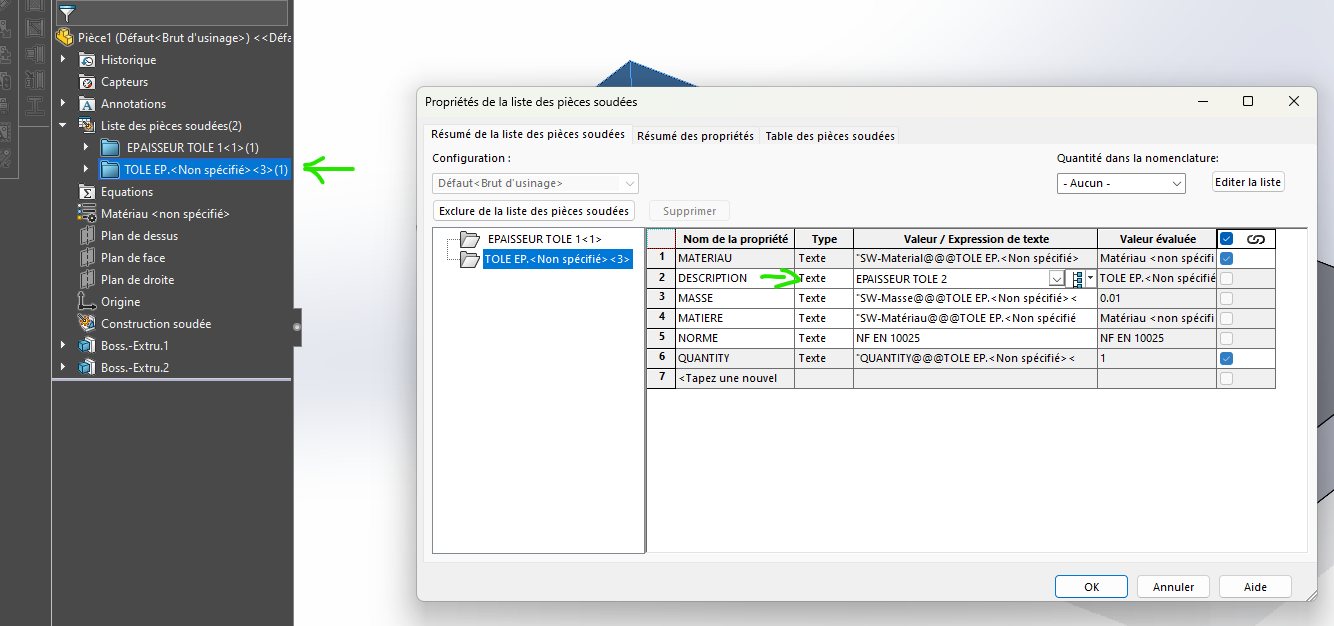
But in the drawing, my mechanically welded nomenclature does not include <>
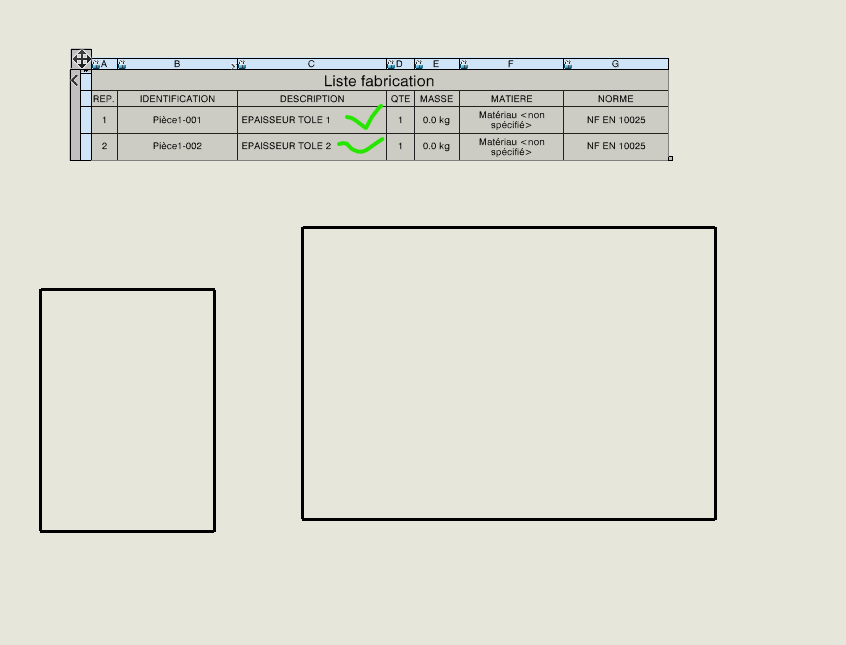
That said, we manually enter the designation of the bodies, some company on our project have started to create a visualization cube for the sheet metal dimensions. But we quickly stopped because it was too problematic. You have to work in one direction, not the other so that the dimensions respect a shape.
Bred in the nomenclature property is named as