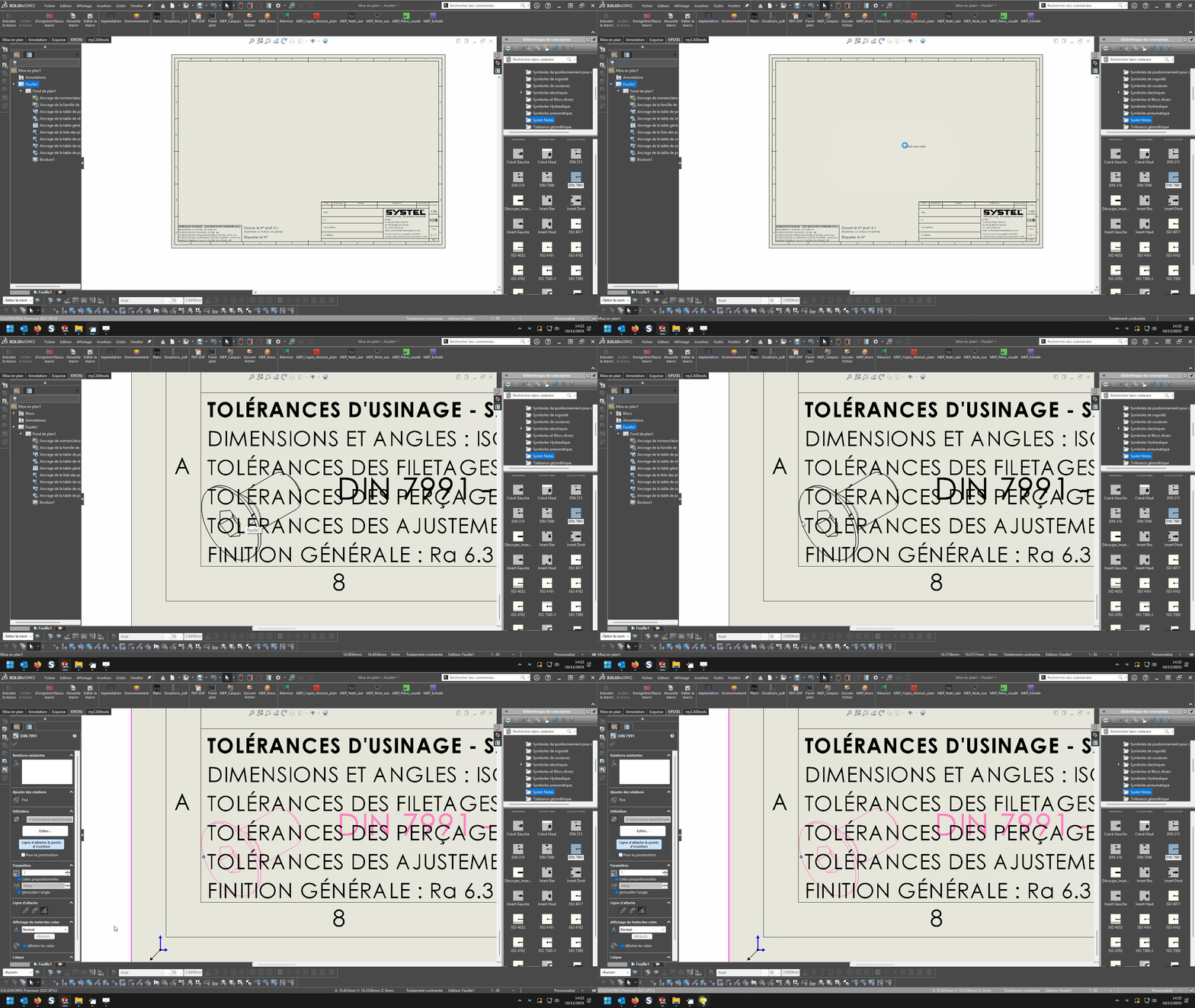
Macro-noted drawing

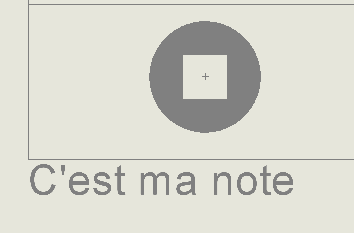
The insertion point of my block is very close to the block, the insertion is not done at the true x y position but at 0.0
Animation

yet when I do F8, the points x and y indicate the right value
The PB is here
Set swMathPoint = swMathUtil.CreatePoint(pt)

Set swBlockDef = rModel.SketchManager.MakeSketchBlockFromFile(swMathPoint, blkName, False, sScale, sAngle)

It doesn't integrate X and Y well

Difficult to solve the problem, at home it works:

2 Likes

By any chance, there are no traces of erased blocks left in the creation tree?

image

no trace of old blocks that I deleted before launch
Animation

After trying, I have the same problem with a block in the form of an array.
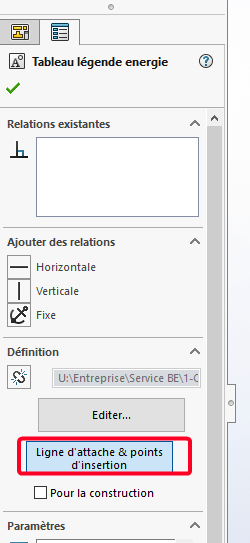
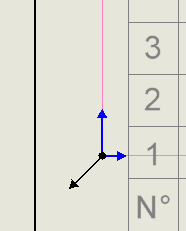
And if I click on attachment line and insertion point there are these 2 symbols (black + blue)
image

Possibly one of the 2, forces a certain position perhaps:
image

Hello
Is it possible to do tests on a 1:1 scale plan, the only time I fault the proposed code is when I'm at another plane scale.
Kind regards

1 Like

I had come to the same conclusion, problem of scale.
After testing with a 1:1 scale and unit in meters instead of mm it works perfectly so simple conversion to do + scaling to have the right insertion point.
image

And the scale of the block is also to be taken into consideration possibly with the scale.

at home scale 1/1 it always positions at zero

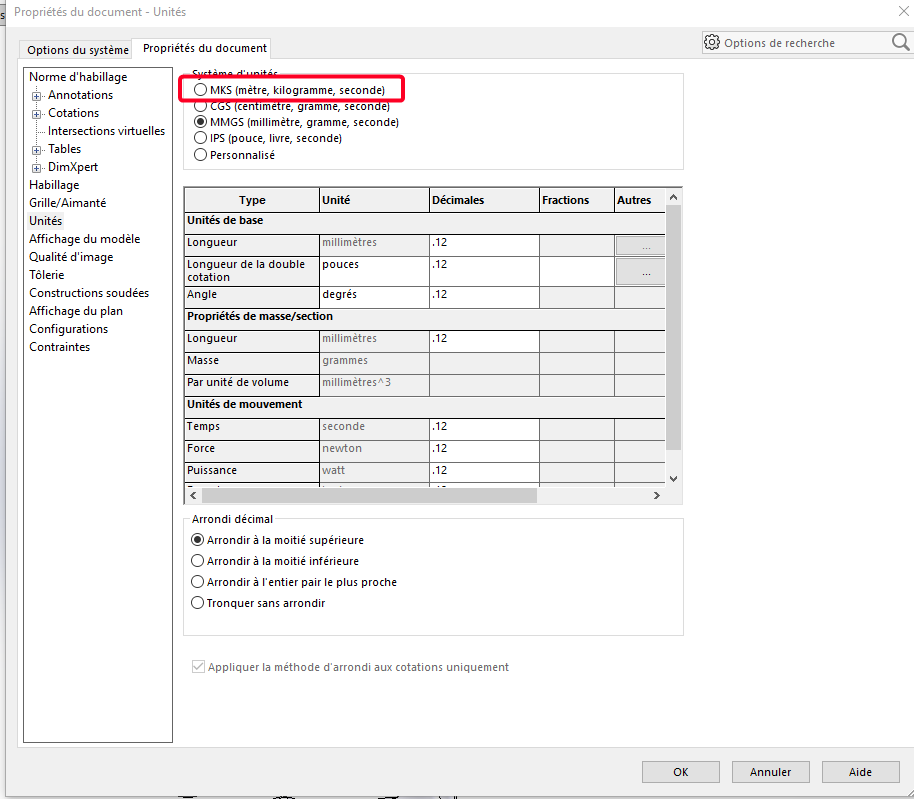
By changing the document unit to mks as well?
Tool/Options/Document Properties:


And I checked to test this MKS unit (instead of the usual MMGS)

This seems rather normal to me, the basic units of the Solidworks APIs are:
The meter and the radian (who knows why).

So technically it would be necessary: to find the coordinates in millimeters (Scale 1/1)

    Dim pt(2) As Double
    pt(0) = Xpt/1000
    pt(1) = Ypt/1000
    pt(2) = 0

The scale factor of the sheet also remains to be recovered:

Dim sheetScale As Double
sheetScale = swModel.Extension.GetSheetScale

and so we should get:

Dim pt(2) As Double
pt(0) = Xpt*sheetScale/1000
pt(1) = Ypt*sheetScale/1000
pt(2) = 0

Something a bit like that (I don't have access to Solidworks so it's a blind proposal...)

1 Like

Bonjour,

Voici une petite copie d’un code que j’ai effectuez pour l’insertion de texte sur solidworks dans une mise en plan

Private Sub CommandButton2_Click()

Set swApp = Application.SldWorks

Set Part = swApp.ActiveDoc
Part.FontPoints 13

Dim myNote As Object
Dim myAnnotation As Object
Dim myTextFormat As Object
Set myNote = Part.InsertNote(« TECH. IDENT.: »)
If Not myNote Is Nothing Then
myNote.LockPosition = False
myNote.Angle = 0
boolstatus = myNote.SetBalloon(0, 0)
Set myAnnotation = myNote.GetAnnotation()
If Not myAnnotation Is Nothing Then
longstatus = myAnnotation.SetLeader3(swLeaderStyle_e.swNO_LEADER, 0, True, False, False, False)
boolstatus = myAnnotation.SetPosition(0.099, 0.286, 0)

  Set myTextFormat = Part.GetUserPreferenceTextFormat(0)
  myTextFormat.Italic = False
  myTextFormat.Underline = False
  myTextFormat.Strikeout = False
  myTextFormat.Bold = False
  myTextFormat.Escapement = 0
  myTextFormat.LineSpacing = 0.001
  myTextFormat.CharHeightInPts = True
  myTextFormat.TypeFaceName = "Century Gothic"
  myTextFormat.WidthFactor = 1
  myTextFormat.ObliqueAngle = 0
  myTextFormat.LineLength = 0
  myTextFormat.Vertical = False
  myTextFormat.BackWards = False
  myTextFormat.UpsideDown = False
  myTextFormat.CharSpacingFactor = 1
  boolstatus = myAnnotation.SetTextFormat(0, False, myTextFormat)

End If
End If
Part.ClearSelection2 True
Part.WindowRedraw

End Sub

Bonne soiré

To insert a block:

Dim swApp As SldWorks.SldWorks
Dim swModel As SldWorks.ModelDoc2
Dim swModelView As SldWorks.ModelView
Dim TheMouse As SldWorks.mouse
Dim obj As New Classe1

Sub main()
    Set swApp = Application.SldWorks
    Set swModel = swApp.ActiveDoc
    Set swModelView = swModel.GetFirstModelView
    Set TheMouse = swModelView.GetMouse

    obj.init TheMouse, swApp, swModel
    
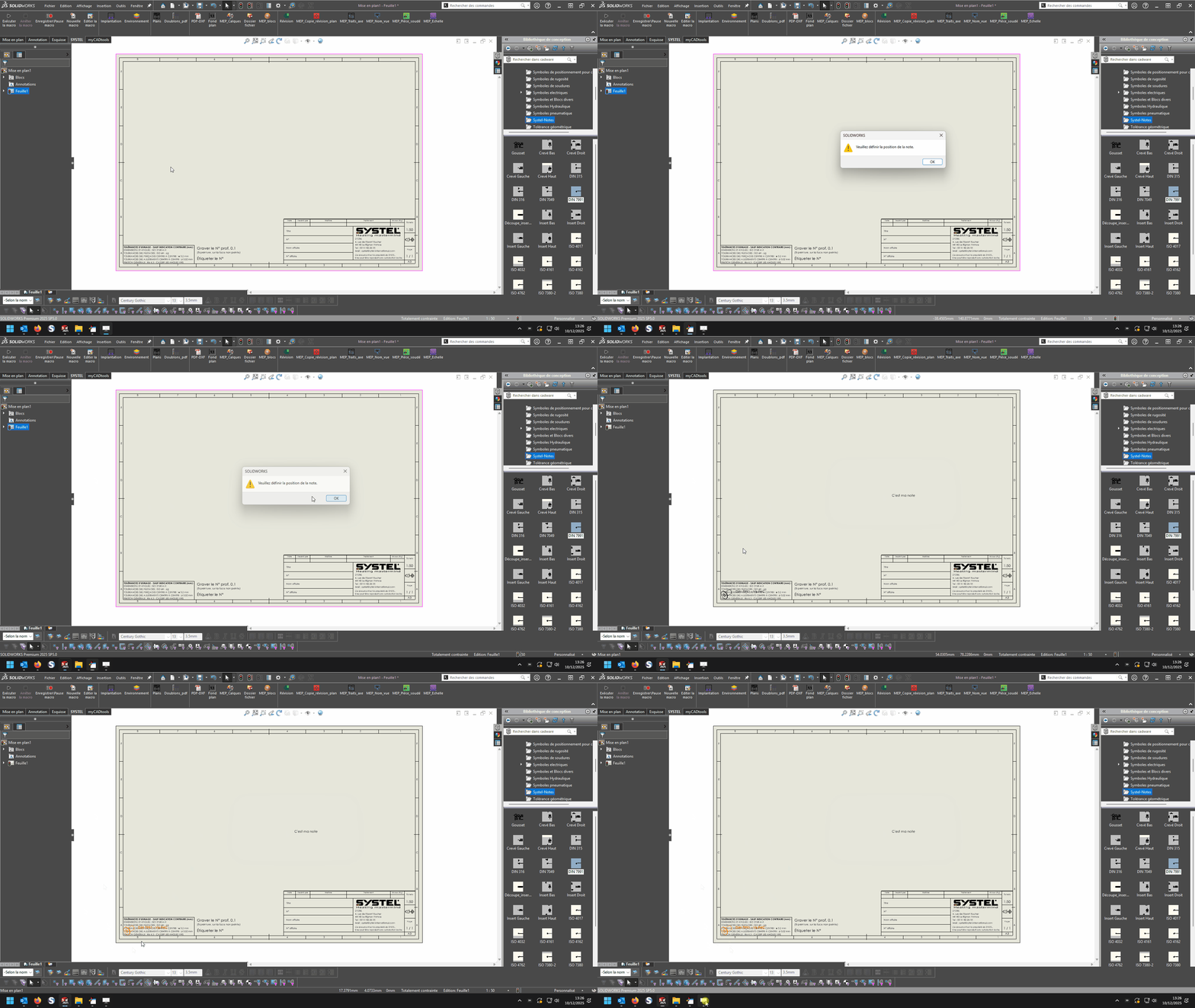
    swApp.SendMsgToUser "Veuillez définir la position du bloc."
End Sub

And for the class:

'Classe1
Dim WithEvents ms As SldWorks.mouse

Private cSwApp As SldWorks.SldWorks
Private cswModel As SldWorks.ModelDoc2
Private cswModelView As SldWorks.ModelView
Private cswDraw As SldWorks.DrawingDoc
Private cswSheet As SldWorks.Sheet
Private cswView As SldWorks.View
Private ech As Variant
Private cScale As Variant

Private Sub Class_Initialize()

End Sub

Public Sub init(mouse As Object, sldw As SldWorks.SldWorks, slddoc As SldWorks.ModelDoc2)
    Set ms = mouse
    Set cSwApp = sldw
    Set cswModel = slddoc
    Set cswDraw = cswModel
    Set cswSheet = cswDraw.GetCurrentSheet
    Set cswView = cswDraw.GetFirstView
End Sub

Private Function ms_MouseSelectNotify(ByVal Ix As Long, ByVal Iy As Long, ByVal x As Double, ByVal y As Double, ByVal z As Double) As Long
    ech = cswView.ScaleRatio
    cScale = ech(0) / ech(1)

    Dim sBlockPath As String
    sBlockPath = "C:\Users\dro\Documents DRO-P10\SW local\Bibliotheque_Annotations et blocs\Tableau engrenage.SLDBLK"
    Set swBlkInst = Insert_Block(cswModel, sBlockPath, x / cScale, y / cScale)
    
    End
End Function

Private Function ms_MouseLBtnDownNotify(ByVal x As Long, ByVal y As Long, ByVal WParam As Long) As Long
    
End Function

Function Insert_Block(ByVal rModel As ModelDoc2, ByVal blkName As String, ByVal Xpt As Double, ByVal Ypt As Double, Optional ByVal sAngle As Double = 0, Optional ByVal sScale As Double = 1) As Object
    Dim swBlockDef As SketchBlockDefinition
    Dim swMathPoint As MathPoint
    Dim swMathUtil As MathUtility
    
    Set swMathUtil = cSwApp.GetMathUtility
    
    Dim pt(2) As Double
    pt(0) = Xpt
    pt(1) = Ypt
    pt(2) = 0

    Set swMathPoint = swMathUtil.CreatePoint(pt)

    Set swBlockDef = rModel.SketchManager.MakeSketchBlockFromFile(swMathPoint, blkName, False, sScale, sAngle)

    rModel.GraphicsRedraw2
End Function
2 Likes

@d_roger macro, perfectly functional for me, with a very clean and readable code as usual!
@Bob_2000 up to you to validate if it works for you as well.
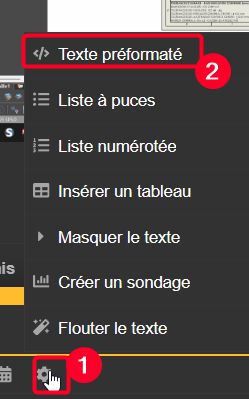
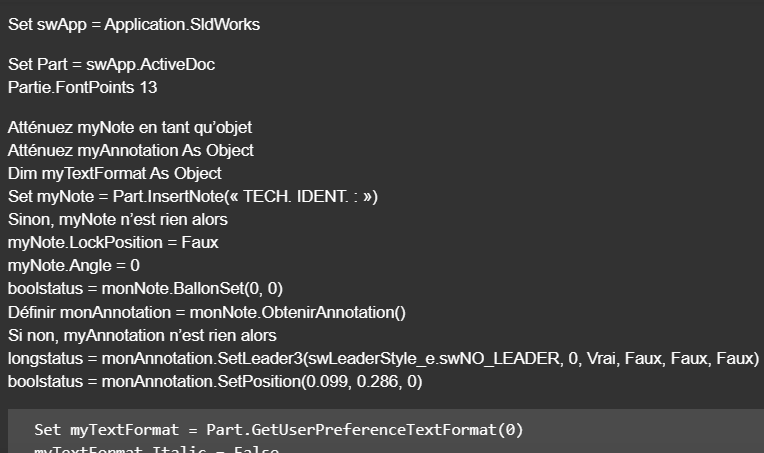
@Centor your macro is transformed, you have to edit it in a special window (preformatted text), otherwise the language conversion is humorous:
image

For fun :stuck_out_tongue_winking_eye: :crazy_face::
image

image

On the other hand, the end of the submarine has disappeared, to make way for the end of the replacement! :rofl: :rofl: :rofl:

2 Likes

mdr yes indeed I just noticed xD

Private Sub CommandButton2_Click()

Set swApp = Application.SldWorks

Set Part = swApp.ActiveDoc
Part.FontPoints 13

Dim myNote As Object
Dim myAnnotation As Object
Dim myTextFormat As Object
Set myNote = Part.InsertNote("<FONT size=13PTS>TECH. IDENT.:")
If Not myNote Is Nothing Then
   myNote.LockPosition = False
   myNote.Angle = 0
   boolstatus = myNote.SetBalloon(0, 0)
   Set myAnnotation = myNote.GetAnnotation()
   If Not myAnnotation Is Nothing Then
      longstatus = myAnnotation.SetLeader3(swLeaderStyle_e.swNO_LEADER, 0, True, False, False, False)
      boolstatus = myAnnotation.SetPosition(0.099, 0.286, 0)

      Set myTextFormat = Part.GetUserPreferenceTextFormat(0)
      myTextFormat.Italic = False
      myTextFormat.Underline = False
      myTextFormat.Strikeout = False
      myTextFormat.Bold = False
      myTextFormat.Escapement = 0
      myTextFormat.LineSpacing = 0.001
      myTextFormat.CharHeightInPts = True
      myTextFormat.TypeFaceName = "Century Gothic"
      myTextFormat.WidthFactor = 1
      myTextFormat.ObliqueAngle = 0
      myTextFormat.LineLength = 0
      myTextFormat.Vertical = False
      myTextFormat.BackWards = False
      myTextFormat.UpsideDown = False
      myTextFormat.CharSpacingFactor = 1
      boolstatus = myAnnotation.SetTextFormat(0, False, myTextFormat)
   End If
End If
Part.ClearSelection2 True
Part.WindowRedraw

End Sub

Private Sub CommandButton3_Click()
Set swApp = Application.SldWorks

Set Part = swApp.ActiveDoc
Part.FontPoints 13

Dim myNote As Object
Dim myAnnotation As Object
Dim myTextFormat As Object
Set myNote = Part.InsertNote("<FONT size=13PTS>{Identification}")
If Not myNote Is Nothing Then
   myNote.LockPosition = False
   myNote.Angle = 0
   boolstatus = myNote.SetBalloon(0, 0)
   Set myAnnotation = myNote.GetAnnotation()
   If Not myAnnotation Is Nothing Then
      longstatus = myAnnotation.SetLeader3(swLeaderStyle_e.swNO_LEADER, 0, True, False, False, False)
      boolstatus = myAnnotation.SetPosition(0.130806397772014, 0.286, 0)

      Set myTextFormat = Part.GetUserPreferenceTextFormat(0)
      myTextFormat.Italic = False
      myTextFormat.Underline = False
      myTextFormat.Strikeout = False
      myTextFormat.Bold = False
      myTextFormat.Escapement = 0
      myTextFormat.LineSpacing = 0.001
      myTextFormat.CharHeightInPts = True
      myTextFormat.TypeFaceName = "Century Gothic"
      myTextFormat.WidthFactor = 1
      myTextFormat.ObliqueAngle = 0
      myTextFormat.LineLength = 0
      myTextFormat.Vertical = False
      myTextFormat.BackWards = False
      myTextFormat.UpsideDown = False
      myTextFormat.CharSpacingFactor = 1
      boolstatus = myAnnotation.SetTextFormat(0, False, myTextFormat)
   End If
End If
Part.ClearSelection2 True
Part.WindowRedraw

End Sub

1 Like

D roger's macro works but I'm still in trouble, it puts me at 0.0 despite an x and y different

Dim swApp As SldWorks.SldWorks
Dim swModel As SldWorks.ModelDoc2
Dim swModelView As SldWorks.ModelView
Dim TheMouse As SldWorks.mouse
Public obj As New Classe1
Public X_Value As Double
Public Y_Value As Double
Public Z_Value As Double
'Public cScale As Double
'Public ech As Variant

Sub Notes_00()
Set swApp = Application.SldWorks
Set swModel = swApp.ActiveDoc
Set swModelView = swModel.GetFirstModelView
Set TheMouse = swModelView.GetMouse

obj.init TheMouse, swApp, swModel

UserForm2.Show vbModeless
End Sub

Sub Notes_01()
Dim swApp As Object
Dim Part As Object
Dim myBlockDefinition As Object
Dim myAnnotation As Object
Dim URL As String
Dim NR As String
Dim NUM As String 'Pas byte sinon bt annulé impossible
Dim REPONSE As String

Dim swMathUtil As Object
Dim insPt As Object
Dim vInsertPoint(2) As Double

Set swApp = Application.SldWorks
Set Part = swApp.ActiveDoc


URL = "C:\Users\Notes\"

NUM = InputBox("1 : Tableau découpe insert hexagonal" & vbCrLf & _
               "2 : Gousset" & vbCrLf & _
               "3 : Soudure" & vbCrLf & vbCrLf & _
               "Entrez le numéro du bloc à insérer", "Choix de la note")

Select Case NUM
    Case "1": NR = "Découpe_insert_hex.SLDBLK": Echelle = 1: EXT = "A"
    Case "2": NR = "Gousset.sldnotestl": EXT = "B"
    Case "3": NR = "Soudure.SLDBLK": Echelle = 0.045: EXT = "A"
    Case Else: Exit Sub
End Select

REPONSE = URL & NR

If EXT = "B" Then
Set myAnnotation = Part.Extension.InsertAnnotationFavorite(REPONSE, X_Value, Y_Value, 0)
Else
Set swMathUtil = swApp.GetMathUtility

vInsertPoint(0) = X_Value
vInsertPoint(1) = Y_Value
vInsertPoint(2) = Z_Value


Set insPt = swMathUtil.CreatePoint(vInsertPoint)
Set myBlockDefinition = Part.SketchManager.MakeSketchBlockFromFile(insPt, REPONSE, False, Echelle, 0)
End If

End Sub


Dim WithEvents ms As SldWorks.mouse
Private cSwApp As SldWorks.SldWorks
Private cswModelView As SldWorks.ModelView
Private cswModel As SldWorks.ModelDoc2
Private cswDraw As SldWorks.DrawingDoc
Private cswSheet As SldWorks.Sheet
Private cswView As SldWorks.View
Public ech As Variant
Public cScale As Double

Public Sub init(mouse As Object, sldw As SldWorks.SldWorks, slddoc As SldWorks.ModelDoc2)
Set ms = mouse
Set cSwApp = sldw
Set cswModel = slddoc
Set cswDraw = cswModel
Set cswSheet = cswDraw.GetCurrentSheet
Set cswView = cswDraw.GetFirstView
'If cswView Is Nothing Then Set cswView = cswDraw.GetFirstView

End Sub
Private Function ms_MouseSelectNotify(ByVal Ix As Long, ByVal Iy As Long, ByVal x As Double, ByVal y As Double, ByVal z As Double) As Long
ech = cswView.ScaleRatio
cScale = ech(0) / ech(1)

UserForm2.TextBox1.Value = Round(x/ cScale, 4)
UserForm2.TextBox2.Value = Round(y/ cScale, 4)

End Function

Public Sub Terminer()
Set ms = Nothing
Set cSwApp = Nothing
Set cswModel = Nothing
End Sub

Private Sub CommandButton1_Click()
'OK

If TextBox1.Value = "" Or TextBox2.Value = "" Then Exit Sub
X_Value = CDbl(Me.TextBox1.Value)
Y_Value = CDbl(Me.TextBox2.Value) 
Z_Value = 0#
    
obj.Terminer
Set obj = Nothing
Unload UserForm2
Set UserForm2 = Nothing

Notes_01
End Sub

@d_roger :
Do you also have an " event " planned on the Left click?

Private Function ms_MouseLBtnDownNotify(ByVal x As Long, ByVal y As Long, ByVal WParam As Long) As Long
End Function

No, I validate with the USF, so I can click several times as needed

In your Sub Notes_01() try replacing

Else
Set swMathUtil = swApp.GetMathUtility

vInsertPoint(0) = X_Value
vInsertPoint(1) = Y_Value
vInsertPoint(2) = Z_Value


Set insPt = swMathUtil.CreatePoint(vInsertPoint)
Set myBlockDefinition = Part.SketchManager.MakeSketchBlockFromFile(insPt, REPONSE, False, Echelle, 0)

by:

Else
        *vInsertPoint(0) = X_Value* 'peut être supprimé
        *vInsertPoint(1) = Y_Value* 'peut être supprimé
        *vInsertPoint(2) = Z_Value* 'peut être supprimé

        Set swBlkInst = Insert_Block(Part, REPONSE, X_Value, Y_Value, 1, 0)

and adding the function:

Function Insert_Block(ByVal rModel As ModelDoc2, ByVal blkName As String, ByVal Xpt As Double, ByVal Ypt As Double, Optional ByVal sScale As Double = 1, Optional ByVal sAngle As Double = 0) As Object
    Dim swBlockDef As SketchBlockDefinition
    Dim swMathPoint As MathPoint
    Dim swMathUtil As MathUtility
    
    Set swMathUtil = swApp.GetMathUtility
    
    Dim pt(2) As Double
    pt(0) = Xpt
    pt(1) = Ypt
    pt(2) = 0

    Set swMathPoint = swMathUtil.CreatePoint(pt)

    Set swBlockDef = rModel.SketchManager.MakeSketchBlockFromFile(swMathPoint, blkName, False, sScale, sAngle)

    rModel.GraphicsRedraw2
End Function

after your End Sub

1 Like

I left the function blank in place because at first I didn't know if I would need it, it can be removed.

Issue solved with a good edit
There is indeed no scaling for the insertion of SLDNOTESTLs
for SLDBLK, scaling

Nothing coherent in all this

Not being an expert, neither are the AIs, I spent a lot of time with them for a zero result

A big thank you to D ROGER, without whom this project would never have been possible for my part

Dim swApp As SldWorks.SldWorks
Dim swModel As SldWorks.ModelDoc2
Dim swModelView As SldWorks.ModelView
Dim TheMouse As SldWorks.mouse
Public obj As New Classe1
Public X_Value As Double
Public Y_Value As Double
Public Z_Value As Double

Sub Notes_00()
Set swApp = Application.SldWorks
Set swModel = swApp.ActiveDoc
Set swModelView = swModel.GetFirstModelView
Set TheMouse = swModelView.GetMouse

obj.init TheMouse, swApp, swModel

UserForm2.Show vbModeless
End Sub

Sub Notes_01()
Dim swApp As Object
Dim Part As Object
Dim myBlockDefinition As Object
Dim myAnnotation As Object
Dim URL As String
Dim NR As String
Dim NUM As String 'Pas byte sinon bt annulé impossible
Dim REPONSE As String

Dim swMathUtil As Object
Dim insPt As Object
Dim vInsertPoint(2) As Double

Set swApp = Application.SldWorks
Set Part = swApp.ActiveDoc


URL = "C:\Users\Notes\"

NUM = InputBox("1 : Tableau découpe insert hexagonal" & vbCrLf & _
               "2 : Gousset" & vbCrLf & _
               "3 : Soudure" & vbCrLf & vbCrLf & _
               "Entrez le numéro du bloc à insérer", "Choix de la note")

Select Case NUM
    Case "1": NR = "Découpe_insert_hex.SLDBLK": Echelle = 1: EXT = "A"
    Case "2": NR = "Gousset.sldnotestl": EXT = "B"
    Case "3": NR = "Soudure.SLDBLK": Echelle = 0.045: EXT = "A"
    Case Else: Exit Sub
End Select

REPONSE = URL & NR

If EXT = "B" Then
Set myAnnotation = Part.Extension.InsertAnnotationFavorite(REPONSE, X_Value, Y_Value, 0)
Else


Set swBlkInst = Insert_Block(Part, REPONSE, X_Value, Y_Value, Echelle, 0)
End If

End Sub

Function Insert_Block(ByVal rModel As ModelDoc2, ByVal blkName As String, ByVal Xpt As Double, ByVal Ypt As Double, Optional ByVal sScale As Double = 1, Optional ByVal sAngle As Double = 0) As Object
Dim swBlockDef As SketchBlockDefinition
Dim swMathPoint As MathPoint
Dim swMathUtil As MathUtility

Set swMathUtil = swApp.GetMathUtility

Dim pt(2) As Double
pt(0) = Xpt / obj.cScale
pt(1) = Ypt / obj.cScale
pt(2) = 0

Set swMathPoint = swMathUtil.CreatePoint(pt)

Set swBlockDef = rModel.SketchManager.MakeSketchBlockFromFile(swMathPoint, blkName, False, sScale, sAngle)

rModel.GraphicsRedraw2
End Function

Class 1 Module

Dim WithEvents ms As SldWorks.mouse
Private cSwApp As SldWorks.SldWorks
Private cswModelView As SldWorks.ModelView
Private cswModel As SldWorks.ModelDoc2
Private cswDraw As SldWorks.DrawingDoc
Private cswSheet As SldWorks.Sheet
Private cswView As SldWorks.View
Public ech As Variant
Public cScale As Double

Public Sub init(mouse As Object, sldw As SldWorks.SldWorks, slddoc As SldWorks.ModelDoc2)
Set ms = mouse
Set cSwApp = sldw
Set cswModel = slddoc
Set cswDraw = cswModel
Set cswSheet = cswDraw.GetCurrentSheet
Set cswView = cswDraw.GetFirstView
End Sub

Private Function ms_MouseSelectNotify(ByVal Ix As Long, ByVal Iy As Long, ByVal x As Double, ByVal y As Double, ByVal z As Double) As Long
ech = cswView.ScaleRatio
cScale = ech(0) / ech(1)

UserForm2.TextBox1.Value = Round(x, 4)
UserForm2.TextBox2.Value = Round(y, 4)
End Function

Public Sub Terminer()
Set ms = Nothing
Set cSwApp = Nothing
Set cswModel = Nothing
End Sub

userform2

Private Sub CommandButton1_Click()
'OK

If TextBox1.Value = "" Or TextBox2.Value = "" Then Exit Sub
X_Value = CDbl(Me.TextBox1.Value)
Y_Value = CDbl(Me.TextBox2.Value)
Z_Value = 0#
    
obj.Terminer
Unload UserForm2
Set UserForm2 = Nothing

Notes_01
Set obj = Nothing
End Sub
2 Likes