Ich bin wohl nicht besonders gut darin, aber ich kann meine Notiz an diesem Punkt nicht positionieren, obwohl meine x und y korrekt sind. Wenn ich F8 mache, sehe ich, dass es in Ordnung ist, es muss ein pb mit Set insPt = swMathUtil.CreatePoint(vInsertPoint) geben, da der Einsatz meines Blocks immer noch an Punkt 0,0 liegt.
Sub Notes_01()
Dim swApp As Object
Dim Part As Object
Dim myBlockDefinition As Object
Dim myAnnotation As Object
Dim URL As String
Dim NR As String
Dim NUM As String 'Pas byte sinon bt annulé impossible
Dim REPONSE As String

Dim swMathUtil As Object
Dim insPt As Object
Dim vInsertPoint(2) As Double

Set swApp = Application.SldWorks
Set Part = swApp.ActiveDoc

Dim X_Coord_Val As Double
Dim Y_Coord_Val As Double
X_Coord_Val = CDbl(UserForm2.TextBox1.Value)
Y_Coord_Val = CDbl(UserForm2.TextBox2.Value)
Z_Coord_Val = 0#

URL = "C:\Notes\"

NUM = InputBox("1 : Tableau découpe insert hexagonal" & vbCrLf & _
               "2 : Gousset" & vbCrLf & _
               "3 : Soudure" & vbCrLf & vbCrLf & _
               "Entrez le numéro du bloc à insérer", "Choix de la note")

Select Case NUM
    Case "1": NR = "Découpe_insert_hex.SLDBLK": Echelle = 1: EXT = "A"
    Case "2": NR = "Gousset.sldnotestl": EXT = "B"
    Case "3": NR = "Soudure.SLDBLK": Echelle = 0.045: EXT = "A"
    Case Else: Exit Sub
End Select

REPONSE = URL & NR

If EXT = "B" Then
Set myAnnotation = Part.Extension.InsertAnnotationFavorite(REPONSE, X_Coord_Val, Y_Coord_Val, 0)
Else
'Set myBlockDefinition = Part.SketchManager.MakeSketchBlockFromFile(Nothing, REPONSE, False, Echelle, 0)
Set swMathUtil = swApp.GetMathUtility

vInsertPoint(0) = X_Coord_Val
vInsertPoint(1) = Y_Coord_Val
vInsertPoint(2) = Z_Coord_Val


Set insPt = swMathUtil.CreatePoint(vInsertPoint)
Set myBlockDefinition = Part.SketchManager.MakeSketchBlockFromFile(insPt, REPONSE, False, Echelle, 0)
End If

End Sub
Hier ist ein kleines Beispiel, das für mich funktioniert:
Dim swApp As SldWorks.SldWorks
Dim swModel As SldWorks.ModelDoc2
Dim swModelView As SldWorks.ModelView
Dim TheMouse As SldWorks.mouse
Dim obj As New Classe1

Sub main()
    Set swApp = Application.SldWorks
    Set swModel = swApp.ActiveDoc
    Set swModelView = swModel.GetFirstModelView
    Set TheMouse = swModelView.GetMouse

    obj.init TheMouse, swApp, swModel

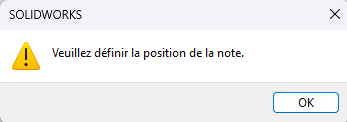
    swApp.SendMsgToUser "Veuillez définir la position de la note."
End Sub
Und für die Klasse:
'Classe1
Dim WithEvents ms As SldWorks.mouse

Private cSwApp As SldWorks.SldWorks
Private cswModel As SldWorks.ModelDoc2

Private Sub Class_Initialize()

End Sub

Public Sub init(mouse As Object, sldw As SldWorks.SldWorks, slddoc As SldWorks.ModelDoc2)
    Set ms = mouse
    Set cSwApp = sldw
    Set cswModel = slddoc
End Sub

Private Function ms_MouseSelectNotify(ByVal Ix As Long, ByVal Iy As Long, ByVal x As Double, ByVal y As Double, ByVal z As Double) As Long
    Set myNote = cswModel.InsertNote("C'est ma note")
    If Not myNote Is Nothing Then
       Set myAnnotation = myNote.GetAnnotation()
       If Not myAnnotation Is Nothing Then
          boolstatus = myAnnotation.SetPosition(x, y, 0)
       End If
    End If
    cswModel.ClearSelection2 True
    cswModel.WindowRedraw

    Dim sBlockPath As String
    sBlockPath = "C:\Users\dro\Documents\Bibliotheque_blocs\Tableau.SLDBLK"
    Set swBlkInst = Insert_Block(cswModel, sBlockPath, x, y)

    End
End Function

Private Function ms_MouseLBtnDownNotify(ByVal x As Long, ByVal y As Long, ByVal WParam As Long) As Long

End Function

Function Insert_Block(ByVal rModel As ModelDoc2, ByVal blkName As String, ByVal Xpt As Double, ByVal Ypt As Double, Optional ByVal sAngle As Double = 0, Optional ByVal sScale As Double = 1) As Object
    Dim swBlockDef As SketchBlockDefinition
    Dim swMathPoint As MathPoint
    Dim swMathUtil As MathUtility

    Set swMathUtil = cSwApp.GetMathUtility

    Dim pt(2) As Double
    pt(0) = Xpt
    pt(1) = Ypt
    pt(2) = 0

    Set swMathPoint = swMathUtil.CreatePoint(pt)

    Set swBlockDef = rModel.SketchManager.MakeSketchBlockFromFile(swMathPoint, blkName, False, sScale, sAngle)

    rModel.GraphicsRedraw2
End Function
Denken Sie daran, die Zeile zu ändern: sBlockPath = " C:\Users\dro\Documents\Bibliotheque_blocs\Tableau.SLDBLK " um den Weg zu deinem Block zu finden.
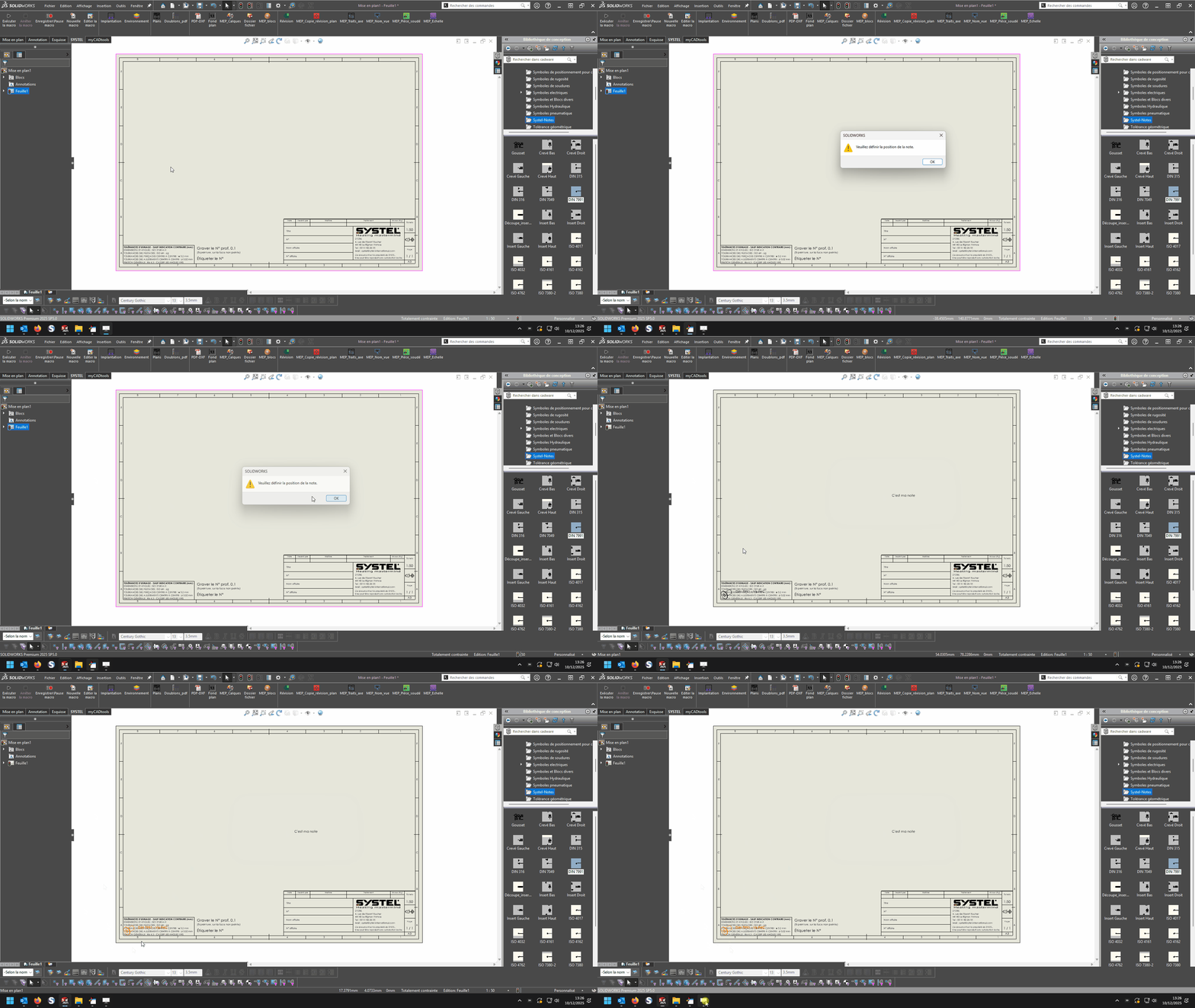
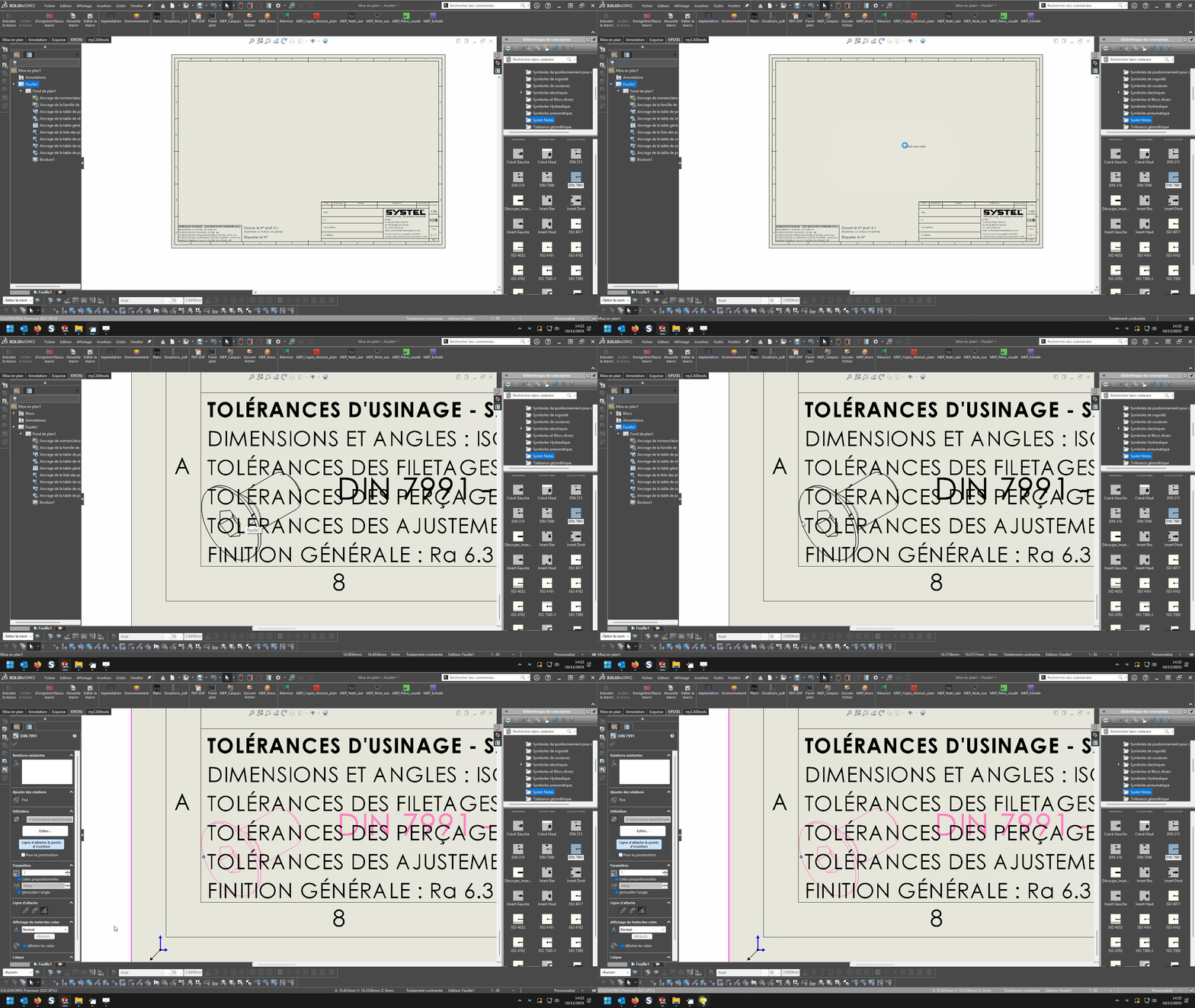
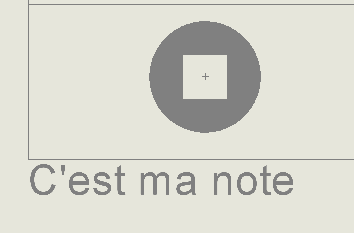
Dort musst du auf OK klicken und dann irgendwo auf dem Blatt klicken, eine Notiz " Dies ist meine Notiz " wird auf den ausgewählten Punkt gesetzt, und der im Pfad von " sBlockPath " gewählte Block wird ebenfalls auf diesen ausgewählten Punkt eingefügt; natürlich ist es der Ursprungspunkt des Blocks, der auf dem ausgewählten Punkt liegt, also wenn dieser Ursprungspunkt des Blocks im Verhältnis zu den sichtbaren Elementen des Blocks schlecht positioniert ist dann kann der Block außerhalb des Lakens landen ...
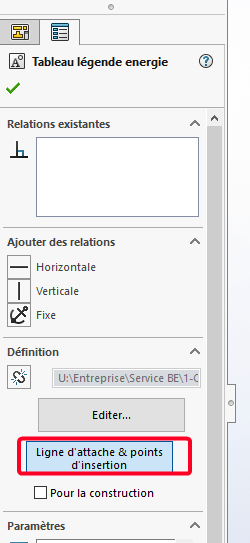
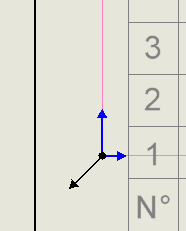
Nachdem ich es versucht habe, habe ich dasselbe Problem mit einem Block in Form eines Arrays. Und wenn ich auf die Anhängungslinie und den Einsteckpunkt klicke, sind diese zwei Symbole (schwarz + blau)
Hallo Ist es möglich, Tests auf einem 1:1-Plan durchzuführen? Das einzige Mal, dass ich den vorgeschlagenen Code kritisiere, ist, wenn ich mich in einer anderen Ebene befinde. Herzliche Grüße
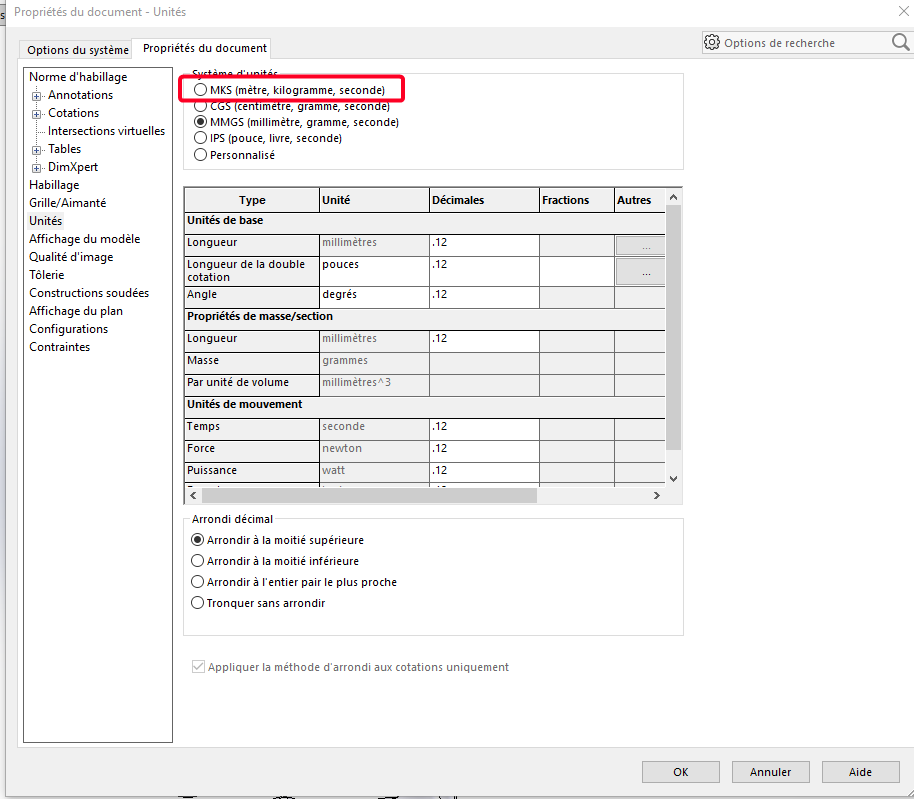
Ich war zu derselben Schlussfolgerung gekommen: Problem der Größenordnung. Nach Tests mit einer 1:1-Skala und einer Einheit in Metern statt mm funktioniert es perfekt, daher ist die einfache Umwandlung zu + Skalierung, um den richtigen Einsetzpunkt zu erreichen.
Und der Maßstab des Blocks muss ebenfalls berücksichtigt werden, möglicherweise zusammen mit dem Maßstab.
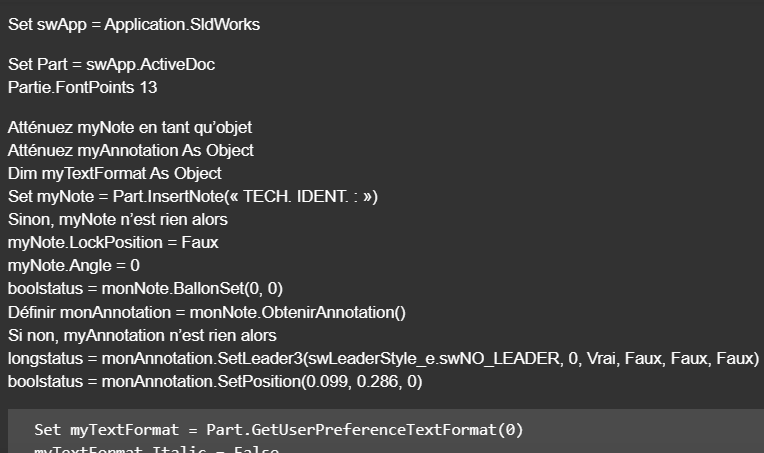
Voici une petite copie d'un code que j'ai effectuez pour l'insertion de texte sur solidworks dans une mise en plan
Privat-Sub CommandButton2_Click()
Set swApp = Application.SldWorks
Set Part = swApp.ActiveDoc Teil.SchriftPunkte 13
MyNote als Objekt dimmen Dim myAnnotation Als Objekt Dimmen Sie myTextFormat als Objekt Set myNote = Part.InsertNote(« TECH. IDENT.: ») Wenn nicht, ist myNote nichts, dann myNote.LockPosition = False myNote.Winkel = 0 boolstatus = myNote.SetBalloon(0, 0) Set myAnnotation = myNote.GetAnnotation() Wenn nicht, ist myAnnotation nichts, dann longstatus = myAnnotation.SetLeader3(swLeaderStyle_e.swNO_LEADER, 0, True, False, False, False) boolstatus = myAnnotation.SetPosition(0.099, 0.286, 0)
Dim swApp As SldWorks.SldWorks
Dim swModel As SldWorks.ModelDoc2
Dim swModelView As SldWorks.ModelView
Dim TheMouse As SldWorks.mouse
Dim obj As New Classe1
Sub main()
Set swApp = Application.SldWorks
Set swModel = swApp.ActiveDoc
Set swModelView = swModel.GetFirstModelView
Set TheMouse = swModelView.GetMouse
obj.init TheMouse, swApp, swModel
swApp.SendMsgToUser "Veuillez définir la position du bloc."
End Sub
Und für die Klasse:
'Classe1
Dim WithEvents ms As SldWorks.mouse
Private cSwApp As SldWorks.SldWorks
Private cswModel As SldWorks.ModelDoc2
Private cswModelView As SldWorks.ModelView
Private cswDraw As SldWorks.DrawingDoc
Private cswSheet As SldWorks.Sheet
Private cswView As SldWorks.View
Private ech As Variant
Private cScale As Variant
Private Sub Class_Initialize()
End Sub
Public Sub init(mouse As Object, sldw As SldWorks.SldWorks, slddoc As SldWorks.ModelDoc2)
Set ms = mouse
Set cSwApp = sldw
Set cswModel = slddoc
Set cswDraw = cswModel
Set cswSheet = cswDraw.GetCurrentSheet
Set cswView = cswDraw.GetFirstView
End Sub
Private Function ms_MouseSelectNotify(ByVal Ix As Long, ByVal Iy As Long, ByVal x As Double, ByVal y As Double, ByVal z As Double) As Long
ech = cswView.ScaleRatio
cScale = ech(0) / ech(1)
Dim sBlockPath As String
sBlockPath = "C:\Users\dro\Documents DRO-P10\SW local\Bibliotheque_Annotations et blocs\Tableau engrenage.SLDBLK"
Set swBlkInst = Insert_Block(cswModel, sBlockPath, x / cScale, y / cScale)
End
End Function
Private Function ms_MouseLBtnDownNotify(ByVal x As Long, ByVal y As Long, ByVal WParam As Long) As Long
End Function
Function Insert_Block(ByVal rModel As ModelDoc2, ByVal blkName As String, ByVal Xpt As Double, ByVal Ypt As Double, Optional ByVal sAngle As Double = 0, Optional ByVal sScale As Double = 1) As Object
Dim swBlockDef As SketchBlockDefinition
Dim swMathPoint As MathPoint
Dim swMathUtil As MathUtility
Set swMathUtil = cSwApp.GetMathUtility
Dim pt(2) As Double
pt(0) = Xpt
pt(1) = Ypt
pt(2) = 0
Set swMathPoint = swMathUtil.CreatePoint(pt)
Set swBlockDef = rModel.SketchManager.MakeSketchBlockFromFile(swMathPoint, blkName, False, sScale, sAngle)
rModel.GraphicsRedraw2
End Function
@d_roger Makro, für mich einwandfrei, mit einem sehr sauberen und lesbaren Code wie gewohnt!
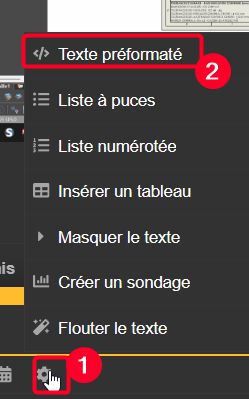
@Bob_2000 es an dir, zu prüfen, ob es für dich funktioniert. @Centor dein Makro transformiert ist, musst du es in einem speziellen Fenster (vorformatiertem Text) bearbeiten, ansonsten ist die Sprachkonvertierung humorvoll:
Private Sub CommandButton2_Click()
Set swApp = Application.SldWorks
Set Part = swApp.ActiveDoc
Part.FontPoints 13
Dim myNote As Object
Dim myAnnotation As Object
Dim myTextFormat As Object
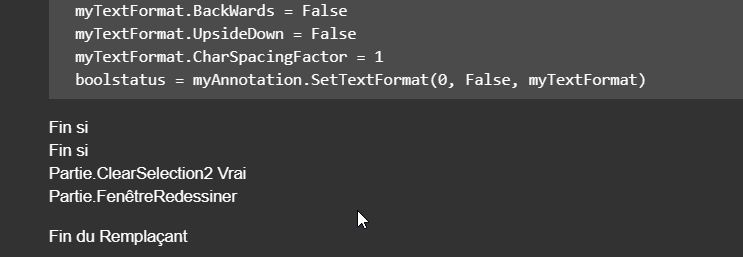
Set myNote = Part.InsertNote("<FONT size=13PTS>TECH. IDENT.:")
If Not myNote Is Nothing Then
myNote.LockPosition = False
myNote.Angle = 0
boolstatus = myNote.SetBalloon(0, 0)
Set myAnnotation = myNote.GetAnnotation()
If Not myAnnotation Is Nothing Then
longstatus = myAnnotation.SetLeader3(swLeaderStyle_e.swNO_LEADER, 0, True, False, False, False)
boolstatus = myAnnotation.SetPosition(0.099, 0.286, 0)
  Set myTextFormat = Part.GetUserPreferenceTextFormat(0)
  myTextFormat.Italic = False
  myTextFormat.Underline = False
  myTextFormat.Strikeout = False
  myTextFormat.Bold = False
  myTextFormat.Escapement = 0
  myTextFormat.LineSpacing = 0.001
  myTextFormat.CharHeightInPts = True
  myTextFormat.TypeFaceName = "Century Gothic"
  myTextFormat.WidthFactor = 1
  myTextFormat.ObliqueAngle = 0
  myTextFormat.LineLength = 0
  myTextFormat.Vertical = False
  myTextFormat.BackWards = False
  myTextFormat.UpsideDown = False
  myTextFormat.CharSpacingFactor = 1
  boolstatus = myAnnotation.SetTextFormat(0, False, myTextFormat)
End If
End If
Part.ClearSelection2 True
Part.WindowRedraw
End Sub
Private Sub CommandButton3_Click()
Set swApp = Application.SldWorks
Set Part = swApp.ActiveDoc
Part.FontPoints 13
Dim myNote As Object
Dim myAnnotation As Object
Dim myTextFormat As Object
Set myNote = Part.InsertNote("<FONT size=13PTS>{Identification}")
If Not myNote Is Nothing Then
myNote.LockPosition = False
myNote.Angle = 0
boolstatus = myNote.SetBalloon(0, 0)
Set myAnnotation = myNote.GetAnnotation()
If Not myAnnotation Is Nothing Then
longstatus = myAnnotation.SetLeader3(swLeaderStyle_e.swNO_LEADER, 0, True, False, False, False)
boolstatus = myAnnotation.SetPosition(0.130806397772014, 0.286, 0)
Set myTextFormat = Part.GetUserPreferenceTextFormat(0)
myTextFormat.Italic = False
myTextFormat.Underline = False
myTextFormat.Strikeout = False
myTextFormat.Bold = False
myTextFormat.Escapement = 0
myTextFormat.LineSpacing = 0.001
myTextFormat.CharHeightInPts = True
myTextFormat.TypeFaceName = "Century Gothic"
myTextFormat.WidthFactor = 1
myTextFormat.ObliqueAngle = 0
myTextFormat.LineLength = 0
myTextFormat.Vertical = False
myTextFormat.BackWards = False
myTextFormat.UpsideDown = False
myTextFormat.CharSpacingFactor = 1
boolstatus = myAnnotation.SetTextFormat(0, False, myTextFormat)
End If
End If
Part.ClearSelection2 True
Part.WindowRedraw
End Sub
Das Makro von D Roger funktioniert, aber ich habe trotzdem Probleme, es bringt mich trotz x- und y-Unterschied auf 0,0
Dim swApp As SldWorks.SldWorks
Dim swModel As SldWorks.ModelDoc2
Dim swModelView As SldWorks.ModelView
Dim TheMouse As SldWorks.mouse
Public obj As New Classe1
Public X_Value As Double
Public Y_Value As Double
Public Z_Value As Double
'Public cScale As Double
'Public ech As Variant

Sub Notes_00()
Set swApp = Application.SldWorks
Set swModel = swApp.ActiveDoc
Set swModelView = swModel.GetFirstModelView
Set TheMouse = swModelView.GetMouse

obj.init TheMouse, swApp, swModel

UserForm2.Show vbModeless
End Sub

Sub Notes_01()
Dim swApp As Object
Dim Part As Object
Dim myBlockDefinition As Object
Dim myAnnotation As Object
Dim URL As String
Dim NR As String
Dim NUM As String 'Pas byte sinon bt annulé impossible
Dim REPONSE As String

Dim swMathUtil As Object
Dim insPt As Object
Dim vInsertPoint(2) As Double

Set swApp = Application.SldWorks
Set Part = swApp.ActiveDoc


URL = "C:\Users\Notes\"

NUM = InputBox("1 : Tableau découpe insert hexagonal" & vbCrLf & _
               "2 : Gousset" & vbCrLf & _
               "3 : Soudure" & vbCrLf & vbCrLf & _
               "Entrez le numéro du bloc à insérer", "Choix de la note")

Select Case NUM
    Case "1": NR = "Découpe_insert_hex.SLDBLK": Echelle = 1: EXT = "A"
    Case "2": NR = "Gousset.sldnotestl": EXT = "B"
    Case "3": NR = "Soudure.SLDBLK": Echelle = 0.045: EXT = "A"
    Case Else: Exit Sub
End Select

REPONSE = URL & NR

If EXT = "B" Then
Set myAnnotation = Part.Extension.InsertAnnotationFavorite(REPONSE, X_Value, Y_Value, 0)
Else
Set swMathUtil = swApp.GetMathUtility

vInsertPoint(0) = X_Value
vInsertPoint(1) = Y_Value
vInsertPoint(2) = Z_Value


Set insPt = swMathUtil.CreatePoint(vInsertPoint)
Set myBlockDefinition = Part.SketchManager.MakeSketchBlockFromFile(insPt, REPONSE, False, Echelle, 0)
End If

End Sub
Dim WithEvents ms As SldWorks.mouse
Private cSwApp As SldWorks.SldWorks
Private cswModelView As SldWorks.ModelView
Private cswModel As SldWorks.ModelDoc2
Private cswDraw As SldWorks.DrawingDoc
Private cswSheet As SldWorks.Sheet
Private cswView As SldWorks.View
Public ech As Variant
Public cScale As Double

Public Sub init(mouse As Object, sldw As SldWorks.SldWorks, slddoc As SldWorks.ModelDoc2)
Set ms = mouse
Set cSwApp = sldw
Set cswModel = slddoc
Set cswDraw = cswModel
Set cswSheet = cswDraw.GetCurrentSheet
Set cswView = cswDraw.GetFirstView
'If cswView Is Nothing Then Set cswView = cswDraw.GetFirstView

End Sub
Private Function ms_MouseSelectNotify(ByVal Ix As Long, ByVal Iy As Long, ByVal x As Double, ByVal y As Double, ByVal z As Double) As Long
ech = cswView.ScaleRatio
cScale = ech(0) / ech(1)

UserForm2.TextBox1.Value = Round(x/ cScale, 4)
UserForm2.TextBox2.Value = Round(y/ cScale, 4)

End Function

Public Sub Terminer()
Set ms = Nothing
Set cSwApp = Nothing
Set cswModel = Nothing
End Sub
Private Sub CommandButton1_Click()
'OK

If TextBox1.Value = "" Or TextBox2.Value = "" Then Exit Sub
X_Value = CDbl(Me.TextBox1.Value)
Y_Value = CDbl(Me.TextBox2.Value)
Z_Value = 0#

obj.Terminer
Set obj = Nothing
Unload UserForm2
Set UserForm2 = Nothing

Notes_01
End Sub

 :
: