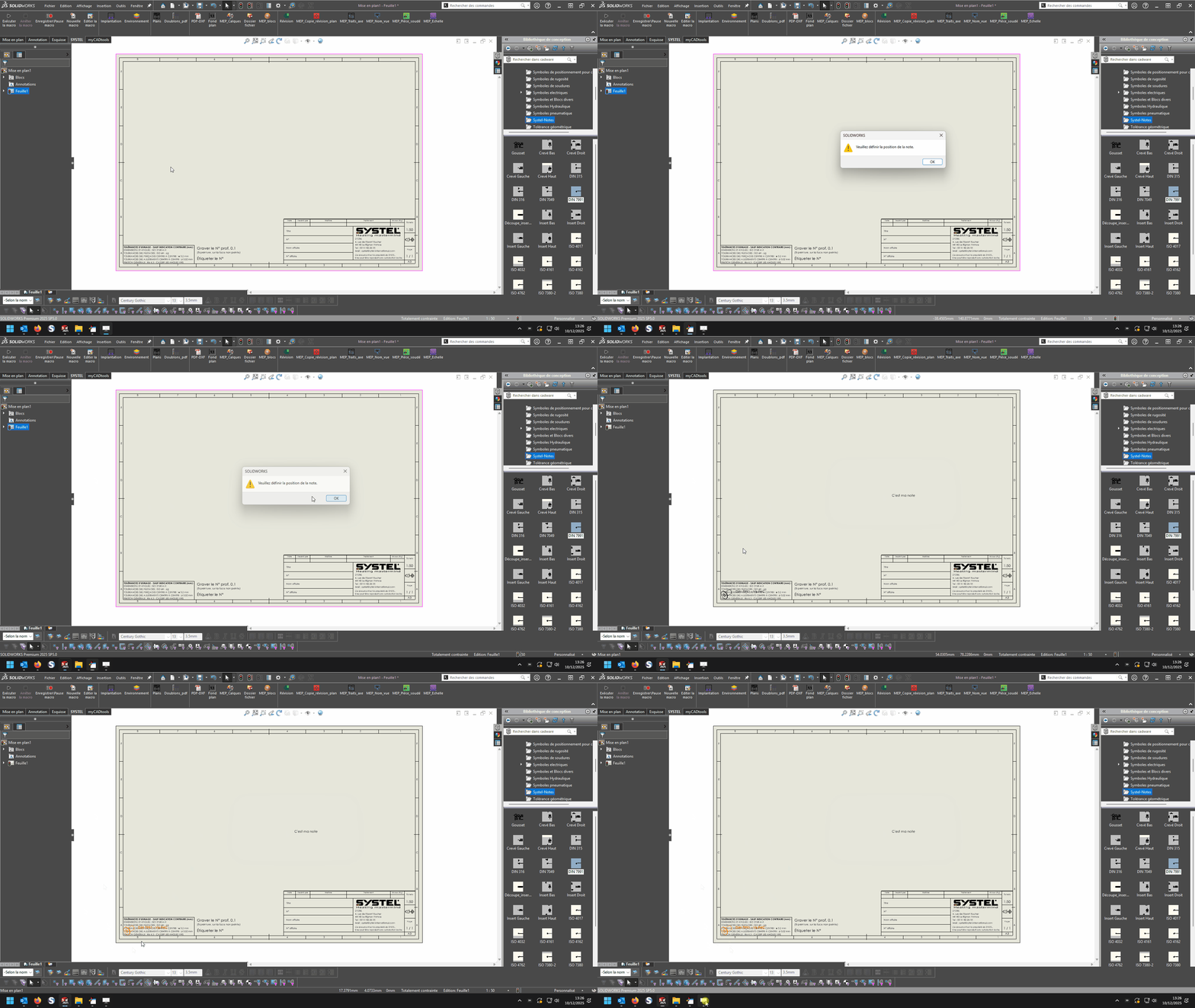
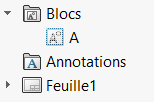
Ik ben er waarschijnlijk niet zo goed in, maar ik kan mijn noot niet positioneren op dat punt, ondanks dat mijn x en y correct zijn, zie ik dat het oké is, er moet een pb zijn met Set insPt = swMathUtil.CreatePoint(vInsertPoint) omdat de insertie van mijn blok nog steeds op punt 0,0 staat
Sub Notes_01()
Dim swApp As Object
Dim Part As Object
Dim myBlockDefinition As Object
Dim myAnnotation As Object
Dim URL As String
Dim NR As String
Dim NUM As String 'Pas byte sinon bt annulé impossible
Dim REPONSE As String

Dim swMathUtil As Object
Dim insPt As Object
Dim vInsertPoint(2) As Double

Set swApp = Application.SldWorks
Set Part = swApp.ActiveDoc

Dim X_Coord_Val As Double
Dim Y_Coord_Val As Double
X_Coord_Val = CDbl(UserForm2.TextBox1.Value)
Y_Coord_Val = CDbl(UserForm2.TextBox2.Value)
Z_Coord_Val = 0#

URL = "C:\Notes\"

NUM = InputBox("1 : Tableau découpe insert hexagonal" & vbCrLf & _
               "2 : Gousset" & vbCrLf & _
               "3 : Soudure" & vbCrLf & vbCrLf & _
               "Entrez le numéro du bloc à insérer", "Choix de la note")

Select Case NUM
    Case "1": NR = "Découpe_insert_hex.SLDBLK": Echelle = 1: EXT = "A"
    Case "2": NR = "Gousset.sldnotestl": EXT = "B"
    Case "3": NR = "Soudure.SLDBLK": Echelle = 0.045: EXT = "A"
    Case Else: Exit Sub
End Select

REPONSE = URL & NR

If EXT = "B" Then
Set myAnnotation = Part.Extension.InsertAnnotationFavorite(REPONSE, X_Coord_Val, Y_Coord_Val, 0)
Else
'Set myBlockDefinition = Part.SketchManager.MakeSketchBlockFromFile(Nothing, REPONSE, False, Echelle, 0)
Set swMathUtil = swApp.GetMathUtility

vInsertPoint(0) = X_Coord_Val
vInsertPoint(1) = Y_Coord_Val
vInsertPoint(2) = Z_Coord_Val


Set insPt = swMathUtil.CreatePoint(vInsertPoint)
Set myBlockDefinition = Part.SketchManager.MakeSketchBlockFromFile(insPt, REPONSE, False, Echelle, 0)
End If

End Sub
Dim swApp As SldWorks.SldWorks
Dim swModel As SldWorks.ModelDoc2
Dim swModelView As SldWorks.ModelView
Dim TheMouse As SldWorks.mouse
Dim obj As New Classe1

Sub main()
    Set swApp = Application.SldWorks
    Set swModel = swApp.ActiveDoc
    Set swModelView = swModel.GetFirstModelView
    Set TheMouse = swModelView.GetMouse

    obj.init TheMouse, swApp, swModel

    swApp.SendMsgToUser "Veuillez définir la position de la note."
End Sub
En voor de klas:
'Classe1
Dim WithEvents ms As SldWorks.mouse

Private cSwApp As SldWorks.SldWorks
Private cswModel As SldWorks.ModelDoc2

Private Sub Class_Initialize()

End Sub

Public Sub init(mouse As Object, sldw As SldWorks.SldWorks, slddoc As SldWorks.ModelDoc2)
    Set ms = mouse
    Set cSwApp = sldw
    Set cswModel = slddoc
End Sub

Private Function ms_MouseSelectNotify(ByVal Ix As Long, ByVal Iy As Long, ByVal x As Double, ByVal y As Double, ByVal z As Double) As Long
    Set myNote = cswModel.InsertNote("C'est ma note")
    If Not myNote Is Nothing Then
       Set myAnnotation = myNote.GetAnnotation()
       If Not myAnnotation Is Nothing Then
          boolstatus = myAnnotation.SetPosition(x, y, 0)
       End If
    End If
    cswModel.ClearSelection2 True
    cswModel.WindowRedraw

    Dim sBlockPath As String
    sBlockPath = "C:\Users\dro\Documents\Bibliotheque_blocs\Tableau.SLDBLK"
    Set swBlkInst = Insert_Block(cswModel, sBlockPath, x, y)

    End
End Function

Private Function ms_MouseLBtnDownNotify(ByVal x As Long, ByVal y As Long, ByVal WParam As Long) As Long

End Function

Function Insert_Block(ByVal rModel As ModelDoc2, ByVal blkName As String, ByVal Xpt As Double, ByVal Ypt As Double, Optional ByVal sAngle As Double = 0, Optional ByVal sScale As Double = 1) As Object
    Dim swBlockDef As SketchBlockDefinition
    Dim swMathPoint As MathPoint
    Dim swMathUtil As MathUtility

    Set swMathUtil = cSwApp.GetMathUtility

    Dim pt(2) As Double
    pt(0) = Xpt
    pt(1) = Ypt
    pt(2) = 0

    Set swMathPoint = swMathUtil.CreatePoint(pt)

    Set swBlockDef = rModel.SketchManager.MakeSketchBlockFromFile(swMathPoint, blkName, False, sScale, sAngle)

    rModel.GraphicsRedraw2
End Function
Vergeet niet de regel te veranderen: sBlockPath = " C:\Users\dro\Documents\Bibliotheque_blocs\Tableau.SLDBLK " om de weg naar je blok te leggen.
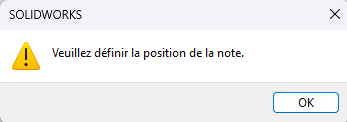
Bij het starten van de macro verschijnt het bericht:
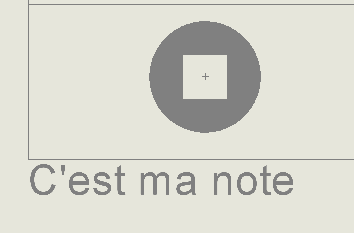
Daar moet je op OK klikken en dan ergens op het blad klikken, een notitie " Dit is mijn notitie " wordt op het geselecteerde punt geplaatst en het blok dat in het pad van de " sBlockPath " is gekozen wordt ook op dit geselecteerde punt geplaatst, natuurlijk is het het oorsprongspunt van het blok dat op het geselecteerde punt staat, dus als dit oorsprongspunt van het blok slecht is gepositioneerd ten opzichte van de zichtbare elementen van het blok dan kan het blok buiten het laken komen ...
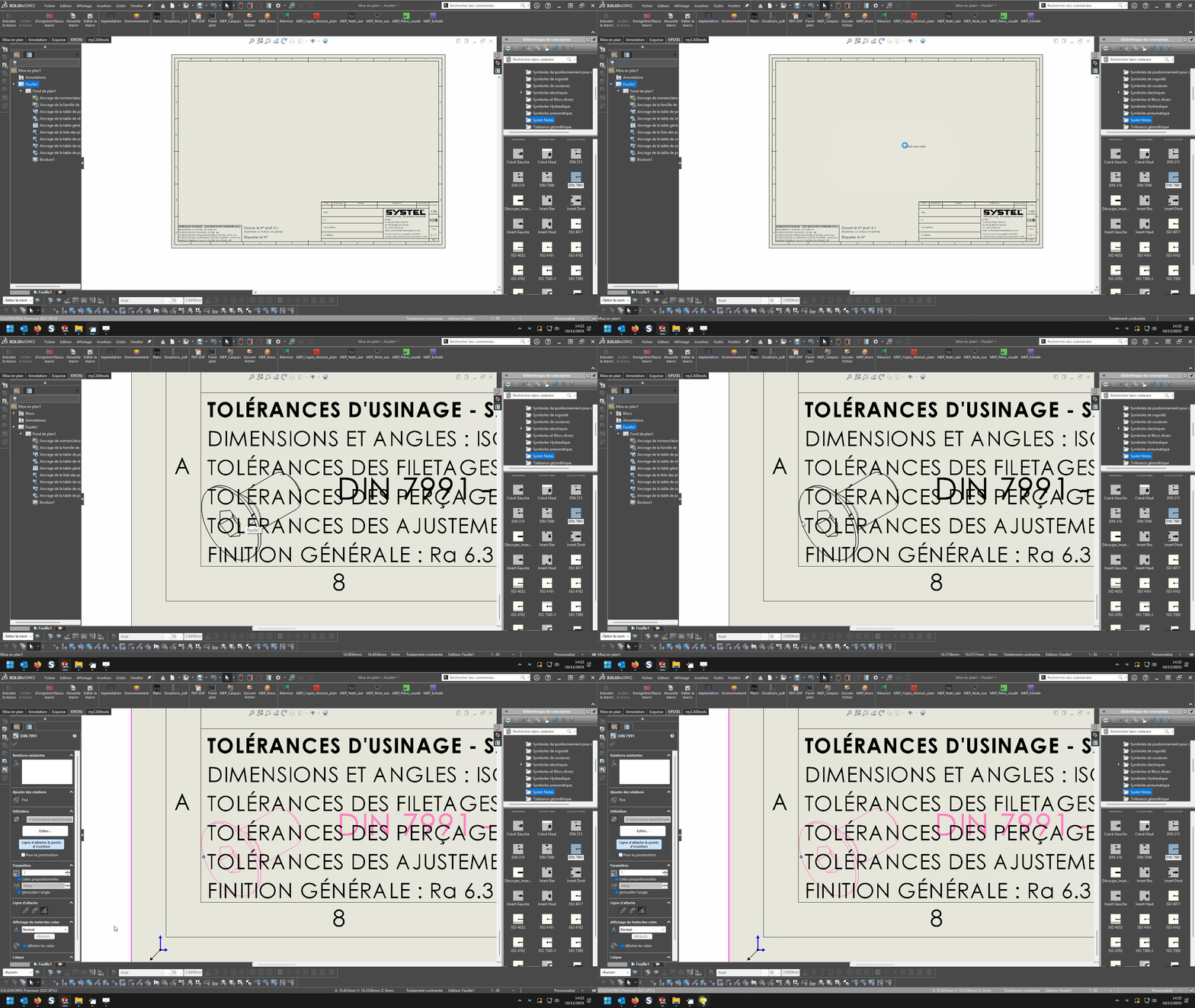
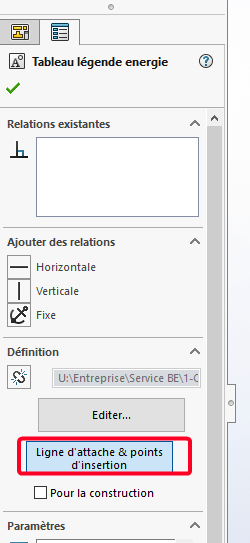
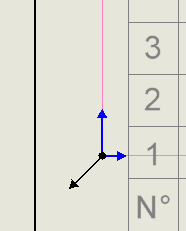
Na het proberen heb ik hetzelfde probleem met een blok in de vorm van een array. En als ik op de bijvoeglijn en het invoegpunt klik, zijn er deze 2 symbolen (zwart + blauw)
Hallo Is het mogelijk om tests te doen op een 1:1 schaalplan? De enige keer dat ik de voorgestelde code fout maak, is wanneer ik op een andere vlakke schaal ben. Vriendelijke groeten
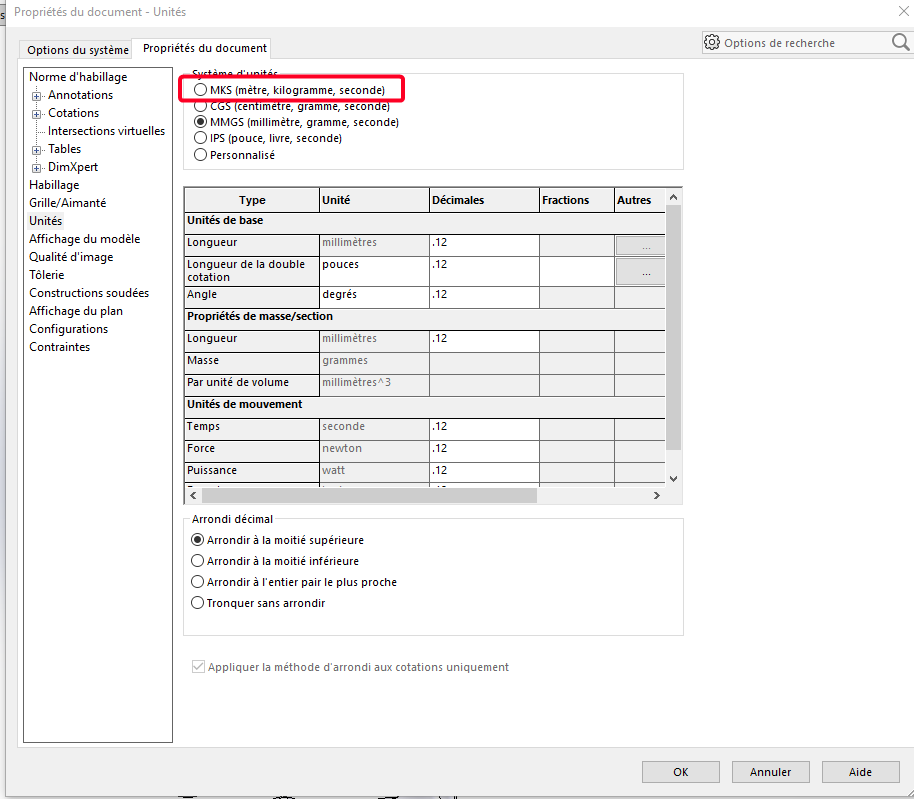
Ik was tot dezelfde conclusie gekomen, het probleem van schaal. Na testen met een 1:1 schaal en eenheid in meters in plaats van mm werkt het perfect, dus simpele conversie naar + schalen om het juiste inzetpunt te hebben.
En de schaal van het blok moet ook worden meegenomen, mogelijk samen met de schaal.
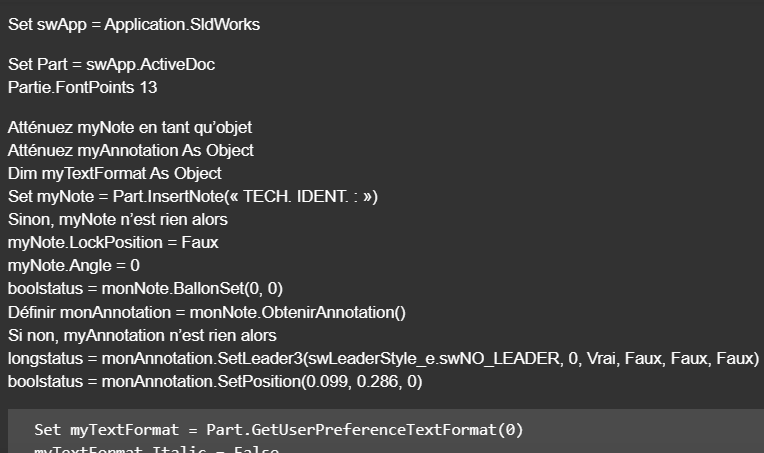
Voici une petite copie d'un code que j'ai effectuez pour l'insertion de texte sur solidworks dans une mise en plan
Privéonderzeeër CommandButton2_Click()
Set swApp = Application.SldWorks
Set Part = swApp.ActiveDoc Deel.FontPoints 13
Dim myNote als object Dim myAnnotation Als Object Dim myTextFormat als object Stel myNote in = Onderdeel.InvoegenNote(« TECH. IDENT.: ») Zo niet, MyNote is dan niets, dan myNote.LockPosition = False myNote.Angle = 0 boolstatus = myNote.SetBalloon(0, 0) Set myAnnotation = myNote.GetAnnotation() Als myAnnotation niets is, dan is myAnnotation niets longstatus = myAnnotation.SetLeader3(swLeaderStyle_e.swNO_LEADER, 0, True, False, False, False) boolstatus = myAnnotation.SetPosition(0.099, 0.286, 0)
Dim swApp As SldWorks.SldWorks
Dim swModel As SldWorks.ModelDoc2
Dim swModelView As SldWorks.ModelView
Dim TheMouse As SldWorks.mouse
Dim obj As New Classe1
Sub main()
Set swApp = Application.SldWorks
Set swModel = swApp.ActiveDoc
Set swModelView = swModel.GetFirstModelView
Set TheMouse = swModelView.GetMouse
obj.init TheMouse, swApp, swModel
swApp.SendMsgToUser "Veuillez définir la position du bloc."
End Sub
En voor de klas:
'Classe1
Dim WithEvents ms As SldWorks.mouse
Private cSwApp As SldWorks.SldWorks
Private cswModel As SldWorks.ModelDoc2
Private cswModelView As SldWorks.ModelView
Private cswDraw As SldWorks.DrawingDoc
Private cswSheet As SldWorks.Sheet
Private cswView As SldWorks.View
Private ech As Variant
Private cScale As Variant
Private Sub Class_Initialize()
End Sub
Public Sub init(mouse As Object, sldw As SldWorks.SldWorks, slddoc As SldWorks.ModelDoc2)
Set ms = mouse
Set cSwApp = sldw
Set cswModel = slddoc
Set cswDraw = cswModel
Set cswSheet = cswDraw.GetCurrentSheet
Set cswView = cswDraw.GetFirstView
End Sub
Private Function ms_MouseSelectNotify(ByVal Ix As Long, ByVal Iy As Long, ByVal x As Double, ByVal y As Double, ByVal z As Double) As Long
ech = cswView.ScaleRatio
cScale = ech(0) / ech(1)
Dim sBlockPath As String
sBlockPath = "C:\Users\dro\Documents DRO-P10\SW local\Bibliotheque_Annotations et blocs\Tableau engrenage.SLDBLK"
Set swBlkInst = Insert_Block(cswModel, sBlockPath, x / cScale, y / cScale)
End
End Function
Private Function ms_MouseLBtnDownNotify(ByVal x As Long, ByVal y As Long, ByVal WParam As Long) As Long
End Function
Function Insert_Block(ByVal rModel As ModelDoc2, ByVal blkName As String, ByVal Xpt As Double, ByVal Ypt As Double, Optional ByVal sAngle As Double = 0, Optional ByVal sScale As Double = 1) As Object
Dim swBlockDef As SketchBlockDefinition
Dim swMathPoint As MathPoint
Dim swMathUtil As MathUtility
Set swMathUtil = cSwApp.GetMathUtility
Dim pt(2) As Double
pt(0) = Xpt
pt(1) = Ypt
pt(2) = 0
Set swMathPoint = swMathUtil.CreatePoint(pt)
Set swBlockDef = rModel.SketchManager.MakeSketchBlockFromFile(swMathPoint, blkName, False, sScale, sAngle)
rModel.GraphicsRedraw2
End Function
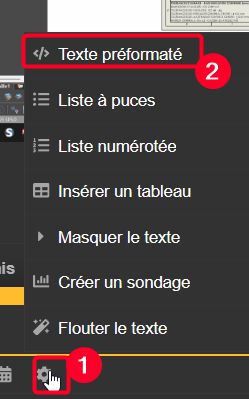
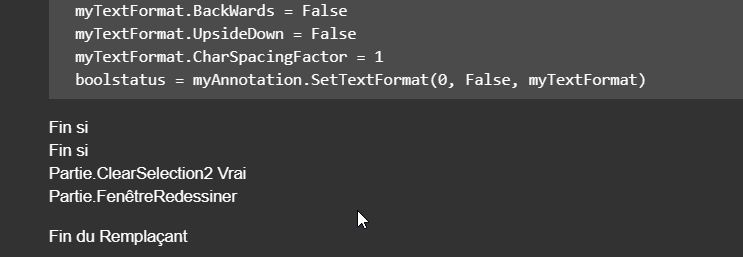
@d_roger macro, perfect functioneel voor mij, met een heel schone en leesbare code zoals gewoonlijk! @Bob_2000 aan jou om te bevestigen of het voor jou werkt. @Centor je macro is getransformeerd, moet je deze in een speciaal venster (vooraf geformatteerde tekst) bewerken, anders is de taalconversie humoristisch:
Private Sub CommandButton2_Click()
Set swApp = Application.SldWorks
Set Part = swApp.ActiveDoc
Part.FontPoints 13
Dim myNote As Object
Dim myAnnotation As Object
Dim myTextFormat As Object
Set myNote = Part.InsertNote("<FONT size=13PTS>TECH. IDENT.:")
If Not myNote Is Nothing Then
myNote.LockPosition = False
myNote.Angle = 0
boolstatus = myNote.SetBalloon(0, 0)
Set myAnnotation = myNote.GetAnnotation()
If Not myAnnotation Is Nothing Then
longstatus = myAnnotation.SetLeader3(swLeaderStyle_e.swNO_LEADER, 0, True, False, False, False)
boolstatus = myAnnotation.SetPosition(0.099, 0.286, 0)
  Set myTextFormat = Part.GetUserPreferenceTextFormat(0)
  myTextFormat.Italic = False
  myTextFormat.Underline = False
  myTextFormat.Strikeout = False
  myTextFormat.Bold = False
  myTextFormat.Escapement = 0
  myTextFormat.LineSpacing = 0.001
  myTextFormat.CharHeightInPts = True
  myTextFormat.TypeFaceName = "Century Gothic"
  myTextFormat.WidthFactor = 1
  myTextFormat.ObliqueAngle = 0
  myTextFormat.LineLength = 0
  myTextFormat.Vertical = False
  myTextFormat.BackWards = False
  myTextFormat.UpsideDown = False
  myTextFormat.CharSpacingFactor = 1
  boolstatus = myAnnotation.SetTextFormat(0, False, myTextFormat)
End If
End If
Part.ClearSelection2 True
Part.WindowRedraw
End Sub
Private Sub CommandButton3_Click()
Set swApp = Application.SldWorks
Set Part = swApp.ActiveDoc
Part.FontPoints 13
Dim myNote As Object
Dim myAnnotation As Object
Dim myTextFormat As Object
Set myNote = Part.InsertNote("<FONT size=13PTS>{Identification}")
If Not myNote Is Nothing Then
myNote.LockPosition = False
myNote.Angle = 0
boolstatus = myNote.SetBalloon(0, 0)
Set myAnnotation = myNote.GetAnnotation()
If Not myAnnotation Is Nothing Then
longstatus = myAnnotation.SetLeader3(swLeaderStyle_e.swNO_LEADER, 0, True, False, False, False)
boolstatus = myAnnotation.SetPosition(0.130806397772014, 0.286, 0)
Set myTextFormat = Part.GetUserPreferenceTextFormat(0)
myTextFormat.Italic = False
myTextFormat.Underline = False
myTextFormat.Strikeout = False
myTextFormat.Bold = False
myTextFormat.Escapement = 0
myTextFormat.LineSpacing = 0.001
myTextFormat.CharHeightInPts = True
myTextFormat.TypeFaceName = "Century Gothic"
myTextFormat.WidthFactor = 1
myTextFormat.ObliqueAngle = 0
myTextFormat.LineLength = 0
myTextFormat.Vertical = False
myTextFormat.BackWards = False
myTextFormat.UpsideDown = False
myTextFormat.CharSpacingFactor = 1
boolstatus = myAnnotation.SetTextFormat(0, False, myTextFormat)
End If
End If
Part.ClearSelection2 True
Part.WindowRedraw
End Sub
Droger's macro werkt, maar ik zit nog steeds in de problemen, het zet me op 0,0 ondanks een x en y verschil
Dim swApp As SldWorks.SldWorks
Dim swModel As SldWorks.ModelDoc2
Dim swModelView As SldWorks.ModelView
Dim TheMouse As SldWorks.mouse
Public obj As New Classe1
Public X_Value As Double
Public Y_Value As Double
Public Z_Value As Double
'Public cScale As Double
'Public ech As Variant

Sub Notes_00()
Set swApp = Application.SldWorks
Set swModel = swApp.ActiveDoc
Set swModelView = swModel.GetFirstModelView
Set TheMouse = swModelView.GetMouse

obj.init TheMouse, swApp, swModel

UserForm2.Show vbModeless
End Sub

Sub Notes_01()
Dim swApp As Object
Dim Part As Object
Dim myBlockDefinition As Object
Dim myAnnotation As Object
Dim URL As String
Dim NR As String
Dim NUM As String 'Pas byte sinon bt annulé impossible
Dim REPONSE As String

Dim swMathUtil As Object
Dim insPt As Object
Dim vInsertPoint(2) As Double

Set swApp = Application.SldWorks
Set Part = swApp.ActiveDoc


URL = "C:\Users\Notes\"

NUM = InputBox("1 : Tableau découpe insert hexagonal" & vbCrLf & _
               "2 : Gousset" & vbCrLf & _
               "3 : Soudure" & vbCrLf & vbCrLf & _
               "Entrez le numéro du bloc à insérer", "Choix de la note")

Select Case NUM
    Case "1": NR = "Découpe_insert_hex.SLDBLK": Echelle = 1: EXT = "A"
    Case "2": NR = "Gousset.sldnotestl": EXT = "B"
    Case "3": NR = "Soudure.SLDBLK": Echelle = 0.045: EXT = "A"
    Case Else: Exit Sub
End Select

REPONSE = URL & NR

If EXT = "B" Then
Set myAnnotation = Part.Extension.InsertAnnotationFavorite(REPONSE, X_Value, Y_Value, 0)
Else
Set swMathUtil = swApp.GetMathUtility

vInsertPoint(0) = X_Value
vInsertPoint(1) = Y_Value
vInsertPoint(2) = Z_Value


Set insPt = swMathUtil.CreatePoint(vInsertPoint)
Set myBlockDefinition = Part.SketchManager.MakeSketchBlockFromFile(insPt, REPONSE, False, Echelle, 0)
End If

End Sub
Dim WithEvents ms As SldWorks.mouse
Private cSwApp As SldWorks.SldWorks
Private cswModelView As SldWorks.ModelView
Private cswModel As SldWorks.ModelDoc2
Private cswDraw As SldWorks.DrawingDoc
Private cswSheet As SldWorks.Sheet
Private cswView As SldWorks.View
Public ech As Variant
Public cScale As Double

Public Sub init(mouse As Object, sldw As SldWorks.SldWorks, slddoc As SldWorks.ModelDoc2)
Set ms = mouse
Set cSwApp = sldw
Set cswModel = slddoc
Set cswDraw = cswModel
Set cswSheet = cswDraw.GetCurrentSheet
Set cswView = cswDraw.GetFirstView
'If cswView Is Nothing Then Set cswView = cswDraw.GetFirstView

End Sub
Private Function ms_MouseSelectNotify(ByVal Ix As Long, ByVal Iy As Long, ByVal x As Double, ByVal y As Double, ByVal z As Double) As Long
ech = cswView.ScaleRatio
cScale = ech(0) / ech(1)

UserForm2.TextBox1.Value = Round(x/ cScale, 4)
UserForm2.TextBox2.Value = Round(y/ cScale, 4)

End Function

Public Sub Terminer()
Set ms = Nothing
Set cSwApp = Nothing
Set cswModel = Nothing
End Sub
Private Sub CommandButton1_Click()
'OK

If TextBox1.Value = "" Or TextBox2.Value = "" Then Exit Sub
X_Value = CDbl(Me.TextBox1.Value)
Y_Value = CDbl(Me.TextBox2.Value)
Z_Value = 0#

obj.Terminer
Set obj = Nothing
Unload UserForm2
Set UserForm2 = Nothing

Notes_01
End Sub