Chyba nie jestem w tym zbyt dobry, ale nie mogę ustawić nuty w tym punkcie, mimo że moje x i y są poprawne, gdy robię F8, widzę, że to w porządku, musi być pb z Set insPt = swMathUtil.CreatePoint(vInsertPoint), ponieważ wstawianie mojego bloku jest nadal w punkcie 0,0
Sub Notes_01()
Dim swApp As Object
Dim Part As Object
Dim myBlockDefinition As Object
Dim myAnnotation As Object
Dim URL As String
Dim NR As String
Dim NUM As String 'Pas byte sinon bt annulé impossible
Dim REPONSE As String

Dim swMathUtil As Object
Dim insPt As Object
Dim vInsertPoint(2) As Double

Set swApp = Application.SldWorks
Set Part = swApp.ActiveDoc

Dim X_Coord_Val As Double
Dim Y_Coord_Val As Double
X_Coord_Val = CDbl(UserForm2.TextBox1.Value)
Y_Coord_Val = CDbl(UserForm2.TextBox2.Value)
Z_Coord_Val = 0#

URL = "C:\Notes\"

NUM = InputBox("1 : Tableau découpe insert hexagonal" & vbCrLf & _
               "2 : Gousset" & vbCrLf & _
               "3 : Soudure" & vbCrLf & vbCrLf & _
               "Entrez le numéro du bloc à insérer", "Choix de la note")

Select Case NUM
    Case "1": NR = "Découpe_insert_hex.SLDBLK": Echelle = 1: EXT = "A"
    Case "2": NR = "Gousset.sldnotestl": EXT = "B"
    Case "3": NR = "Soudure.SLDBLK": Echelle = 0.045: EXT = "A"
    Case Else: Exit Sub
End Select

REPONSE = URL & NR

If EXT = "B" Then
Set myAnnotation = Part.Extension.InsertAnnotationFavorite(REPONSE, X_Coord_Val, Y_Coord_Val, 0)
Else
'Set myBlockDefinition = Part.SketchManager.MakeSketchBlockFromFile(Nothing, REPONSE, False, Echelle, 0)
Set swMathUtil = swApp.GetMathUtility

vInsertPoint(0) = X_Coord_Val
vInsertPoint(1) = Y_Coord_Val
vInsertPoint(2) = Z_Coord_Val


Set insPt = swMathUtil.CreatePoint(vInsertPoint)
Set myBlockDefinition = Part.SketchManager.MakeSketchBlockFromFile(insPt, REPONSE, False, Echelle, 0)
End If

End Sub
Dim swApp As SldWorks.SldWorks
Dim swModel As SldWorks.ModelDoc2
Dim swModelView As SldWorks.ModelView
Dim TheMouse As SldWorks.mouse
Dim obj As New Classe1

Sub main()
    Set swApp = Application.SldWorks
    Set swModel = swApp.ActiveDoc
    Set swModelView = swModel.GetFirstModelView
    Set TheMouse = swModelView.GetMouse

    obj.init TheMouse, swApp, swModel

    swApp.SendMsgToUser "Veuillez définir la position de la note."
End Sub
A co do klasy:
'Classe1
Dim WithEvents ms As SldWorks.mouse

Private cSwApp As SldWorks.SldWorks
Private cswModel As SldWorks.ModelDoc2

Private Sub Class_Initialize()

End Sub

Public Sub init(mouse As Object, sldw As SldWorks.SldWorks, slddoc As SldWorks.ModelDoc2)
    Set ms = mouse
    Set cSwApp = sldw
    Set cswModel = slddoc
End Sub

Private Function ms_MouseSelectNotify(ByVal Ix As Long, ByVal Iy As Long, ByVal x As Double, ByVal y As Double, ByVal z As Double) As Long
    Set myNote = cswModel.InsertNote("C'est ma note")
    If Not myNote Is Nothing Then
       Set myAnnotation = myNote.GetAnnotation()
       If Not myAnnotation Is Nothing Then
          boolstatus = myAnnotation.SetPosition(x, y, 0)
       End If
    End If
    cswModel.ClearSelection2 True
    cswModel.WindowRedraw

    Dim sBlockPath As String
    sBlockPath = "C:\Users\dro\Documents\Bibliotheque_blocs\Tableau.SLDBLK"
    Set swBlkInst = Insert_Block(cswModel, sBlockPath, x, y)

    End
End Function

Private Function ms_MouseLBtnDownNotify(ByVal x As Long, ByVal y As Long, ByVal WParam As Long) As Long

End Function

Function Insert_Block(ByVal rModel As ModelDoc2, ByVal blkName As String, ByVal Xpt As Double, ByVal Ypt As Double, Optional ByVal sAngle As Double = 0, Optional ByVal sScale As Double = 1) As Object
    Dim swBlockDef As SketchBlockDefinition
    Dim swMathPoint As MathPoint
    Dim swMathUtil As MathUtility

    Set swMathUtil = cSwApp.GetMathUtility

    Dim pt(2) As Double
    pt(0) = Xpt
    pt(1) = Ypt
    pt(2) = 0

    Set swMathPoint = swMathUtil.CreatePoint(pt)

    Set swBlockDef = rModel.SketchManager.MakeSketchBlockFromFile(swMathPoint, blkName, False, sScale, sAngle)

    rModel.GraphicsRedraw2
End Function
Pamiętaj, aby zmienić linię: sBlockPath = " C:\Users\dro\Documents\Bibliotheque_blocs\Tableau.SLDBLK " By wyznaczyć drogę do twojego bloku.
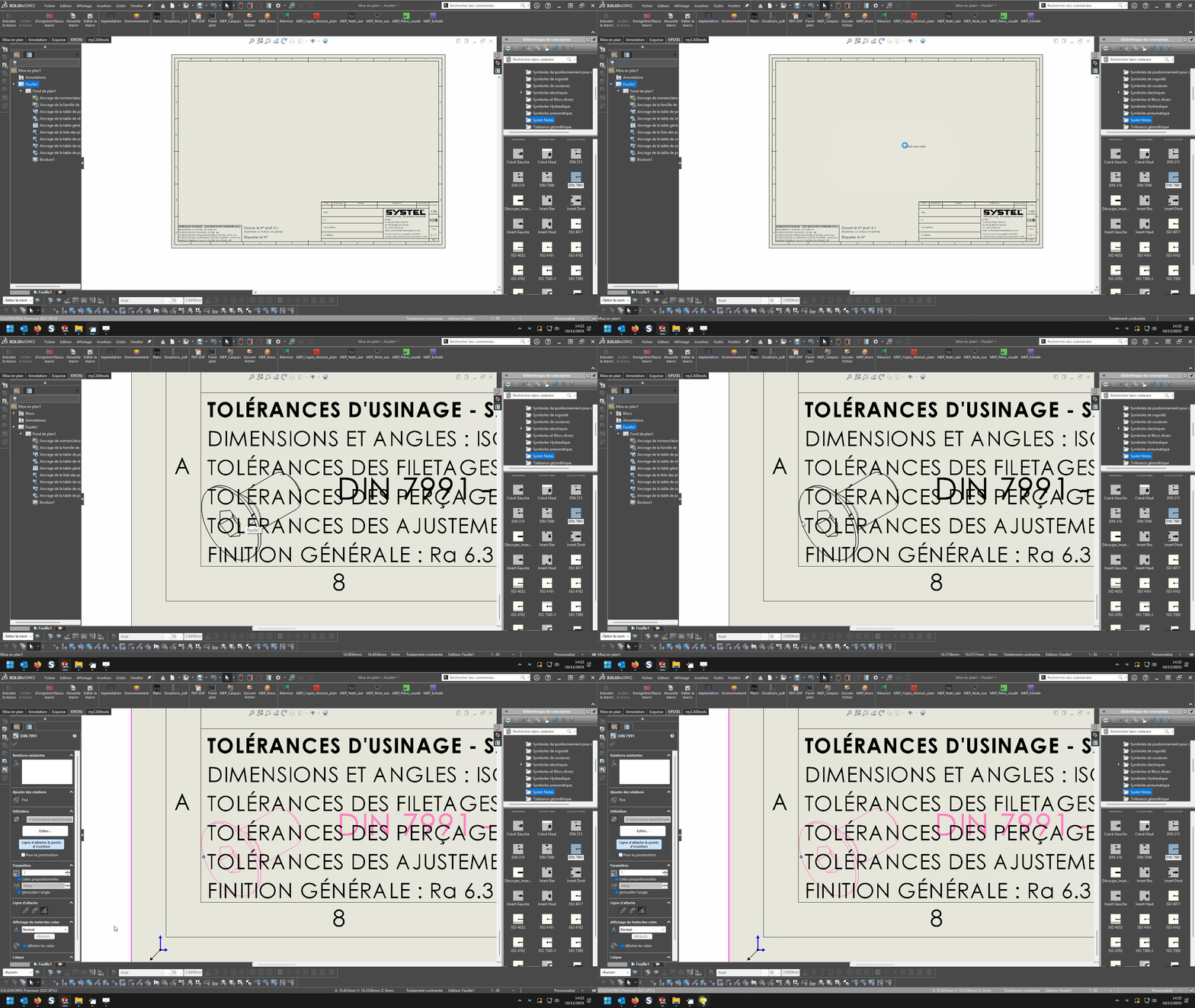
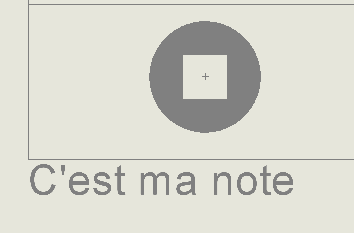
Tam trzeba kliknąć OK, a potem gdzieś na arkuszu pojawi się notatka " This is my note " umieszczona na wybranym punkcie, a blok wybrany na ścieżce " sBlockPath " również jest wstawiany na ten wybrany punkt, oczywiście jest to punkt początkowy bloku umieszczony na wybranym punkcie, więc jeśli ten punkt początkowy bloku jest źle ustawiony względem widocznych elementów bloku wtedy blok może znaleźć się poza arkuszem ...
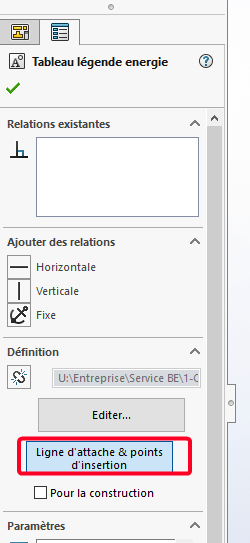
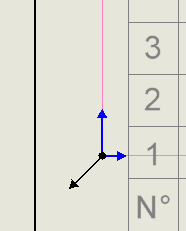
Po próbie mam ten sam problem z blokiem w formie tablicy. A jeśli kliknę na linię załącznika i punkt włożenia, pojawiają się te 2 symbole (+ niebieski)
Witam Czy możliwe jest przeprowadzenie testów na planie skali 1:1? Jedyny moment, kiedy łamię proponowany kod, to gdy jestem na innej skali płaszczyzny. Pozdrowienia
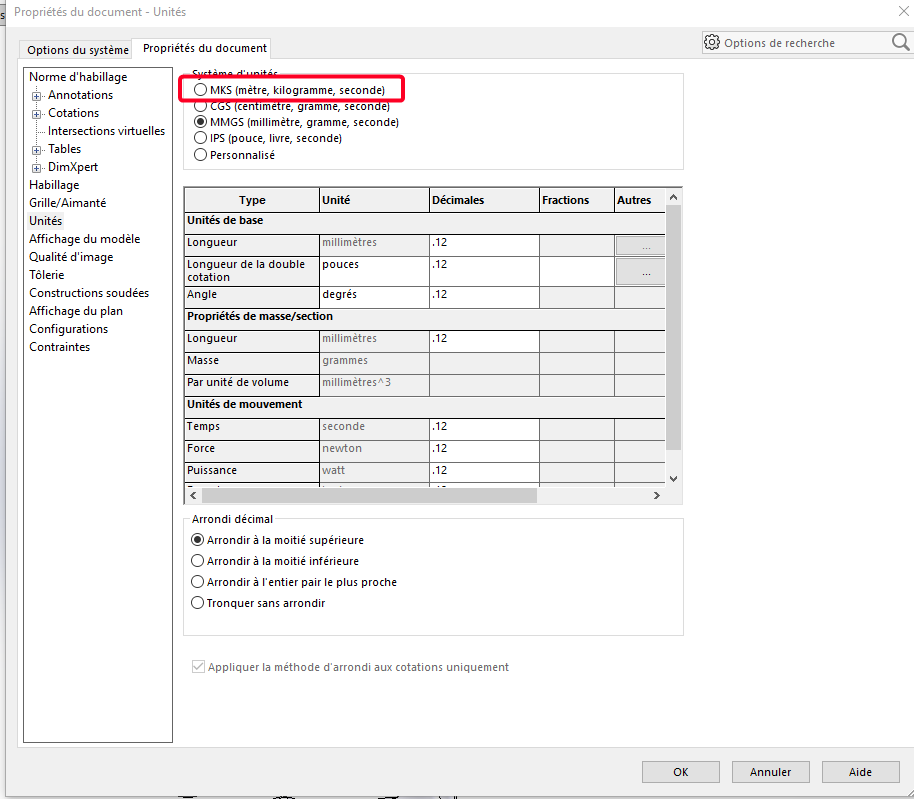
Doszedłem do tego samego wniosku, problem skali. Po testach z skalą 1:1 i jednostką w metrach zamiast mm działa idealnie, więc konwersja jest prosta + skalowanie, żeby mieć odpowiedni punkt włożenia.
Skala bloku również powinna być brana pod uwagę, być może wraz z skalą.
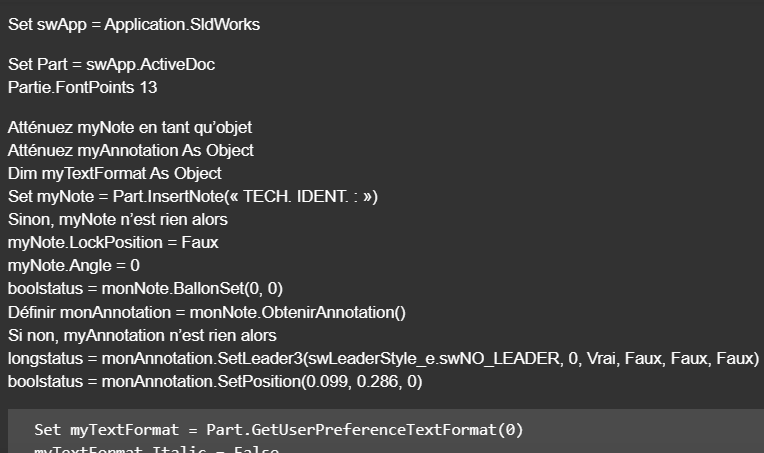
Voici une petite copie d'un code que j'ai effectuez pour l'insertion de texte sur solidworks dans une mise en plan
Prywatny Sub CommandButton2_Click()
Set swApp = Application.SldWorks
Set Part = swApp.ActiveDoc CzcionkaPunkty 13
Dim myNote jako obiekt Stłumić myAnnotation jako Obiekt Dim myTextFormat jako obiekt Ustaw myNote = Part.InsertNote(« TECH. IDENT.: ») Jeśli myNote nie jest niczym, to myNote.LockPosition = False myNote.Angle = 0 boolstatus = myNote.SetBalloon(0, 0) Ustaw myAnnotation = myNote.GetAnnotation() Jeśli nie, myAnnotation to nic nie znaczy, to longstatus = myAnnotation.SetLeader3(swLeaderStyle_e.swNO_LEADER, 0, True, False, False, False) boolstatus = myAnnotation.SetPosition(0.099, 0.286, 0)
Dim swApp As SldWorks.SldWorks
Dim swModel As SldWorks.ModelDoc2
Dim swModelView As SldWorks.ModelView
Dim TheMouse As SldWorks.mouse
Dim obj As New Classe1
Sub main()
Set swApp = Application.SldWorks
Set swModel = swApp.ActiveDoc
Set swModelView = swModel.GetFirstModelView
Set TheMouse = swModelView.GetMouse
obj.init TheMouse, swApp, swModel
swApp.SendMsgToUser "Veuillez définir la position du bloc."
End Sub
A co do klasy:
'Classe1
Dim WithEvents ms As SldWorks.mouse
Private cSwApp As SldWorks.SldWorks
Private cswModel As SldWorks.ModelDoc2
Private cswModelView As SldWorks.ModelView
Private cswDraw As SldWorks.DrawingDoc
Private cswSheet As SldWorks.Sheet
Private cswView As SldWorks.View
Private ech As Variant
Private cScale As Variant
Private Sub Class_Initialize()
End Sub
Public Sub init(mouse As Object, sldw As SldWorks.SldWorks, slddoc As SldWorks.ModelDoc2)
Set ms = mouse
Set cSwApp = sldw
Set cswModel = slddoc
Set cswDraw = cswModel
Set cswSheet = cswDraw.GetCurrentSheet
Set cswView = cswDraw.GetFirstView
End Sub
Private Function ms_MouseSelectNotify(ByVal Ix As Long, ByVal Iy As Long, ByVal x As Double, ByVal y As Double, ByVal z As Double) As Long
ech = cswView.ScaleRatio
cScale = ech(0) / ech(1)
Dim sBlockPath As String
sBlockPath = "C:\Users\dro\Documents DRO-P10\SW local\Bibliotheque_Annotations et blocs\Tableau engrenage.SLDBLK"
Set swBlkInst = Insert_Block(cswModel, sBlockPath, x / cScale, y / cScale)
End
End Function
Private Function ms_MouseLBtnDownNotify(ByVal x As Long, ByVal y As Long, ByVal WParam As Long) As Long
End Function
Function Insert_Block(ByVal rModel As ModelDoc2, ByVal blkName As String, ByVal Xpt As Double, ByVal Ypt As Double, Optional ByVal sAngle As Double = 0, Optional ByVal sScale As Double = 1) As Object
Dim swBlockDef As SketchBlockDefinition
Dim swMathPoint As MathPoint
Dim swMathUtil As MathUtility
Set swMathUtil = cSwApp.GetMathUtility
Dim pt(2) As Double
pt(0) = Xpt
pt(1) = Ypt
pt(2) = 0
Set swMathPoint = swMathUtil.CreatePoint(pt)
Set swBlockDef = rModel.SketchManager.MakeSketchBlockFromFile(swMathPoint, blkName, False, sScale, sAngle)
rModel.GraphicsRedraw2
End Function
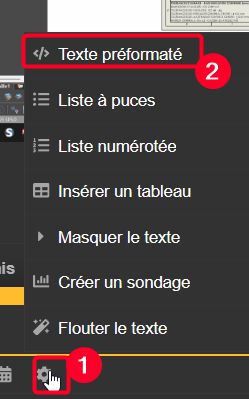
@d_roger makro, dla mnie całkowicie funkcjonalne, z bardzo czystym i czytelnym kodem jak zwykle! @Bob_2000 od ciebie zależy, czy to działa u ciebie. @Centor makro zostanie przekształcone, musisz je edytować w specjalnym oknie (tekst wstępnie sformatowany), w przeciwnym razie konwersja języka jest zabawna:
Private Sub CommandButton2_Click()
Set swApp = Application.SldWorks
Set Part = swApp.ActiveDoc
Part.FontPoints 13
Dim myNote As Object
Dim myAnnotation As Object
Dim myTextFormat As Object
Set myNote = Part.InsertNote("<FONT size=13PTS>TECH. IDENT.:")
If Not myNote Is Nothing Then
myNote.LockPosition = False
myNote.Angle = 0
boolstatus = myNote.SetBalloon(0, 0)
Set myAnnotation = myNote.GetAnnotation()
If Not myAnnotation Is Nothing Then
longstatus = myAnnotation.SetLeader3(swLeaderStyle_e.swNO_LEADER, 0, True, False, False, False)
boolstatus = myAnnotation.SetPosition(0.099, 0.286, 0)
  Set myTextFormat = Part.GetUserPreferenceTextFormat(0)
  myTextFormat.Italic = False
  myTextFormat.Underline = False
  myTextFormat.Strikeout = False
  myTextFormat.Bold = False
  myTextFormat.Escapement = 0
  myTextFormat.LineSpacing = 0.001
  myTextFormat.CharHeightInPts = True
  myTextFormat.TypeFaceName = "Century Gothic"
  myTextFormat.WidthFactor = 1
  myTextFormat.ObliqueAngle = 0
  myTextFormat.LineLength = 0
  myTextFormat.Vertical = False
  myTextFormat.BackWards = False
  myTextFormat.UpsideDown = False
  myTextFormat.CharSpacingFactor = 1
  boolstatus = myAnnotation.SetTextFormat(0, False, myTextFormat)
End If
End If
Part.ClearSelection2 True
Part.WindowRedraw
End Sub
Private Sub CommandButton3_Click()
Set swApp = Application.SldWorks
Set Part = swApp.ActiveDoc
Part.FontPoints 13
Dim myNote As Object
Dim myAnnotation As Object
Dim myTextFormat As Object
Set myNote = Part.InsertNote("<FONT size=13PTS>{Identification}")
If Not myNote Is Nothing Then
myNote.LockPosition = False
myNote.Angle = 0
boolstatus = myNote.SetBalloon(0, 0)
Set myAnnotation = myNote.GetAnnotation()
If Not myAnnotation Is Nothing Then
longstatus = myAnnotation.SetLeader3(swLeaderStyle_e.swNO_LEADER, 0, True, False, False, False)
boolstatus = myAnnotation.SetPosition(0.130806397772014, 0.286, 0)
Set myTextFormat = Part.GetUserPreferenceTextFormat(0)
myTextFormat.Italic = False
myTextFormat.Underline = False
myTextFormat.Strikeout = False
myTextFormat.Bold = False
myTextFormat.Escapement = 0
myTextFormat.LineSpacing = 0.001
myTextFormat.CharHeightInPts = True
myTextFormat.TypeFaceName = "Century Gothic"
myTextFormat.WidthFactor = 1
myTextFormat.ObliqueAngle = 0
myTextFormat.LineLength = 0
myTextFormat.Vertical = False
myTextFormat.BackWards = False
myTextFormat.UpsideDown = False
myTextFormat.CharSpacingFactor = 1
boolstatus = myAnnotation.SetTextFormat(0, False, myTextFormat)
End If
End If
Part.ClearSelection2 True
Part.WindowRedraw
End Sub
Makro D Rogera działa, ale nadal mam problem, pokazuje mi 0.0 mimo różnicy x i y
Dim swApp As SldWorks.SldWorks
Dim swModel As SldWorks.ModelDoc2
Dim swModelView As SldWorks.ModelView
Dim TheMouse As SldWorks.mouse
Public obj As New Classe1
Public X_Value As Double
Public Y_Value As Double
Public Z_Value As Double
'Public cScale As Double
'Public ech As Variant

Sub Notes_00()
Set swApp = Application.SldWorks
Set swModel = swApp.ActiveDoc
Set swModelView = swModel.GetFirstModelView
Set TheMouse = swModelView.GetMouse

obj.init TheMouse, swApp, swModel

UserForm2.Show vbModeless
End Sub

Sub Notes_01()
Dim swApp As Object
Dim Part As Object
Dim myBlockDefinition As Object
Dim myAnnotation As Object
Dim URL As String
Dim NR As String
Dim NUM As String 'Pas byte sinon bt annulé impossible
Dim REPONSE As String

Dim swMathUtil As Object
Dim insPt As Object
Dim vInsertPoint(2) As Double

Set swApp = Application.SldWorks
Set Part = swApp.ActiveDoc


URL = "C:\Users\Notes\"

NUM = InputBox("1 : Tableau découpe insert hexagonal" & vbCrLf & _
               "2 : Gousset" & vbCrLf & _
               "3 : Soudure" & vbCrLf & vbCrLf & _
               "Entrez le numéro du bloc à insérer", "Choix de la note")

Select Case NUM
    Case "1": NR = "Découpe_insert_hex.SLDBLK": Echelle = 1: EXT = "A"
    Case "2": NR = "Gousset.sldnotestl": EXT = "B"
    Case "3": NR = "Soudure.SLDBLK": Echelle = 0.045: EXT = "A"
    Case Else: Exit Sub
End Select

REPONSE = URL & NR

If EXT = "B" Then
Set myAnnotation = Part.Extension.InsertAnnotationFavorite(REPONSE, X_Value, Y_Value, 0)
Else
Set swMathUtil = swApp.GetMathUtility

vInsertPoint(0) = X_Value
vInsertPoint(1) = Y_Value
vInsertPoint(2) = Z_Value


Set insPt = swMathUtil.CreatePoint(vInsertPoint)
Set myBlockDefinition = Part.SketchManager.MakeSketchBlockFromFile(insPt, REPONSE, False, Echelle, 0)
End If

End Sub
Dim WithEvents ms As SldWorks.mouse
Private cSwApp As SldWorks.SldWorks
Private cswModelView As SldWorks.ModelView
Private cswModel As SldWorks.ModelDoc2
Private cswDraw As SldWorks.DrawingDoc
Private cswSheet As SldWorks.Sheet
Private cswView As SldWorks.View
Public ech As Variant
Public cScale As Double

Public Sub init(mouse As Object, sldw As SldWorks.SldWorks, slddoc As SldWorks.ModelDoc2)
Set ms = mouse
Set cSwApp = sldw
Set cswModel = slddoc
Set cswDraw = cswModel
Set cswSheet = cswDraw.GetCurrentSheet
Set cswView = cswDraw.GetFirstView
'If cswView Is Nothing Then Set cswView = cswDraw.GetFirstView

End Sub
Private Function ms_MouseSelectNotify(ByVal Ix As Long, ByVal Iy As Long, ByVal x As Double, ByVal y As Double, ByVal z As Double) As Long
ech = cswView.ScaleRatio
cScale = ech(0) / ech(1)

UserForm2.TextBox1.Value = Round(x/ cScale, 4)
UserForm2.TextBox2.Value = Round(y/ cScale, 4)

End Function

Public Sub Terminer()
Set ms = Nothing
Set cSwApp = Nothing
Set cswModel = Nothing
End Sub
Private Sub CommandButton1_Click()
'OK

If TextBox1.Value = "" Or TextBox2.Value = "" Then Exit Sub
X_Value = CDbl(Me.TextBox1.Value)
Y_Value = CDbl(Me.TextBox2.Value)
Z_Value = 0#

obj.Terminer
Set obj = Nothing
Unload UserForm2
Set UserForm2 = Nothing

Notes_01
End Sub
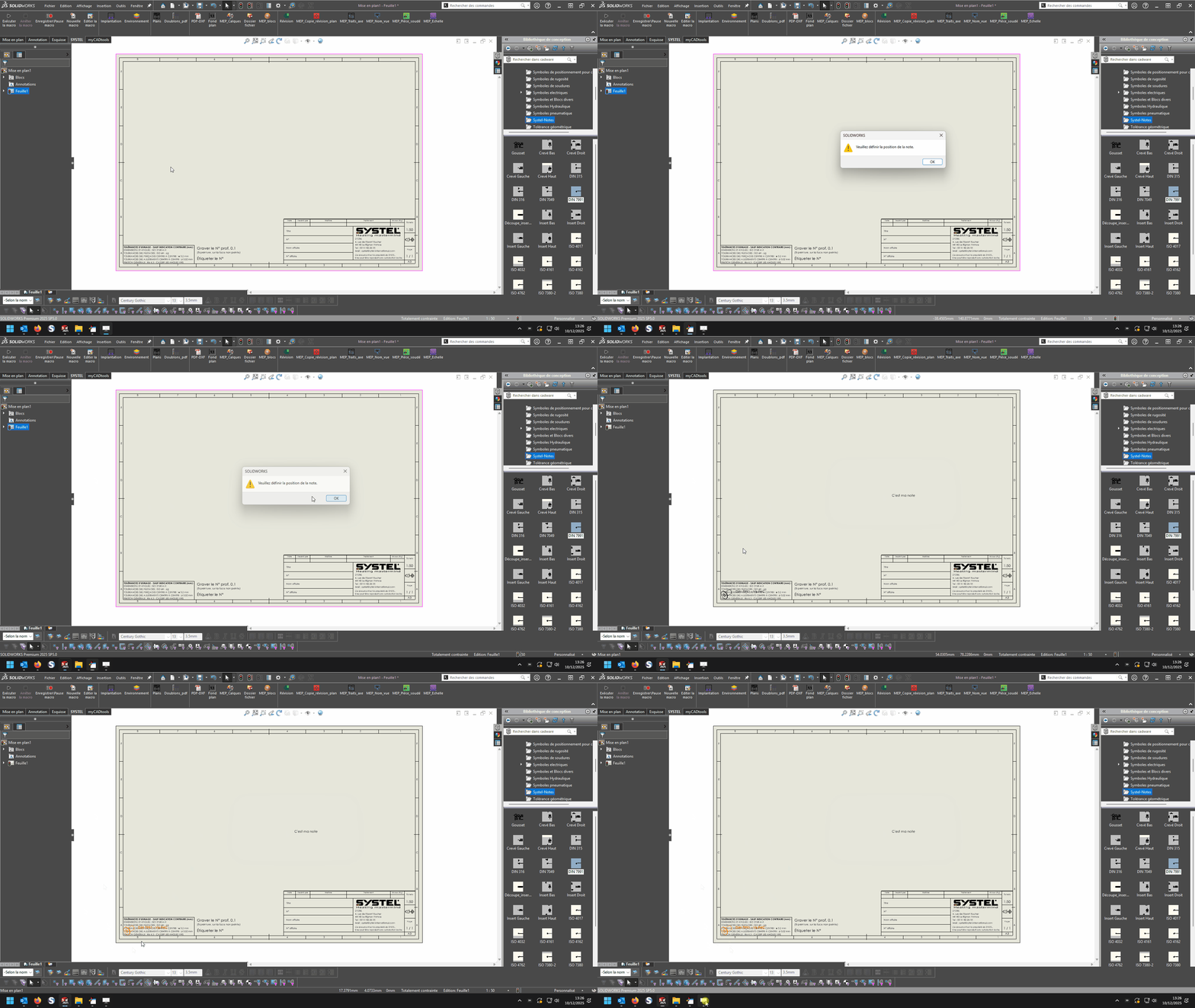

 :
: