Hello,
after an automatic quotation in MBD (DimXpert), I can't manage to frame the odds, which should be controlled!
Thank you for your help.
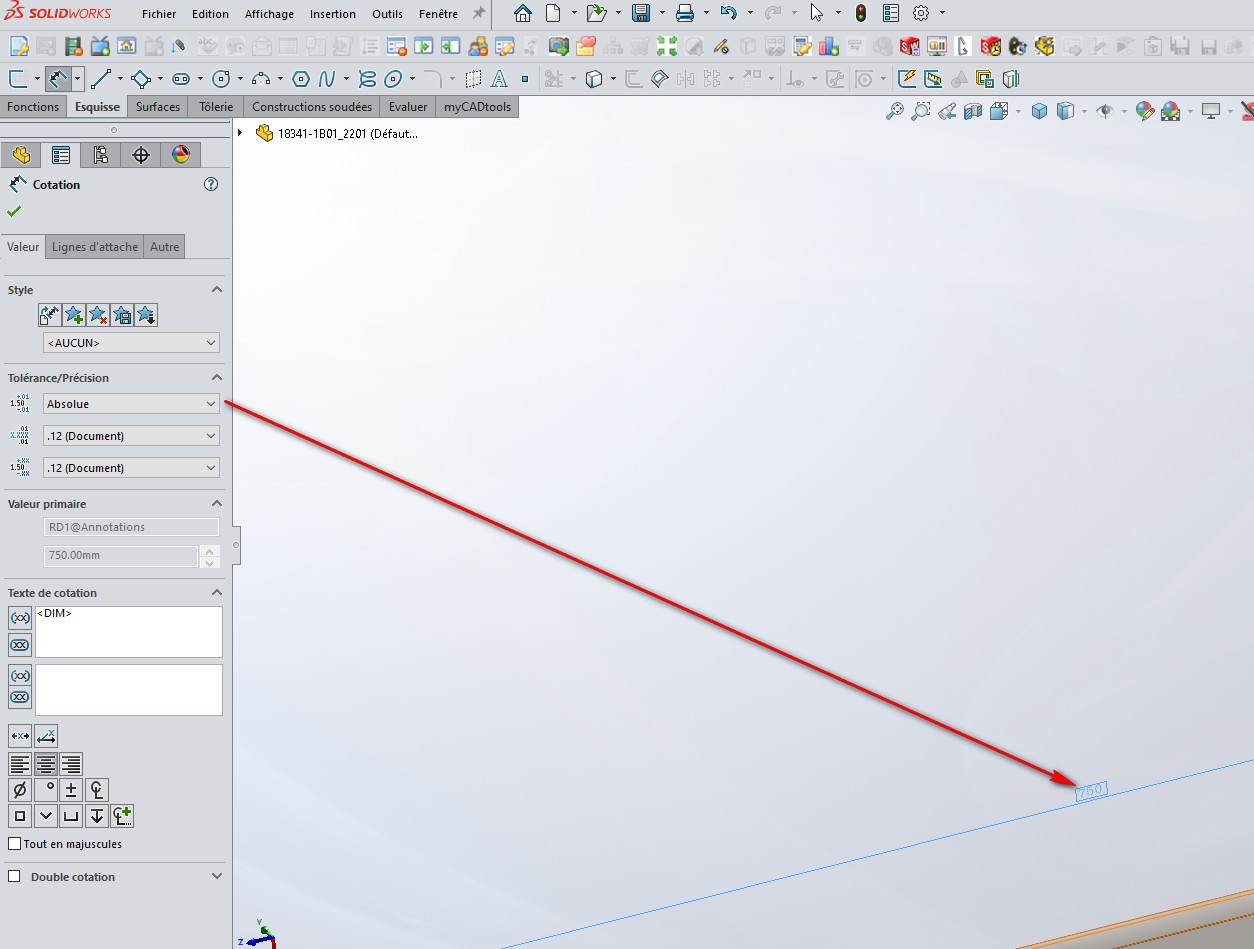
Hello Philippe_CHERKI,
On my side with the SW 2022SP4 version, I can do it!!
What is your version used?
A screenshot would be welcome.
Good luck @+.
AR.
1 Like
Hello,
I'm on SW2025
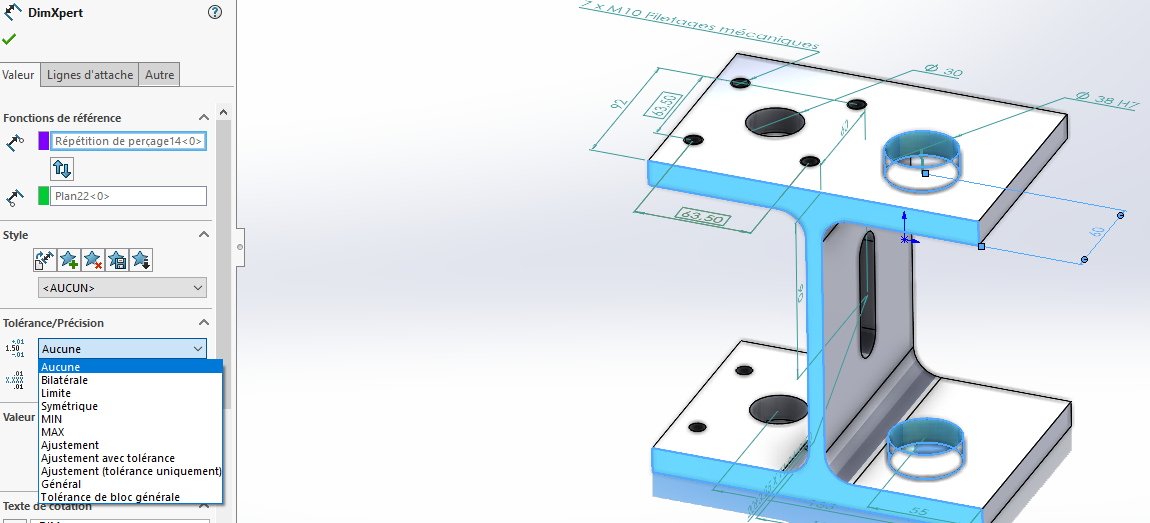
as attached, there is no option to CHANGE the dimension set to automatic.
For hand-placed odds, it works (see both bets).
1 Like
Hello @Philippe_CHERKI_1
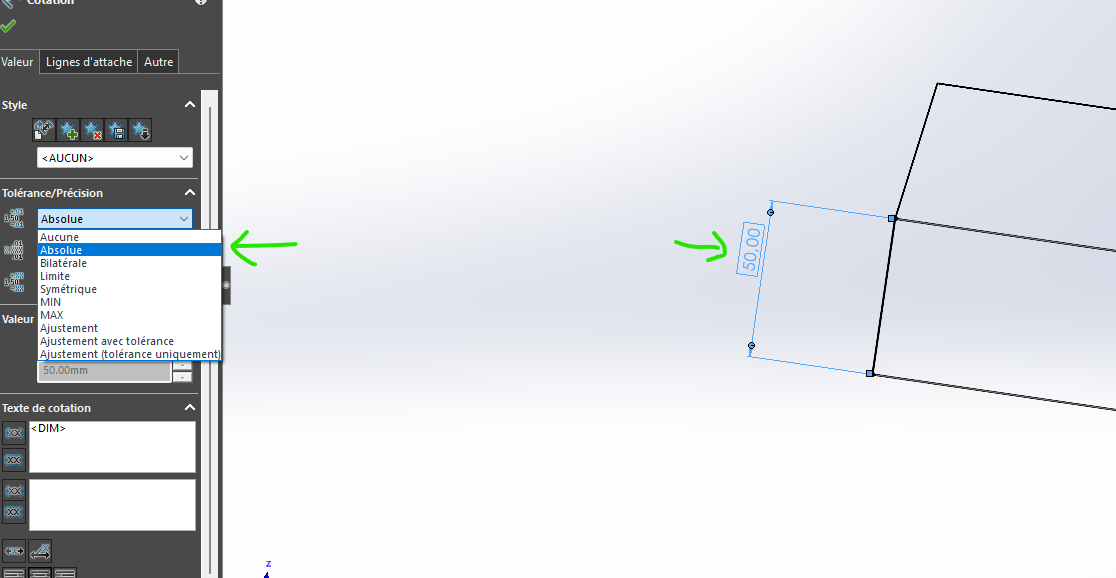
I found out how to frame a dimension in DimXert.
-
Create a dimension (in absolute) in any sketch.
-
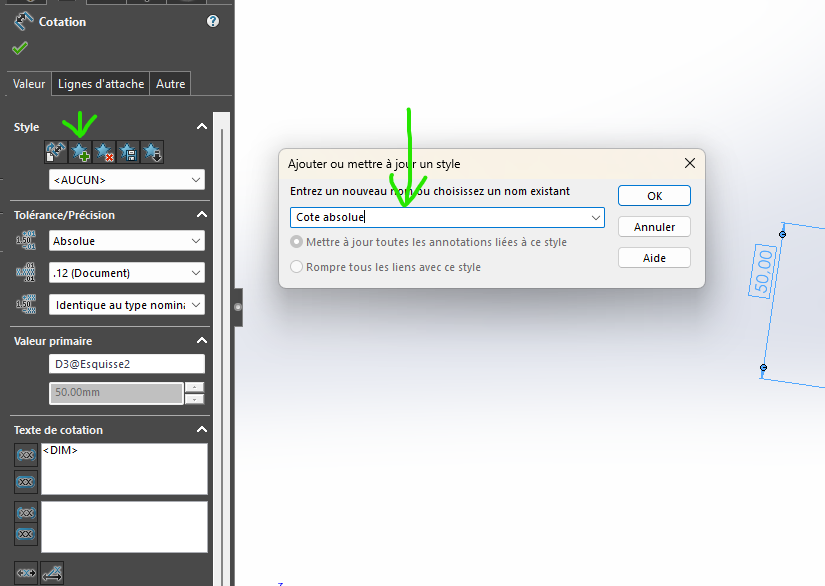
Create a Dimension Template
-
Save this template to your PC
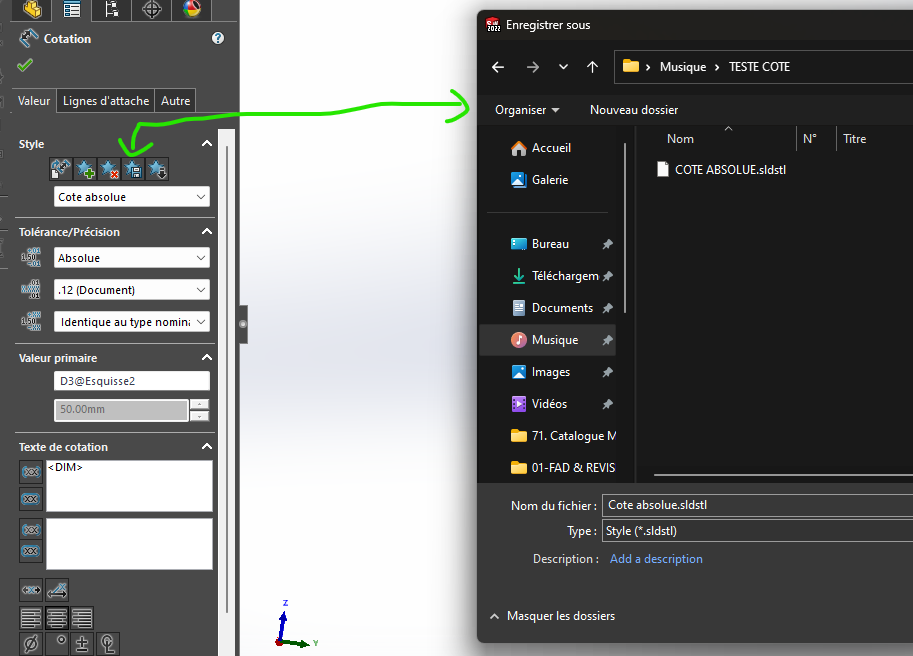
-
Create your side with Dim Expert
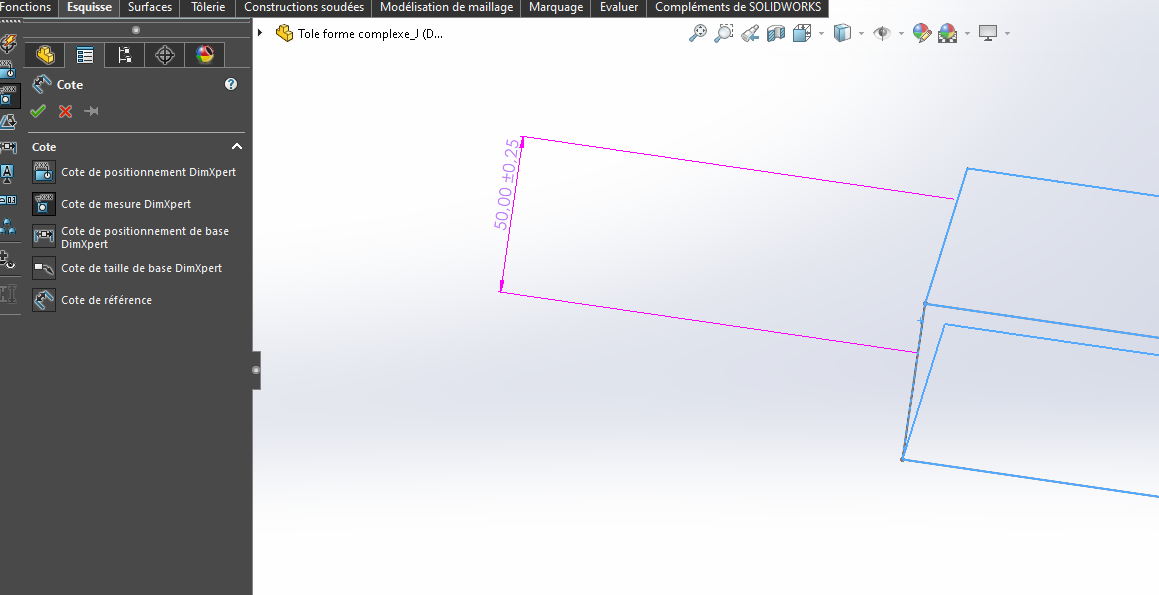
-
Select your side and apply the style you saved earlier.
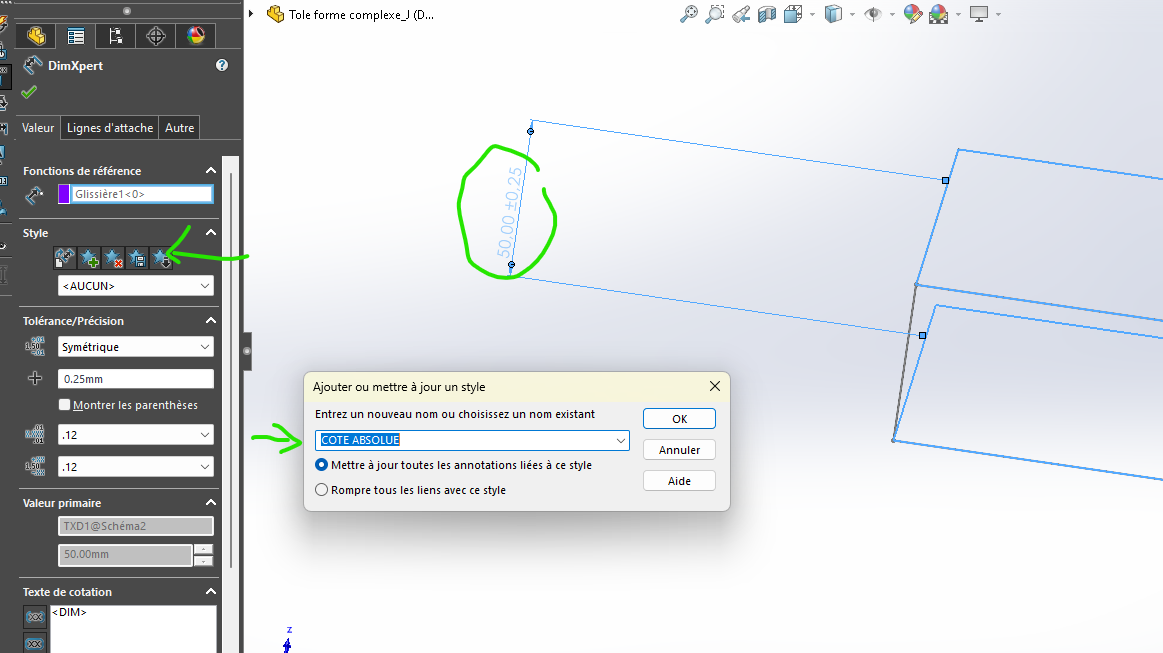
The result
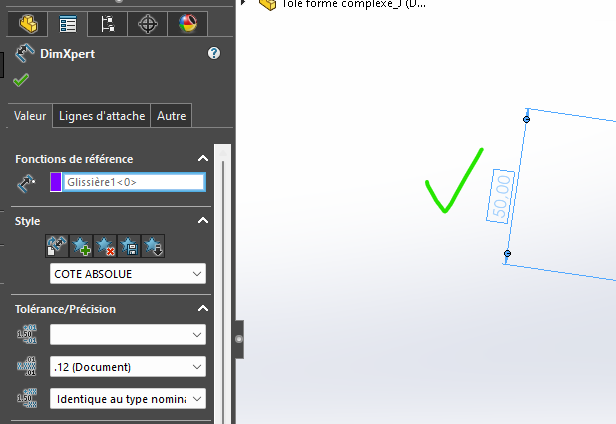
1 Like
Thank you, I'll try this but why didn't they integrate it directly?
Maybe because no one uses car quotation!

With the 2023SP5 you can create absolute dimensions directly from the DimXpertManager.
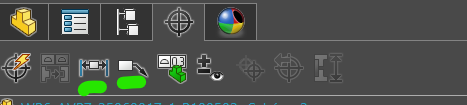
Absolute Positioning and Dimension Rating
2 Likes
Maybe my version does it too!
I didn't go through this tab, I didn't even think 

1 Like
So yes I confirm it works for me, but you have to click on the option described @Le_Bidule before setting the rating.
1 Like
Thank you for your help!