Hello,
I know that the subject has already been discussed but I am not getting out of it.
I've been using Solidworks since 1999. I don't know everything, of course.
I'm in solidworks 2025.
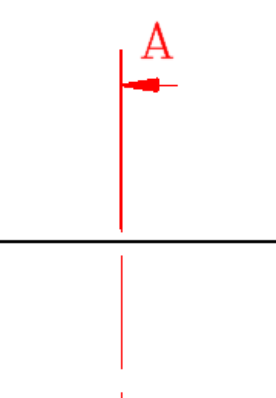
I want to change the line style for the cuts., i.e. a strong stroke at each end and thin mixed strokes inside.
When I go into the line style options (B,1.25,-0.25,0.25,-0.25), I still have strong mixed strokes and the ends are very little marked.
Who can inform me on the subject with examples?
In the meantime, I wish you a pleasant day
JeanArtemis
Hello;
Line Style: B,1.25,-0.25,0.25,-0.25
Corresponds well to the designation of the cut lines but this only defines the spaces between different types of lines
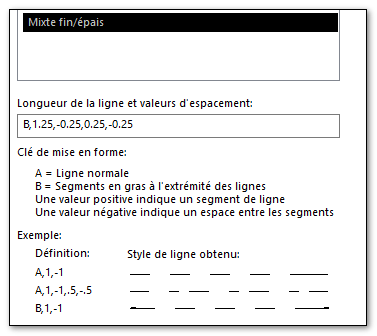
You also have to look at the defined line thicknesses (for example):
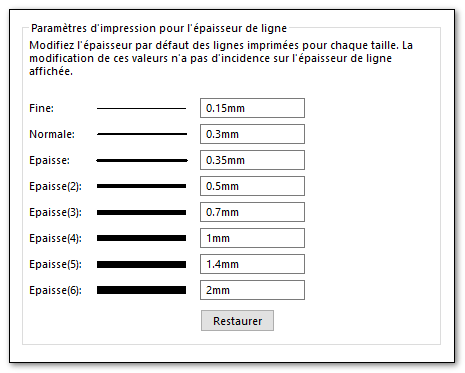
and line fonts:
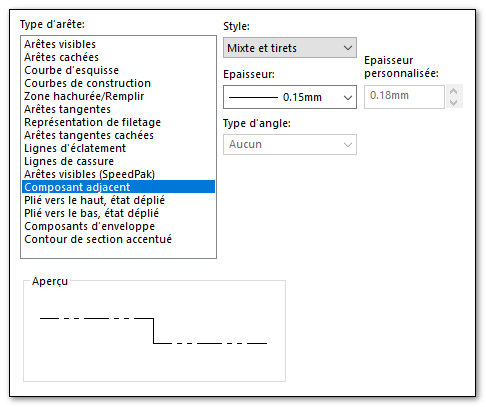
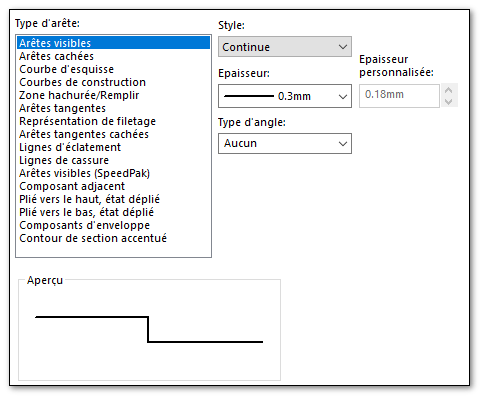
All these definitions are intimately intertwined.
The above values give (in my home):
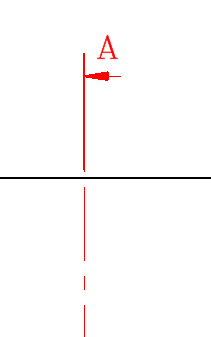
3 Likes
Hello,
Thank you for answering me.
I'm going to look at that. The explanation and the example are clear and precise.
Now I'm going to work, I'll come back to you to tell you what it's all about.
Have a nice day
I just looked. My settings are the same as yours but nothing changes. I just have the thin line thickness which is at 0.18 while you're at 0.15.
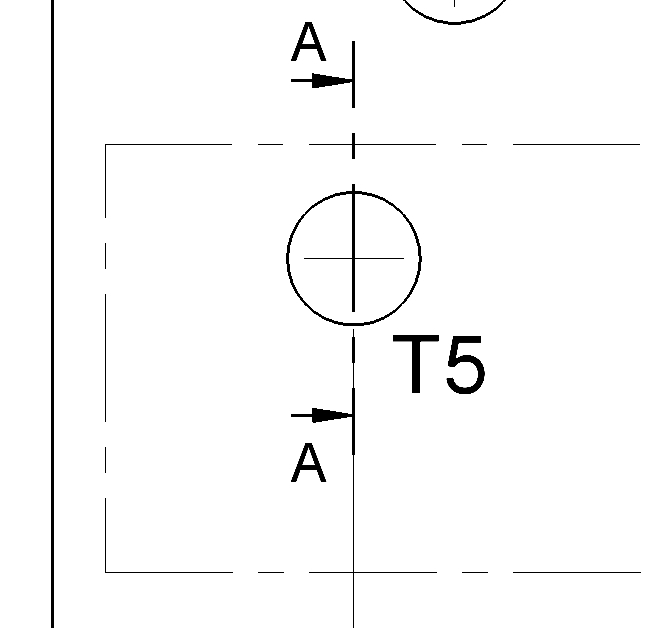
It seems that I am not the only one in this case...
Hello,
Is the line style applied to the cut mark correctly set?
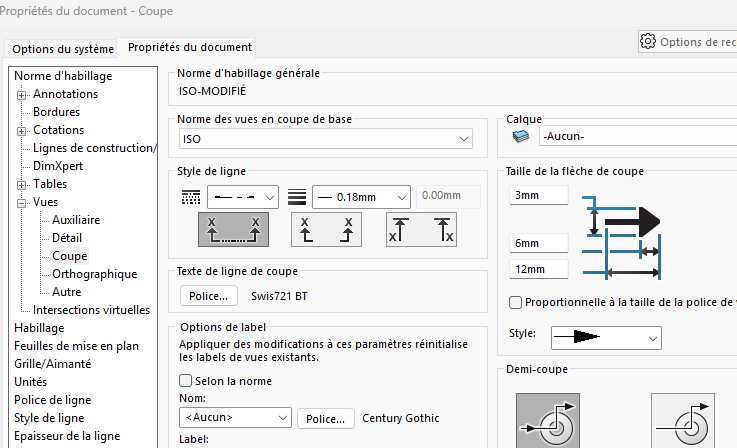
Result in PDF:
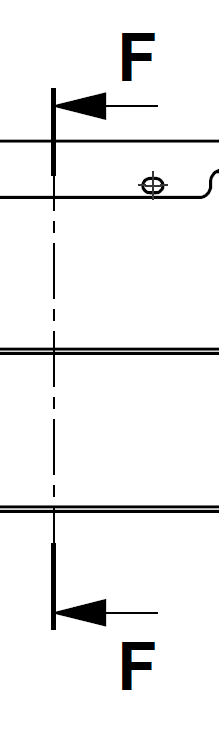
1 Like