Bonjour, Je fais de l’usinage sur DMG Mory (CMX50U = 5 axes positionnés) et j’ai du matériels SCHUNK pour le posage de mes pièces.
Je veut faire la FAO de 2 pièces distinctes avec pour chacune une phase de fraisage 3axes et un retournement pour finir la pièce.
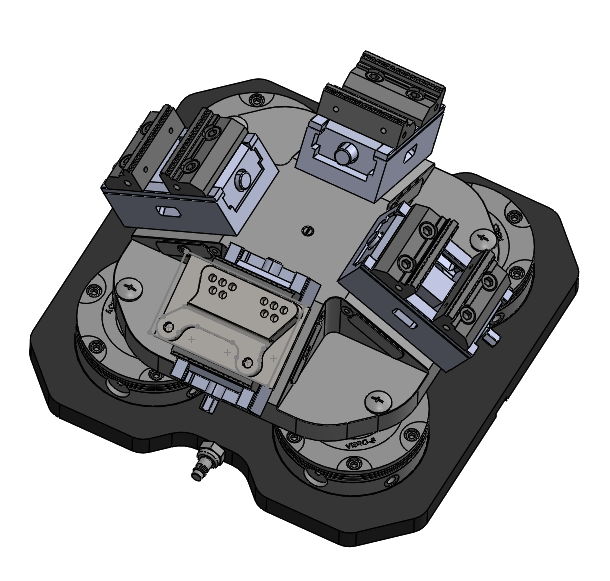
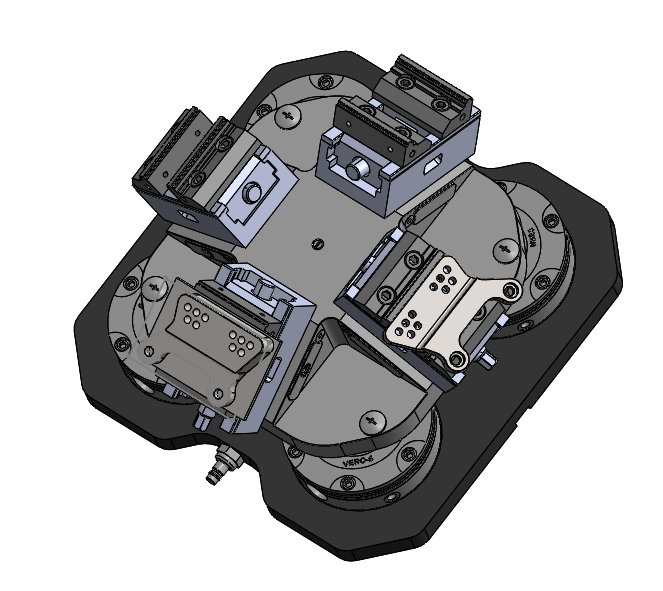
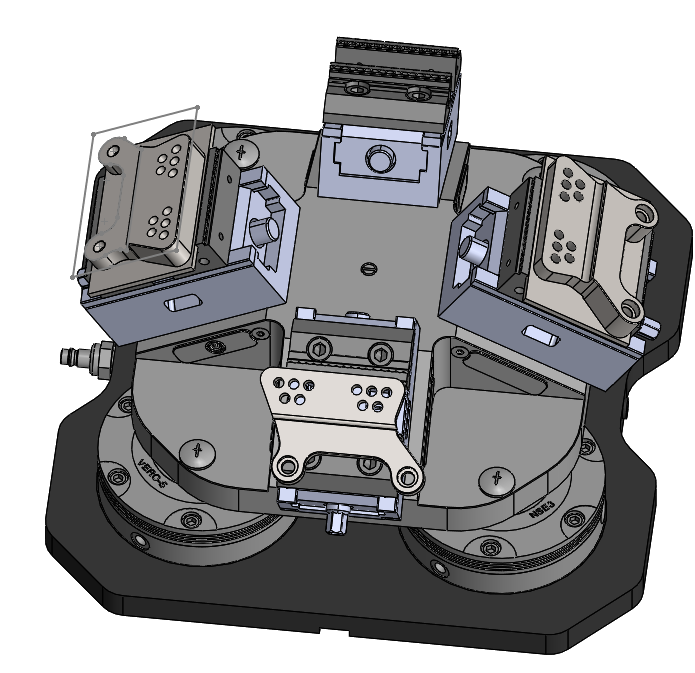
J’ai à ma disposition : Point zéro, pyramide et étau SCHUNK. dont j’ai fait un assemblage nommé :multi posage,
J’ai créé des copie de mes 2 pièces pour les configurer dans leur phases d’usinage respectives et je les misent en position telles qu’elles sont dans la machine.
J’ai déclaré les 4 pièces dans l’arbre des formes de CAM,
J’ai associé pour chaque pièces le brut qui lui correspond.
Tout ça c’est OK.
La créations des différents outils : OK
Lorsque je crée mes parcours outils :
Pièce 1 = OK ( tous les usinages se font bien)
J’ajoute Pièce 2 (même pièce que pièce 1 mais retournée )= OK ( tous les usinages se font bien avec rotation de 90° de la table)
Pièce 3 (nouvelle pièce) = Ok / pas OK ( l’usinage sur la pièce 2 se fait bien mais je perd des parcours outils dans la pièce 1 sur les 2 posages) => ???
que c’est-il passé pour que SolidWorks CAM décide de supprimer des usinages…
De plus il me génère des formes et des configurations sans nécessité.
J’avoue être perplexe. les différentes origines sont cohérentes avec la réalité.
je ne sais pas comment joindre le dossier complet (37 Mo) pour que vous ayez les fichiers pour bien voir ce que j’ai fait (en bien ou en mal) .
Merci d’avance pour vos réponses.
Bonjour et bienvenu alestrelin,
Désolé de ne pas parvenir à répondre à ta question, car pour l’usinage c’est vraiment très loin dans mon expérience …
Mais je suis certain que quelqu’un trouvera la solution.
Bon courage à toi.
@+.
AR.
Personnellement pas de connaissance sur la partie CAM, cela me semble plutôt très spécifique comme problème et difficile même pour un spécialiste d’y répondre avec de simple image.
Si tu es sous maintenance je te conseille vivement de faire une demande à la hotline de ton revendeur (Visiativ?), qui sauront t’attribuer un spécialiste capable de prendre la main sur ton poste et de te répondre de manière beaucoup plus précise.
effectivement sans doute la meilleur chose à faire. Evite également les pertes de temps.
= faire remonter le bug à Solidworks qui va créer un SPR et l’enterrer en moins d’un an.
Le truc sympa c’est que dans 5 mises à jour tu pourras renvoyer strictement le même bug à Solidworks pour qu’il refassent une nouvelle SPR qu’ils pourront lier à ton ancienne (et qu’ils vont encore enterrer…).
Le cycle infini de la vie quoi.

Restez Zen
Pour les curieux : SPR 1232391 et SPR 373815
Peut-être pas un bug mais une mauvaise utilisation si bug effectif au moins tu es fixé. Et en général les correctif sont rapide  (mais moins que la production de nouveaux bugs!
 )
)

Bon problème résolu:
Faire 2 pièces simultanées mais avec une seule phases d’usinage pour chaque:
Piece 1 x 2 en ph20, Pièce 2 x 2 en ph20.
Avec post pro qui fonctionne les pièces sortent nickel.
oui, j’aurais, je fais comme ça et envoi les différents gcodes ensembles ou dans l’ordre le mieux pour l’usinage