Hello
In my company, we place all our sheet metal orders from STEP files.
We then make a table of materials, but the material from the parts is not automatically retrieved by SolidWorks. Can you help me?
8577-2REH.zip (202.2 KB)
Thank you
Hello
In my company, we place all our sheet metal orders from STEP files.
We then make a table of materials, but the material from the parts is not automatically retrieved by SolidWorks. Can you help me?
8577-2REH.zip (202.2 KB)
Thank you
Is the material well indicated in each piece?
In what form of ownership?
What property if this is indeed the case?
Hello;
From memory, step file imports do not include any material... if that's the meaning of your question.
The material is added to the part properties, but with each export — whether in 203 or 214 — it automatically turns into **S235 JR DKP material saved in the model parts.
That said, it is indeed the material we use most often, and our tables should not normally fetch other materials.
I remind you that we make the tables from the STEP files.
You have answered part of my question, but why does the table not look for the material of the pieces?
For the explanation, we make the nomenclatures from the steps because our basic files use multi-body.
I think it's because you don't recreate the properties on your imports.
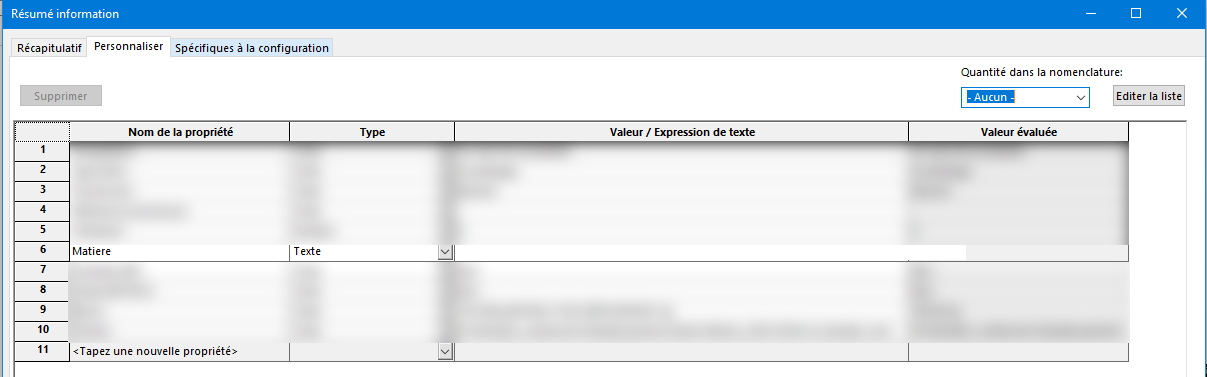
Check if the "Information Summary→ Customize or Configuration Specific area is not " empty " (at least for the material property.)
Can you take a screenshot of one of your WWTP re-imports ?
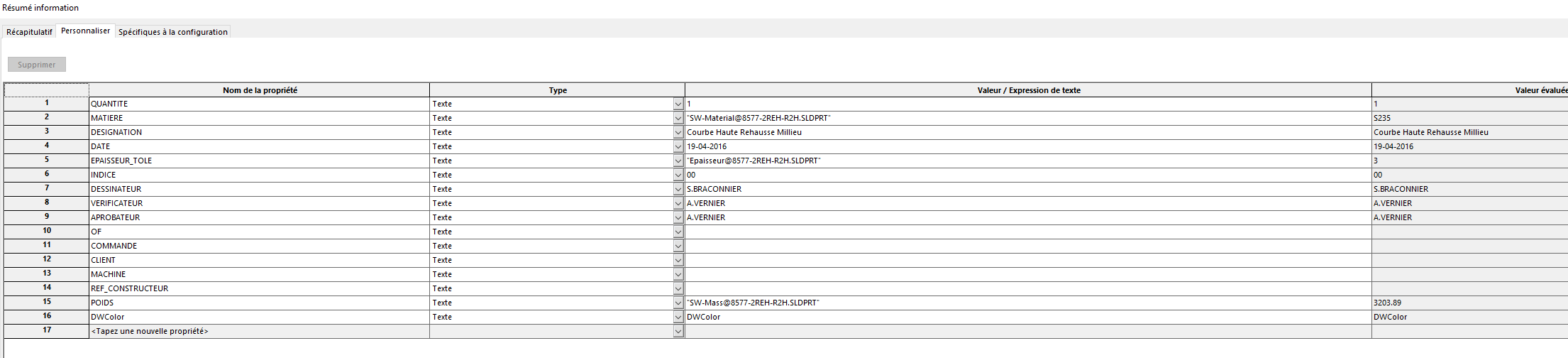
example:
The step is a common format for several software programs and is not suitable for preserving properties. (except for the new Step 254 format)
It doesn't seem appropriate to me to use this format to make the nomenclature, there are tools to do it from a SW file without going through a neutral format (step).
Link to the different step formats
Attached are my step import settings
The material is added in the custom property tab
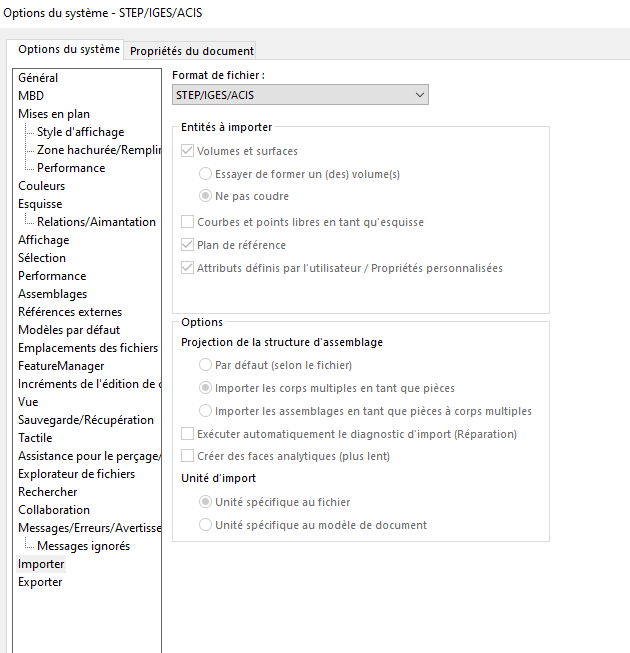
Except step 254 because we haven't had access to it yet
So there is no option to make a detailed nomenclature of a body-by-body assembly with feedback about the material?
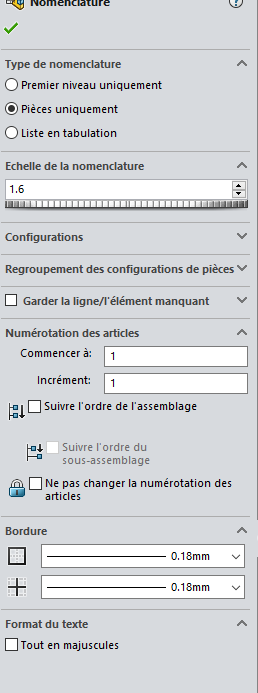
If the " MATERIAL " property is present on your files, but it doesn't appear in your nomenclatures, I'll look at the parameters requested when generating the table... A little screenshot?
example:
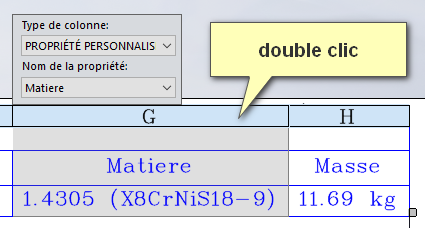
Hello
This is possible with a welded parts list table:
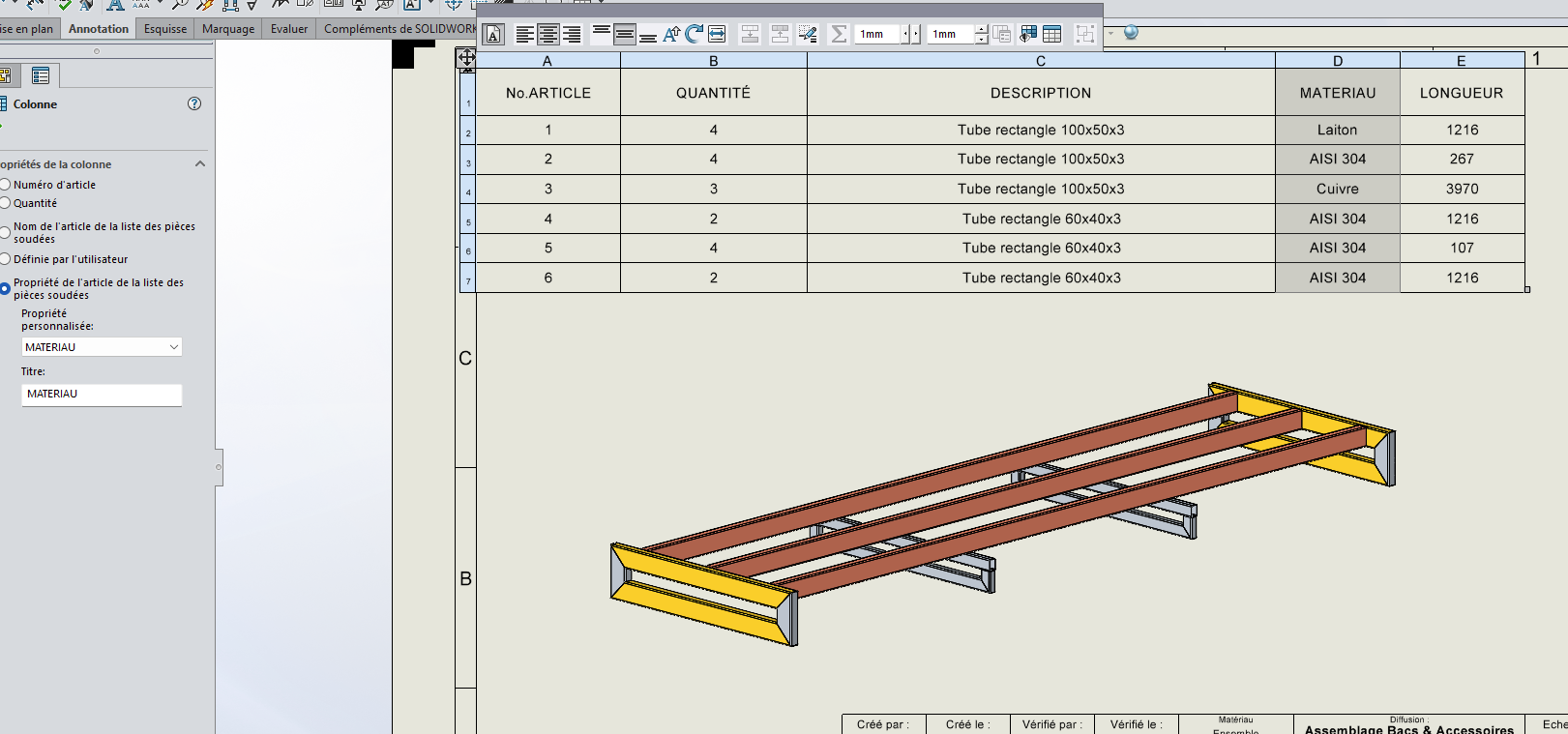
By adding a " material " column.
Here is an example of a mechanically welded frame where I had fun changing some materials.
@anthony_bellin , as said @Maclane if the properties are present when you open your STEP, it means that the property of the matter column in the table is not good.
Even with a classic nomenclature it is, possible you have to click on dissolve the part, and the bodies appear. Or like you did by adding a column pointing to the right properties.
Well, my screenshot is not great with the dual screens but I have custom property and material
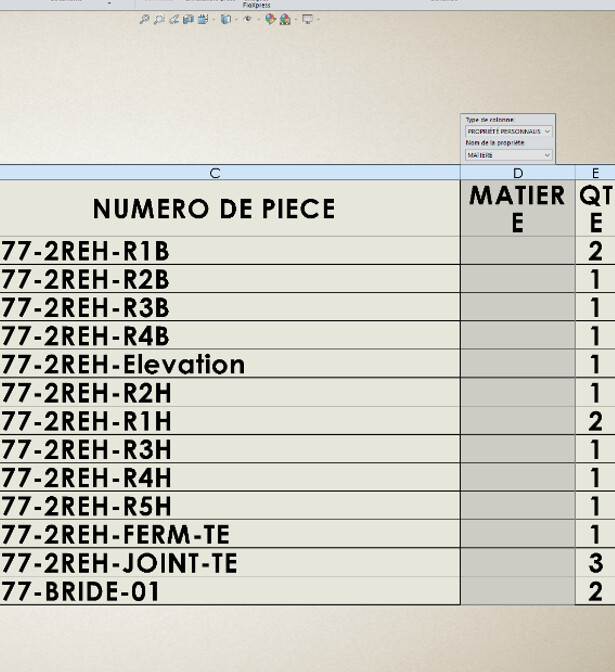
Thank you, it will help us.
Pay attention to the spelling of " MATERIAL " in your " Property Name" nomenclatures, it must be strictly the same as the text of the property (no accent and all in capital letters for you...) ... We don't see Super-Génial in the screenshot...
Be careful @ not to have the property twice in the bodies and in the room in this case it does not fill the column.
SW chosen or not! 
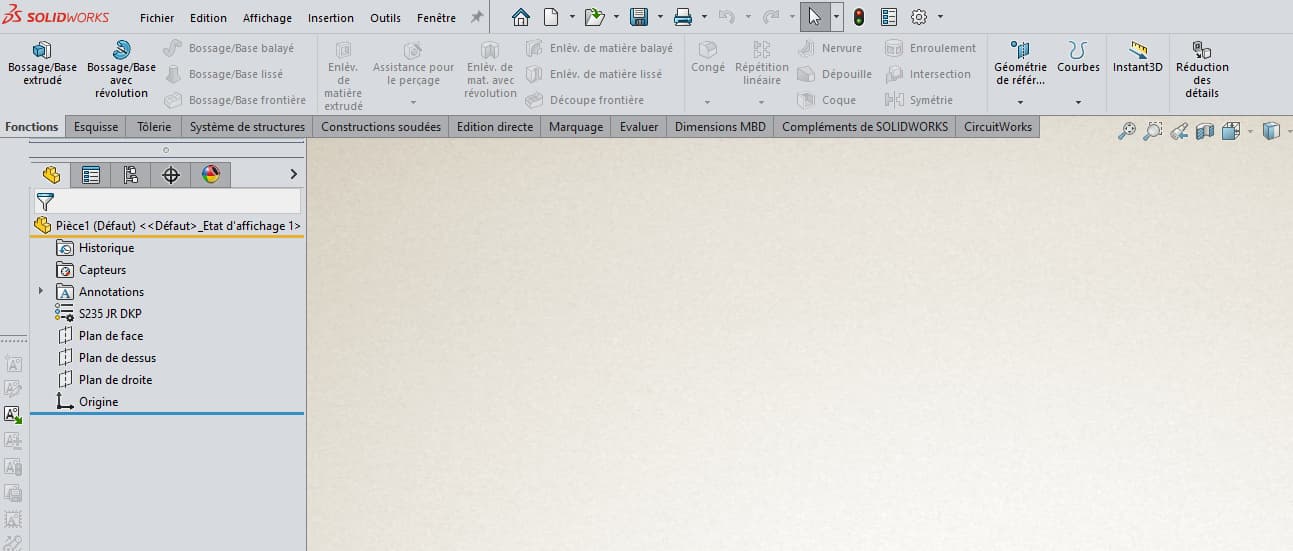
Can you explain to me why when I create a new part, our default part has a material assigned but I can't find the material property in the scroll tab? .
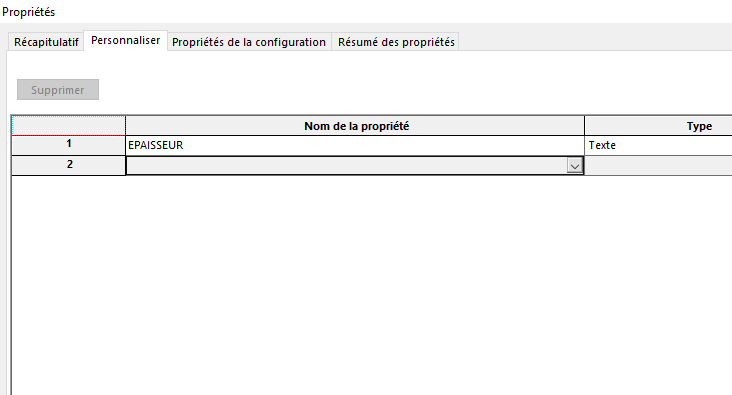
Hello;
The " MATERIAL " property and the material assigned to the component are not automatically linked.
You need to create the property (with the name you want) and then bind its definition (Value/text expression) with the type " sw-material..." »

but it remains text.