Hello everyone,
My request at the moment is about the nomenclature of welded parts.
Let me explain; For the production of our welded constructions and more particularly to edit a total list of parts to be flame-cut, we export a table to Excel to rework the thing.
My problem is this; In order to count the identical body references in each part, I go through an assembly bill of materials and I check " Detailed list of welded parts".
If I stay in List in tabs and then dissolve it works well, I still have to work on excel via a dynamic table to group the identical references.
However, this is theoretically feasible by checking " Flattened ", only here strangely it merges the welded bodies that have the same description. In my case the plate which is called " Sheet 100x100 Ep10 ", it is indeed 2 different welded bodies with their own number of welded part.
Does anyone know how to merge by taking into account the number and not the description?
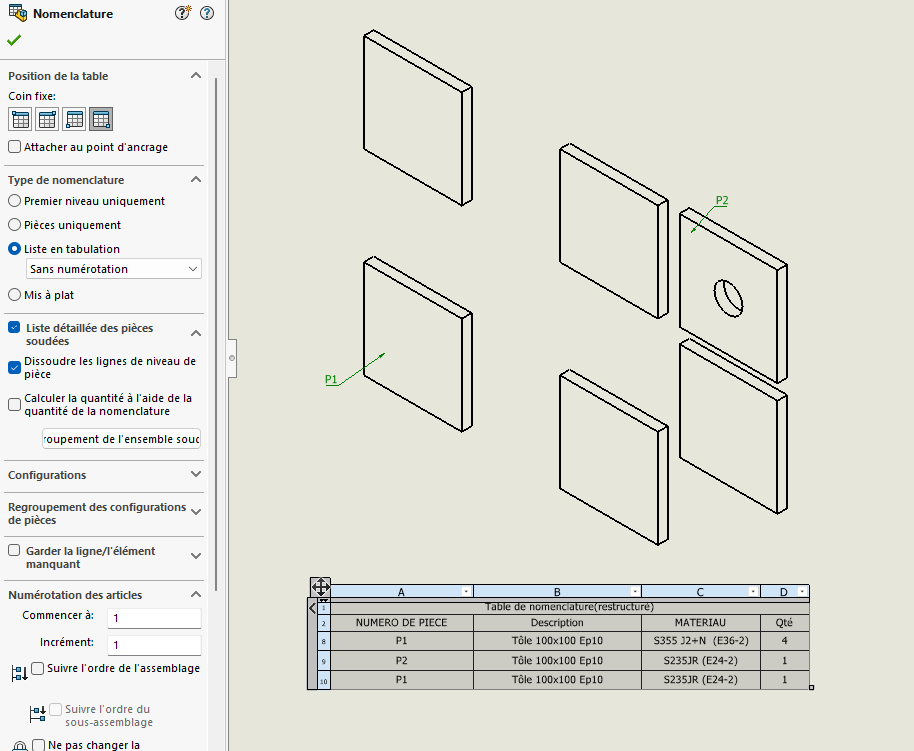
Here is the good satisfactory result but needs to be reworked
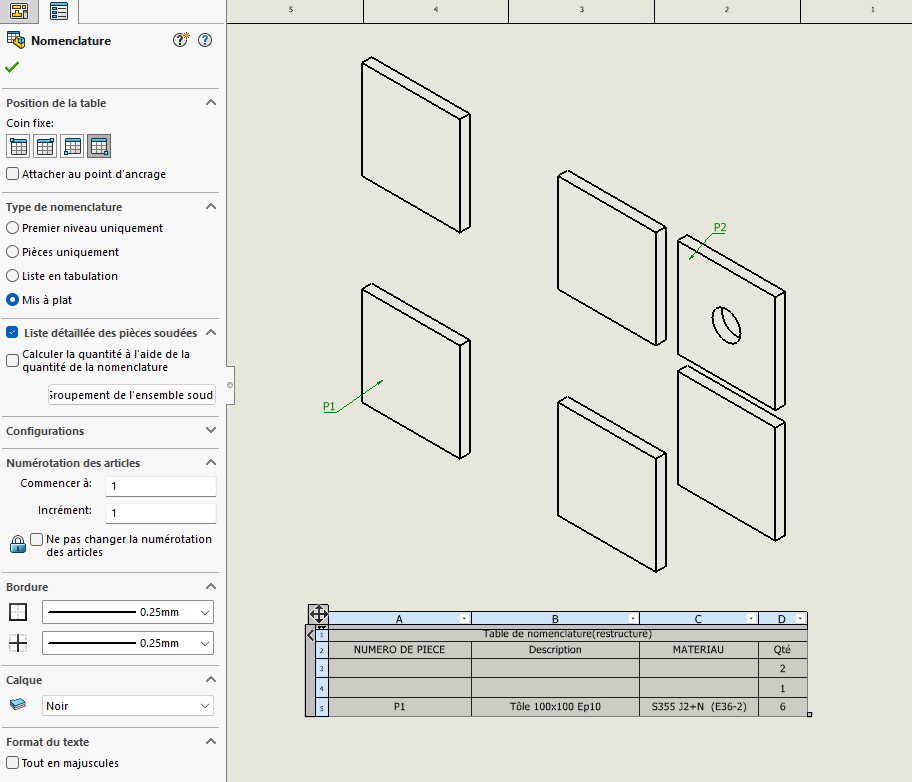
The result that groups the description
Hello;
I'm not sure I've understood everything but instinctively I'll look at the options offered by:
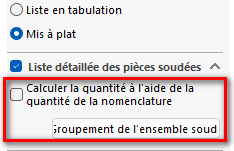
Secondly, it is normal for " Merged " bodies to have the same designation...
No, the problem is that it shouldn't be merged since the bodies don't have the same number. but the description is identical and that's where SolidWorks decides to merge.
Hello,
There are some things that are not clear to me. Could you specify the structure Assembly, Part, Welded body please? Maybe provide a sample file?
There is a particular mechanism in the detection of identical bodies in a welded construction. I hope that they have kept the same logic in the flattening of an assembly nomenclature...
To put it simply, a basic example; I have an assembly of 2 mechanically welded parts
A and B. A is composed of 2 welded bodies; a tube ref A001 on a 100x100x10 turntable ref A002. B is composed only of a 100x100x10 plate with a hole ref B001.
To extract a table of welded parts for my whole case I proceed as follows:
I insert an assembly BOM, I check the detailed list of welded parts and then flatten.
The problem comes at the level of flattening because SolidWorks groups the bodies A002 and B001 because their common description is " Sheet metal 100x100x10 " but their part number is very different.
I did the test with the mechanic profile and it's the same. You take 2 different pieces with in each of them a tube of the same length, one with a hole and the other not. Well, they are on the same line in the nomenclature with qty 2.
The only solution is to set the BOM to List in tab. But in the case of multiple parts with repetitions in the assembly he makes the total with the mano.
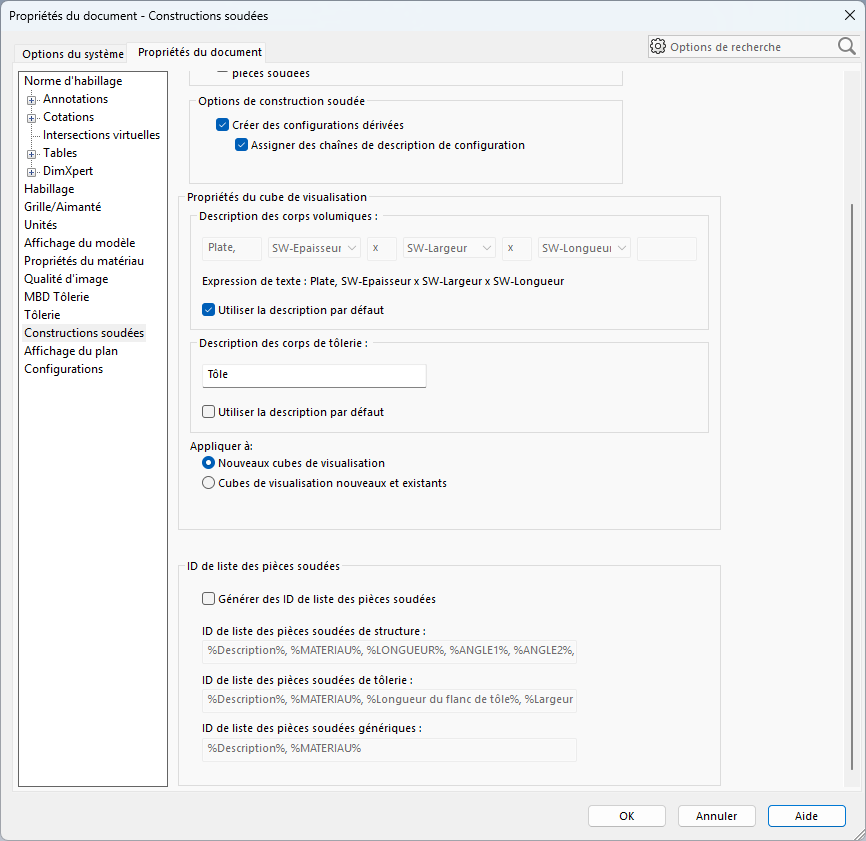
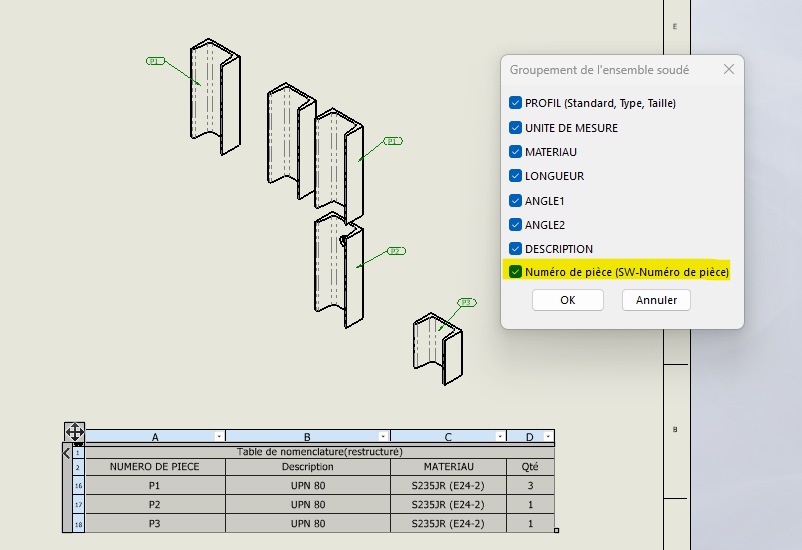
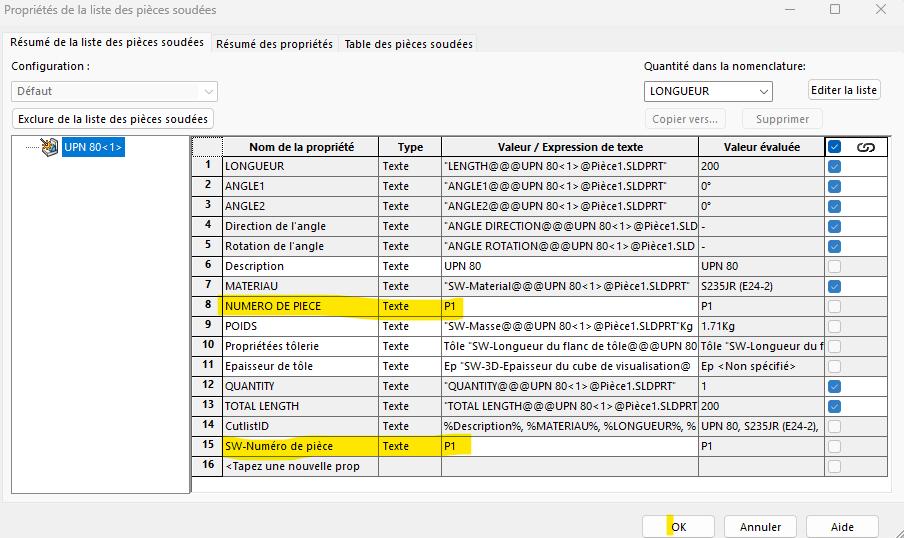
Nothing on that side but you put me on a track. I dug into the " welded assembly grouping" parameter and at the very bottom there is Part Number (SW-Part Number) which is different from the PART NUMBER property.
Strangely enough, SolidWorks has created 2 different properties for the same thing (numbering the welded bodies) but which do not have the same impact.
Hello;
I found this, if it can help you in your quest:
On the other hand, at Solidworks, they are less talkative:
By unchecking " Description " do you get what you want?
In fact, even without unchecking the description, it works perfectly.
Only enter the property " SW part number" instead of PART NUMBER