Hello
I'm preparing a typical assembly and I'm wondering about the configuration name.
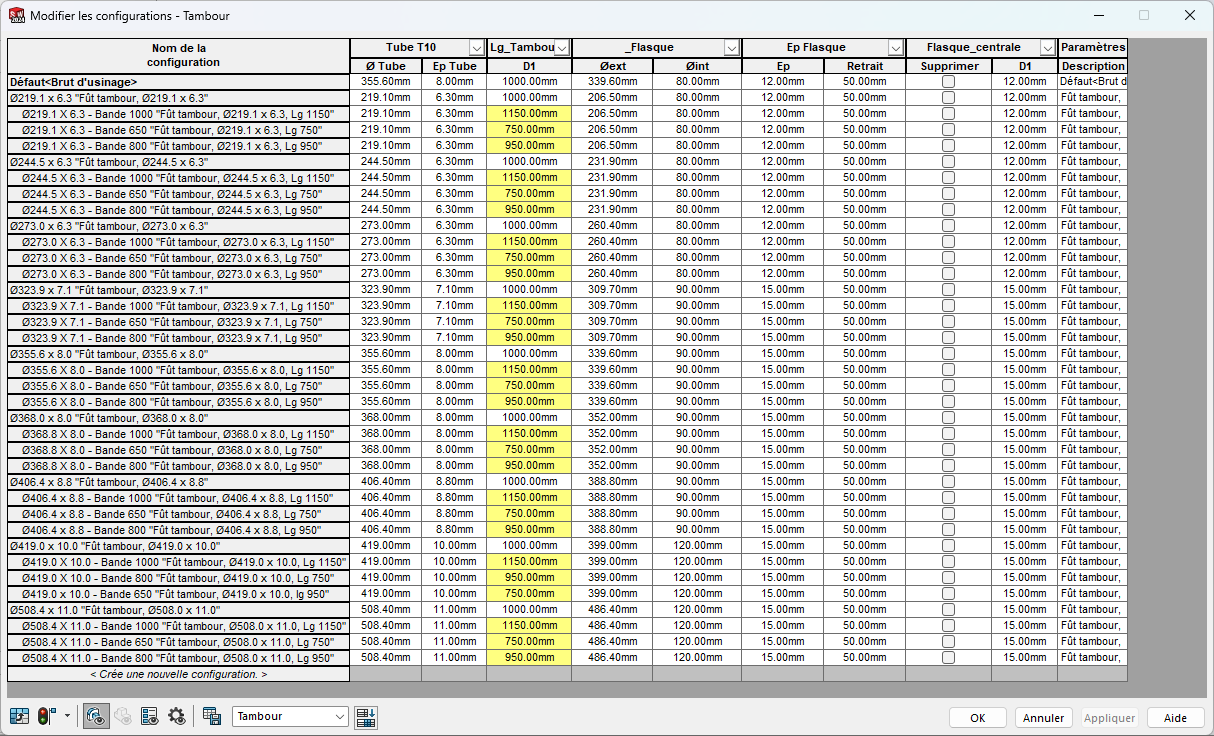
I would like the configuration name to be generated by the contents of the columns in my table.
In the example below, I would like to know if it is possible to " call " the values I entered in the 2 columns " Tube T10 " (Ø Tube and Ep tube) as well as the value D1 in the column " Lg_tambour ".
Is this possible?
Tambour_Fût.SLDPRT (1.3 MB)
Hello and welcome;
Yes, it is quite possible, but you have to edit the part family in an Excel table (right click on the configuration header and then open in a new window).
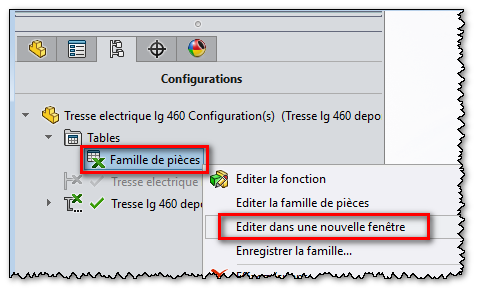
https://help.solidworks.com/2025/French/SolidWorks/sldworks/t_Automatically_Inserting_a_Design_Table.htm
From there, you have to think about switching the column where the name of the configurations is managed to " Standard " format (the Format is " text " by default when opening the Excel) and now you can use the Excel functions and formulas for your columns.
Be careful, I see that you are using derived configurations, the Excel table will be a little confusing at first but nothing insurmountable.
A few tips: Empty rows or columns
https://help.solidworks.com/2025/French/SolidWorks/sldworks/c_design_tables_blank_rows_columns.htm?id=2d509ad16c15486f978aa19c1470d966#Pg0
3 Likes
Hello and thank you for the info.
I have another problem, my manager asked me to generate a new BOM / welded parts table templates, the sldbomtbt and sldwldtbt files were lost due to a handling error.
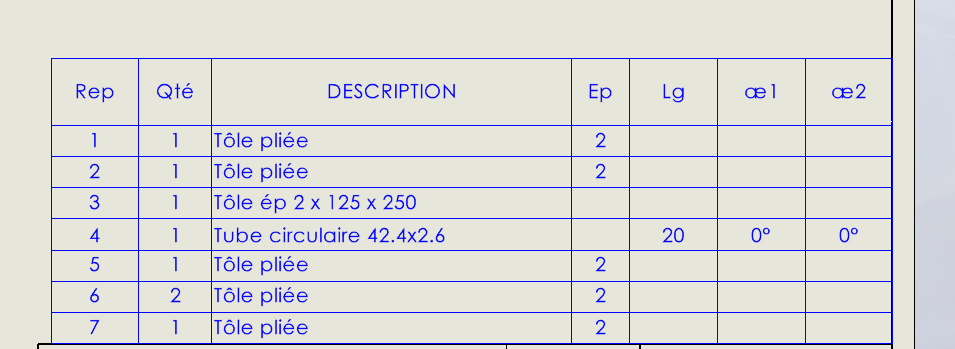
I managed to find an old plan with a table of welded parts inserted that I managed to save for use in new documents.
In this table, there are columns that indicate a thickness, a length and cutting angles, I would like to be able to look at the syntax of these columns, but I can't do it. Do you have an idea?
Kind regards
Hello:
…??? What does that mean?
1 Like
So 3 " n " in column I understand (yes 3 columns in the nomenclature), but the meaning of providing in this context escapes me.
I would not point out the use of the future tense rather than the conditional of the verb to wish, which is often controversial and even polemical. 

2 Likes
Hello
It must be a welded workpiece table (in the different types of tables that SW offers).
The header (name) of the columns is editable. It is possible to add other columns
I expressed myself badly.
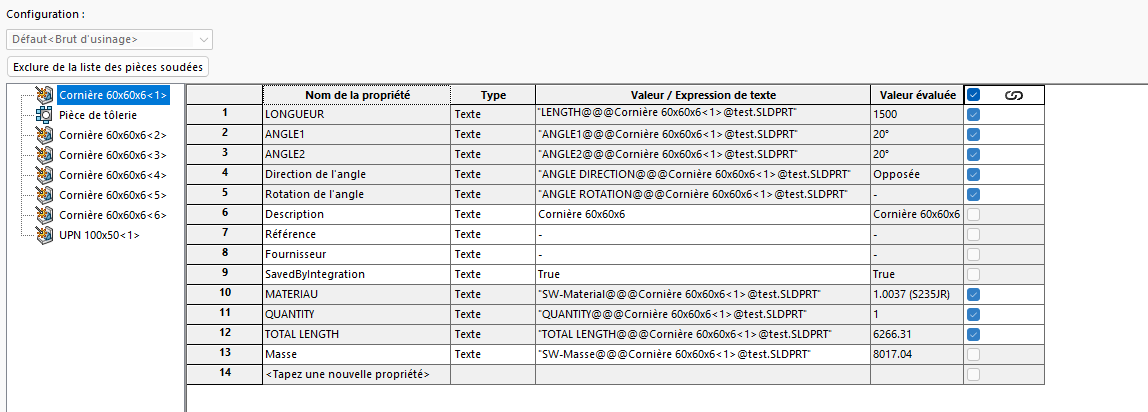
For my part, I continued to dig and I found the names of the properties that can be applied to the elements of the tree of a welded construction list.
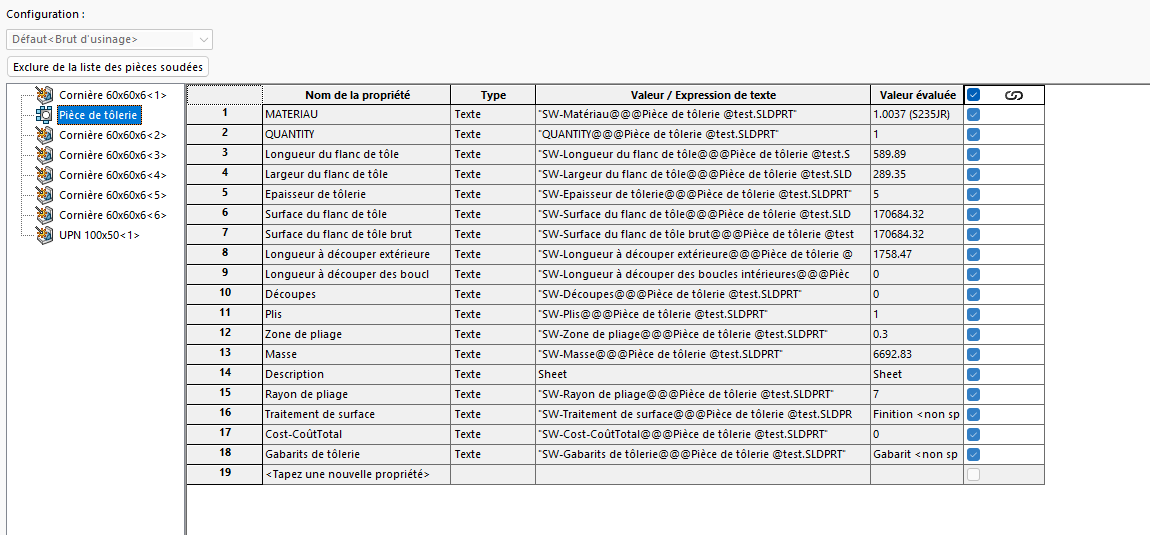
Having managed to retrieve the welded parts table (.sldwldtbt), I wanted to know how to edit it to add some properties, including the bend radius for sheet metal parts (line 15 of the second attached screenshot).
Ideally, I would want to modify the source file (.sldwldtbt) that generated my welded parts table and not the table inserted into a plane from the source file.
Hello
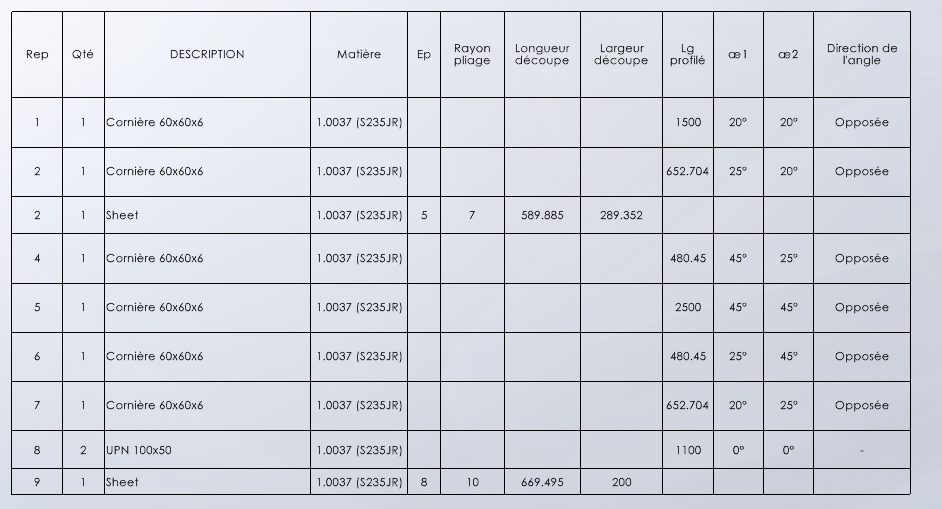
I ended up figuring out how to complete my table of welded parts,
Simply create a column, select it, and choose the properties from the associated drop-down menu.
Here is a preview of my table
I'm going to keep digging, I'd like to add the size of my V with a conditional formula associated with my bend radius, do you think it's possible?
Hello
I'm trying to complete my welded parts table by adding a " V-size " column. I have the idea of applying an " If " equation to this column to associate a size of V to each bend radius.
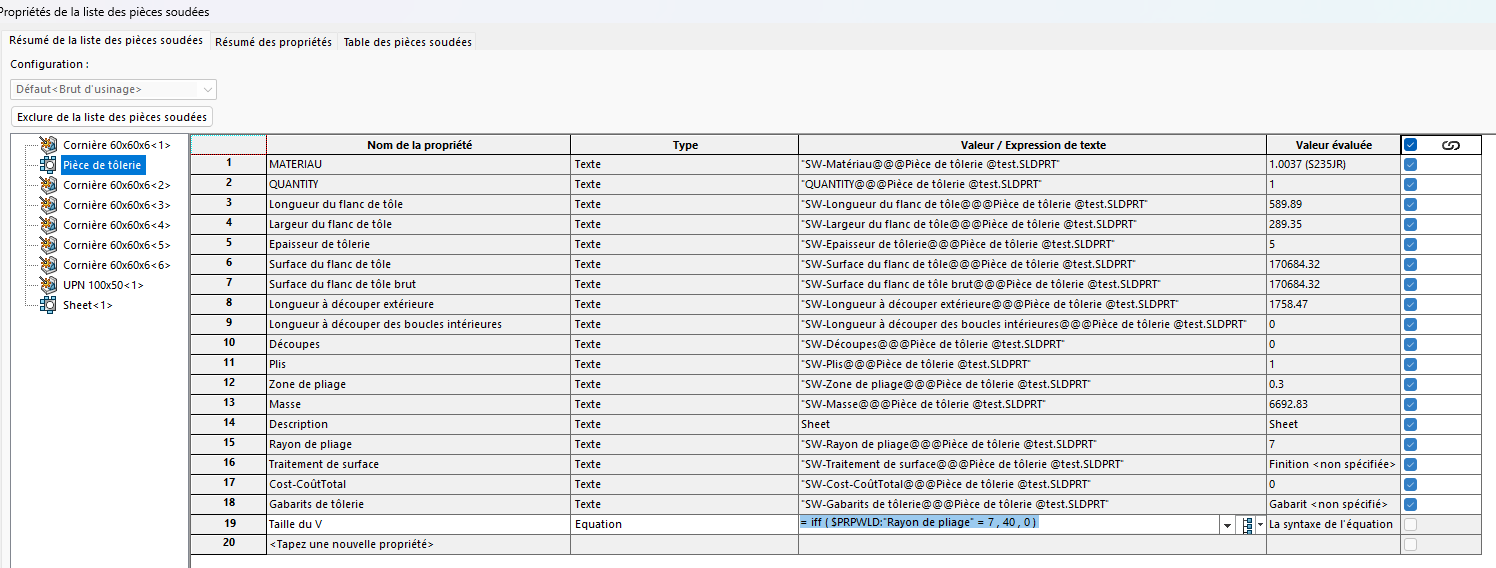
I added a property in the summary tab of my welded parts property list.
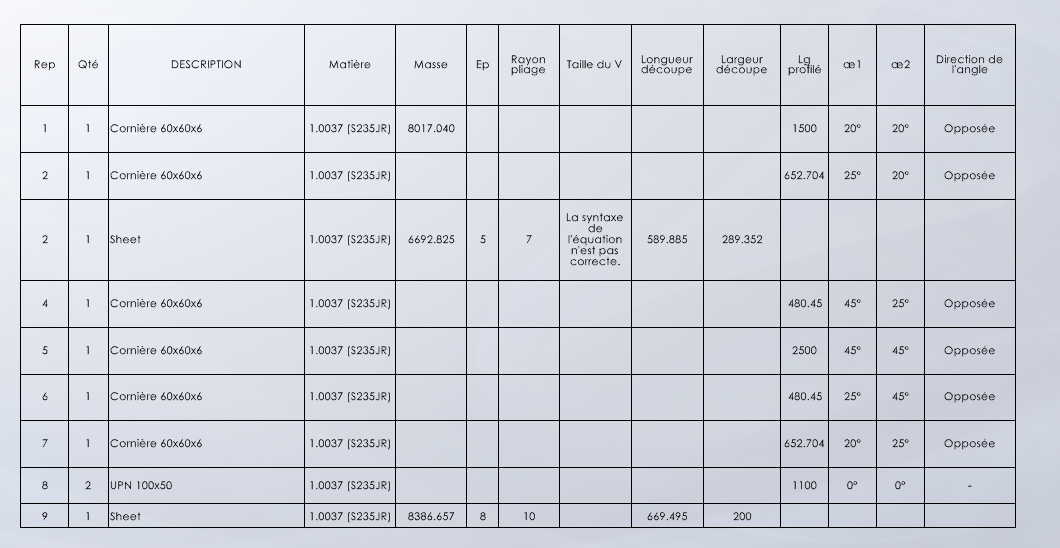
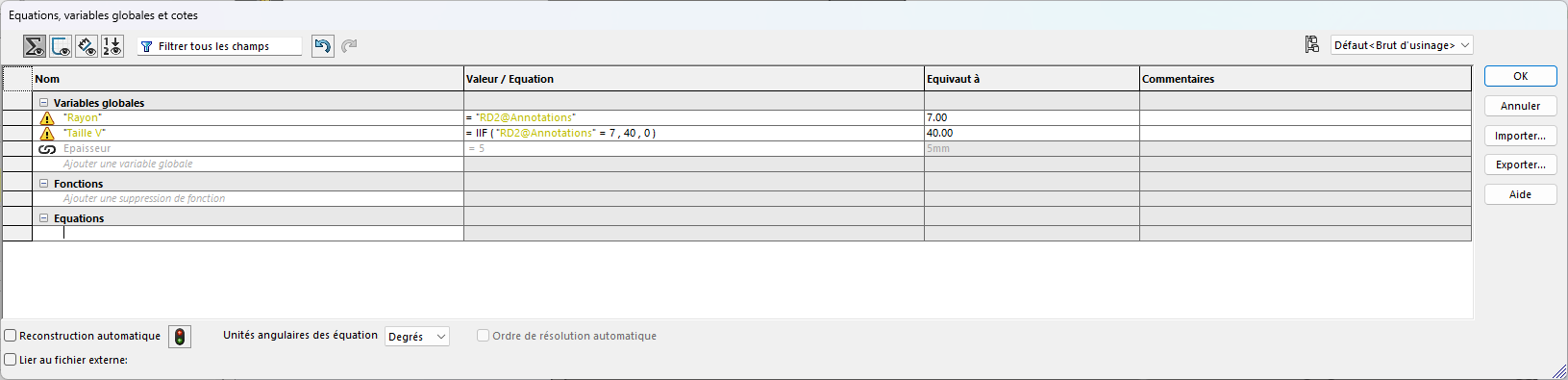
For this property, I wrote an equation, but this one doesn't work, back in my drawing, I have a syntax error.
I tried to make an equation in the equation management menu and it works.
Do you have any idea where my mistake is?
thank you in advance
Hello
The equations in the properties should be written without the " = " sign.
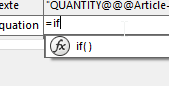
It would seem that in this table (and nomenclature) the if has only one f:
Edit:
https://help.solidworks.com/2021/french/SolidWorks/sldworks/c_equations_in_tables_and_boms.htm
There are also commas to be replaced by ; and if you need the = (for the nomenclature at least.
A functional example in a BOM:
=IF(`Type`="PI";`Nom_Fichier`;IF(`Type`="AS";`Nom_Fichier`;`Code Gt`))
Edit2:
This line operates:

All that remains is to add the yew...
Here is a functional equation in the properties of welded articles (not without difficulty):
Thank you for your advice, the formula works.
I ask myself 2 questions:
- I would like to add this equation in the properties manager of the welded parts of all the parts files.
I tried to embed it in my .prtdot template file, but since the file is empty, I don't have access to the handler.
Is there a way to edit a system property in order to natively include this addition to my property list?
- In the drawings, I would like to add the mention of the size of the Vé on the folding notes of the parts in the unfolded state.
I tried to paste my equation into the note, it doesn't work
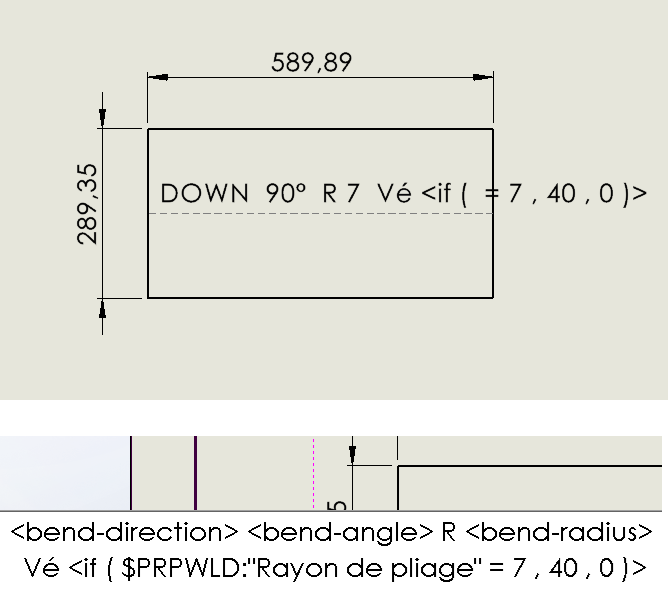
I don't have write rights to the " bendnoteformat.txt " file, I can't touch it.
Do you have any leads?
1 Like
Impossible for me in the note.
For the table, I don't know how to incorporate your equation into the model piece.
Hello
I just went back to my idea, would you know where I should look to find the file / parameter where SW will " search " for the list of welded parts with the different properties when creating a sheet metal body or a welded construction?
Kind regards
Hello
I continue my research on equations, I want to remove the useless " 0s " from the value evaluated by my equation.
I found this topic in SW Help.
In my equation: if ( $PRPWLD : " Bend radius" = 7 , 40 , 0 ) I added " {0} "
In different places: before the " if ", before the " 40 ", but I can't remove these unnecessary decimals, I get the message " equation syntax not correct ".
Thanks in advance
