Bonjour,
Dans une modélisation mécanosoudée Solidworks, existe-t-il un moyen de créer une numérotation automatique (hors N° d’article) de la liste de toutes les pièces soudées? (numérotation qui se mettrait à jour en cas d’évolution du modèle).
Merci par avance !
SR
Bonjour @stro
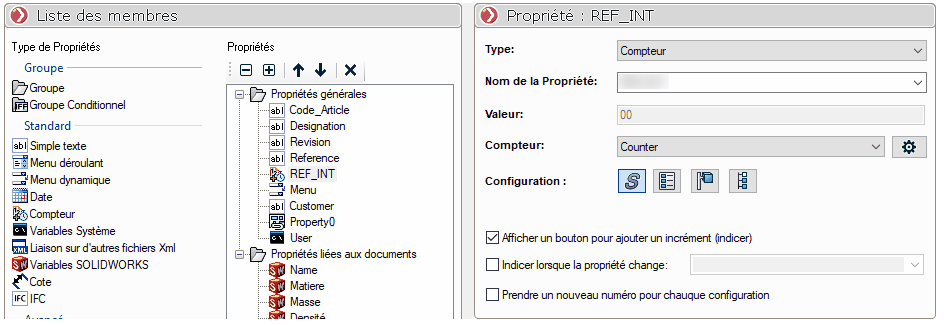
Pouvez-vous expliquer l’objectif ou la problématique de la numérotation automatique de SolidWorks ?
Vous pouvez en vous appuyant sur celle de SW réaliser à partir d’une équation une nouvelle propriété.
1 « J'aime »
Bonjour;
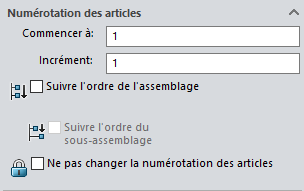
Je suis perplexe moi aussi, la numérotation native de Solidworks répond déjà à vos objectifs.
Vous pouvez même en modifier l’organisation avec les outils lié aux nomenclatures
2 « J'aime »
Bonjour et merci pour vos retours,
Je viens de faire des essais, mais sans succès.
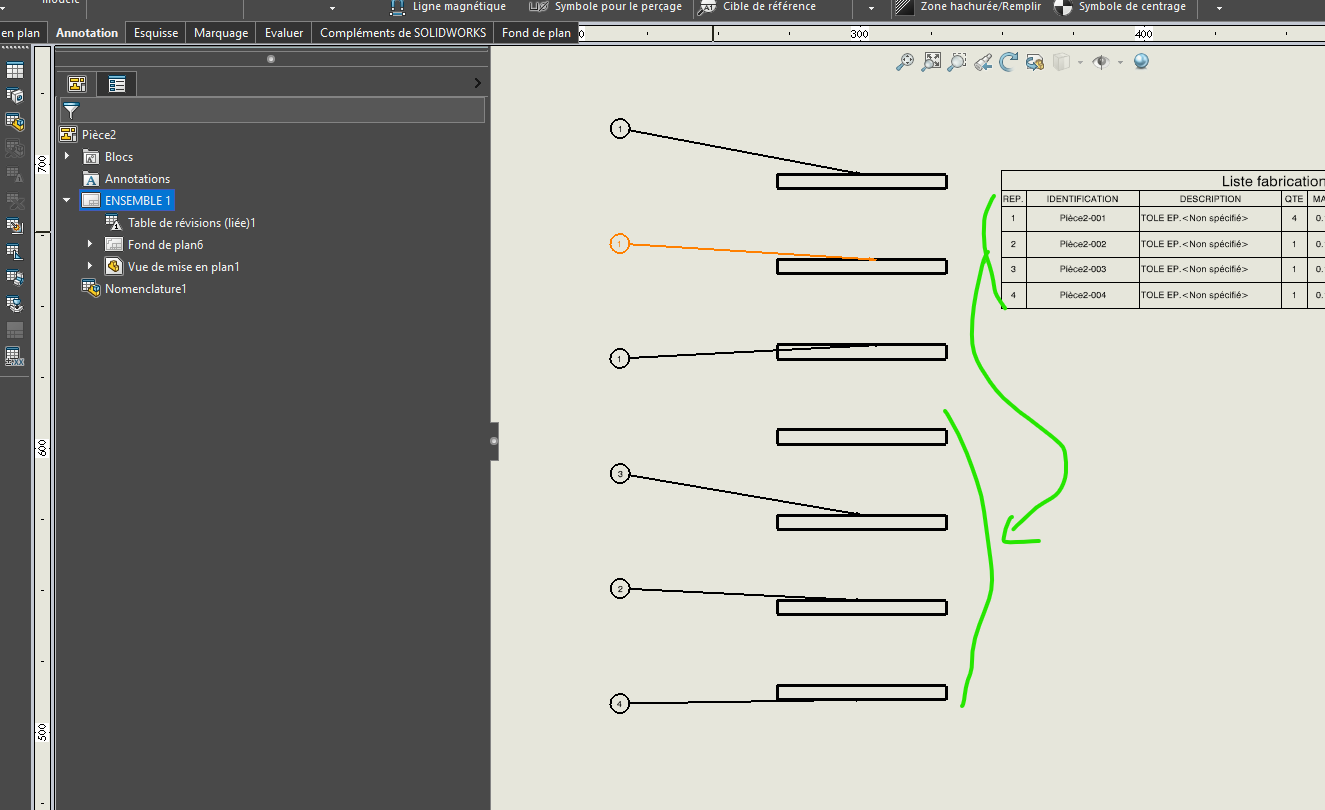
J’ai créé une structure métallique dans une seule et même pièce, composée de plusieurs ‹ ‹ pièces soudées › ›.
Puis, j’ai dissocié les différents éléments mécanosoudés à l’aide de configurations (ex: poteau 1, poteau 2…).
Dans la nomenclature de mon premier plan (ex poteau 1), une numérotation d’articles apparaît.
Dans celle mon second plan (ex poteau 2), les pièces similaires peuvent ne pas porter le même numéro d’articles.
Je souhaiterais donc que chaque ‹ ‹ pièce soudée › › porte son propre numéro qui se retrouverait dans les différentes nomenclatures. Je saurais le faire en ajoutant manuellement à chacune une propriété, mais pas automatiquement.
J’espère me faire comprendre…
Je n’ai pas tout compris…
Ce serait sans doutes plus parlant avec des captures écrans…
« Similaire » ne veux pas dire « strictement identique » elles auront forcément un numéro différent…
Ne serait-il pas plus pratique d’envisager des assemblages plutôt que des configurations ?
J’ai essayé les deux méthodes qui ont chacune leurs avantages.
Pour la construction mécanique j’utilise les assemblages, pour les structures métalliques les configurations.
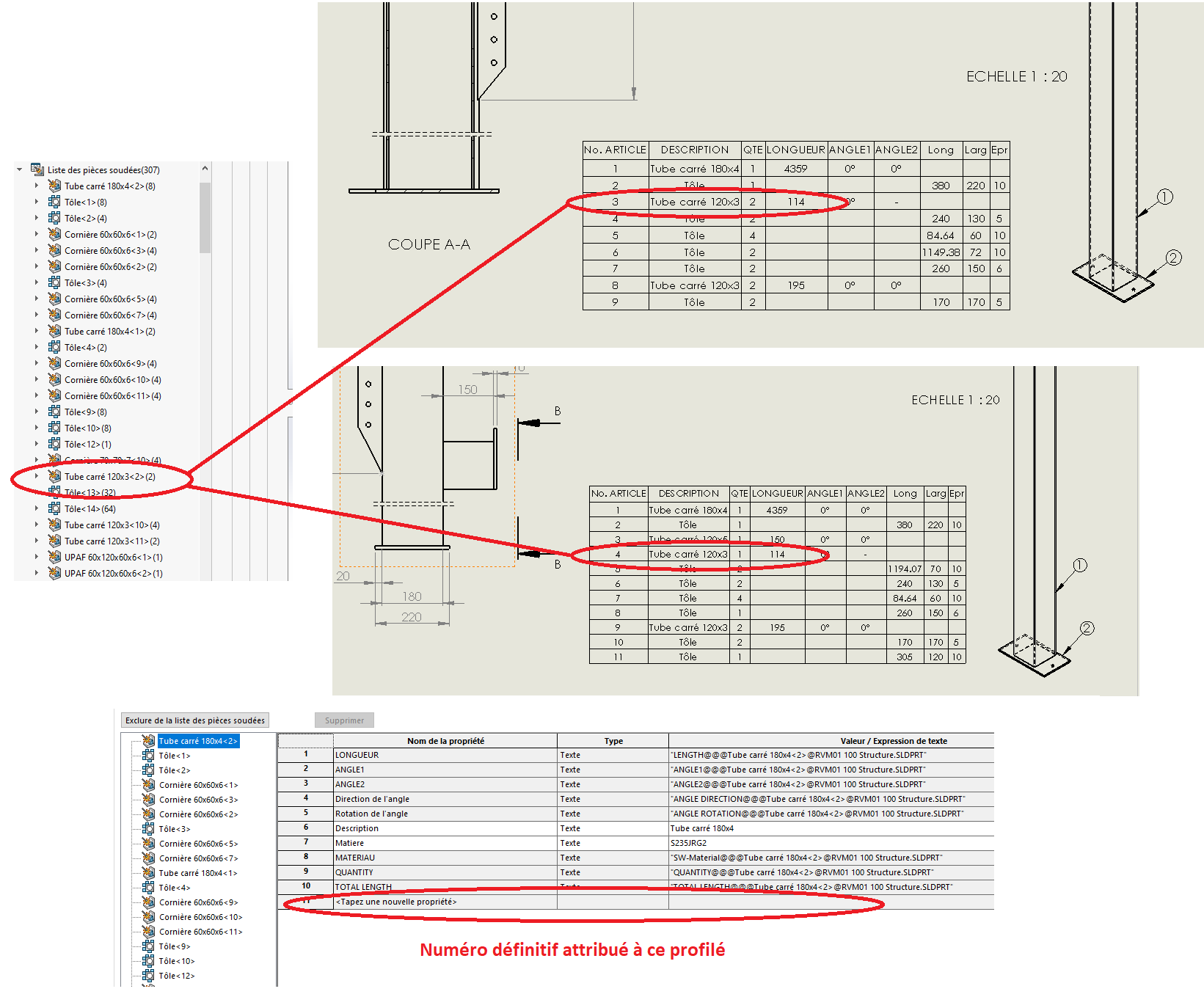
Dans l’exemple, on retrouve le même tube 120x3 avec un numéro d’article différent.
Il suffit de travailler les corps dans la pièce (ou manipuler les corps)
Vous pouvez donc sortir tous les corps et lui demander de créer un corps mécano-soudé.
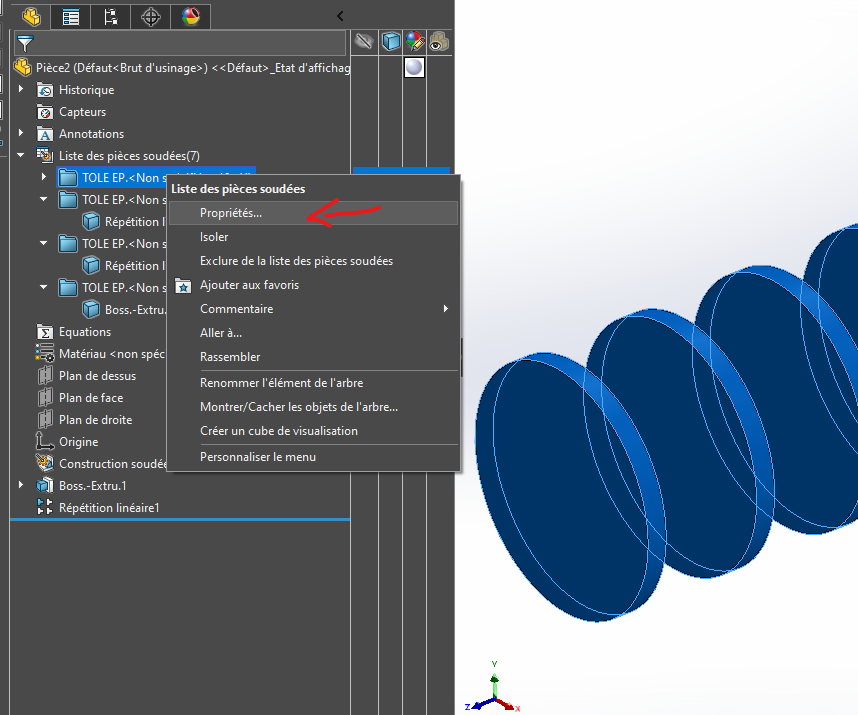
Ensuite propriété des corps et pour chaque corps vous indiquez HEA100 / L200 etc…
Exemple: 
Quand vous créer du multi-corps mécano-soudé, Sw crée des dossiers par corps identique. Donc un numéro de repère par dossier.
-
Ci-dessous SW reconnait que se sont les mêmes corps
-
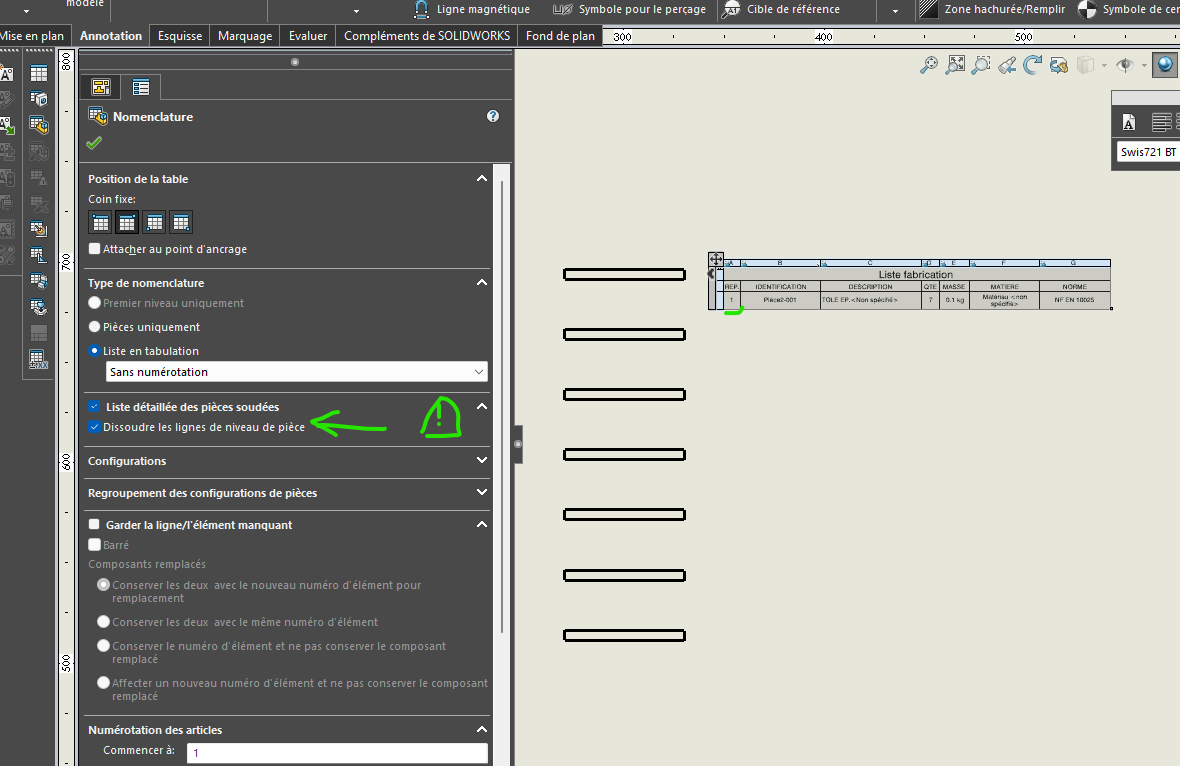
Dans le plan 1 x repère (attention à bien dissoudre la pièce dans les options de la nomenclature dans la MEP)
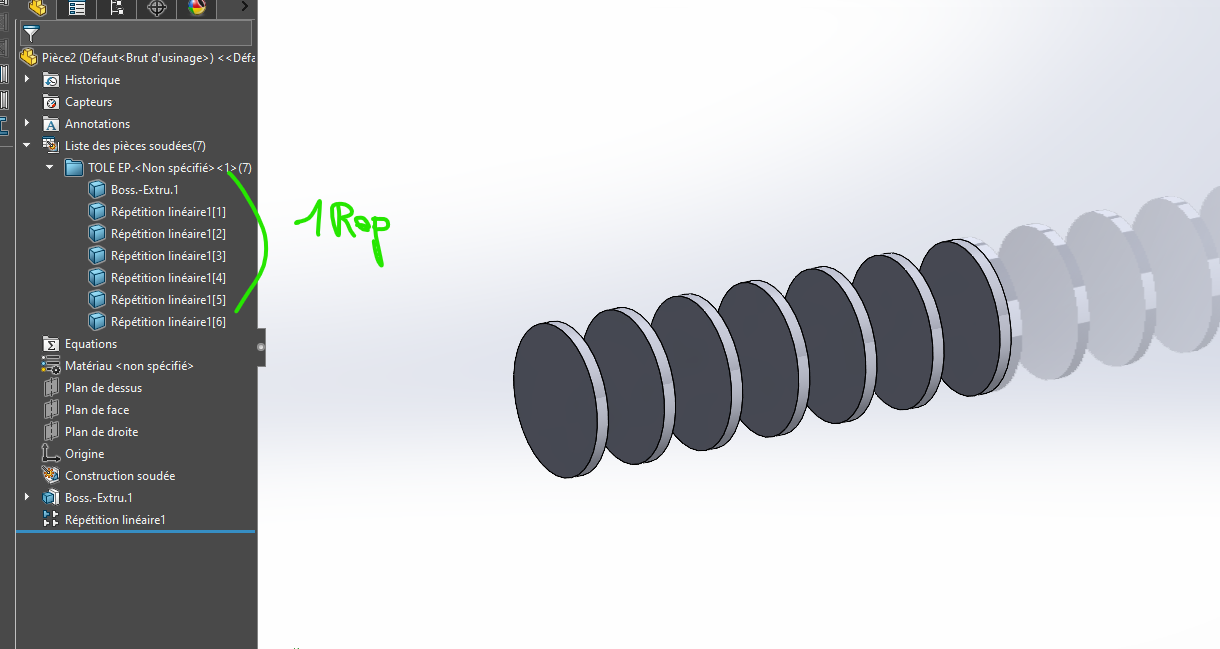
3)Je sors les corps du dossier mécano-soudé
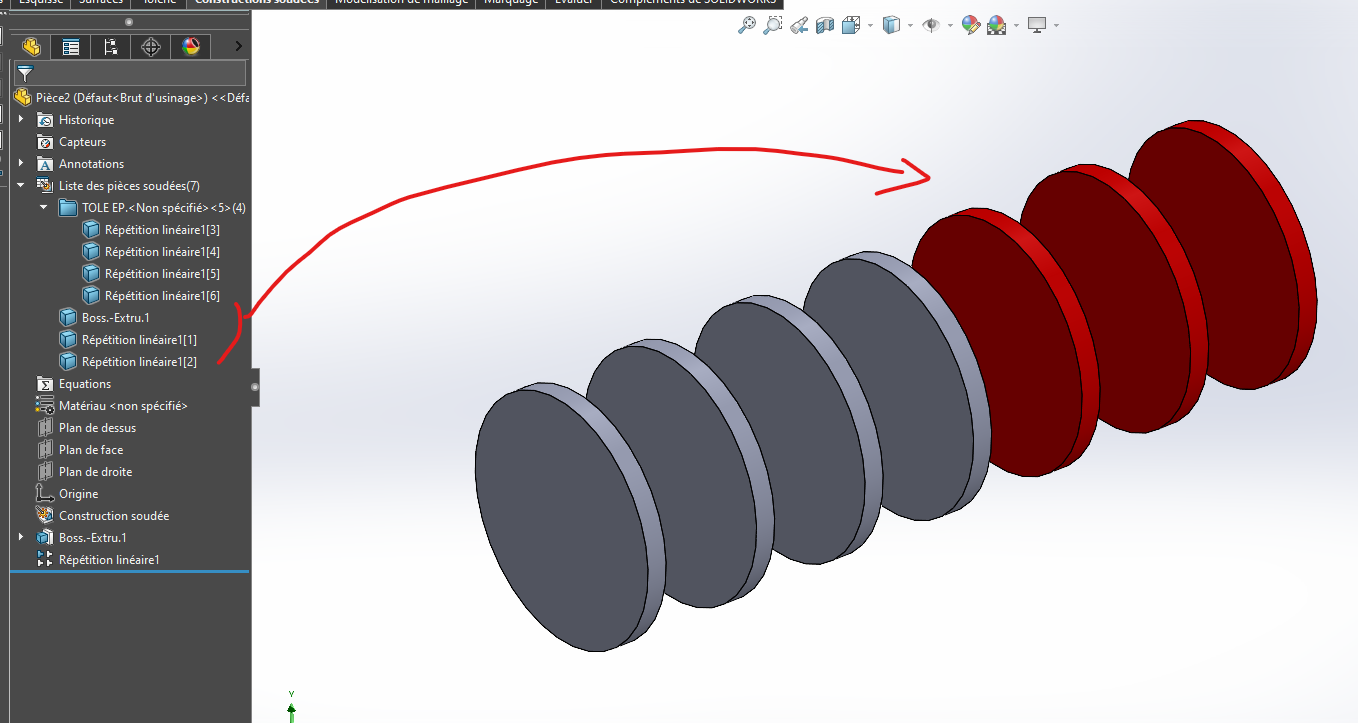
-
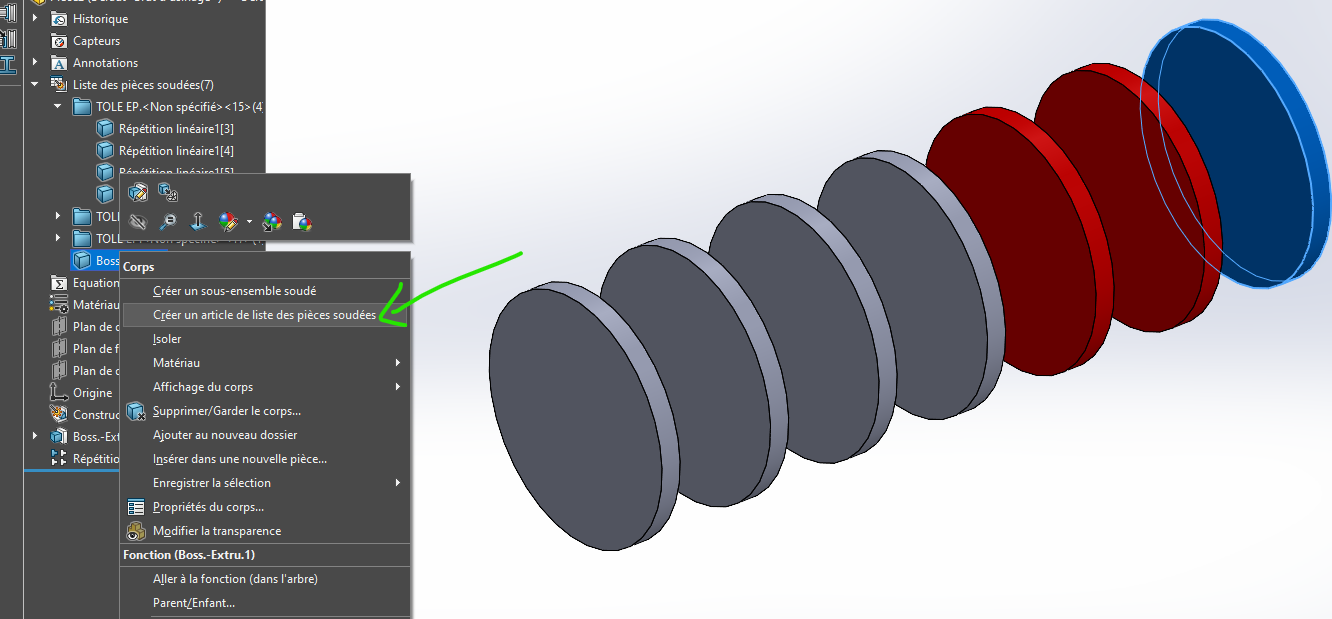
Je lui indique de créer un article
-
Et là, vous avez des corps identiques, avec des repères différents dans la nomenclature
-
Ci-dessous la mise en plan a changé, la nomenclature intègre les nouveaux repères.
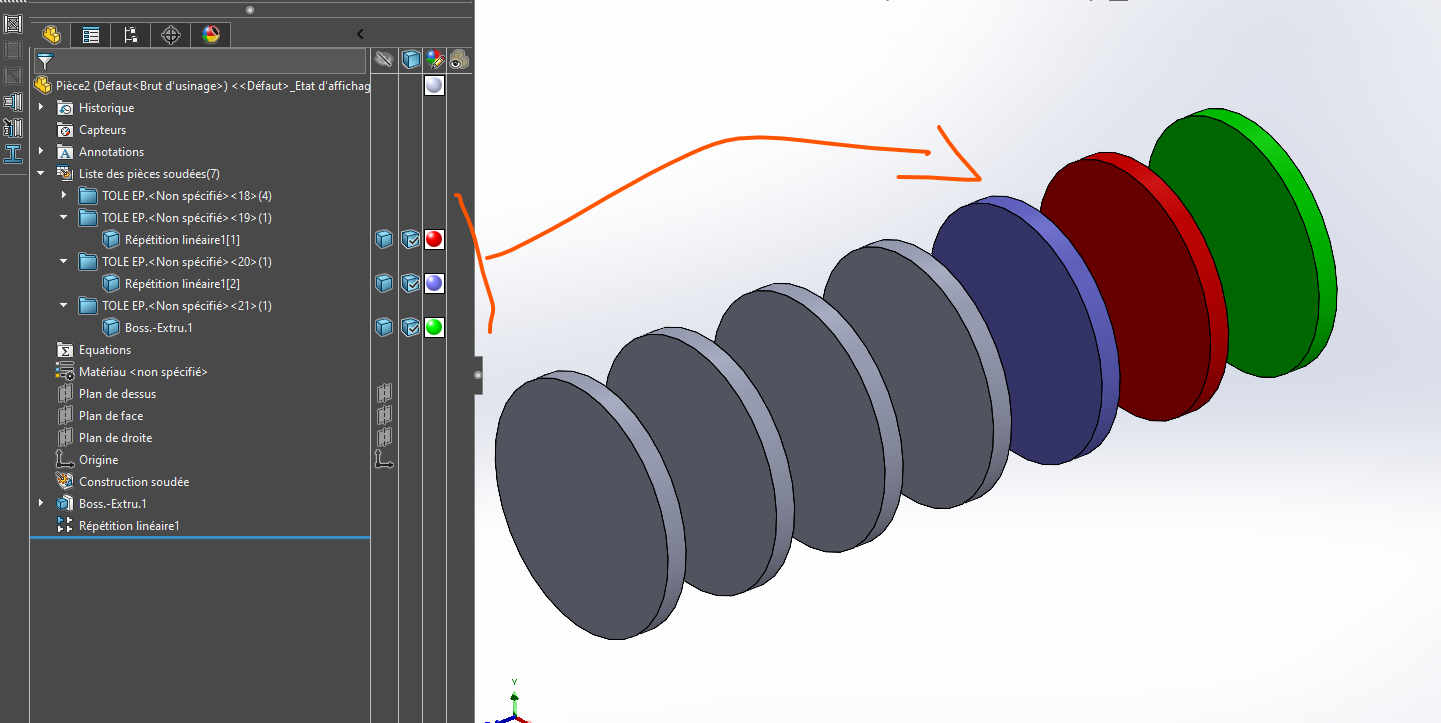
Et comme avant je l’imagine, vous renseignez les propriétés personnalisées de chaque corps
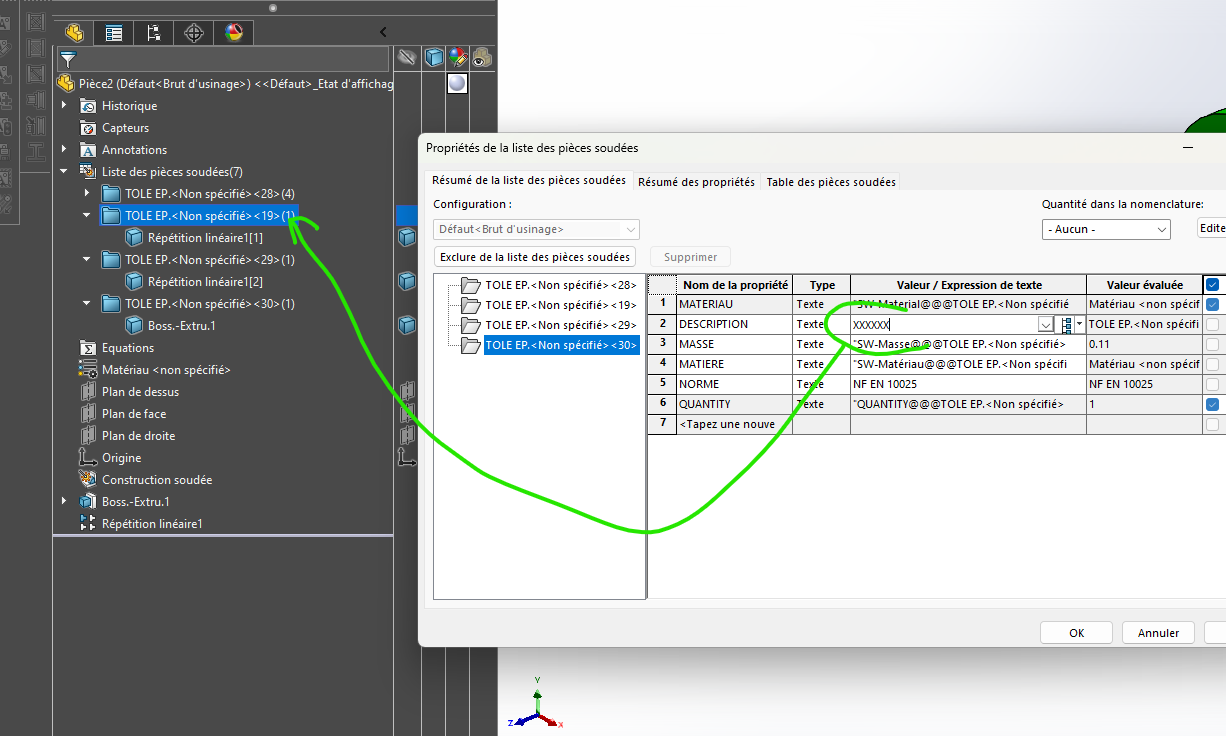
Merci @FRED78, c’est bon à savoir.
Mais cette méthode ne me satisfait pas complètement.
En tous cas, merci pour les explications 
Est en essayant avec les numéro d’instance (ID) ?
Voir posts:
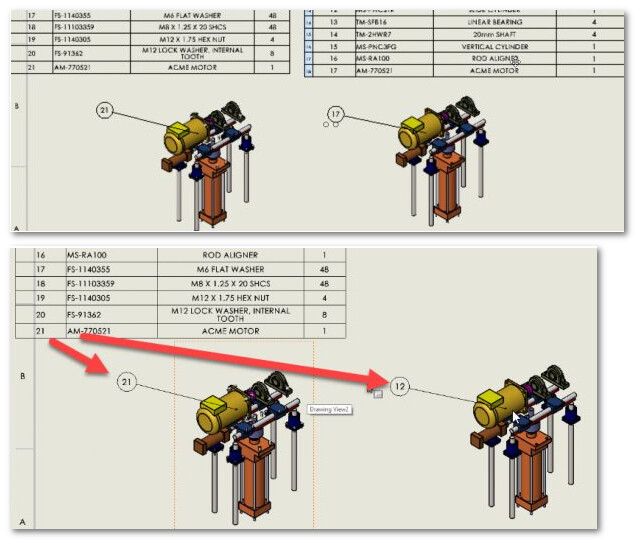
Si vos vues des mises en plan sont sur la même feuille, il est possible de lier la bulle de repère ver une autre Table :
Pour l’instant, le moyen le plus rapide que j’ai trouvé est de renommer une par une les pièces soudées en les numérotant. J’ai créer une propriété ‹ ‹ N° de pièce › › dans ma nomenclature qui renvoie à ces noms de pièces. C’est pas automatique et à voir en cas de modification de mon modèle, mais ça fait le job.
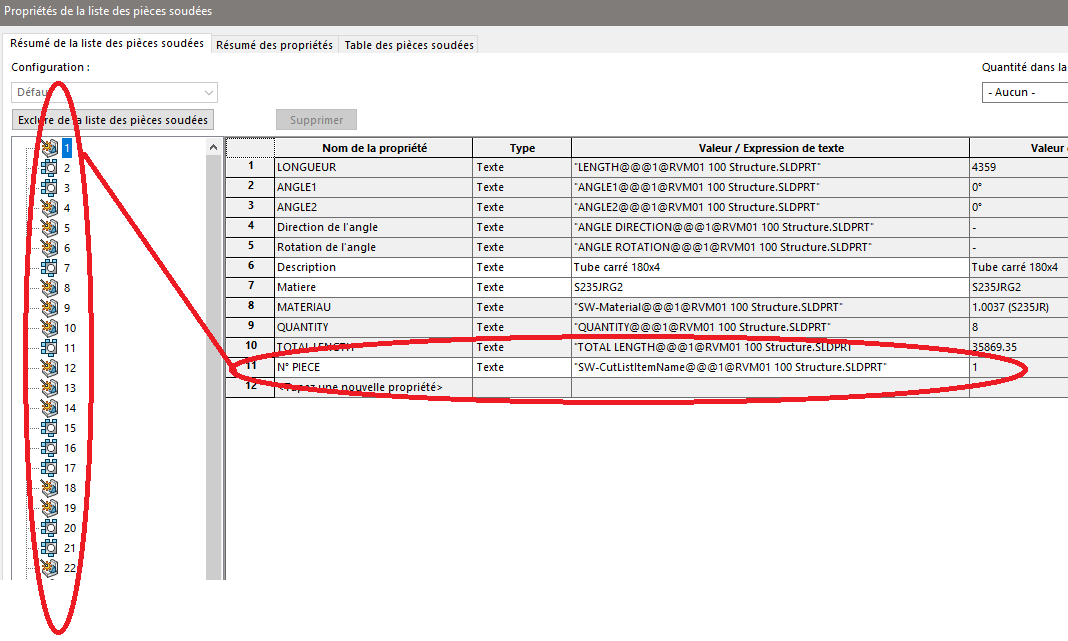
Non justement, il y a plusieurs feuilles…
… Ceci dit, il n’est pas impossible que le lien puisse se faire entre plusieurs Nomenclatures sur plusieurs pages, j’ai juste jamais essayé (le Multipage étant banni chez nous)
Tu peux gagner du temps an passant par une macro :
1 « J'aime »
Bonjour @Maclane
Chez nous la nomenclature s’applique sur plusieurs pages (dans le même fichier) en assemblage ou en mutli-corps. Il faut juste indiquer dans la propriété de la vue la bonne nomenclature.
1 « J'aime »
Merci @Maclane, je constate que ma demande n’est pas si simple et je ne comprends pas pourquoi il n’existe pas une propriété dédiée à la numérotation des pièces et qui pourrait être liée avec les outils MyCadTools comme CuttingOptimization et SheetMetalManufacturing