Hello, I'm looking to run an already existing task, on a number of .sldprt or .sldasm files on our vault, without having to do it manually. There are about 50000 files affected. I have a SW2022 Premium License with PDM pro 2022. The task in question generates a JPEG file in the vault as well as another JPEG file to integrate it into our ERP. Is there a way using a PDMTools tool to do this type of maneuver?
And is it possible to filter 3D files via attribute values present on these 3D files?
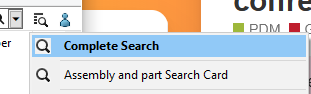
For the part " And is it possible to filter 3D files via attribute values present on these 3D files?" If the attributes are linked to a data map, normally there is no problem via the " full search" tool of PDM
For the basic question, you can always try to run a search . on the vault, select all the files and run the task: very very very long at each step but could work (low probability though). The best thing to do is to do this directory by directory (but it's tedious).
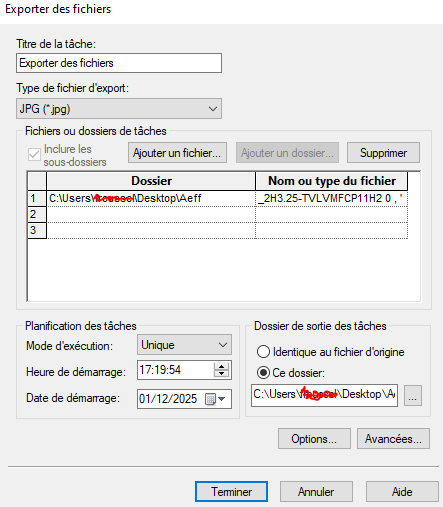
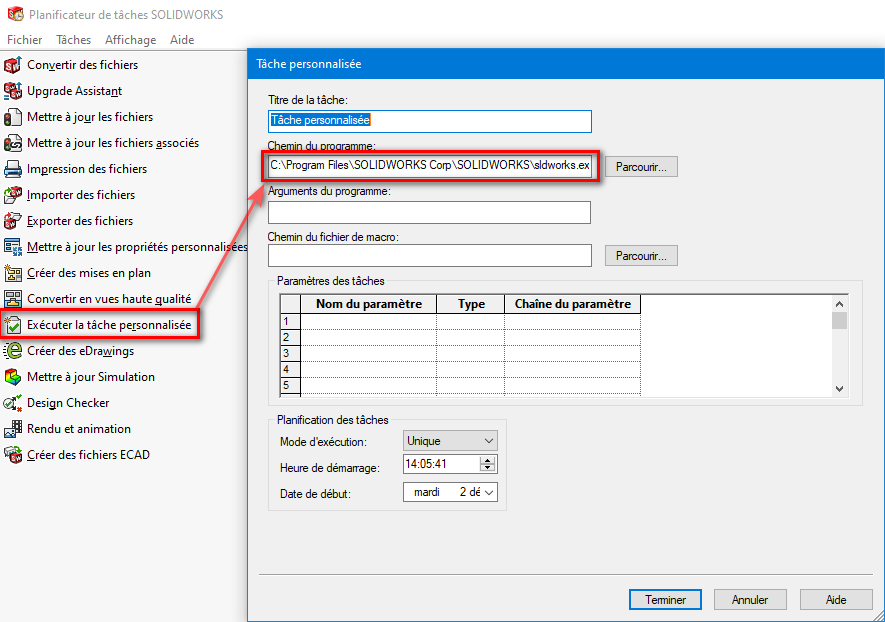
There's also a task scheduler in Solidworks. with the tasks ' Run a custom task' and ' Export files '. If your EPDM task is just to generate an image without too much frills, that should be enough.
I have already tried to select several files, then launch the task via a menu command from the explorer. The task runs correctly, the 4 selected .sldprt/sldasm files are processed on the dedicated workstation, but only 1 of the processed files generates an XML that allows the up-to-date JPG file to be uploaded to the ERP.
Otherwise, another approach would be to start from the JPG file (since not all 3D files necessarily have a jpg associated with it), and make a change of state from this JPG file. The problem is how to make sure that from the name of the JPG file, PDM launches a task that opens the associated 3D file (identical name without extension)?
Froussel you also say: " If your EPDM task is just generating an image without too much frills, that should be enough."
On my side, the generation of the jpg is done via a task in which there is a script. We set this up, among other things, to be able to add our logo in transparency in front of the 3D image of the component. So not sure if it can work with the task scheduler as you describe it.
In my day we had a macro for prints on PDM attached to a workflow for indices, but I don't remember if I could print via the scheduler. On the other hand, when printing via the planner, you have to be sure to have all the versions of the parts and plans up to date
@FRED78 and @Maclane , the SW task scheduler cannot drive PDM. You have to get the files you want to process beforehand otherwise yes with a macro that obtains files it should be possible but you have to code all that. Not looked at but otherwise maybe a macro with the PDM API that would allow you to run the task from Excel.
It would be interesting to attach PDM to a Workflow, with index management. Which blocks the plan after printing (with the possibility of going back if necessary). Or continue the workflow to the next hint after review. But I think it's in the pro version. An interesting tool when you don't limit yourself to a safe, it's Windchill. For the Macro there are experts here, I think you'll find it. A printing macro with a tampo must not be rocket science for an expert.
Hello So that, in Solidworks PDM, it's not the easiest (you have to play with the file history and usually it's reserved for administrators or at least " expert " users) and since a change made by SW you can't even go back to simply cancel a revision (no version deletion) when the file is used in an extracted assembly.
Thank you for your feedback For the history of the revisions it depends on how you manage. At the time and tell me if it's not the case anymore. We blocked the shot back after printing, it was a " state " but it didn't block you from going back. He had not moved to the higher index, just the validation of the revision in progress. Then if you start a new revision, then it was blocking, impossible to go back the principle of the revision. Except for an administrator. One solution was indeed to create a copy of the plan and therefore a restart of the counter. After all, everything was attached to a Workflow, which passed 2 people after you, the famous 3 signatures of your cartridge, with the possibility of systematically going back in the process from the passage to the next revision.
To go back you have to call on an administrator, but if this has changed it is very surprising. The implementation was done by software giants (Avenao I think)
Hello @FRED78, I may have misunderstood, I was talking about going back to undo a revision for example (delete it from the file history). Basically, we can only go forward
Interesting this story of Rollback blocking if the file is used by an extracted file. I have this problem on files used by virtual components that remain extracted in the database (because it is no longer used in the assembly which is well archived). I had reported the Rollback problem to Visiativ but they hadn't explained this particular point to me.
Do you know on which version of PDM this Rollback limitation appeared?
From memory since 2022. Edit: But rollback on a file version has always been blocked if that file is used in an extracted assembly or clip (normal behavior). The only thing that has been changed is that the simple " deletion " of a state change without deleting any version of the file has become blocked at the same level as deleting a version.
I would therefore have to be able to clean the SQL database of all the virtual file entries considered as extracted while their parent assembly is archived. I will discuss this with Visiativ.
Delete the history no you can't, by definition (it's the history of the file that allows you to return to this state so it's normal to keep it. Even if cancelled!
On the other hand, it is important to be able to go down or up the index. Mounted is normal. Move down in case of error, no matter the reasons.
It's feasible with an admin right and stable as long as the use cases are archived (hence the blocking by PDM). What I'm talking about is the cancellation of a transition or the return to a step of the worklow which leads to the cancellation of the revision for example. No file version is deleted in this case, no impact on the use cases since we don't touch the file version but just status information which in my opinion should not be blocked (they weren't before 2022) since it's the same as making a state change " forward " of the workflow (SW PDM will display in the user interface the new state the file is in and will not block from adding a version). As much as I understand the mandatory blocking for not deleting a version used in an extracted use case, but going back via the history to a previous state based on the same version number of the file (basically canceling steps in the workflow) is not very understandable in my opinion (it doesn't generate any stability problems).
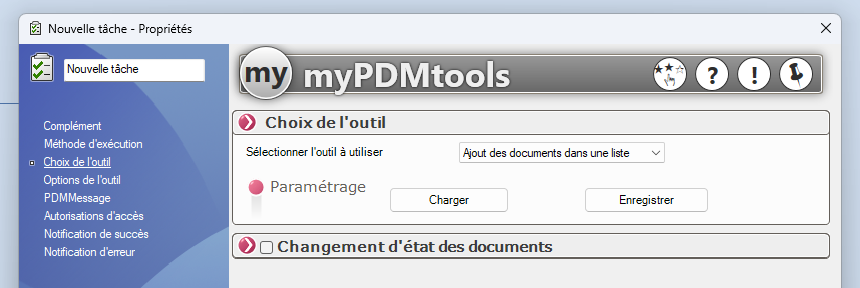
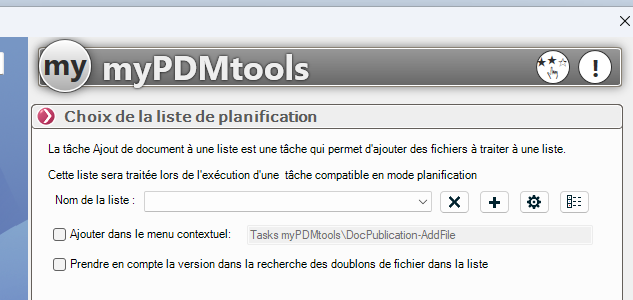
Hello, if you have the myPDMTools suite you may need to dig into the TaskAction side by using the tool ' Add documents in a list ' (spoiler: I haven't tested it).
 Good question. Unfortunately I couldn't answer it, we don't have a PDM at home, ... Sorry.

 it).
it).