Hello, I would like to know if it is possible to add shortcuts on the keys of your mouse (to close a sketch faster, select the smart dimension in one click) I have a mouse with several keys on the sides and I would like to use them
Hello
Have you tried via customization? (right-click in the toolbar → customize)
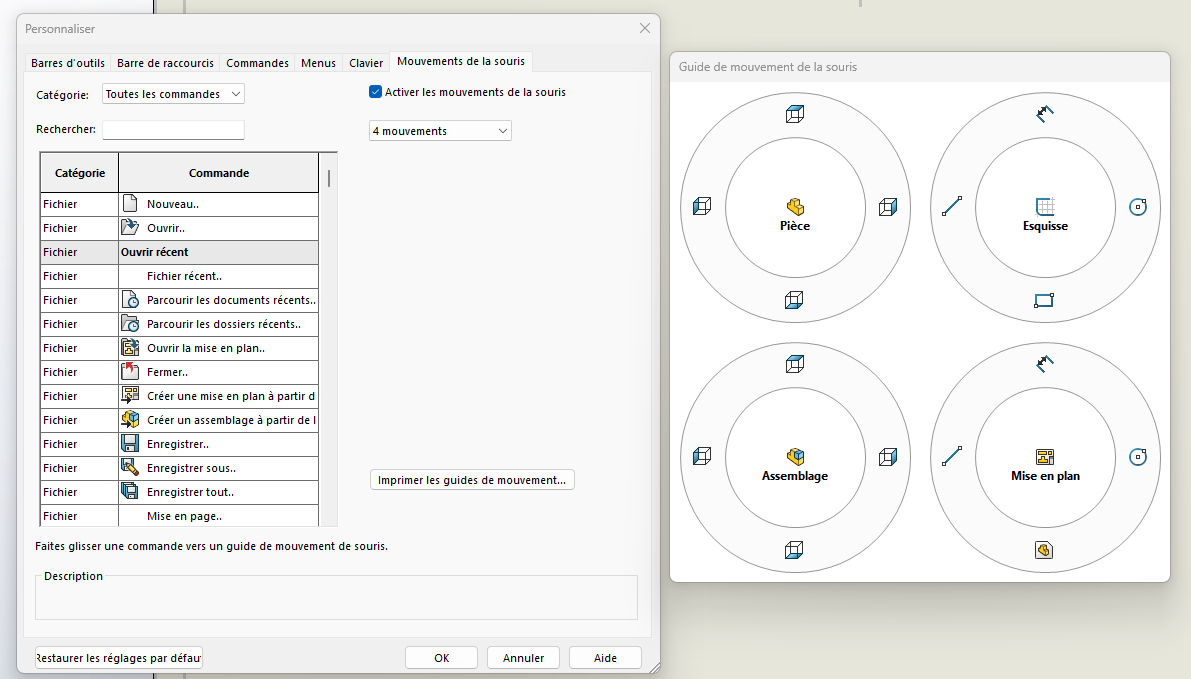
2 Likes
Hello
Otherwise you can also assign keyboard shortcuts to your mouse (with Logitech's software or other) and assign these same shortcuts in Solidworks
1 Like
Hello
I can recommend Xmouse, maybe there are better ones but it works and is free.
I put my Enter key on the side of my mouse for pop-ups. On the other hand, it doesn't work for sketches...
Hello
No faster than ctrl+q to close a sketch.